
DOWNLOAD THE APP


Customer Services
Copyright © 2025 Desertcart Holdings Limited
DOWNLOAD THE APP



🌬️ Cool your system, not your vibe!
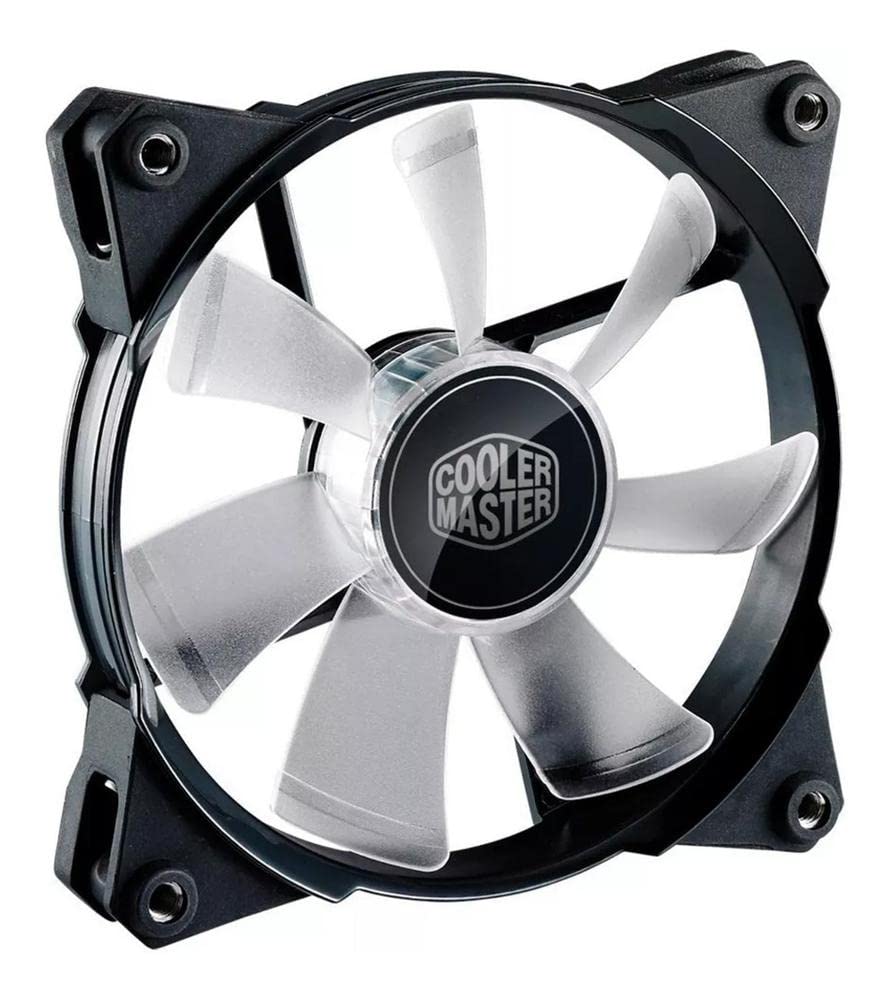
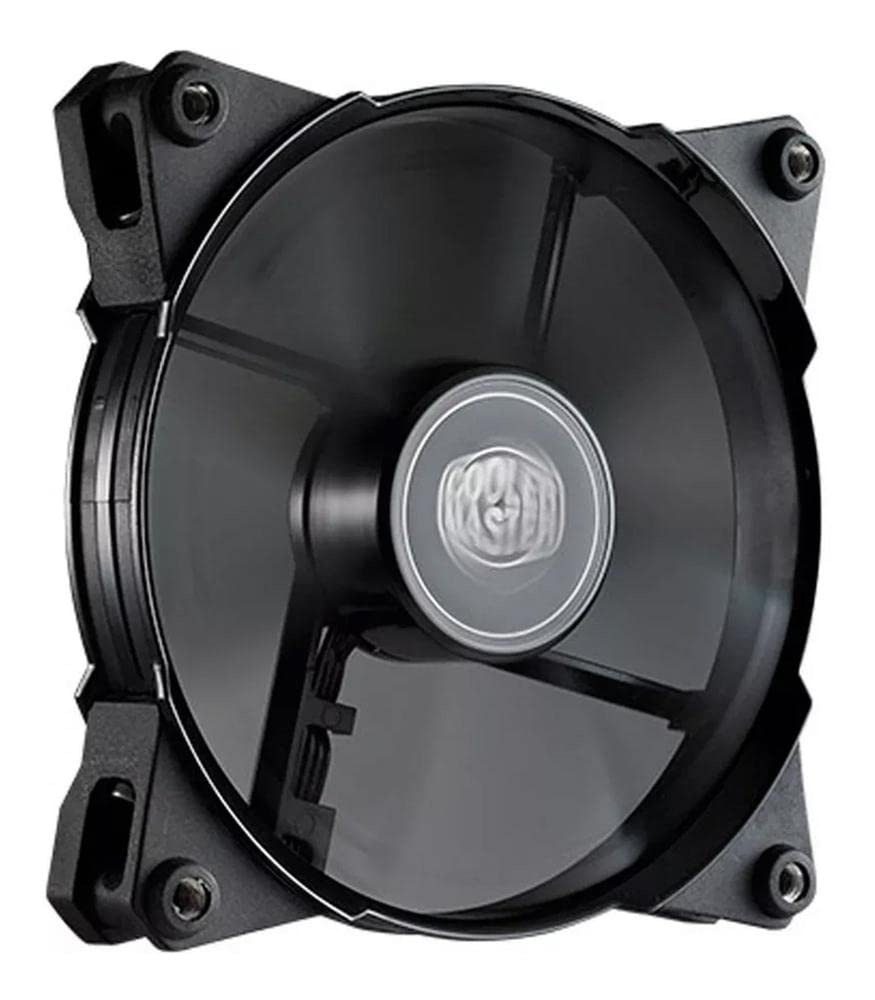
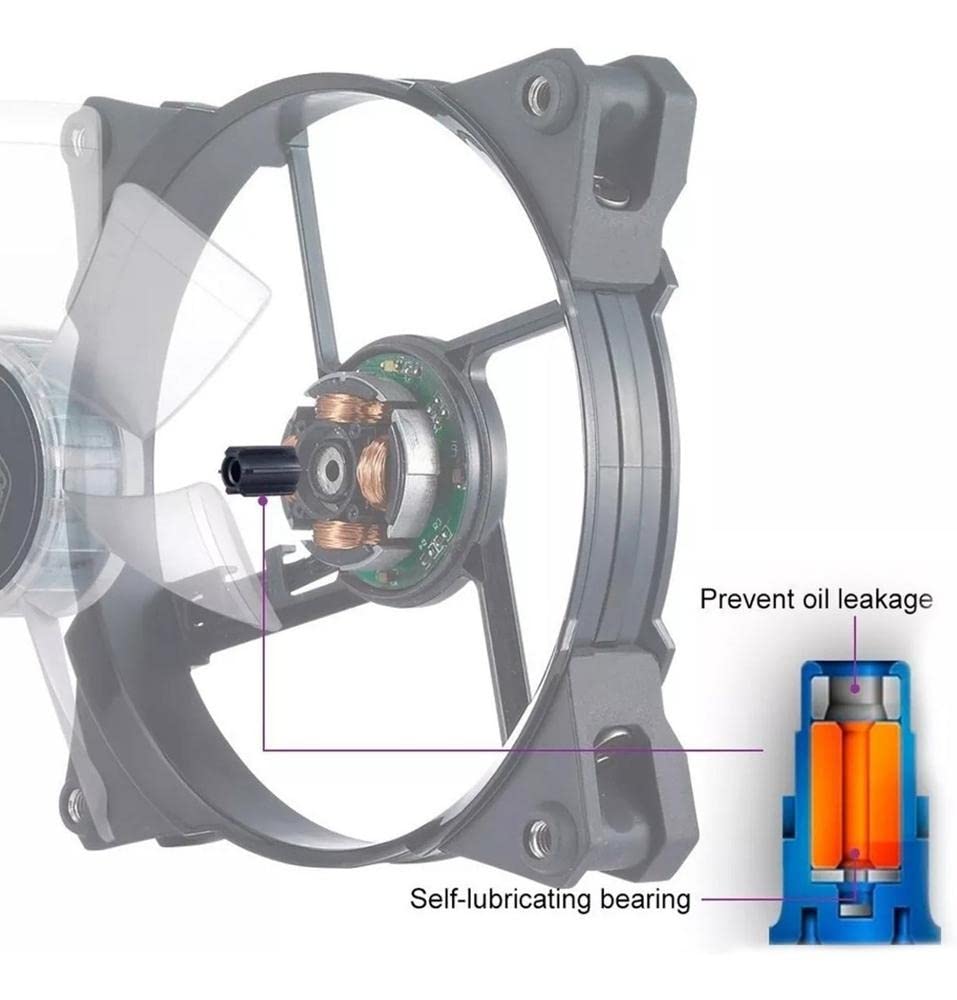
The Cooler Master JetFlo 120 is a high-performance 120mm fan designed for computer cases, CPU coolers, and radiators. It features ultra-thin yet robust fan blades, a powerful motor capable of 800 to 2,000 RPM, and a noise level of just 36 dBA. With a lifespan of up to 160,000 hours thanks to its POM bearing, this fan combines durability with stylish LED options, making it a perfect choice for gamers and professionals alike.
| Product Dimensions | 4.7"L x 1"W x 4.7"H |
| Brand | Cooler Master |
| Power Connector Type | 4-Pin |
| Voltage | 12 Volts |
| Wattage | 4.8 watts |
| Cooling Method | Fan |
| Compatible Devices | Radiator |
| Noise Level | 36 dB |
| Material | POM (Polyoxymethylene) |
| Maximum Rotational Speed | 2000 RPM |
| UPC | 902362597481 013201036310 012304360827 809185331981 636637366020 343539002511 061450581327 115971576260 803982875259 884102021381 807320213246 809385645499 163121375041 132018225332 172304221723 886112492694 012304992998 |
| Global Trade Identification Number | 05053866415681 |
| Manufacturer | Cooler Master |
| Number of Items | 1 |
| Item model number | R4-JFDP-20PB-R1 |
| Item Weight | 6.4 ounces |
| Item Dimensions LxWxH | 4.7 x 1 x 4.7 inches |
| Color | Blue |
| ASIN | B00E20SSZ8 |
| Is Discontinued By Manufacturer | No |
| Date First Available | April 10, 2013 |
A**L
LOUD! Or are they..
Pros:-Move a LOT of air for 50% power. I have had 120mm 100+ CFM fans before and they did not push this much air at 50% and they did not do it so quietly-Quiet (as long as you limit the power). If you think you are going to get a silent fan that runs at 2100RPM and pushes 96CFM, you need to re-evaluate your life choices.-Metal threaded screw holes. I've never seen this before on a computer fan, and I'm a big fan of this.-LED placing. I'm really tired of seeing LEDs mounted on the outer frame of fans. The inner mounting looks a lot better.-Very good-looking cables. The sleeving is fantastic and just puts the cherry on top of a very premium-looking fan.Cons:-The only con I can think of is the 19dB adapter. I was hoping the solution would be a little more clever than just a resistor. But, I'm not using it and it really doesn't affect you if you do use it. Although you definitely should keep the resistor away from heat-sensitive components.-Loud at 100%, but you know this.If you want a good case fan, get it. It looks good, sounds good, and performs good. What more could you want?I bought these to put in a push/pull config on my Hyper 212. Just a word of caution, if you plan on doing this, I suggest looking elsewhere. These make great case fans but mounting them on the 212 was slightly inconvenient. On top of that, these are not really designed to go on coolers due to the concentrated airflow. I mainly got them for aesthetics as well as silence. The stock fan was too loud for my tastes when it was cooling effectively, plus it just looked dull. With two of these (with speed limited to ~50% power), the CPU cooler is no longer the loudest part of my rig.The reason why I wouldn't suggest using these on the 212 specifically is because you cannot use standard flat-headed screws to mount the fans. The screw holes are metal threaded and are a different pitch(?) than standard flat head screws. This means that you may or may not have metal on metal contact when you mount the fans to the cooler. The vibration dampening pads on the fan brackets are not tall enough to clear the top of the screws.
R**R
High RPM Fan, Big Cooling
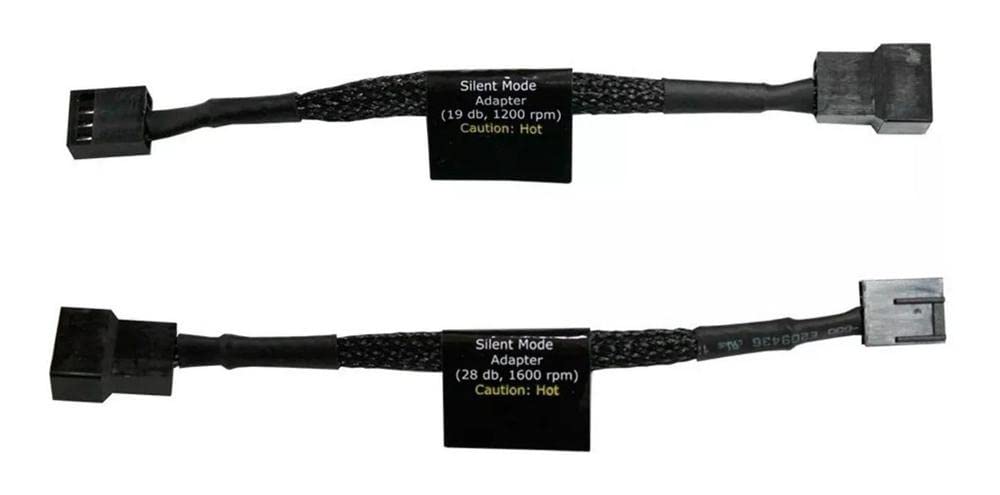
I decided after owning this product for some time and getting good use out of it I would write a review of it. I ordered one of these fans to replace a failed rear 120mm fan on my CoolerMaster HAF case. I have bought cooler master products in the past and I have been very happy with them so far. I have this fan mounted to purge heat from a Corsair water cooler that mounts over top it. So the fan sucks air through the radiator and out the back of the case, a great design. The fan itself is plugged into a CPU_OPT port on my motherboard and my motherboard regulates its speed given the heat of the CPU on my motherboard. Sometimes it runs slow, sometimes it runs fast because I am interlacing video in HD through NERO or something. Please read my caveat section as I feel the need to include my experience with this fan after buying 3 of them for various purposes.==--Caveat--==I work with computers for a living and I build them for fun. I found this fan first to replace a 120mm rear fan that failed on me and I just plugged it RIGHT into a 4pin molex thus it ran at full speed ALL THE TIME. That is literally unacceptable because at 100% this fan WILL drive you insane. However technology has advanced and CoolerMaster KNOWS that this fan in insanely loud. So they were nice enough to include two cables that fix the speed of the fan to a certain speed. Trust me for a rear fan the low speed of 1200 RPM was enough for a simple rear fan. I bought a new MoBo since then installed a Cosair water cooler and mounted the radiator atop this fan. The air now pulls air though the radiator that is connected via tubing to the CPU block. The fan is plugged into the CPU_OPT (CPU Optional) slot on my motherboard. That specific fan bus is monitored and throttled via the ASUS Thermal Radar program to only speed up as CPU temps go up. As such this thing is almost NEVER running at 100% so it doesn’t bother me. Fast forward a few months and one of my two top 120mm fans were failing. So I decided I would replace them both with the version of this fan that had the red LED’s. I ordered them, installed them and immediately was gifted the wonderful gift of a headache from the 100% run speed of TWO of these fans running at full speed simultaneously. Wonderful, so I went into my MoBo to see if I could throttle them down. I could not throttle them below 60% in my MoBo. So I googled my issue, it is a known issue with my MoBo. And for a second I asked myself is it worth the headache to have a cooler computer. But alas I had forgotten that ASUS has its own throttling program that came with my expensive motherboard. So I went in and LOW AND BEHOLD there was an option to run the fans at 40% speed AND link the speed increase to anything I wanted. So I linked it to the temps of my DRAM set it to run at 40% until my DRAM reaches 40C and my issue is resolved. Now all this said, you are going to HAVE to throttle these fans somehow if you are going to install them in your computer. If you don’t know how to do this or don’t feel comfortable manually throttling them with the included cables this fan IS NOT FOR YOU. Buy a slower fan that you don’t have to throttle, because this fan will dive you mad.Pros+This fan has a GREAT range of speed on it. Very few other fans can match this one as far as how slow and how fast it can run in RPM. Higher RPM = more air flow= cooler temps.+It comes in several options including LED and non LED. As far as I can tell there is no difference between the ones with and without LED's.+This thing really keeps the temps down with my liquid cooler I bought and I have heard it running at all RPM's including all out when I was buffering video. SO my CPU temp was at 48C and the fan was running all out. Now at FULL RPM it is noticeable. But then again it is moving a TON of air, more than many other 120mm fans on the market. So to deduct stars for that is a little unfair. Like deducting stars because the V12 engine in your car makes more noise than the engine in your electric Prius. The two are a LITTLE different yes?+At lower RPM's it is not noticeable at all, not more than any standard 120mm fan because it is running at standard 120mm speeds.+Includes modulation cables if you don't have a fan port on the MoBo that can modulate the speed, or if you don't have a fan controller installed on your computer. So...use them? There are adapters that will allow you to take a fan port into a 4pin molex. You would just get one of those adapters and plug this fan via one of the two cables they included and you have a fixed speed fan plugged into a molex connector.Cons-This thing will get loud when it is running all out, and if you decide to just plug it into a 4 pin molex or a unregulated motherboard fan port it will basically just run to the wall unless you use one of the INCLUDED fan speed modulator cables. So CoolerMaster KNOWS this thing is loud and has decided to INCLUDE the cable you need to silence it.-Can be difficult depending on your motherboard to regulate the speed of this fan. When I bought this fan I was not 100% sure of the noise level when this fan just runs 100% to the wall. But now that I know I am making sure to inform others. See my Caveat section above.-Doesn't do dishes...yetConclusionThis fan really is great if you understand how to regulate it and what kind of performance you will get out of it. This thing WILL MOVE AIR more than you would expect from a fan this size, hence the higher than average price point on the fan itself. You can get fans for 9.99 that will move air, but this thing will move almost as much as two of those budget fans. And it will likely last longer too. So you have a trade off you want to make. More noise and lower temps? Or less noise and higher temps? You CAN moderate this fan to the middle speed cable included and be happy with it. If not just change it to the low speed cable and bingo! If you have a newer motherboard you can likely regulate the speed of these fans easily either in your BIOS or by software provided by your manufacturer. ASUS has great software for this purpose that they include with their motherboards. BUT if you don't know how or feel comfortable with modulating these fans I would in no way suggest this fan to you. Get another fan that makes less noise you will thank me and so will your head. Yes at the high speeds it is insane just how much air/noise is created. It isn't deafening but you will notice it. It is a high pitched noise that is likely going to cause you headaches. And if you hook up more than one of these unregulated...I hope you like headaches. But if you regulate these fans they literally are unnoticeable from standard 120mm fans.
F**E
VVRRROOOOMMM
Got 2 of these for my corsair c70 and used them as front intake fans. I also got 4 cooler master sickle flow fans for top and rear exhaust, as well as side intake. These jet flow fans really move some air and keep my gigabyte GTX 770 very cool. (its idling right not at 28°C and when gaming for a while it got as high as 57°C.) I didn't even have to crank up the speed to keep my hardware this cool. My cpu is cooled by a cooler master hyper 212 evo and with all 6 of these fans in my case, my FX 8350 idles at 10°C and only gets to 35°C while gaming. (seriously.) And this is playing battlefield 4 on very high settings.But, these fans are not without sacrifice. If I turn the rpms up to max on the 4 sickle flow fans, (2,000 RPM) they make a low hum. If I crank up the jet flows to half of that, it sounds like my case is taking off down a runway and is about to lift off! These things get pretty loud when you run them high but on low, they are fairly quiet. The good thing about this is that I don't have to turn the jet flows up anymore than maybe 20% to keep my case nice and chilly because I turned up all 4 of my sickle flow fans and just 1 of these jet flows easily drowned out their noise at only 50%-75% rpms.Anyone with a good case with nice airflow, won't have a problem with these fans at all. Keeping them on low moves plenty enough air to cool your system. As an added bonus, these fans do come with 2 "silencer" connectors that limit the speed of the fans to a certain rpm so that it cuts down on the noise they make. Each one lowers the max rpm to 1600 or 1200 depending on how silent you want them to run. I'm not using them since I have an NZXT Sentry II fan controller to keep them in check.
M**4
Correspond à la description
ventile mon pc :-)
A**Z
Geniales
Dan un flujo de aire muy bueno, en mi gabinete puse uno para enfriar los discos duros, los esta manteniendo a 28°C a temperatura ambiental de 29°C, cuando la temperatura exterior es de 32° y tengo el aire acondicionado a 22° los discos los mantengo a 26° trabajando...INCONVENIENTE? si, cuando trabajan del 60% en adelante son muy ruidosos, parece que tengo un dron dentro del gabinete pero vale la pena por el enfriamiento que crea. ademas que tienen adaptadores para reducir la velocidad y el ruido
O**K
Calidad y buen flujo de aire.
Mueven muchísimo aire.Son muy robustos, la construccion denota calidad. Los ledes no son potentísimos pero se ven bien.No vibran nada.El ruido es alto pero no es molesto, con regulador de rpms pueden mover mucho aire sin hacer nada de ruido.
A**A
Muy bueno, pero algo ruidoso
Excelente ventilador, 7 años trabajando y sigue funcionando a la perfección, sin ruidos extraños ni tambalear, cuenta con colchones en donde va apollado el tornillo para evitar vibraciones y ruido con un buen flujo de aire, sin embargo a su máxima potencia si genera bastante ruido
R**E
Good, cheap, loud
THEY MOVE AIR WELL! Good price.They're also pretty loud, in a Mini-ITX on my table next to me and even at the quietest adapter, it's still very audible.Saw a review that says noise level 1200rpm around 24Db, 1600rpm at 30Db and 2000rpm at 36Db and I think this is more accurate than what the manufacturer has given.
Trustpilot
1 month ago
2 weeks ago