
DOWNLOAD THE APP


Customer Services
Copyright © 2025 Desertcart Holdings Limited
DOWNLOAD THE APP




🔒 Elevate your security game with crystal-clear vision & smart alerts — never miss a moment!
The SV3C 5MP WiFi IP Camera is a professional-grade outdoor security solution featuring 5MP HD resolution with starlight night vision, dual-band 2.4GHz/5GHz WiFi for flexible connectivity, and advanced humanoid motion detection to minimize false alarms. Its IP66-rated aluminum body ensures durability against extreme weather and vandalism. With two-way audio, SD card recording support, and ONVIF compatibility, it offers versatile, reliable surveillance accessible via app or browser, backed by lifetime technical support.


| ASIN | B07T9K7N1G |
| Alert Type | Audio and Motion |
| Batteries Required? | No |
| Best Sellers Rank | #306 in Bullet Surveillance Cameras |
| Color | 5MP |
| Compatible Devices | Smartphone |
| Connectivity Protocol | HomePlug |
| Control Method | App |
| Controller Type | CamHi app and P2P PC software |
| Customer Reviews | 4.1 4.1 out of 5 stars (326) |
| Date First Available | July 11, 2019 |
| Effective Still Resolution | 5 MP |
| Focus Type | Fixed Focus |
| Form Factor | Bullet |
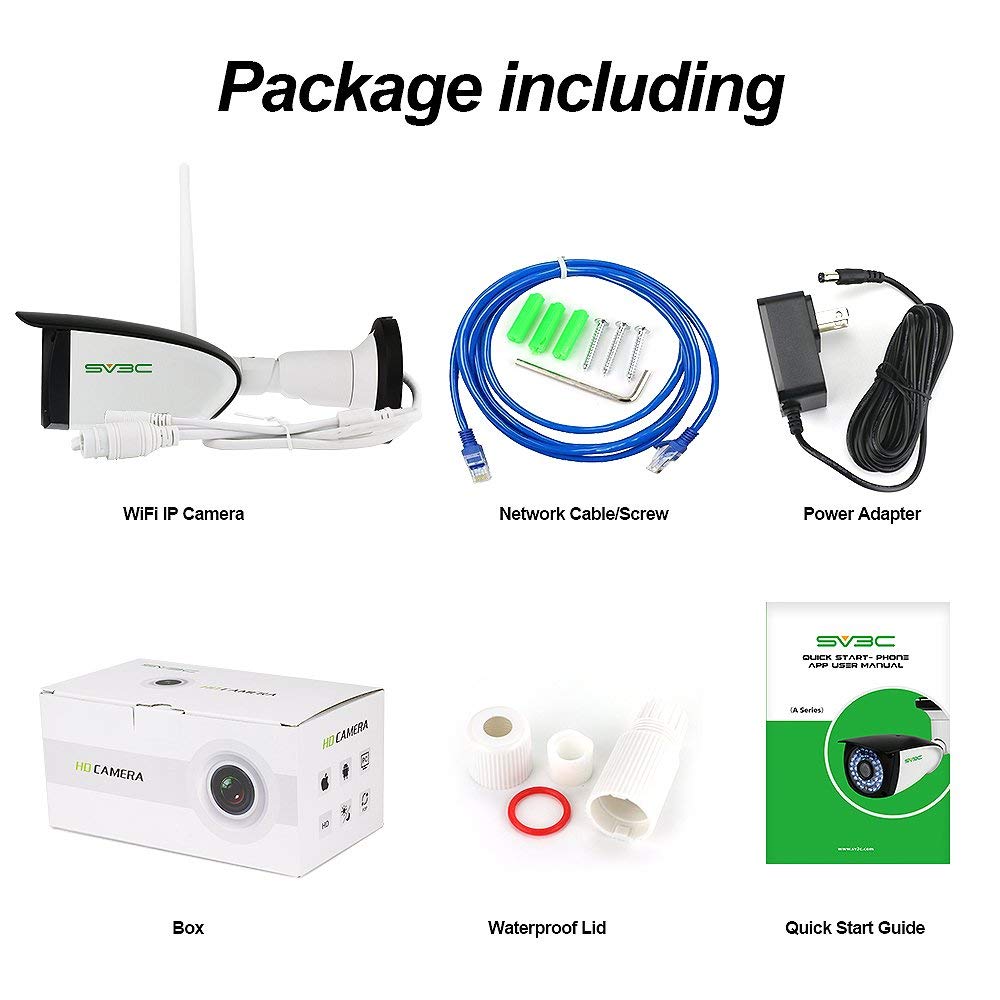
| Included Components | screws and tools |
| International Protection Rating | IP66 |
| Item Weight | 12.3 ounces |
| Item dimensions L x W x H | 7.87 x 3.15 x 3.94 inches |
| Item model number | B06W-5MP-HX |
| Light Source Type | Infrared |
| Low light technology | Night Color |
| Manufacturer | SV3C Technology |
| Material | Aluminum |
| Maximum Webcam Image Resolution | 5 MP |
| Mounting Type | Wall Mount |
| Night Vision Range | 67 Feet |
| Number of Channels | 2 |
| Number of Items | 1 |
| Photo Sensor Technology | CMOS |
| Power Source | Corded Electric |
| Product Dimensions | 7.87 x 3.15 x 3.94 inches |
| Room Type | Bathroom, Bedroom, Classroom, Hallway, Kitchen, Living Room, Office, Study Room |
| Specific Uses For Product | Indoor, Outdoor |
| UPC | 792966726918 |
| Unit Count | 1.0 Count |
| Video Capture Format | h.265, h.264 |
| Video Capture Resolution | 5 MP |
| Viewing Angle | 87 Degrees |
| Voltage | 12 Volts (DC) |
| Wattage | 12 Watt-hours |
| Wireless Communication Technology | Wi-Fi |
P**A
Outstanding Camera!
I purchased three of these cameras five years ago back in 2019... and they have been superb cameras. They have withstood 80+ mph wind gusts, temperatures from -25 to close to 100 deg... rain, snow and birds.. and they have never missed a beat. The video quality of this camera is very good during the day.. and acceptable at night with the IR lights. Not as good as color night vision is of course.. although I'm not even sure that was available when I purchased these. I've included a video of a Red-tailed hawk that shows the detail that this camera is capable of. I use a program called ContaCam to do my recording with these cameras.. as it allows for very detailed control of what you want to record.. and what you do not want to record. Not sure I could even use a camera outside my house if not for this program. The setup of this cameras is very easy.. at least after you have done it a time or two. You can control everything from the network and wifi settings, to the video quality and audio settings.. and everything in between. Using a browser to access the settings is much more detailed than using the CamHi app. Even better than the camera is the customer service. They will bend over backwards and then some to help you out.. even years after purchase. They have never failed to answer a question or solve a problem if it is within their power to do so. I only have one complaint with this camera.. and it is not with the camera itself per se. The power supply for this camera is not waterproof.. which does kind of limit where you can place this camera. So if you are using an outside receptacle to plug this into.. keep that in mind. There are workarounds of course.. but it would be nice to have a waterproof power supply. SV3C is the only company I will do business with when it comes to cameras.. a top notch company to say the least.
B**S
Great camera – Easy to set up
I bought this particular camera to provide indoor security. However, in testing it out, I found that it is a great outdoor camera if you can deal with the fact that it needs a power source. My major criteria for it was that it must be compatible with Blue Iris, be wireless (not PoE) and provide good quality video. Of course, this camera meets all those criteria. I was actually quite pleasantly surprised. It took me less than an hour from the time I opened the box, installed an SD card, hooked it up to my Wifi with the Ethernet cable, added the camera to the app, added the camera to my Wifi without the Ethernet cable, added it to Blue Iris, tested it, and then temporarily mounted it outside for more testing. This, by far, was the easiest camera to install of all of mine. I have attached several pictures I have taken in a couple different locations, covering both day and night, that show the great quality from this 5MP camera. I downloaded the pictures from Blue Iris. The camera also appears to be quite sturdy. I have had it mounted out in my yard with no protection, and it works perfectly as sort of a game camera. I am rating this as 5 stars because I haven’t found anything about it that is worth less. Even the price is decent. I also contacted SV3C’s tech support (Alice) with a question and received a prompt (considering the time difference) response. I recommend the camera for anyone looking for a 5MP fixed security camera at a good price.
C**Y
Good Camera (Privacy Concious - with PTP enabled.)
I believe companies should disclose fully what P2P mode really means, and they should list the servers your camera talks too. Now, I'm not saying anything nefarious is occurring, i just think there should be full disclosure - First, ill state the positive. They allow you to turn OFF P2P mode, but it is required to use all the included software, ie the Android APP and the Included (Hip2p client) Software. What is P2P? It's needed for two reasons. #1, because of firewalls, and internet blocking on purpose, or NAT Internet. #2, you don't have to be a smart person and configure your router to allow access to your IP camera. I know, this is a bit geeky, basically it means for today's Internet, P2P is necessary for most because of necessity and/or user-friendliness. But, then there is a trust issue. This particular camera is sending data to two different data centers. One in Hong Kong China, and one in California. Here are the two IP addresses your camera is sending UDP packets to. 47.242.197.148 and 198.11.183.175, both listed as Alibaba data centers. They are sent as a means of breaking through the limitations of your internet, as i mentioned before so that you can connect and view your camera from mobile phone etc. These packets are sent every few seconds. I believe companies should disclose that when you enable such features, then certain data is collected to implement the p2p. They should also state what data is disclosed, such as the IP address (ie the location of your camera) and any other data they may or may not be collecting. Being how conscious i am about those things, I have chosen to disable P2P, and i am still very happy with this camera.. Ill explain how i got everything working. 1. I did NOT use any software to set it up. I turned it on, and connected my laptop to its own WIFI hotspot. (Stated in manual as [AP mode wifi hotspot] - The directions were clear. 2. You then can directly connect to the devices internal webpage. The default username and password is [admin] - I then set it up to connect to our Main Wifi, although, you can also use a direct Ethernet LAN connection. 3. I turned off P2P, and setup many of the various features. 4. I password protected RTSP. [RTSP Permission check] 5. I added a NAT rule in my router to allow a certain port to pass to the cameras IP and rerouted the port to the RTSP port of 554. 6. You can then call the rtsp by example : High Quality Stream : rtsp://username:password@(public ip/host):(port you setup)/11 Low Quality Stream : rtsp://username:password@(public ip/host):(port you setup)/12 I have set it up so i can watch the video/audio on my computer via software VLC or on my KODI box so i can pull it up on my big screen TV, or through VLC on my CellPhone. I can also view it on the cameras built in website. I also have it setup to FTP to my 'Internal lan' linux computer any motion detected. The only reason i didn't give it 5 stars, i would like to see a option to only allow the alarm to trigger after so many seconds. The way it's designed , if there is motion detection, it will constantly be saving pictures every few seconds. I would prefer, in my situation, to say, only re-trigger after ### seconds, that way if i put 60 seconds, then it will only retrigger an alarm after the 60 seconds has passed, in another words, it would never take more than one picture per 1 minute. There is an option to 'Auto Snap' a picture after so many seconds, but that is NOT based on any motion detection, just based on elapsed time. All in all, i am happy with this camera, the quality is good, and it seems to be versatile...
Trustpilot
2 months ago
2 weeks ago