

Desert Online General Trading LLC
Dubai, United Arab Emirates
Desert Online General Trading LLC
Dubai, United Arab Emirates


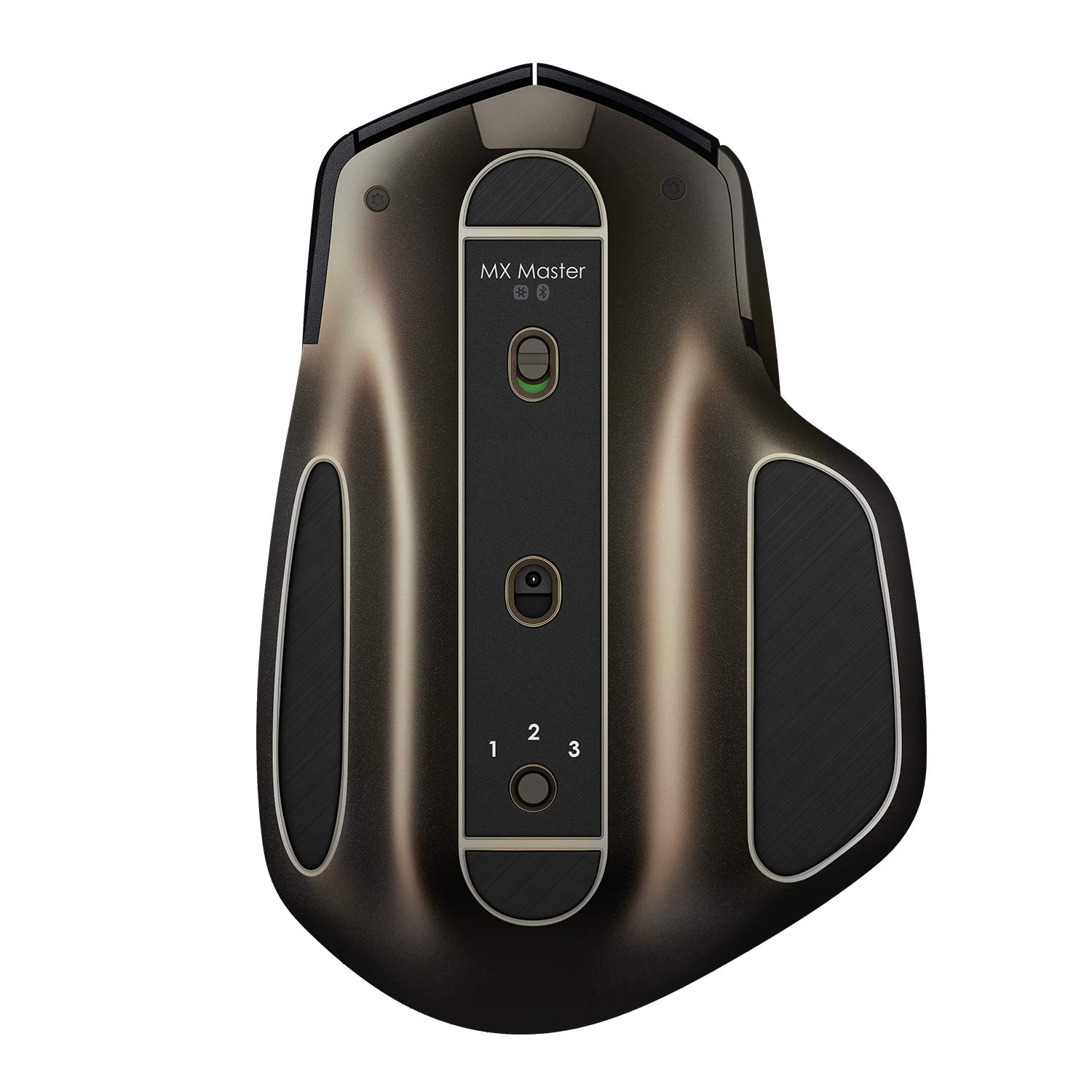
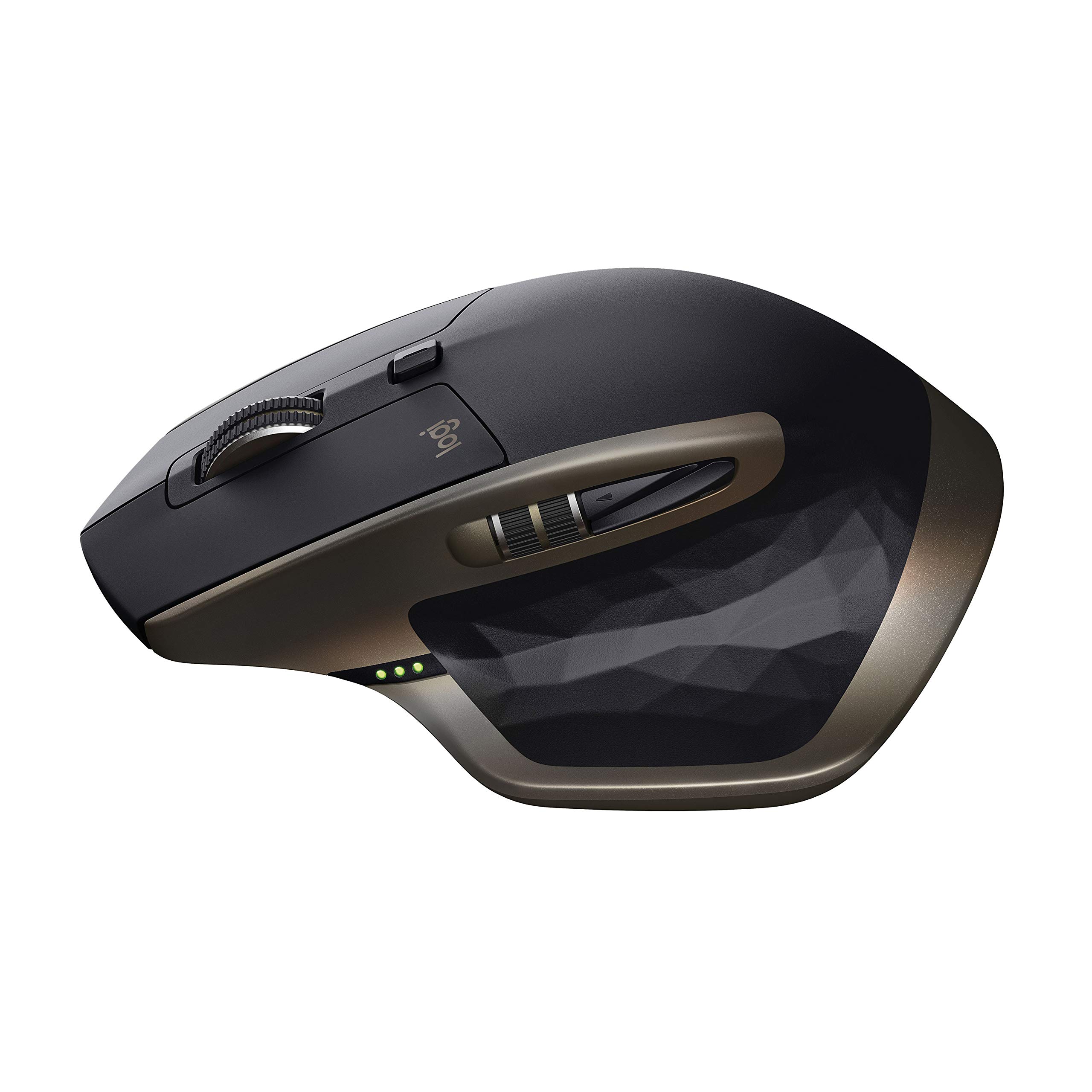
🖱️ Elevate your workflow with precision and power—because your desk deserves the best.
The Logitech MX Master Wireless Mouse combines a high-precision Darkfield Laser sensor with a speed-adaptive scroll wheel and a unique thumb wheel for advanced navigation. It supports easy switching between up to three Windows or Mac devices via Bluetooth or Unifying receiver. With up to 40 days of battery life and fast charging, it’s designed for professionals who demand seamless multitasking and reliable performance across any surface, including glass.
| Wireless Type | 802.11a/b/g/n |
| Average Battery Life (in hours) | 40 days |
| Brand | Logitech |
| Series | 910-004337 |
| Item model number | 910-004337 |
| Hardware Platform | PC |
| Operating System | Mac OS X 10.7 Lion, Windows 10 |
| Item Weight | 5.1 ounces |
| Product Dimensions | 1.9 x 3.37 x 4.96 inches |
| Item Dimensions LxWxH | 1.9 x 3.37 x 4.96 inches |
| Color | Black |
| Power Source | Battery Powered |
| Batteries | 1 A batteries required. (included) |
| Manufacturer | Logitech |
| ASIN | B00TZR3WRM |
| Is Discontinued By Manufacturer | No |
| Date First Available | March 24, 2015 |
J**E
The best mouse one can get
I love this mouse.What I like:* The shape is really comfortable and beautiful.* The scroll wheel is the best hands down, with two modes clicky and smooth, scrolling on web pages and documents is awesome.* Battery life, I often forget I have to charge, and when I need to I just plug and keep using the mouse.* I love using the back and forward buttons on while browsing the web.* When you plug it, it automatically installs the software from Logitech, this software is very useful and lets you custom all the functionalities.* You can use up to three devices with the usb transmitter and bluetooh, I use it with my pc and laptop.* If you have other Logitech product you can use them all with only one usb transmitter, Im using the Mx Master and Logitech keyboard k360.* The mouse is compatible with Linux OS.* There is no red light under the mouse.* You get an alert when the mouse battery is running low.* The design is simple and clean you can use it in the office.What I don't like:* Its not that I don't like it but I don't really use the left scrolling wheel, it's not as good as the vertical, I just don't scroll horizontally I think I will assign this wheel to other function soon, and you can't click this wheel it just goes up and down.* Under the mouse you have three buttons, the on/off, the one to change between devices and a button to connect the mouse, the connect button keep it there but I wish the on/off and the change between devices buttons were somewhere else on the mouse, somewhere you can reach them without going under the mouse, I mean there is an empty space in the right side of the mouse or in the back where this functions would fit.* It is a little expensive but I guess you're paying for a high quality product with tons of features.Conclusion:I was looking for the best mouse I could get and got this one and I'm not disappointed, It's the best mouse I've ever used and I would recommend it to a friend, I consider this to be the best mouse for general use: Internet, documents, etc.
B**K
Best Professional Productivity Mouse on the Market!
I’m usually not one to spend more than $50 on a computer accessory, but it was the holidays and I figured I would treat myself to a computer related goodie. Also, it was about the time when my cheap HP mouse began to look out of place amidst the rest of the nice things on my desk. I set out looking for an ergonomic, attractive, yet technical mouse for use at my desk in my bedroom. I considered Apple’s Magic mouse as it was attractive, but it didn’t fit into my other two requirements. Then, I discovered the Logitech MX Master. From the reviews on Amazon it seemed as if it was exactly what I was looking for. The idea of a large, ergonomic mouse that looked good sold me on the device immediately. I waited eagerly for the mouse arrive, and then by the magic of Amazon Prime, there it was two day’s later – in my mailbox. Initially, I was impressed with how great the packaging was, but on a $75+ mouse, that is what I would expect. I ripped through the packaging and heading straight for the mouse. I set it down on my mouse pad and slowly placed my hand on the mouse. I immediately knew that this mouse was special. It felt so comfortable and so natural in my hand. I began clicking the mouse and scrolling. The clicks of the mouse are unbelievably satisfying and crisp and the scrolling experience is like no other mouse on the market. Logitech has this technology called SmartShift where if you scroll the mouse very rapidly, the mouse will go into free scrolling mode to allow for faster more fluid scrolling, but if you are moving the scroll wheel normally, it will stay in the traditional ratchet mode. You can shift between the free scrolling mode and ratchet scrolling mode by using software or by clicking the button below the scroll wheel to toggle it manually. Having a horizontal scroll wheel felt weird at first but now it’s second nature and feels natural. The thumb rest button is not very useful to me as I often forget it is there, but maybe that is just because I haven’t played around with the Logitech Options software’s customization enough. The connectivity options are nothing new from Logitech (you can use the USB dongle or Bluetooth), but what impressed me the most was the ability to have the MX Master connected to three devices simultaneously via the toggle on the bottom. This feature is handy if you use multiple machines or dual boot OS’s on the same machine. Overall, I am very impressed with the quality and functionality of the Logitech MX Master and recommend it to anybody looking for a well made professional computer mouse.
Trustpilot
1 month ago
2 weeks ago