

Desert Online General Trading LLC
Warehouse # 7, 4th Street, Umm Ramool, Dubai, 30183, Dubai
Desert Online General Trading LLC
Warehouse # 7, 4th Street, Umm Ramool, Dubai, 30183, Dubai


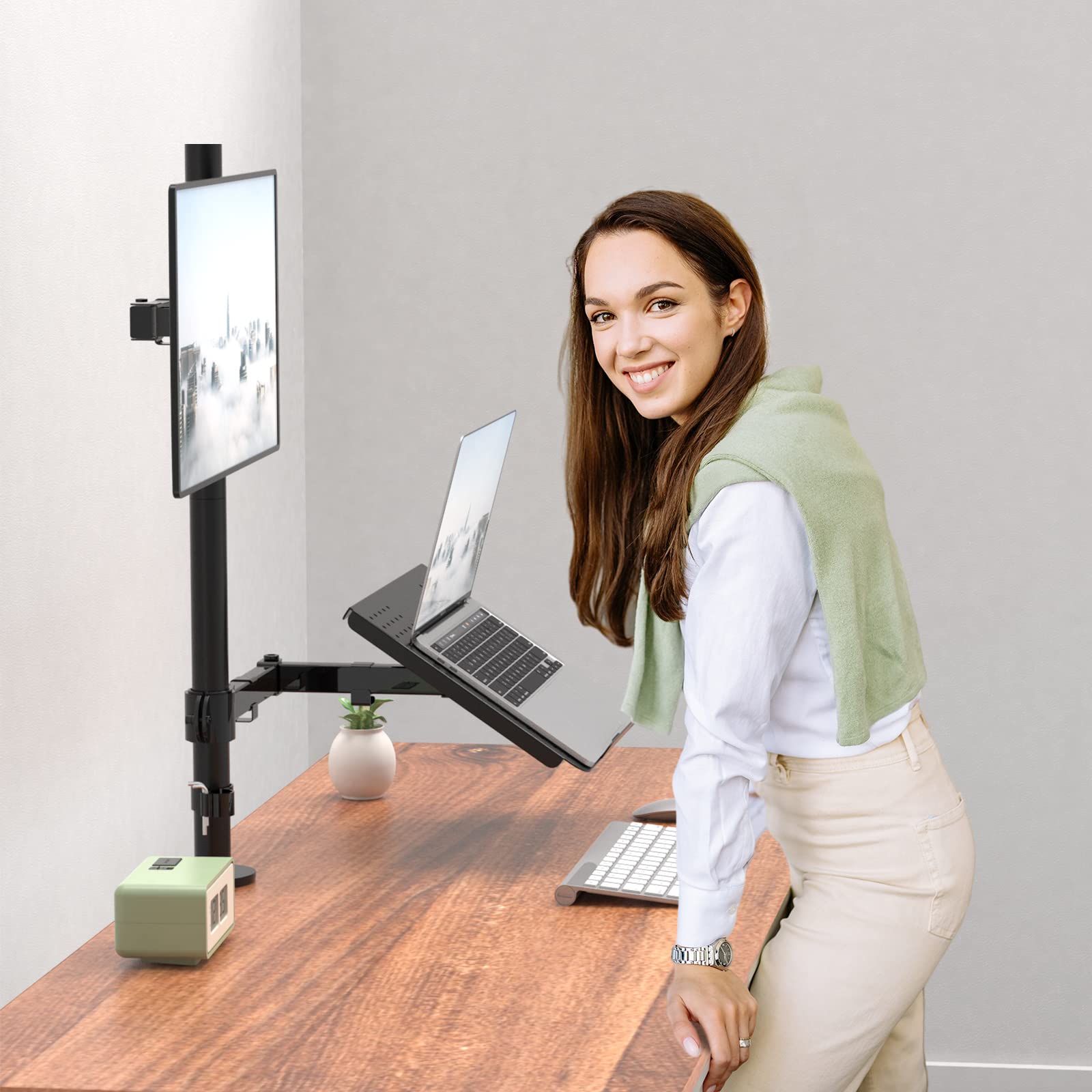
🖥️ Elevate your workspace, elevate your game.
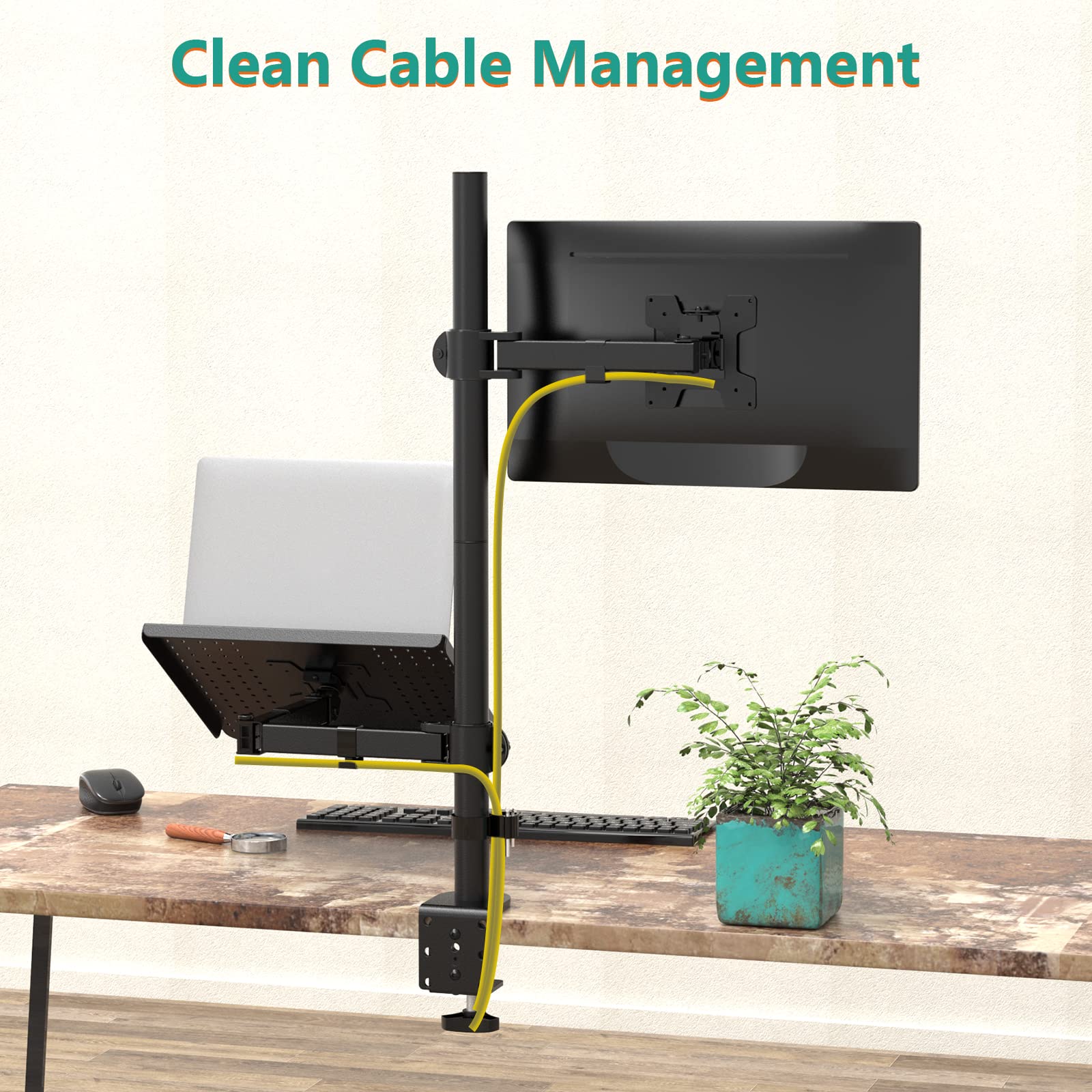
The WALI Extra Tall Single Monitor Desk Mount Stand (M001XLLP) supports laptops up to 17 inches and monitors up to 32 inches, with a robust 31.5-inch height pole. Featuring 360° rotation, +/-90° tilt and swivel, and a ventilated laptop tray, it offers ergonomic flexibility and cooling. Its dual mounting options (C-clamp and grommet) ensure secure installation, making it ideal for professionals seeking a sleek, efficient dual-display setup.


| Manufacturer | WALI |
| Brand | WALI |
| Item Weight | 13 pounds |
| Product Dimensions | 17.05 x 11.14 x 3.94 inches |
| Item model number | M001XLLP |
| Is Discontinued By Manufacturer | No |
| Color | Black |
| Material Type | Alloy Steel |
| Number of Items | 1 |
| Size | 31.5 inch Tall |
| Manufacturer Part Number | M001XLLP |
C**E
WALI Laptop and Monitor Mount Stand: Elevating Your Work Setup with Ease
The WALI Laptop and Monitor Mount Stand has truly won your heart, earning a well-deserved five-star rating for its versatility and performance.Easy to assemble is the first star in its constellation. Putting together this tech marvel is a breeze, ensuring that you spend less time wrestling with instructions and more time enjoying your elevated workspace. A solid five stars for simplicity and user-friendly assembly.Sturdiness is where this stand stands tall—literally. Whether you're working in a standing position or comfortably seated, the mount holds its ground, providing a stable foundation for both your laptop and monitor. A confident five stars for its robust build and reliable support.Stability seals the deal. The stand's design ensures that your tech duo stays put, minimizing wobbles and ensuring a secure setup. It's the cherry on top, earning another five stars for a workspace that's as steady as your focus.In summary, the WALI Laptop and Monitor Mount Stand is a five-star hero in the world of desk organization. With easy assembly, sturdiness, and stability that adapts to both sitting and standing setups, it's a winner in every aspect. 🖥️💻🌟
M**D
Can’t go wrong with this.
Love it. Works great. Holds steady and doesn’t wobble
T**J
Don't let your dreams be dreams.
Just wanna start by saying I'm not recommendeding anybody set this up the way I did, but damn I think this is cool af. I have a 34" ultrawide on the bottom and my beasty 17" HP omen up top. Only thing is I ordered another laptop tray that has clips for the laptop so it doesn't slide around as the one provided doesn't have any guards except at the front. For $40 it's a great mount. Everything is super solid, granted I did tighten everything on here to hell. Would recommend.
V**T
excellent. can be slightly better.
this is extremely helpful; now i've gotten two of them! i can still get some of my desk space while having my laptop open. laptops take so much desk space and this helps a lot.it doesn't work so well with big monitors, not because of the item itself, but because in order to: give yourself desk space under the laptop, have the laptop screen open, and use the large monitor, your monitor has to be really high up to the point that you're craning your neck. if you (can) sit back in your chair that helps. but it's really high.in order to have my bigger monitor on the left low enough to not hurt my neck, my laptop has to be low enough that it makes the desk space less usable or it has to be higher but closed or mostly closed, in which case i get less screen space.the monitor that's too big is about 31.5 inches diagonal and the monitor that's fine is about 27 inches diagonal.the only actual shortfall of this item is that the laptop platform actually can't be tilted back far enough to make the laptop flat or even tilted backwards; the front is tilted down at about 25 degrees or so to the back.i chose to put my laptop on bottom and monitor on top because, aside from probably not being able to see the laptop screen when it's held above, there would be too many loosely-connected cables hanging so far and yanking on the cables and laptop ports. so i recommend that configuration.
R**S
Assembly might take two people depending on your upper body strength
VERY easy to put together and feels sturdy, you'l have no problem trusting your monitor on them. Even adjustments are easy, albeit, require some coordination and little strength. When you get it, be honest with yourself about how much you can support on your own. You do not have to assemble it with the monitor on, that comes later, but that can be tricky. Worth while purchase, I have no regrets.
M**
Great pole stand
Heavy duty. I have 2 sets of these poles. I'm not using them to support monitors or laptops. I'm using them for home studio. I inverted and rotated the laptop holder. I used 4 screws to mount the holder to the stand. So now I have a convenient music stand that can be moved out of the way. In the future I might extend the bottom lip to help hold music. I can just use magnets to hold sheet music.I also added WALI Speaker stands SWM201 on the single length arm. I modified the speaker and monitor mounts. I aligned the top edge of the speaker and monitor mounts. Then drilled holes in the mounts in line with the 2 (4 corner to corner) existing diagonal holes on the monitor mounts. The speakers only weigh about 5 lbs. I have the vertical adjustment screws fairly tight.Pictures of music stand in position for use and folded out of the way.
P**N
Beefier than I expected...but the threads in the bottom tube are crooked :(
Altogether it's everything I was hoping for. the tubes are clearly quite stout and have no problem supporting both my laptop and a monitor with minimal wobble. The flat table clamp is always the weakest link on clamping systems like this, but these guys have doubled up on the primary metal plate so that there's no way it will bend and flex once the side load is placed on it.Unfortunately, I did have one issue. I'm mounting it using the through bolt (not the clamp) and the threads in the bottom tube are machined at a nasty angle (see pic...the bolt is straight, the threads are not). I tried making it work anyway, but unfortunately the only way to make it solid would be to try and drill the hole in my bench at the same angle, (my hole is already there and it's straight). The angle is trying to make the tube bend in funky ways and won't tighten down.
E**E
Does the job
We use these for production line terminals. They do the job fine.
Trustpilot
1 month ago
2 months ago
4 days ago
2 weeks ago