

Desert Online General Trading LLC
Dubai, United Arab Emirates
Desert Online General Trading LLC
Dubai, United Arab Emirates

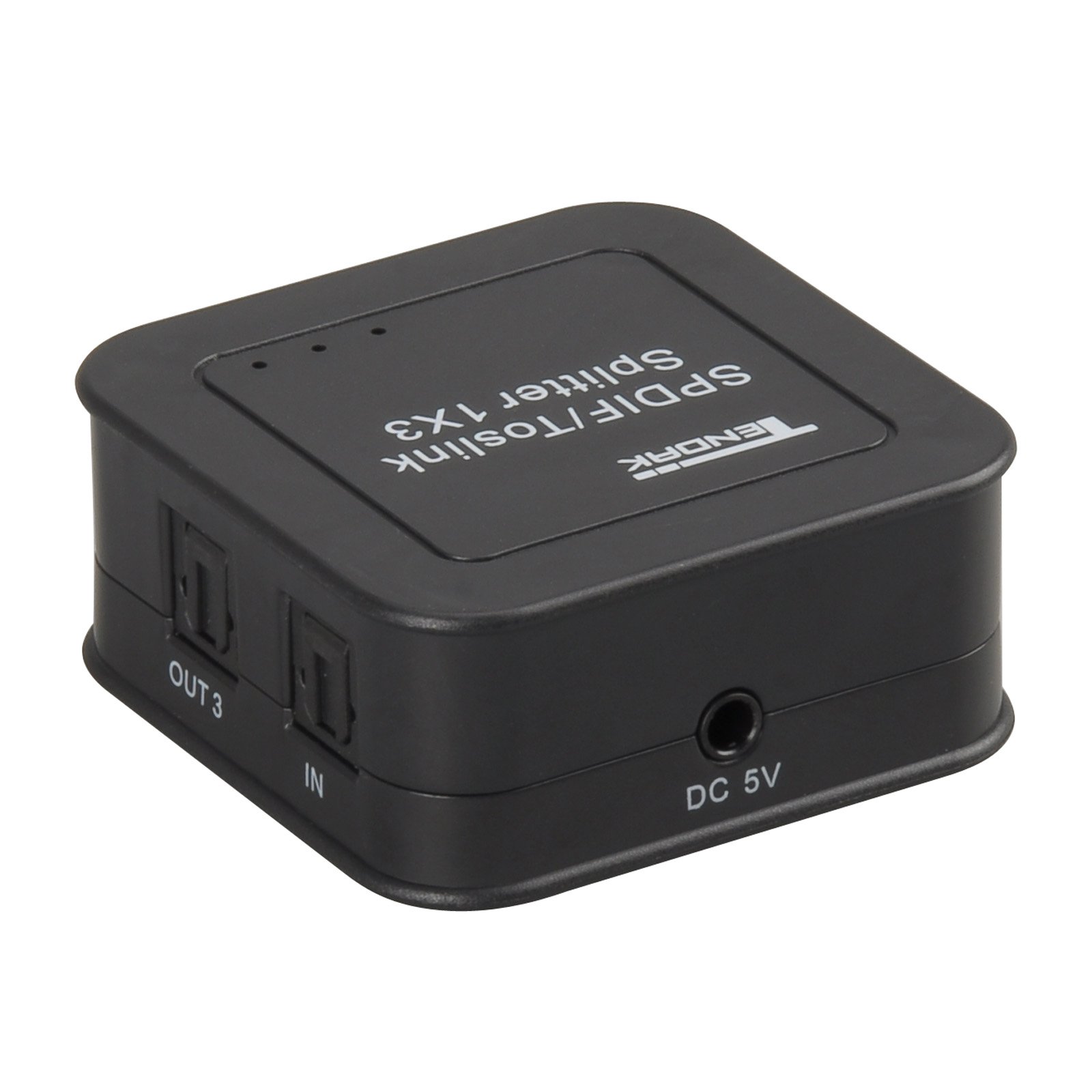
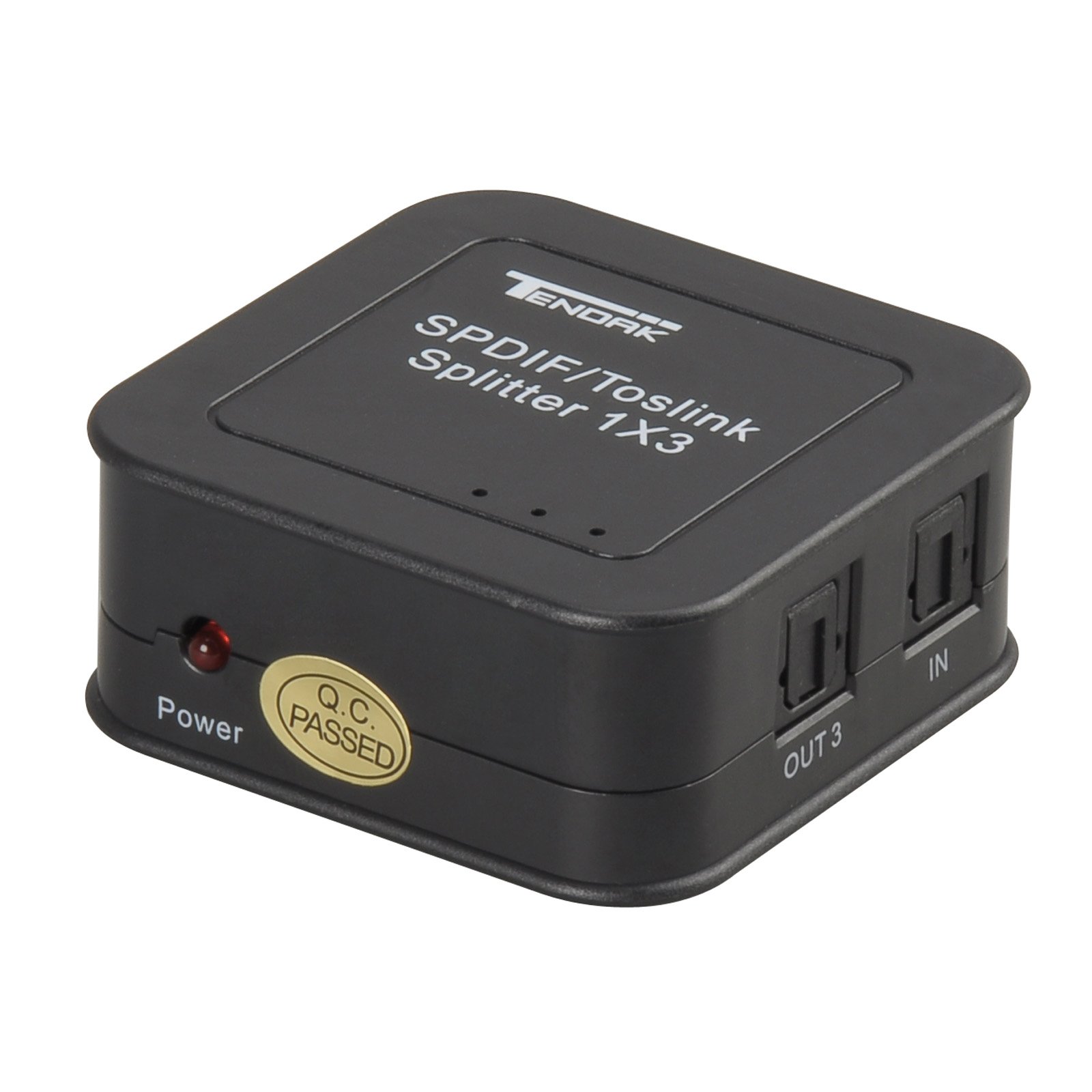

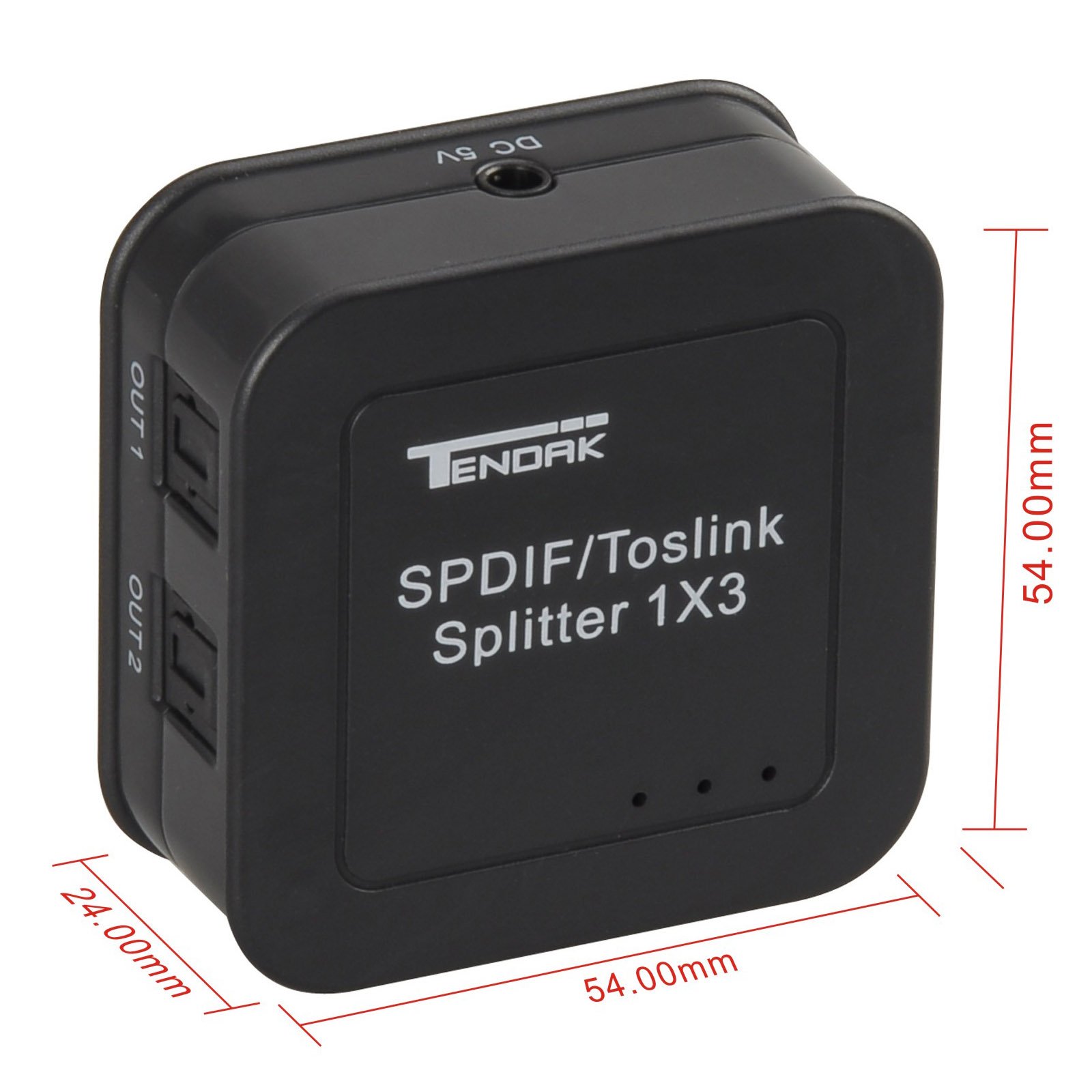
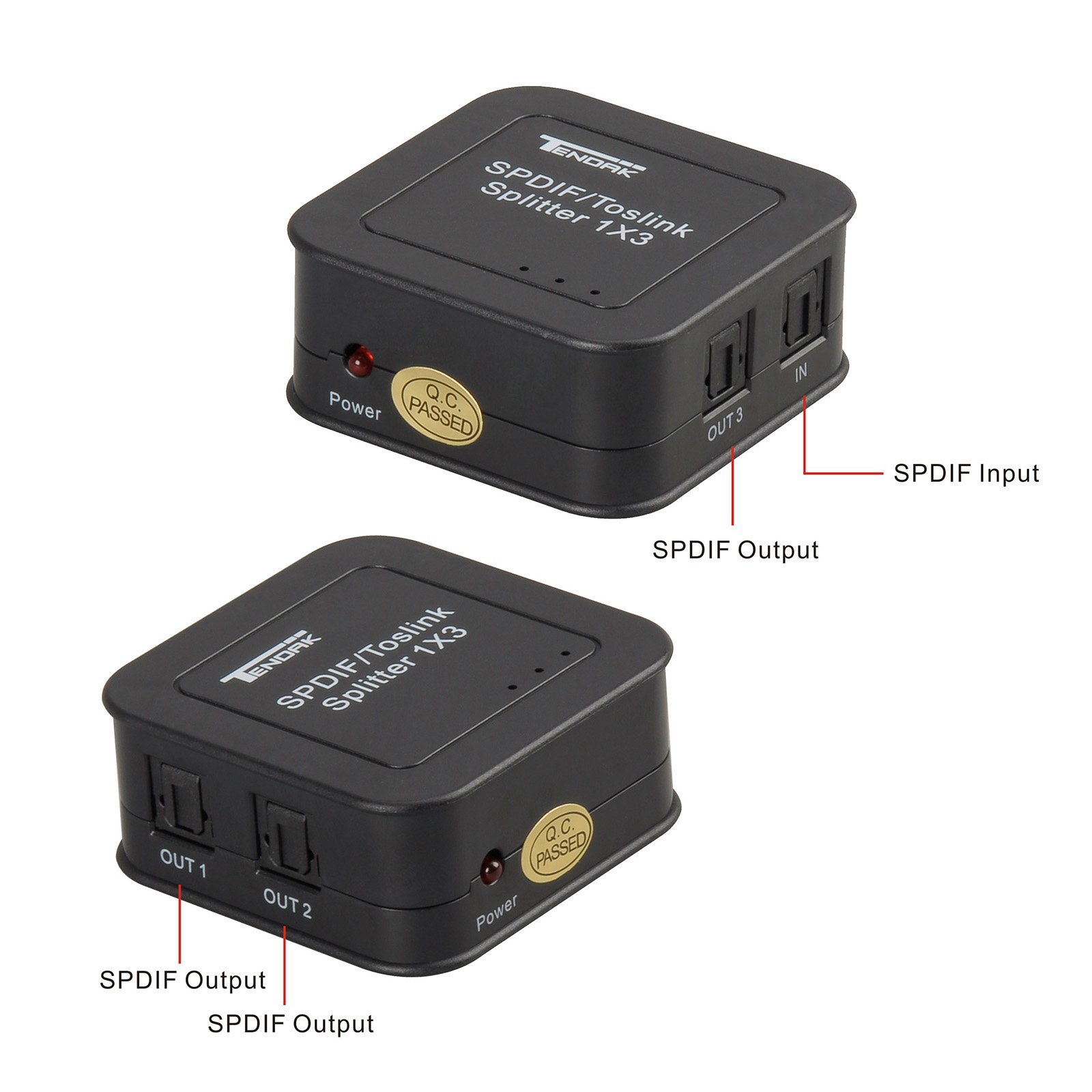
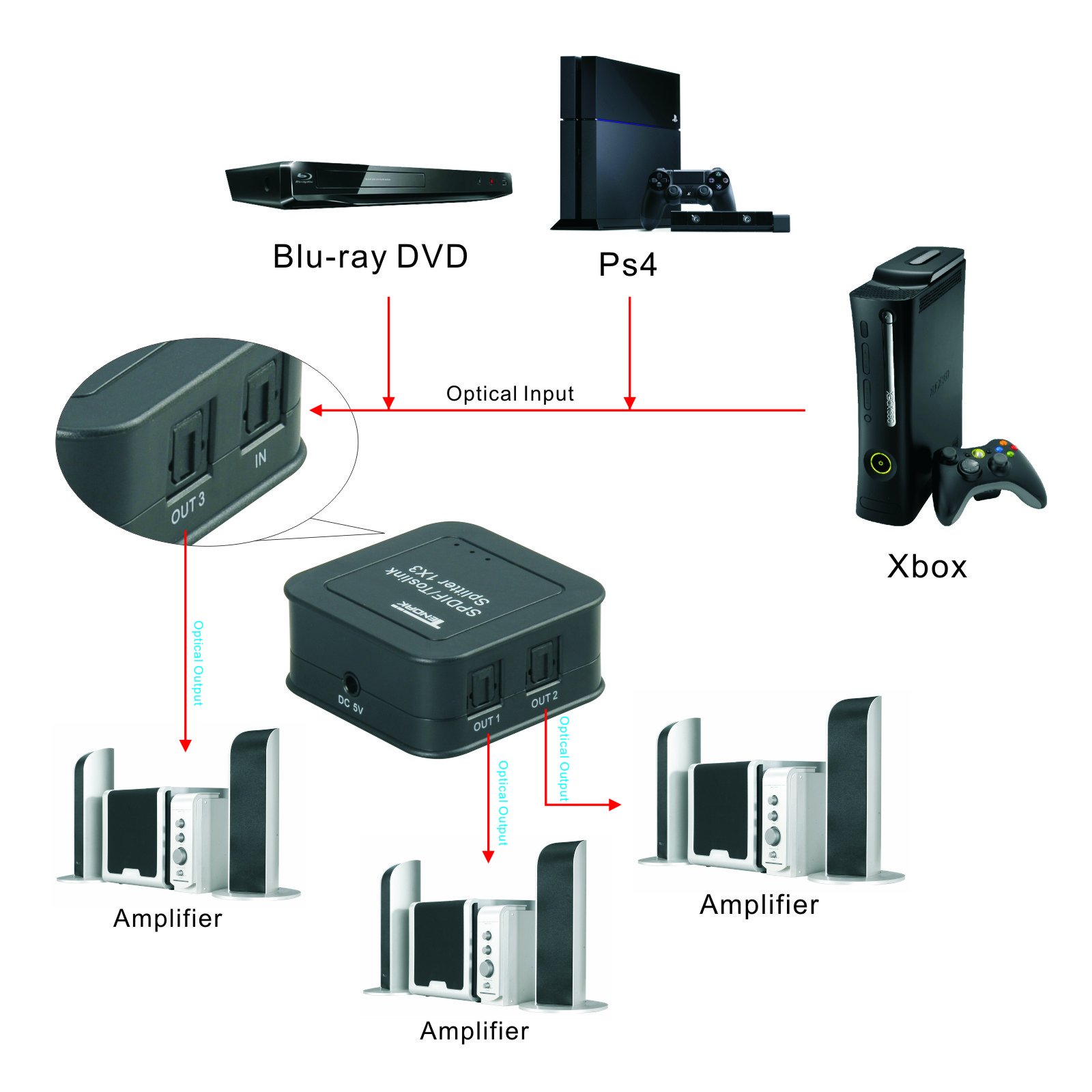
🎧 Elevate Your Audio Game!
The Tendak Digital Optical Audio Splitter allows you to split one audio source into three outputs, supporting high-quality audio formats like Dolby Digital and DTS. With over-voltage protection and a long-distance transmission capability of up to 131ft, this splitter is designed for seamless compatibility with a variety of devices, ensuring a reliable and immersive audio experience.
K**D
This product works GREAT!
My mom is elderly and lives with us full time. She is hard of hearing, and we have been at our wits end with having to have the TV so loud. I have been trying forever to find a way to split the ONLY audio out on my TV (optical), so she is able to use headphones/TV ears and watch TV with the family. That way she can control her volume, and we can have the TV at an normal volume in the room. This used to be easy when everyone had cablevision and could use analog connections into the back of the cable box. We dropped cable for Roku and have been looking for a solution since then. I have tried several other optical splitters, but because this one is powered, it truly splits the optical into three separate outputs. We can now have our sound bar, headphones and TV ears for my mom receiving sound, and there is no delay. Your product should be marketed to be sold with all head phones/TV ears since most newer televisions only have one audio out option. I was surprised that even in stores, there were unable to "solve my problem". I know we are not the only people living with someone who is hearing impaired. THANK YOU Tendak!
C**Y
Does the trick
I needed this to connect my hearing aids to my TV and it works great.
R**S
Splits audio with NO loss in quality of sound
Very high quality audio splitter, with absolutely no audio loss on split. Took less than 2 minutes to set up, now have audio for both Sound Bar and Hearing Aid Streaming! Perfect! Thank you!
T**Y
Hearing aids streaming for TV
I bought a streaming device for my hearing aids (hearing loss at a young age) so my wife didn’t have to keep telling what was said on the shows and our Sonos speaker was using the optical output. So I purchased a non-powered splitter but the signal to the hearing aid streaming unit was too weak.Bought this unit after doing some research on the streaming devices and it works perfect. You have to plug it in but not a big deal with a simple power strip or the usb on the back of the TV if you have one.
K**R
It simply works. Does the job.
I got this to split the signal coming out of my TV to go to my soundbar and to my wireless headphones. Based on the reviews I read, I wanted a powered unit. Couldn't be simpler to use. I put one cable from the tv into the input and then ran from one of the outputs to the soundbar and then another to the headphones. Both work perfectly. I still have another output if I wanted to push the audio to another source.Didn't give 5 stars only because I just got it, so I can't rate reliability or longevity. But so far, so good!
B**9
Great Quality and value for splitting optical audio for two devices.
This product works as advertised. Excellent quality. I use it to split the optical audio signal that goes from my TV to my surround sound receiver to connect also to a streamer for our hearing aids.
J**E
Worked great until the crummy little power plug came loose.
Worked great until it broke. The manufacturer chose the cheapest, tiniest, flimsiest power plug imaginable. Once it came loose, it was doomed. I would have tried soldering the wire into the splitter, but I already had a spare splitter (a better one), so I just threw the broken one in the trash.My advice would be to glue the power plug into the unit before it breaks; preferably while it's new. Goop adhesive works great for this because it not only sticks to almost anything, but it also strengthens the bond so it won't come loose. Of course you don't want the glue to get inside the unit or onto the plug. That's another reason to select Goop, since it's too thick to get inside the plug accidentally.How to apply the adhesive:1. Clean the plastic parts using a Q-Tip with isopropyl alcohol or Goof-off. I prefer Goof-off because it roughens the surfaces for better adhesion. Be sure everything is dry before proceeding.2. Push the power plug adapter firmly into the socket. (Do not apply adhesive before joining the parts.)3. Carefully apply the adhesive around the plug where it joins the socket. Use sparingly, as a little goes a long way.4. Wait 12-24 hours for the adhesive to harden before use.Of course doing this will void any warranty, so ensure the splitter works before modifying it.
S**D
Perfect!
This is now the hub for my growing home theater. I spent too much time adjusting this and that. Now my TV output is split to 5.1 component amplifier, and sound bar, a bluetooth audio transmitter for my headphones. Mix and match of stereo and 5.1 is no problem. I was previously trying to use my component media stereo for this, but then that had to be turned on just to watch tv. I'm sure there are other ways to use this. But very happy with the ease and simplicity of this method.
Trustpilot
2 days ago
1 month ago
2 months ago
2 days ago
![Warrky Optical Audio Cable, 6ft / 1.8m Optical Cable for Soundbar [Nylon Braided, Slim Metal Case, Gold-Plated Plug], Fiber Optic Audio Cord Compatible with Samsung, Vizio, LG, Bose, Sony, Sonos](https://images-na.ssl-images-amazon.com/images/I/711n1wMPtYL._AC_UL116_SR116,116_.jpg)