

Desert Online General Trading LLC
Warehouse # 7, 4th Street, Umm Ramool, Dubai, 30183, Dubai
Desert Online General Trading LLC
Warehouse # 7, 4th Street, Umm Ramool, Dubai, 30183, Dubai
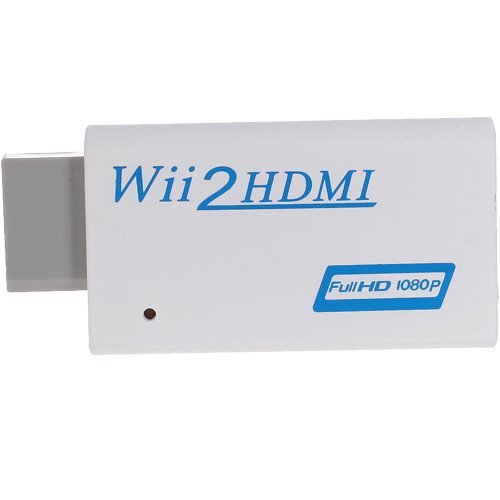
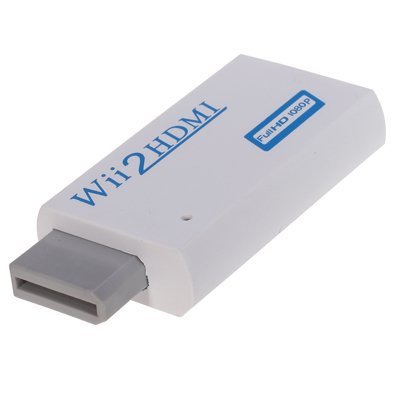
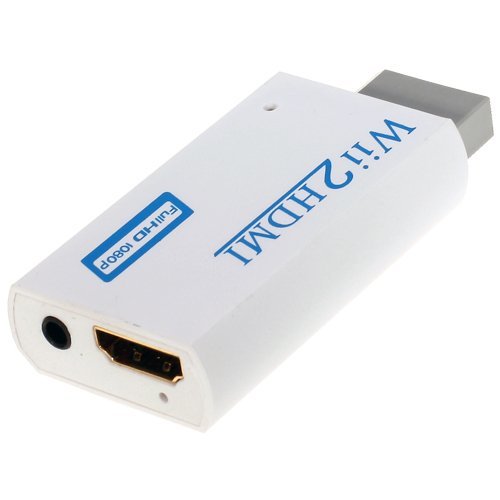
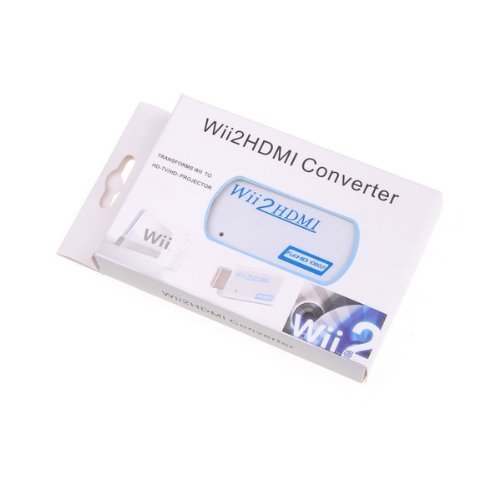
Panlong Wii to HDMI converter is designed for the Wii console and outputs video and audio in full digital format via HDMI to your HDTV or monitor (720p or 1080p) and supports all Wii display modes (NTSC 480i 480p, PAL 576i). With just one HDMI cable, regain the fun of your favorite Wii games in a new way. Specification: Dimensions: 34 x 73 x 14 mm Supported Video input Mode: Includes all the display modes of the Wii console (480i, 480p, 576i) Supported HDMI output Mode: 720P at 60Hz, 1080P at 60Hz Input Connector: Wii AV Multi Out Plug x 1 Output Connectors: HDMI Female x 1, 3.5mm Stereo Audio Jack x 1 Package includes: 1 x Wii to HDMI converter
S**A
Waste of my time, thank goodness for refunds
I do not want to reflect negatively on the seller because this came to my door step overnight and the buying experience was A-1. The seller was fantastic, ok? The device failed to work on anything I connected to it. Now let me be clear: the menu popped up, I was able to select various zoom levels, the source (either composite or s-video) and several resolutions. The device worked so this was not user error or a faulty item. I tried this on the following: A Turbographx-16 (with an s-video modification so I was able to try both cconnections), a Super Nintendo, a Sega Saturn, an Emerson VCR, a Sony VCR and a PS/2. I tried both the 720p and 1080p resolutions. All of them were complete garbage. The TV's I used were modern flat screens, one a Sony KDL series 40 inch and the other a Samsung 52 inch. This device simply did not work for me. I'm disappointed and even more so that I will have to either go back to using an SD television that will take up space OR I will have to spend $300 on a Framemeister.Save your money folks. I was able to get my money refunded with absolutely zero problems (thank you Amazon).
B**B
Works fine on HDTV's which can be forced into 4:3 mode
It definitely requires some tinkering and may be a bit buggy. Having said that, once I had it set up and I stopped confusing it, it gave me what it's advertised to do. And sure, the colors may not translate exactly but I found that after adjusting the colors on TV it was very acceptable. Most people will attach an older RCA or S-video 4:3 output to this gadget so it can be used with an HDMI input to newer equipment. Beware that some HDTV's such as my expensive Sharp Aquos cannot be forced into 4:3 mode and you will be stuck with a stretched picture. It works fine on my Samsung HDTV which can be forced into 4:3. It isn't perfect because it's only 40 bucks but it's a nice solid unit. But you can confuse it by clicking too many switches too fast and it will give you the appearance it failed. I had it "failed" for half an hour and was ready to give up. Disconnect and start all over. Output is very reasonable if you consider what you're asking it to do. As another reviewer said, this may not be for the novice.
D**D
Blurry and double image....may work better on different televisions
After researching about the best way to output old composite devices to HDMI, I decided to give this box a try. I was hoping to get my old NES/SNES/N64 to work on my ultra HD television. The instruction manual lacks detail, but I played around with the buttons and settings until I figured it out. I could only get an image on the 2160p @ 30Hz setting. At first the image was severely doubled and blurry. After some more tweaking, I got the image to be less blurry but still it was difficult to watch. I switched to a S-video input and that cleaned up the image somewhat, but there were definitely still some artifacts, esp with motion. I switched from the SNES to the N64 and the image was blurry again and no settings could be found that cleaned it up. I decided to return it to Amazon.
A**L
Works well for 1080p, haven't tested at 4k.
I purchased this scaler over others in the price range for the advertised support of 4k, so for the money I figured why not try and "future proof". I don't have a 4k-capable display, so I can't report on how it looks or works at that resolution. I've been using it with a 1080p projector to digitize and scale both standard composite and s-video sources including game consoles, an S-VHS deck, and a Laserdisc player. It's worked, and I don't have any complaints about the quality or color. Recently watched the original Star Wars on my Definitive Collection Laserdiscs and it probably looked at least better than most built-in TV scalers. Aliasing and banding weren't obvious. I haven't done any systematic color tests, so I can't say too much about that. Haven't had any issues with HDMI handshaking or sound. Not a bad deal for the money.
E**1
Good for component & Bad for VGA.
I purchased this item for my older consoles, like playsation 2, xbox 1 originial and Dreamcast. No issues over the component connection, it works wonderfully. Now on the VGA port is a totally different story, I'm using it for the Dreamcast and it has a major problem handling different shades of black. This causes the light to black shading areas to be completely black at times, causing you to have no picture. Resident Evil: Code Name Veronica is unplayable, you can hardly see anything. Based on what I've seen, most VGA upscalers have this issue, you have to pay a higher price to not have this issue. The XRGB-mini FRAMEMEISTER does not have this issue but it's $300.00, I'll keep looking to see what works but this will not do for a VGA signal.
V**A
Works much better than I expected a box so cheap to work
Works much better than I expected a box so cheap to work. Resolution is upscaled to your HDMI monitor pretty well, and I've never felt any jittering issues. I can't vouch for the sound though, I usually pass the white and red cords over to an RCA-to-3.5mm box and go straight to headphones.I also haven't looked into how many frames drop since I mostly have been playing platformers (Klonoa, Blinx) with this box. Presumably if you're trying to do one-frame links in SF: 3rd Strike or frame-critical speedruns you may have lag issues, but for most normal play you wouldn't even notice.
M**6
This thing actually works pretty well. I bought it for my girlfriend to ...
This thing actually works pretty well. I bought it for my girlfriend to use with her cable box since it only has S-video and composite video, but ended up taking it back to use with my modded game systems instead. I have a Vizio E60-C3, which surprisingly can take 240p signals via composite (and also 1080p via component), but otherwise I use boxes like this to go with HDMI video. Some of my game systems have kind of a "hot" signal that is tempered nicely with the converter. Their SCART to HDMI box works very well too.
V**3
Broken, or just isn't compatible with my tv?
This box didn't work. I tried piggy backing from a component splitter, into this unit, on to my tv as well as a direct vga connect from my dreamcast, into this unit, to my tv. No results. There was no picture. Only a blue light showed the unit being on, but pressing the menu , input or the + - buttons showed nothing. There was no way to tell what input I was in (vga or component). If piggy backing doesn't work, at least the vga should've worked being it was a direct connect. I thought it could've been the cables, but plugging my component splitter straight to my tv worked fine. I'm going to send this back for a refund.
L**B
This Wii 2 HDMI works great! Beware of cheap knock-offs though.
Do not be fooled by non-HD units. I originally ordered one from China and even though the unit is in a casing that states 1080p full HD, the unit is just a pass through. Sure it converted the Wii to HDMI, but it kept the native resolution.This unit on the other hand, is a real Wii 2 HDMI up converter. First and foremost, it has the little pin hole on the side of the unit as in the photo. This houses a button where you can switch the resolution from 1080p to 720p. Secondly, this unit is far more "beefy" than the original knock-off I ordered from China. What I mean is, this unit feels far more solid and also weighs 3 times more than the knock-off. I assume the extra weight is because this Wii 2 HDMI has the upscale unit inside it whereas the knock-off had no upscale unit. Lastly, when you plug this unit into the Wii and the Wii is on or on stand-by, there is a blue led light that lights up inside this. Not sure why, I guess so you know it is working, or maybe it is to show that the upscaling is working.All in all, this unit is great. I am not giving 5 stars because I am not sure as to the longevity of the unit and even though it upscales to 1080p, it is not the best upscaling product out there (some TV's and some Receivers most likely do a better job at upscaling). But seeing how I have no other way to hook my Wii up to HDMI and upscale, this unit was perfect.
J**N
Really good little adapter/upscaler but no resizing/aspect ratio options...
This little wonder does a great job of upscaling with RCA and S-Video sources. Simple to use and small, it is only missing one feature: resizing. Though the device is flexible with settings for 1080, 720 i or p at 50 or 60 Hz, you cannot resize a 4:3 source and it will be forced to 16:9 and therefore "squished". Really, really wish this feature was built-in. Igf your screen/TV supports resizing this won't be an issue for you but the PlayStation 3 Display I've got it hooked up too doesn't so my NES is all deformed when I play... So close to perfection... Recommended still.
D**2
It's okay...
I like Amazon's rating system because "It's okay" is how I feel about it. I think people are getting confused here because there is no pin hole/switch on some of the units to switch to 1080p. In my case it outputs at 480p but I couldn't get it to go Widescreen (16:9) even though the Wii was set to 480p 16:9. What I had to do is go into my TV settings and change the setting for Auto Aspect to off. I'm sure it's different on different TVs, but that did the trick to get it into Widescreen on my TV (Toshiba). Haven't had a chance to play much yet, and I had component cables before but lost them when I moved so I got this to replace it. As far as I can tell the quality is pretty much equal...
R**K
S-Video conversion great for gamers
I bought this unit because my TV does not have an S-Video input and I wanted a better picture from my older game consoles that output S-Video, instead of using composite. My particular TV does a good job upconverting a composite connection on its own, so I do not use the composite input on this product.The S-Video to HDMI conversion is fantastic, colours are vivid and the image is very sharp. It works a treat with my Super Nintendo, N64, Gamecube, Sega Saturn, and Amiga CD32. It takes the 240p signal from the SNES without issue. I've also tested other consoles (NES, Master System, and Genesis) through the composite input and they all work fine.However, I give it only 4 stars because the HDMI input is NOT a simple pass-through. I originally had my Wii U connected to the HDMI input and this converter applies a bunch of sharpening that makes the image much worse (in my opinion) than direct HDMI connection to the TV. Fortunately, I have a soft HDMI source that benefits from this sharpening (component to HDMI converter) so not all is lost. Unfortunately, most people will want to connect their Blu-Ray players/PS4/Cable box on this input and I can't recommend that as a viable option if you care about image quality.
F**D
I'm Happy With It
PROS- options between 1080p (60Hz), 720p (60Hz), 1080p (50Hz) and 720p (50Hz),- S-Video, composite, and HDMI inputs for variety.- High Quality, and clear image.CONS- Video is interlaced through composite and S-Video, but that's to be expected.- 1080p option has alot of static at first, but clears up eventually.OVERALLalthough this device has a few (small) issues, i really like this product. It's good quality and good price.
Trustpilot
2 days ago
3 weeks ago