
DOWNLOAD THE APP


Customer Services
Copyright © 2025 Desertcart Holdings Limited
DOWNLOAD THE APP

🚀 Power Your Productivity & Play with Archer A8 – The WiFi Upgrade You Can’t Afford to Miss!
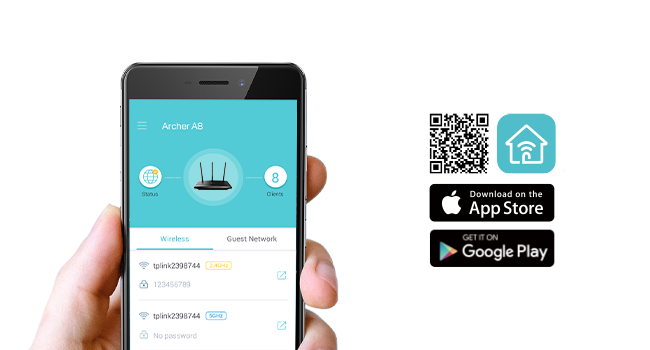
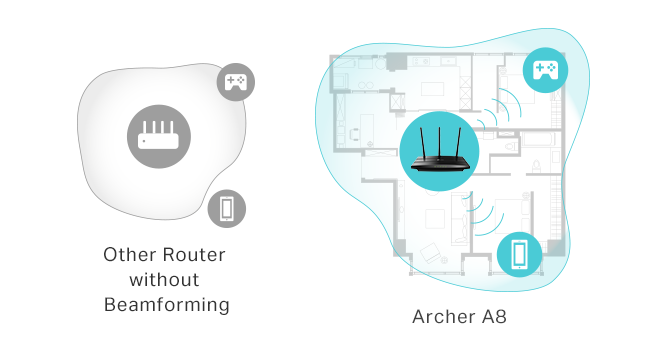
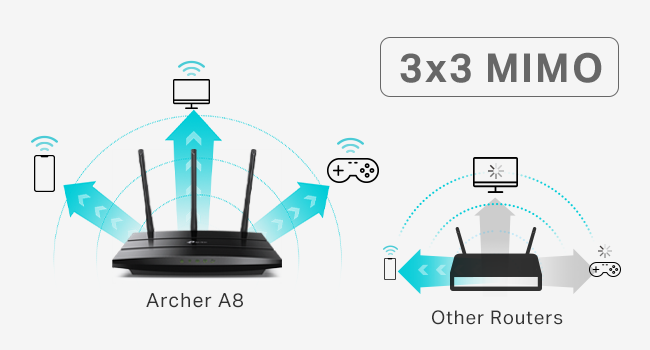
The TP-Link AC1900 Archer A8 is a high-performance dual-band router delivering up to 1900 Mbps combined speed, enhanced by MU-MIMO technology for efficient multi-device connectivity. Covering up to 1,200 sq.ft with beamforming, it supports seamless mesh networking via OneMesh and offers four Gigabit LAN ports for reliable wired connections. Easy setup and management through the Tether app, plus parental controls and guest WiFi, make it ideal for busy professionals seeking fast, stable internet across home and office environments.



| ASIN | B08C3YBBHM |
| Antenna Location | Gaming |
| Antenna Type | Fixed |
| Best Sellers Rank | #3,634 in Electronics ( See Top 100 in Electronics ) #33 in Computer Routers |
| Brand | TP-Link |
| Built-In Media | Power Adapter, Quick Installation Guide, RJ45 Ethernet Cable |
| Color | Black |
| Compatible Devices | Gaming Console, Personal Computer, Smart Television |
| Connectivity Technology | Ethernet, Wi-Fi |
| Control Method | App |
| Controller Type | ios |
| Coverage | Medium to Long Range |
| Customer Reviews | 4.4 out of 5 stars 9,779 Reviews |
| Data Transfer Rate | 1900 Megabits Per Second |
| Frequency | 5 GHz |
| Frequency Band Class | Dual-Band |
| Has Internet Connectivity | Yes |
| Has Security Updates | Yes |
| Is Electric | No |
| Is Modem Compatible | Yes |
| Item Dimensions L x W x H | 9.57"L x 6.32"W x 1.28"H |
| Item Type Name | WiFi Router |
| Item Weight | 0.91 Pounds |
| LAN Port Bandwidth | Gigabit |
| Manufacturer | TP-Link |
| Maximum Upstream Data Transfer Rate | 950 Megabits Per Second |
| Model Name | TP-link AC1900 |
| Model Number | Archer A8 |
| Number of Antennas | 3 |
| Number of Ports | 5 |
| Operating System | Webpage, Tether App |
| Other Special Features of the Product | Beamforming, Guest Mode, Internet Security, LED Indicator, Parental Control, Access Point Mode, QoS, WPS |
| Router Firewall Security Level | Basic |
| Router Network Type | Dual-Band MU-MIMO Router |
| Security Protocol | WPA2-PSK |
| Special Feature | Beamforming, Guest Mode, Internet Security, LED Indicator, Parental Control, Access Point Mode, QoS, WPS Special Feature Beamforming, Guest Mode, Internet Security, LED Indicator, Parental Control, Access Point Mode, QoS, WPS See more |
| UPC | 840460602358 845973089641 |
| Unit Count | 1.0 Count |
| Voltage | 100240 Volts |
| Warranty Description | Manufacture's 2 year warranty |
| Wireless Communication Standard | 802.11a, 802.11ac, 802.11b, 802.11g, 802.11n |
| Wireless Compability | 802.11a, 802.11ac, 802.11b, 802.11g, 802.11n |
U**R
Strong signal, quick and easy setup, super pleased with this purchase
After less than 3 years with my prior router from a different brand, its signal strength was noticeably declining and then 2 months ago I received an email from the manufacturer saying that it would not longer be supported and may stop working entirely. That was the context for searching out and ordering this TP-Link remote router for my office and I am very happy with its improved performance compared to the unit it has replaced. I have the router installed in my home office, in a separate building about 100' from my house. This router is connected to our main modem in the house through a 200' LAN cable which works perfectly. Setup was extremely easy - I followed the instructions precisely, step by step, and it hooked right up. The password strength is both satisfactory ... and not so darned complicated that it's difficult to enter as required. The strength of the signal is much better than what I had before, easily crossing the back yard and allowing connectivity from rooms facing from inside the main house. It also allows good, fast signal through a metal porch roof which wasn't possible previously. As much as I was frustrated with having to replace a unit that wasn't old enough to reasonably fail, it was completely worth it for the improved performance this has brought for my home office. As advertised; full marks!
J**.
Massive upgrade in speed, coverage, and stability
This router completely transformed my home network. Setup through the TP-Link app was very straightforward—plug it in, follow the prompts, and I had my main network, guest network, and basic security settings configured in just a few minutes. The interface is clean enough for non-techy users but still has plenty of advanced options if you want to tweak channels, bands, or QoS. Performance-wise, it’s a beast. WiFi coverage is strong across the whole house, including rooms that used to be dead zones. Devices connect quickly and stay connected, and even with multiple 4K streams, online gaming, and a bunch of smart home devices, everything stays smooth. Latency is noticeably lower and large downloads finish much faster compared to my older router. I also appreciate little touches like the ability to easily see which devices are connected and put limits or priorities on them. The hardware feels solid and runs surprisingly cool for how powerful it is. It’s definitely not the cheapest router out there, but if you have a lot of devices or fast internet and want to actually use all of that speed reliably, this is worth it.
A**N
Budget Wifi Router
I come from old-skool DD-WRT days, manual configs, and pretty much the router is supposed to route, and other devices do the rest (DHCP/DNS/Anything else). This fit the bill perfectly, could config it the way i wanted to. Sits in a brick house, so can't speak much to signal, as distance is limited by physical barriers that will block signal. Good value for what it is, easy to set up and use, looks much better than the WRT-54G's of yesteryear. Probably can travel with it, but I wouldn't think most people would. Peculiar notes - Offers 3 different SSID's to config, with 5GHz and 2.4GHz options for a total of 6 if you'd like. While this may be a feature or an annoyance, that's up to your use. It's there if you want to use all 3(6). I turned em all on, and seem to have confused everyone in my house. Especially with ISP's wifi router that can not be configured as easily. MAC address can be cloned if you would like to replace your ISP's wifi router to their network, if they check the MAC on the device for access.
N**K
Updated to 4
Edit. Got a FW update last week. Started having nightly outages. Now its losing it's datex time and logs and reboot and won't connect to my modem. Direct connecting to my modem works fine. Eventually we had to roll back FW versions and install FW in a specific order to restore functionality. I wanted to write a decently detailed review as I haven't seen very many on this product because of availability. My review after about 2-3 weeks of using this. Short Version: although expensive, this is an excellent router that performs extremely well, especially if you want a simple setup that can handle tons of endpoints/devices. Context of 'why' I chose this device: While I work in technology, sometimes I want things to just 'work', so my previous Wi-Fi solution was a Google Nest setup with two pods (mesh network). Initially it wasn't bad, until I started adding more devices to my network. I decided to try out this device, despite not having many reviews, and some being low. I found that mesh at least from Google was clunky and I had odd issues like duplicate IP assignments which caused a ton of issues (it assigned a pod and a printer the same IP which took a bit to figure out). For these reasons I wanted to go back to someone who's been in the game for longer and was willing to pay a premium for a well spec'd router, even if I can't use the wifi 7 capabilities. MU-MIMO was a must, and I wanted the ability to add mesh, but not need it (hopefully). I also wanted 10 GB ports, a sleek modern look, and plenty of ports available (something I missed when I left TP-Link for Google Nest Wifi). This checked all those boxes. Setup: Pretty easy. Just be sure to update the firmware if it is not up to date. I wanted to avoid any early issues so I setup my network after I did a full update on the router. My house is about 1900 square feet. For comparison Google really struggled with consistency over 40 devices. It'd go very slow after about 1-2 days of being 'online' and I'd have to reboot my pods. I have 45-55 devices on my network at any given time. ~6 of them are wired, the rest are wireless (primarily 2.4 IOT devices). Performance: I'm comparing apples to oranges a bit, as Google Nest Wi-Fi doesn't have as good of specifications. My house is roughly a square with the family room/kitchen/master bedroom/office making up the four corners. The office and family room are opposite corners of the house. My router is located in my 'family' room', with the kitchen being closest, then dining room, then master bedroom, then guest bedroom, then office. This should help you paint a picture of what my setup looks like. Here's a quick chart I did (I tested each location 3 times and took the best performing one). TP-Link had slightly better uploads as well and on average, had 2-5 MS better latency, but not enough to complicate the chart: Download Speeds Google TP-Link Office - Cell Phone 101 515 Office - Work Computer (Wired) 924 936 Office Gaming Computer (Wired) 879 944 Guest Room - Cell phone 106 756 Master Bedroom - Cell Phone 102 507 Dining Room - Cell Phone 132 732 Kitchen - Cell Phone 113 936 Family Room - Cell Phone 108 934 Family Room - Cell Phone (6G) NA 949 Even on the wired systems, there was a pretty big improvement. FWIW: I have comcast service that's 1200 down and 40 up. Features: I like the IOT subnets, though, I am not sure if I'd call it a subnet. while it's a different network, it seems to be assigned the same IP as others on your 'main' network. I need to do more testing to see how this works. I also like the device isolation feature. It has VPN Client/server built in and as usual, TP-Link offers dynamic DNS which is great. It has just enough features for me to be exactly what I need and not much more. Google Wifi lacked in features. I also missed being able to hit my router with an IP address to manage it. It's nice to have an app, but I enjoy being able to use either (in this case, the tether app or use a PC to manage. Stability: I haven't had any issues since I got it setup. It's been stable. I'll add more as I continue to tinker and learn more, but I'd say if you are on the fence, pull the trigger.
M**.
Fast!
I got a new iPhone 16 Pro which supports Wifi 7, so I decided to buy a Wifi 7 router. The BE24000 is pricey at regular price, but Amazon had it for $225 less during the recent Prime Day. I would recommend waiting for a big sale day because this router is worth the additional cost over a slower router. First, SpeedTest on WiFi equals my *wired* speeds. On my broadband 1Gbit connection, I get 24-26 ping and 1040 Mbit/s for both wired and WiFi. My desktop has Wifi 6E, and both it and my iPhone 16 Pro get those speeds over Wifi in the same room with the router on the 6G band. So WiFi is now equal to wired for getting top speed from your internet. Second, setup took less than 5 minutes. I do have nearly 10 years experience setting up TP-Link routers because they are my preferred brand. (Asus routers come in a close second. I have both on the network.) The TP-Link wizard for setting up the router asks a few questions and then handles everything else. The"Quick Setup" instructions in the box walk you through everything. Third, so far, I haven't been able to saturate the Wifi network with 4 TVs streaming 4k content at the same time. The signal strength is good everywhere in my 4000 sq ft home with the router centrally located in roughly the center of the second floor. If you need to add mesh routers, this router can be the central hub. Fourth, the IOT network is enabled by clicking on a single button. Then you tell your IOT devices, eg smart bulbs, Ring cameras, smartlocks, Nest thermostats, etc., to connect to "TP-Link_IoT_xxxx". This network is separate from your main wifi so the devices are not entry points for hackers. Because IOT devices often do not have robust security because they have simple computers in them, they have become easy targets for hackers. Using a separate WiFi network for them adds a layer of protection for the rest of the devices in your home. The only negative I have is the LED display. I am not a fan. Fortunately, you can turn it off. There is also a "night mode" which you can schedule to turn off all the lights at a specific time. Same with the touchscreen display. I leave the touchscreen on because it shows useful info about the CPU load. I don't think I would buy this router at regular price, but I am quite happy with the sales price given how powerful it is and how many features it has.
B**S
Skip the gaming router, get this instead
If you want a router that is as future-proof as possible while delivering great real-world performance and EasyMesh support, this is the one to get. I previously tried a TP-Link gaming router that I thought would do everything this one does. Instead, I got weaker and less stable WiFi in exchange for it looking like a spaceship and coming with a bunch of AI gaming QoS features that are mostly useless in real setups. In most cases, you should not be using QoS at all anyway. This router has been far more stable, has better signal strength, and has been much less of a headache overall. Do yourself a favor and get the non-gaming version. You will get better performance without the gimmicks. The little pixel screen is fun but kind of pointless. I would have preferred it not be there in exchange for a lower price, but it is still fun to mess with and write things on. Also, for those who care, this is an AMAZING Steamlink router even through multiple rooms. Can confirm, very low latency and packet loss.
T**S
Excellent Coverage
For configuring this baby I connected my laptop to it with a cat 8 cable and then right into advanced settings. It was very easy to configure just the way I wanted it. The configuration interface is simple and straight forward and offers help buttons for things a person might not understand. I have a 3500 sq foot home, half of that being the basement. The signal is all bars in every corner of the house, which is better than the TP-Link AX11000 I replaced with this one. If you want a quality WIFI 7 router, this is it.
A**.
ABSOLUTE GARBAGE! DROPS SIGNAL ALL THE TIME.
I build computers and set up networks for a living, decided to upgrade my old router and test out this one before installing at customer's homes... It is a good thing I tested it first because I would have a lot of angry customers if this one I got was any indication of the whole batch. I don't review many things here unless they are unusually good or unusually bad but I felt the need to warn people about TP LINK'S absolutely GARBAGE support and quality control. So this falls into the unusually BAD category. Open the box and you are met with a shiny, but overly cheap light plastic router... It ran great for about 3 hours brand new out of the box... Then it started dropping 5G signal every few minutes on 3 different cellphones (2 android and 1 iphone), caused connection issues with MMOs and games and any online content on gaming computers and consoles, kept losing signal to 2.4g and 5g mesh extenders and Roku sticks. Gaming computers, consoles, everything was having connection issues. And this is with a BRAND NEW TP LINK ARCHER A8 ROUTER!!! Also, the only difference between the ARCHER A8 and ARCHER A9 router is that the A8 does not have a usb or router level VPN support. Even the cruddy spectrum router from my ISP could hold signal longer and stronger than this TP-LINK router. I'm sorry but this is unacceptable to either have this bad of quality control or just broken hardware BRAND NEW right out of the box... I don't care if it is even just a single defective unit and every single other one works, this level of quality control failure, and failure to update and fix bugs and other problems means I WILL NOT BUY ANY MORE TP-LINK PRODUCTS. Decided to mess around with settings and test everything for about a week while I waited for a "renewed" (open box, used) NETGEAR Nighthawk Smart WiFi Router (R6900P) that ended up being cheaper than this ARCHER A8. After about 3 days the 5G would drop signal for 5 seconds every 10 seconds! (and this was even with a daily reboot schedule that often failed and required actually power cycling the router) Then the 2.4G started having failure to load issues, the signal would stay connected but was so slow that websites and games would have constant server disconnects. Smart connect or separate 2.4 and 5G wouldn't fix any of this. It got the absolute worst when 9+ devices were trying to connect to it and no amount of QoS tweaks or port forwarding or NAT Boosting would fix it, even using MU-MIMO capable adapters on the 2 gaming computers still had constant disconnects. TP-LINK used to be pretty good years ago, but recently they barely support ANY of their new products, this particular router has had only one single firmware update in an entire year and it is still hopelessly broken. ------------------------ BOTTOM LINE: ------------------------ Avoid TP-LINK ROUTER PRODUCTS LIKE THE PLAGUE! Get a used NETGEAR Nighthawk Smart WiFi Router (R6900P) - AC1900 instead https://www.amazon.com/gp/product/B07C65K9H9/ref=ppx_yo_dt_b_asin_title_o00_s00?ie=UTF8&psc=1 (CHEAPER THAN THIS TP LINK abomination) I plugged that NETGEAR router in and in less than 10 minutes of setting up and tweaking had a super stable connection that has not wavered once in days with over 15 devices connected from tablets to cellphones to 4k TVs to consoles and 2 high end gaming computers.
Trustpilot
4 days ago
2 months ago