Desert Online General Trading LLC
Dubai, United Arab Emirates
Desert Online General Trading LLC
Dubai, United Arab Emirates



🚀 Elevate your workflow and gaming—speed, security, and stamina in one sleek SSD!
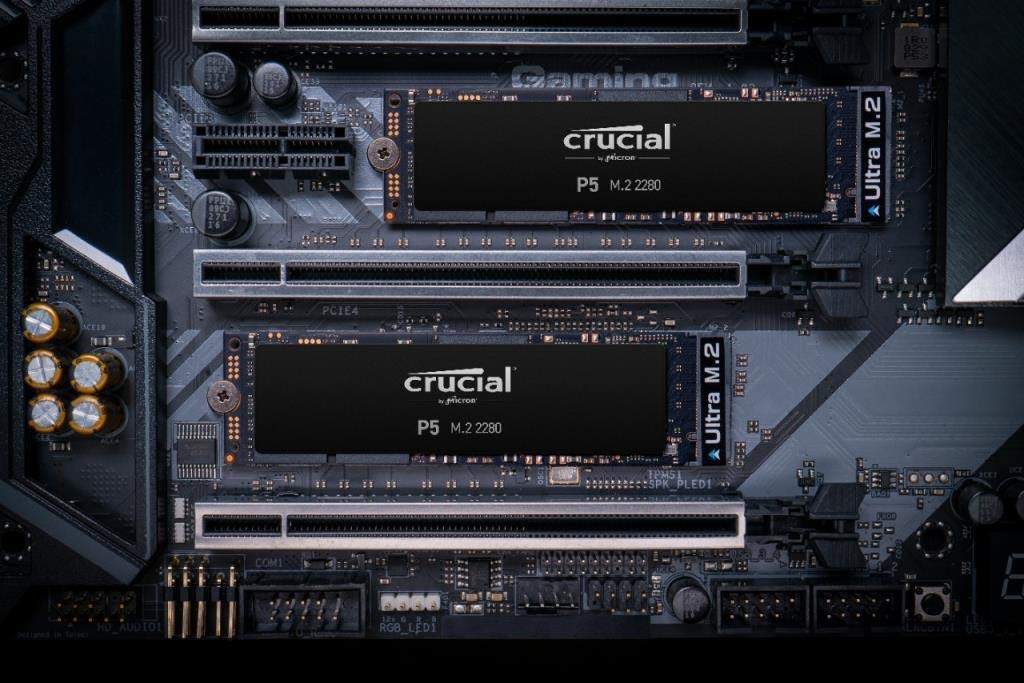
The Crucial P5 2TB NVMe SSD leverages advanced 3D NAND and a cutting-edge controller to deliver up to 3400MB/s read and 3000MB/s write speeds. Designed for professionals and gamers, it features full-drive encryption, dynamic write acceleration, and adaptive thermal protection, backed by a 5-year warranty and 1200TBW endurance rating.


| Hard Drive | 2 TB Solid State Drive |
| Brand | Crucial |
| Series | Crucial P5 |
| Item model number | CT2000P5SSD8 |
| Hardware Platform | Linux, Mac, PC |
| Item Weight | 0.704 ounces |
| Product Dimensions | 3.15 x 0.09 x 0.87 inches |
| Item Dimensions LxWxH | 3.15 x 0.09 x 0.87 inches |
| Color | Black |
| Number of Processors | 1 |
| Flash Memory Size | 2 TB |
| Hard Drive Interface | NVMe |
| Batteries | 1 Lithium Ion batteries required. |
| Manufacturer | Crucial |
| Language | English, English, English, English, English |
| ASIN | B0892TWDP1 |
| Is Discontinued By Manufacturer | No |
| Date First Available | May 22, 2020 |
S**)
Works well for writing Blue Iris camera video
Using this drive (my first M.2 drive) to manage the videos captured by Blue Iris Security software. The SATA drive I was using lagged a bit when the software was trying to write video from three different cameras at the same time. This M.2 drive writes 5 times faster and has no issues with pretty much anything I throw at it. Yes, there are faster M.2 drives but for the great price I paid for this drive, I'm very happy. Comes with a 5 year warranty. I have four Crucial SATA drives and have used them for years and no problems. I trust Crucial and put them in the same reliability category as Samsung. The drive was very easy to install (physically) and I used Macrium Free imaging software to copy the OS from the existing drive to the new M.2 drive. Easy peasy.
J**Y
Nice Bang for Your Buck$$$
I bought this SSD to put into my Razer Blade 15. It was easy to install and performs like a dream! All my download/upload speeds are incredibly fast. Games load very quickly as well. The overall performance of my laptop is just so much better since installing this SSD. I have had zero issues with this product at all.
K**.
Great 2TB M.2
I was nearly out of storage on my Samsung 980 Pro that I use for my boot drive and programs, and wanted to download more games. I came looking for an M.2 NVME drive that was 2TB since I only have one more M.2 slot on my motherboard. Given that all I was doing is gaming, there was no need to spend the money on a PCIe 4.0 drive when a 3.0 is plenty fast for gaming. Plus, at a price of $195, there was no other option.So far the drive has been great. It was instantly recognized by my BIOS and I had no issues formatting the drive. I have now moved all of my Steam, Epic Games, and Origin libraries to this drive, and still have 1.6 TB to go. Very pleased with this SSD.
(**N
Uneventful is good
In 2016 I bought my first NVME - a Samsung 950 PRO 512GB. Microsoft had no Windows 10 driver for NVME and Linux would not have one in a standard distro for at least another year. It took me an entire day to coax a Windows installation as a boot drive for a Dell Precision laptop and another whole day to install a second one in a Alienware laptop.Fast forward 4-5 years and this install into a new Lenovo T15g could not have been more uneventful. Now, 6 months later, this 2TB drive is still running perfectly without any tweaks and without a hiccup. The Crucial Storage Executive software is full featured and stable.I realize that this ease of use is not limited to Crucial. I am running Samsung, WD Black, and Seagate Firecuda NVME in my other boxes. But if you are wondering how Crucial is doing in this space, their NVME drives are as reliable and stable as the better known brands. I am waiting for 4TB NVME drives to become more plentiful before diving in to build a small NAS - and I am looking forward to seeing what comes out from Crucial.
G**I
Increased R/W Speed can actually be seen ...
Purchased this 2TB upgrade for my Lenovo Thinkpad X1 Carbon (6th Gen). Cloned my existing drive 'as is' using Acronis then installed in computer. The Lenovo diagnostic and repair utility started automatically, then selecting the 'advanced options' I was able to select the new drive as the primary boot device. After that everything worked fine.I didn't really expect much except increased capacity given the problems Intel has been having with chipset fixes through Microsoft updates, but in fact the increased speed over my original P2 is easy to see. Displays are more snappy, software loading is faster, software controls are more crisp. Overall, a great product!
K**N
"Up to" is Accurate
I decided I'd given Samsung enough of my money and decided to pick this up in 2TB for a gaming drive. I'm not angry, just a little disappointed that I happened upon a drive that advertised such a dramatic difference.The price was slashed by almost half, I paid about $150 for an NVMe that has about 15% less potential bandwidth than the *maximum* advertised bandwidth. It was an objectively good buy factoring in the discount I received and I would assume the seller knows this is happening and adjusted the price as a result; I just feel like I didn't get the deal I was advertised.Turns out some other companies like Kingston, PNY, and Adata got caught with their pants down in the past selling SSDs with chips different than what was sent to editors and launch buyers. So just like with RAM kits, watch your vendors and roll the dice when the price is right. Lesson learned.Reality is crystal disk scores don't matter *that* much, PC mark says it performs about like other drives I've bought. We'll see what the longevity is like and that's my biggest concern with lower bin chips.Tl;dr this product is a dice roll, get it on a big sale to be safe.
S**N
If you’ve never replaced your SSD, study up first
Installation goes easily if you are prepared. Do your homework, look for the best videos (lots of junk out there). Recognize what even the best videos gloss over and research those vague areas. Have a safe place to put all screws, neat workspace, good lighting. Get a caddy for copying over your old drive to the new one, so when you replace the old one you can use it in the caddy as an external SSD. Study how the copying process must be adapted to partitioning the old drive to its full available size.I love having a huge C drive, ended all my anxieties about the steady decrease in available space. Several computations now go much faster when they use the C drive for application data. Worth the investment and cheaper than buying a new laptop.
K**S
GREAT Speed !
Very fast drive once you turn on cache in the app.Boot time is a tiny bit better than a ssd. You still have to get past Bios and windows pre load junk. But once windows get past log in screen wow!This P5 flys, only thing i hope they fix in a bios update for the p5 is temps.I have mainboard heatsink on it and it still runs at 50c.Compaired to a slower Blue western digital drive that run 30c.
Trustpilot
2 weeks ago
3 days ago
2 months ago
1 week ago