We remain fully operational. Our teams are working around the clock to ensure your deliveries continue safely.

DOWNLOAD THE APP


Customer Services
Copyright © 2025 Desertcart Holdings Limited
DOWNLOAD THE APP
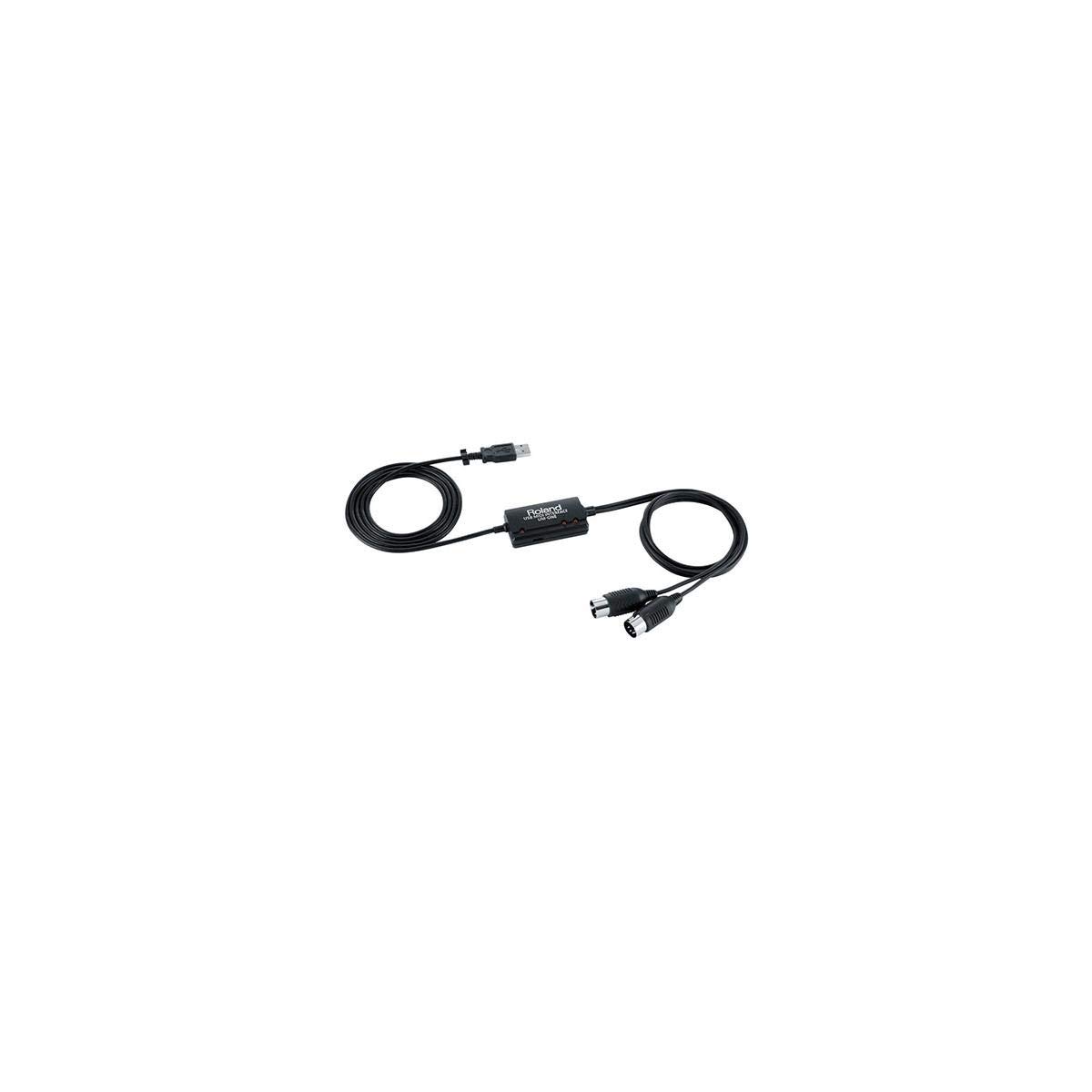
🎶 Connect like a pro, create without limits!
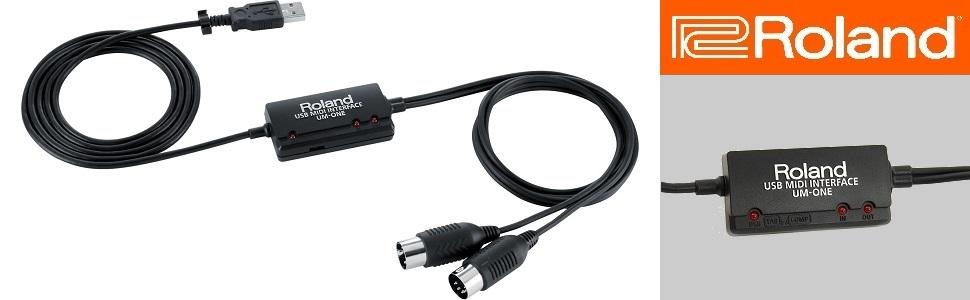
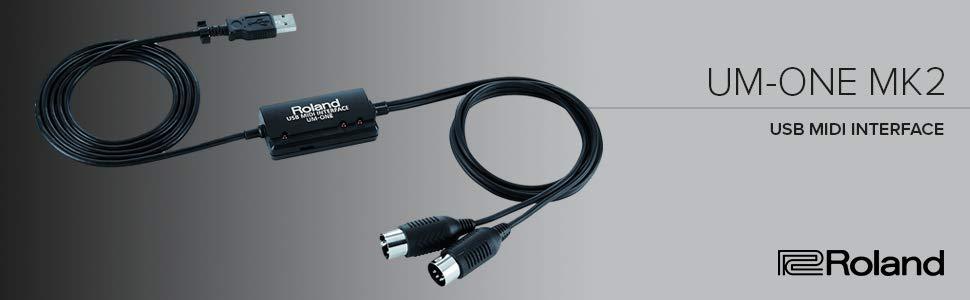
The Roland UM-ONE-MK2 is a compact, high-performance MIDI interface cable offering one MIDI input and one output. USB bus-powered and compatible with Mac, Windows, and iOS (via Apple Camera Connection Kit), it features advanced FPT processing for low latency and precise timing. Designed for professional musicians and producers, it reliably handles complex MIDI data including Sysex file transfers, making it a trusted choice for seamless digital instrument connectivity.
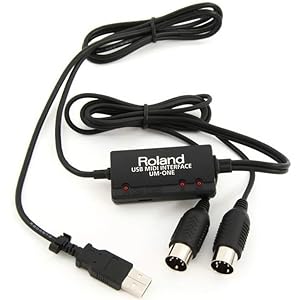
| ASIN | B00967UN50 |
| Audio Input | USB |
| Best Sellers Rank | #2,570 in Musical Instruments ( See Top 100 in Musical Instruments ) #6 in Computer Recording MIDI Interfaces |
| Brand | Roland |
| Brand Name | Roland |
| Compatible Devices | Midi Devices |
| Connectivity Technology | MIDI |
| Customer Reviews | 4.5 out of 5 stars 2,821 Reviews |
| Global Trade Identification Number | 00761294503829, 04957054503826 |
| Included Components | Owner's Manual |
| Item Dimensions D x W x H | 1.2"D x 2.4"W x 0.6"H |
| Item Type Name | UM-ONE-MK2 One in Two Out Midi Cable (UM-ONE-MK2) |
| Item Weight | 0.2 Pounds |
| Manufacturer | Roland |
| Maximum Sample Rate | 48 KHz |
| Number of Channels | 1 |
| Operating System | All |
| Product Dimensions | 1.2"D x 2.4"W x 0.6"H |
| Supported Software | ['Mac, Windows and iOS'] |
| UPC | 761294503829 761294503836 |
| Unit Count | 1 Count |
| Warranty Description | Consumer limited warranty: 1 year parts, 90 days labor. |
F**N
Works Perfectly for my Application
After some research I bought this Midi Interface Cable because it was the cable of choice for my needs. I am using it to interface my Korg Volca FM2 with my Macbook Pro and Arturia Keystep 32 Keyboard. This allows me to connect the Volca FM2 to my MacBook Pro in order to us the DEXED and SYNTHMATA Applications (and some others) to edit the Volca FM2 sounds and also to Upload Sysex Files into the Volca FM2. At the same time I can use my Keystep 32 to play the Volca FM2. Part of this review is to help others as the included instructions were useless. It's important to first download the Drivers for the MacBook Pro (or what ever computer you are using, such as Windows), install them and then Restart youy computer. Once you do this the Roland UM-ONE-MK2 should be recognized by your computer. Also there is a little switch on the side that needs to be in the COMP position. It's TAB (Tablet) to the left and COMP (Computer) to the right as you face the unit. Make sure you set this before you connect it to your Computer (or Tablet). The switch is recessed and a bit tricky to see and move, I needed a thin paperclip to set it and was not sure at first if the switch even moved so I tried it a few times just to be sure and it did. Roland could have designed this a little better. One of the important points about the Roland UM-ONE-MK2 is it handles Sysex File Transfer perfectly. Many of the off brand Midi Interface cables do not, they either drop parts of the file, corrupt it or won't transmit them at all. Pros: It works for my needs and has been 100% reliable Cables lengths are long enough for most applications. LED lights let you know it's functioning Cons: A bit Pricey but hey if it works it's worth it Mode Switch could be easier to see and use Included Instructions are useless Not really a big deal but I would have preferred they used the newer USB C Connector instead of the older USB A, so I am using an adaptor.
G**E
Made by Roland…..top quality and reliable!
Works much better, and keeps working, as opposed to other “off brands” that claim to do the same thing. I am a professional musician, and I use this device to connect my iPad to my other music gear. I tried many other brands with mixed results….glitches, dropped or false MIDI info transmitted, and most wound up failing completely. Once I discovered this one made by Roland, I have had absolutely no issues!
A**R
Problem Solver!
I've been having a big issue with "stuck notes", missing notes, and even junk notes (notes I didn't even play). I've been using the MIDI adapter on my audio interface -- a Focusrite Scarlett 2i4, so I assumed it was a good MIDI adapter. Keyboard controller is an old but excellent Kurzweil MIDIBoard, and computer is a fast MSI laptop. I've had this problem with my DAW (Reaper) and also directly within instrument software, so I knew it wasn't Reaper. The computer is not overloaded in any way, and I didn't have another controller handy to try. I suspected possibly that pushing audio through the Focusrite at the same time trying to use MIDI might cause some data issues. So the easiest/cheapest thing was to try another MIDI adapter. Problem solved. I looked at several others in Amazon that were slightly cheaper, and ended up choosing this one as some of the others had reviews that pointed to some issues. Since I started using this adapter instead of the one in my audio interface I have not had one stuck note, missed note, or wrong note (except those that I played myself). The only aspect of this adapter that I didn't care for was the fact that the MIDI cables are hard wired to the adapter. Between the USB cable (which is also permanently attached) and the attached MIDI cables, the unit was plenty long enough for me. But if you need an extra long reach, you'll need to get MIDI gender changers and then you can extend with a regular MIDI cable. Also since everything is attached, if one cable goes bad (MIDI in, out or USB) then you've got to replace the whole unit. Also, the actual adapter part of the unit is just a little in-line box, so you probably won't be placing it on your desk to look at the status lights. I would say this device was designed for the consumer who doesn't have any MIDI cables of any sort, and just wants a one-stop plug & play unit, which is exactly what this unit is. I'd give it 4.5 stars if I could for the minor hardware issues, but since I have to choose 4 or 5, I'll go with 5 because it seems to fit the needs of the intended audience. If I needed another MIDI adapter, I would purchase this one again instead of trying to save a few dollars on the no-name brands.
A**R
Transfers Sysex Data like a champ!!
This works great for transferring sysex data. I was able to connect to my Fractal Audio Axe FX III and update the firmware. Now I can use my Axe FX III as was intended and I also have the cable to transfer files from and to my VGS 2120. If you need a cable that transfers sysex data flawlessly I highly recommend buying this cable, it sure saved me.
M**R
Great product, but 4 stars due to packaging and instructions.
UPDATE: The 64 bit MacOS 10.15 Catalina driver is now available on the Roland support website. Summary: The cable works as needed, but as others have said, all paper instructions in the box are in Japanese, plus the included CD didn't include the latest drivers (latest for Win10, I didn't check for MacOS). So I gave it 4 stars. Otherwise, if you want hassle free MIDI to USB, this is the one to get. In the case of a MIDI cable, you get what you pay for. The Details: The CD does include multi-language instructions in PDF. As for drivers, we should all be in the habit of downloading the latest drivers from the manufacturer website anyway. Roland should have included a single page multi-language instruction sheet to point people to their website for the latest instructions and drivers. Then I would have given them 5 stars. If you go to the website to get the Win10 drivers, it will just tell you to plug the cable in because Windows will download the correct driver for you. For MacOS, I didn't load the CD to see what drivers it has, but again just go to the website. They seem to have different drivers (and/or different instructions) for every Mac OS release from 10.4 through 10.14. Given that track record (and because it is Roland), I assume they will continue to support future versions of MacOS. Some people said it isn't supported on Mac OS or had troubles. It is supported and worked great for me (OS 10.13), just as well as it did for Windows 10. But for MacOS, there is potential installation confusion due to driver signing, and also, setting up MIDI might reqiure going to the Audio MIDI Setup app under Applications/Utilities (true of all MIDI devices in MacOS). But it is important to read the instructions both for driver installation procedure and how to plug the cable in and use it. They say that such things as pulling the cable while your DAW or music program is running or trying to use it, will mess things up and require a reboot. Bad, yes, but this is probably more a MIDI standard issue, not a Roland issue. Another issue people have mentioned is the IN/OUT cables are backwards. To be clear, MIDI standard is IN goes to OUT, OUT goes to IN. (EDIT) The cable is marked correctly but it says "Connect to IN" and "Connect to OUT". I missed this originally and thought it was mislabeled. The text is hard to see in less than ideal lighting and the IN and OUT stand out, but not the "connect to" text. Hence the confusion. If your cable isn't working, then 1) check the IN/OUT LEDs and make sure data is transferring. If not, maybe the IN/OUT are backwards. If the LEDs are doing something, it might be a software issue. Go back and follow the instructions carefully. This was the only issue I had getting the cable to work. Lastly, why spend nearly 3x to 4x the cost for this cable vs. the cheap ones? Because it works, including such important features as SYSEX (higher data transfer rates for moving large amounts of data to/from your equipment). If all you care about is making your keyboard play notes on your computer's software, maybe that doesn't matter. I did not get a chance to try it out on an iPad, but from all I've seen, this works fine. Just switch the switch from COMP (used with a normal computer) to TAB to make it work with the Apple Camera Connection cable and your iPad software. I don't know if it works with Android, though.
S**D
The most accurate
I've tried multiple Midi cables that would work with Cubase , This is the only cable that recognizes the actual drum channels in an old keyboard . Others will only give a standard drum kit . It does great job , no latency or noise ,highly recommend.
T**S
works with macbook pro and yamaha dgx-500
First of all, I only paid $22 for this adaptor a couple of days ago, but the supplier (Streamline Audio Video) appears to have run out. List price is a little steep. Some basic info: o The overall length is about 6 feet five inches. o The in/out midi cables are clearly marked, as in "connect to midi in" and "connect to midi out". Other cables are confusing because they consider themselves to be a midi device. I think of this cable as more of an adaptor, and so the non-ambiguity of the labeling is much appreciated. o The software comes on a CD and it up to date as of this writing (1/2/13). It is version 1.0.0. I checked the download site for updates, and 1.0.0 is the latest. ---- I used the CD to load the driver, rebooted the mac, and hooked the cable up. It worked first time. I tested it with the "Audio MIDI Setup" app which is in the "Utilities" folder under Applications on the mac. Make sure you select the MIDI window and expand the window in case the new device shows up off the main page (it happened to me). Try testing both channels by selecting the UM-ONE device, clicking on "Test Setup", and then clicking on the UP/DOWN arrows. You should hear the synthesizer in your piano make some noise when you send to it, and you should observe the arrows flash on the mac when you send from the piano keyboard . After that, I used "MIDI Monitor" (free from [...]) to verify that the interface was sending data from the yamaha DGX-500. Then I started using it with GarageBand 09 and everything worked fine. If you carefully read the reviews for other products of this type, as I did, you will find a large range of experience, both good and bad. I was scared off enough from all the other alternatives to try the Roland device, based on their reputation for quality gear. I also have a MIDI-Sport 2x2 from M-Audio, and I wasted a lot of time trying to get it to work with the DGX-500. The problem turned out to be insufficient USB power - i.e., after hooking up the midi-sport to a powered USB hub, it finally started to send from the piano (also make sure you pull the latest drivers). I never could get it to send from the mac to the piano, however. I think some of the problems with other devices may be due to how much power they draw from the USB bus. If you can't get yours to work, try a powered hub. I didn't want to deal with a powered hub, which is why I purchased the UM-ONE, and I'm glad I did.
L**S
MAC Vs. PC...PC Wins
I tried valiantly to make this cable work on my Mac Studio which I intentionally keep on Monterey 12.3 to support certain gear. I bought the cable to update a Sonicware Ambient synth, and certain keyboards. Downloading drivers from Roland for this version of Mac IOS, following all steps in the Readme file (both versions), restarting, etc. NOTHING. Then I plugged it into my ten year old Lenovo P50 laptop running Window. The Lenovo recognized the UM-1 Mk2 instantly, downloaded the drivers automatically, and was ready to update the Sonicware Ambien in less than a minute, all automated. I have a lot of computer gear both Apple and PC, and this is definitely not a platform critique, just a report in case my experience helps someone who has access to both platforms. Otherwise, the UM-1 works flawlessly!
Trustpilot
3 weeks ago
2 weeks ago