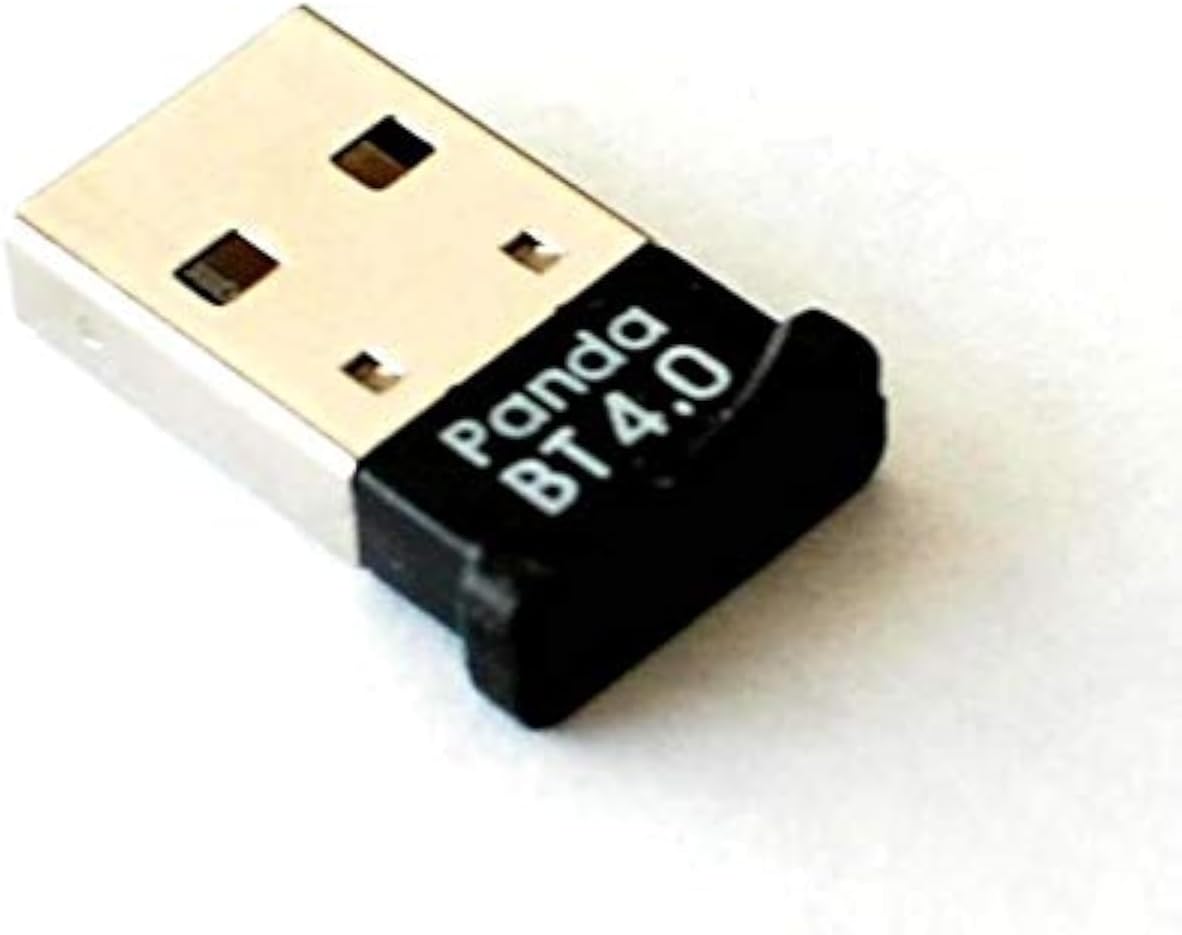
🔗 Upgrade your legacy laptop to Bluetooth 4.0 brilliance — stay connected, stay ahead!
The Panda Wireless Bluetooth 4.0 USB Nano Adapter transforms any compatible PC or laptop into a Bluetooth 4.0-enabled device, supporting seamless wireless connections up to 80 feet. Featuring ultra low power consumption and broad OS compatibility including Windows XP through 10 and popular Linux distributions, this compact nano adapter ensures backward compatibility with older Bluetooth devices, making it the perfect upgrade for professionals seeking reliable, energy-efficient wireless connectivity without sacrificing USB port space.
| ASIN | B00BCU4TZE |
| Best Sellers Rank | #93,761 in Computers ( See Top 100 in Computers ) #679 in USB Computer Network Adapters |
| Brand | Panda Wireless |
| Color | black |
| Compatible Devices | Desktop, Keyboard, Laptop |
| Compatible Operating System Family | Windows |
| Customer Reviews | 4.5 4.5 out of 5 stars (646) |
| Data Link Protocol | Bluetooth, USB |
| Data Transfer Rate | 3 Megabits Per Second |
| Hardware Interface | Bluetooth, USB |
| Item Dimensions L x W x H | 11.2L x 9.4W x 1.3H centimeters |
| Item Weight | 0.1 Pounds |
| Manufacturer | Panda Wireless |
| Mfr Part Number | 1 |
| Model Number | PBU40 |
| UPC | 883400053483 |
M**K
Works on Linux Mint (Ubuntu), yippee
A**.
I bought this for a Toshiba laptop that didn't come with a bluetooth adapter installed when built. Old, it was shipped with Windows 8.1 which is supposed to have native support for Bluetooth 4.0. Unfortunately since the unit wasn't shipped with Bluetooth it didn't have the drivers so I had a bit of trouble connecting devices. I finally changed the way Windows Update would run and let it automatically check for updates and that prompted it to install a Servicing Stack. And had to go into Control Panel to change settings. Everything I needed to do I found while searching on the Internet. Once it did that I could connect a Microsoft Surface BT4.0 keyboard and a Nullea 505 Trackball. The only issue is with LE devices and randomization which can't be tweaked in Windows 8.1 but that isn't anything to do with the adapter. I have the same Toshiba laptop dual boot with Linux Mint and it works much more reliably with Linux once I made some tweaks in the bluetooth controls, again related to LE, MAC randomization and privacy. Also plugged it into a Lenovo mini tower that didn't come with bluetooth internally, was Windows 7 upgraded to Windows 10 and had no issues at all, same devices all connected right away without any manual configuration. Not the least expensive bluetooth adapter but if you want something that is a contemporary of an older machine to increase your odds of success it is worth a few extra bucks.
S**R
Using Linux Manjaro KDE i first plugged it in the USB 3.0 port on a HP8560P laptop. Laptop recognized the adapter without having to install any driver and had no problem pairing Sony WH-1000XM4 Wireless headphones. The audio keep cutting in and out when listing to music in bedroom about 18 ft from laptop and other rooms in a small house. The signal only had to go around one corner to get to bedroom. I then plugged it into a USB 2.0 port on laptop then audio did not cut out in any room in house on 1st floor. Did a google search to see why audio keeps cutting out for bluetooth headphones on usb 3.0 port. It said audio cuts out because USB 3.0 ports emit radio frequency noise in the 2.4GHz spectrum, which directly interferes with Bluetooth signals. This interference causes data loss between the dongle and headphones, resulting in choppy audio. Moving the adapter to a USB 2.0 port or using a USB extender usually fixes this. The sound quality is excellent. Like the reviews said it is plug and play on Linux. I recommend it but use USB 2.0 port or a short 6” USB 2.0 extender cable connected to USB 3.0 port which will also stop radio frequency interference and audio should not cut out. When watching videos on Youtube in 1080P HD video quality the audio is in sync with their lips, don’t notice any lag with my Sony WH-1000X4 wireless headphones. Maybe it depends on what version bluetooth the headphones and computer are using?
V**T
Nice device
J**A
I have an older hardware where I run Windows 10. I was looking to move away from that since my current hardware won't support windows 11. Investing in a new hardware at a cost of $700+ didn't make sense. I'm not a gamer, and while having Microsoft office, mostly MSword and MSexcel would be great, but not a requirement. I can use my work laptop for those needs. So, instead of going the route of windows 11, I have opted to use Linux, specifically Zorian OS. The free version, the Zorian OS core 17 is awesome, has a very nice look and feel of a windows platform. I wanted bluetooth connectivity with my older hardware running linux platform. I had a Ugreen brand USB Bluetooth dongle, but it's not compatible. This Panda Bluetooth adapter is plug and play under Zorian OS. After receiving, I plugged into the USB port and the OS recognized it immediately. I'm now able to connect my iPhone and other Bluetooth devices such as my headphones without any issues. If you have similar needs like mine, I can confirm it works perfect with Linux OS. I recommend this product. Thanks for reading.
Trustpilot
4 days ago
3 weeks ago