Desert Online General Trading LLC
Dubai, United Arab Emirates
Desert Online General Trading LLC
Dubai, United Arab Emirates




🚀 Elevate Your Storage Game!
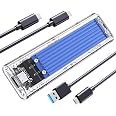
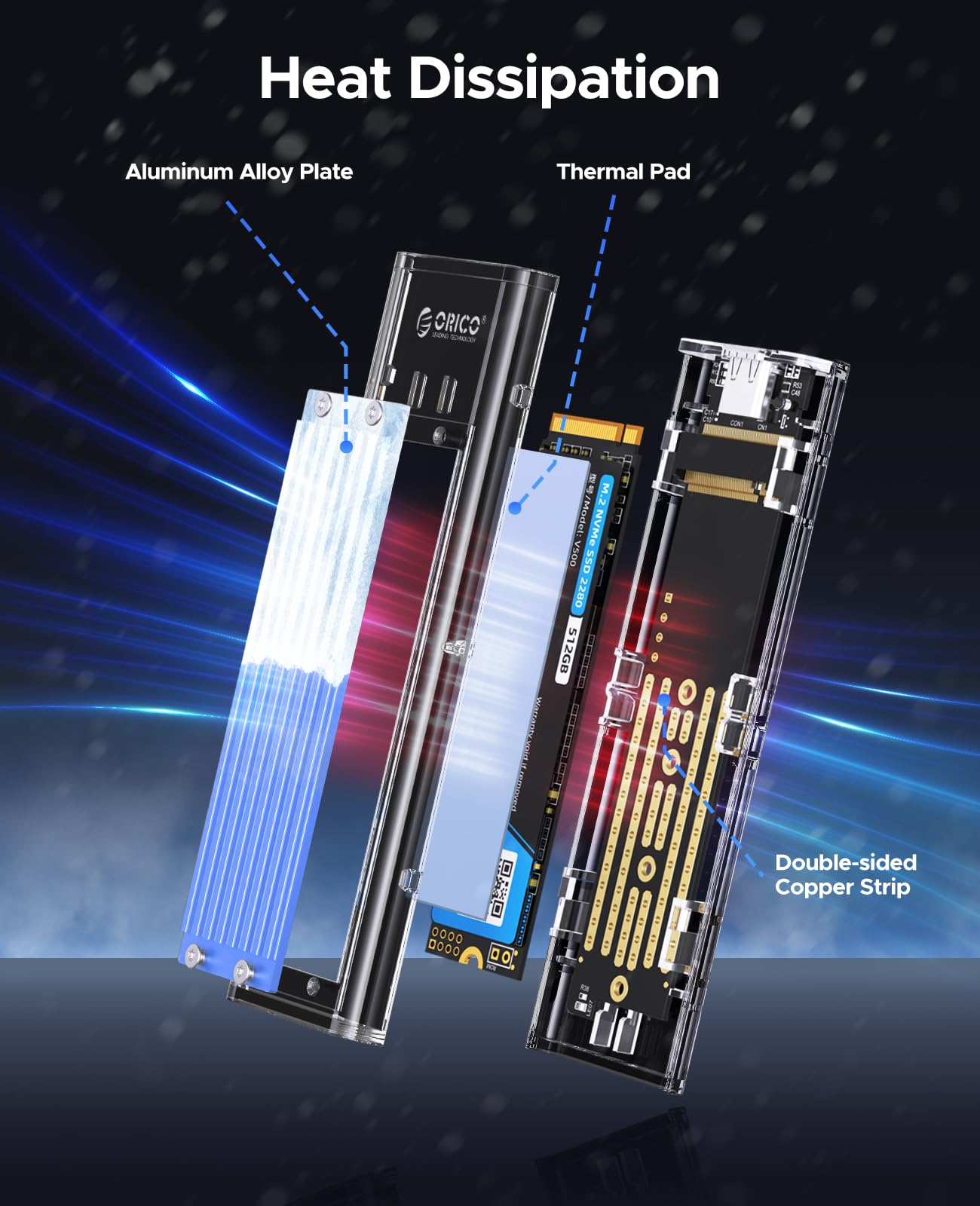
The ORICOM.2 NVMe SSD Enclosure is a cutting-edge external solid-state drive adapter designed for high-speed data transfer and optimal heat management. With support for various M.2 SSD sizes and a sleek, transparent design, this enclosure is perfect for professionals seeking efficiency and reliability in their data storage solutions.


| Compatible Devices | Laptop |
| Data Transfer Rate | 10 Gigabits Per Second |
| Maximum Number of Supported Devices | 1 |
| Hardware Platform | Laptop |
| Memory Storage Capacity | 4 TB |
| Hardware Interface | USB |
| Item Weight | 0.09 Kilograms |
| Item Dimensions L x W x H | 4.25"L x 1.34"W x 0.45"H |
| Material | Plastic, Metal |
| Color | Blue |
O**E
Nice Simple Encasement
Item came in nicely packaged. You slide the lid off to place your SSD card in it. I inserted a 4TB SSD that I used on my Mac Mini M4. I also bought a doc that has an encasement for a SSD card that plugs into the Mac Mini, which can save spaces. The doc stopped working and reading my card, so I thought I'd try this encasement that was simple and with no bells and whistles so to speak. It does have an internal fan, which I thought was good since it reads/writes at 40Gbps, and I know they can get pretty warm when you load files onto it. This encasement worked wonderfully and then it stopped reading again and ejecting. Found out that the Apple Mac Mini's don't have enough power to power the encasement/SSD card, so I had to connect it to a hub and now it's great. I'm thinking my doc was probably still good as well but the mac mini couldn't power it along with other external drives I had connected to it. I really like the look of the encasement. It still gets hot when you load large files like video, but it does it super fast. You will need to place it somewhere cool and out in the open. Do not lay it on anything metal as the metal will not allow it to cool.
R**D
Fast, quiet, compact and great performance for the price
Case works great. Easy to build. There is a heat sink on the case and a second one which you attach to the SSD with the included thermal pad. With the Samsung EVO 990 I am routinely getting over 3000 mb/s both read and write. Fan does have a high pitch wine but it is quiet. It doesn’t bother me personally but I am also using the drive in Starbucks, planes, ferries, etc so can’t hear it at all. In a very quiet room it is a quiet whine, so it is personal preference as far as if it bothers you or not. Overall great performance at a great price while doing long video editing sessions over several hours.
D**J
Great product
Great product. Works really well transferring data from one nvme to another.
T**M
Dosen't support all systems claimed, BSOD, kinda noisy, a bit to big to be easily portable.
This is cheap, compared to most using this chip, and it feels like it. From the pictures of their current Kickstarter campaign it apparently to be the same board, just in a less appealing case. I included some photos for size comparison.Truly tool free, which could be a plus for swapping SSDs quickly. That said, the little plastic piece (they included 2) thats used to hold the drive down via the typical screw slot, it fits some drives well, but for others it need some extra fuss as it seems the gap to slot the screw slot into is a bit narrow for for some drives. Also, because of its design, and their included and recommended thermal pad, the little plastic piece can interfere with the pad. NBD if not swapping SSD frequently, but if you do and the pad drys over time as they tend to (and may be more likely here because of the air movement) it may damage the look of the pad over time.I find the recommendation to use the pad a bit odd. It does not contact the heatsink. There is a good sized gap between a properly applied pad and the heatsink. When I asked about thisni was told it was by design, to allow airflow, but they didn't really explain why, then, a pad was recommended at all.Unfortunately this was, for me, unusable. During testing I would get frequent hanging, disconnections, and inconsistent performance. When connecting directly any intensive data transfer would cause a BSOD shutdown. The BSOD shutdown could be avoided by connecting via a dock, but the PC needed to be restarted or the drive unplugged and plugged back in to regain access to it.Testing speeds was all over the place. When working its best it seemed no faster than the older and, IMO, MUCH more well built M2V01-C4. Sometimes it would report, via CrystalDiskMark, crasy fast read speeds, like 24,000MB/s, but while the rest of the test would appear to run results would report 0 and the drive would be inaccessible afterward. That is, unless it was connected directly in which case it'd cause a BSOD shutdown.I worked with support to resolve these issue, but eventually, after much wasted time, they simply said it seemed like some strange and unknowable incompatibility issue (even though other devices/cases with the same chip work fine) and suggested I return this. For you, it may be worth avoiding altogether.
K**W
Good performance, unbelievably bright status light
Easy enough to install though getting the drive to sit properly on the little plastic shelves while reinstalling it was fiddly and meant taking it apart to realign it a few times.The biggest drawback is the status LED on the main board. HOLY HECK it's like they took the bulb out of the bat signal. The light is blue, faces up at the very corner of the housing and strobes like nuts whenever the drive is being accessed. I initially had the intention of having this on my desk next to me to appreciate how good it looks with the clear housing but yikes it's unbearable. I had to hide it behind a potplant and even then the wall behind it looks like a techno rave. Might look to put a dab of opaque hot glue onto the diode to soften the light a bit.It was nice that Orico includes in the kit everything needed to install the drive, including a USB-C to USB-C cable. It would be nice if these cable were softer though, as they are very chunky and stiff.Performance has been great and the heat sink does a good job, but I think it would be a good idea to get the version with the built-in fan because the heat sink can get extreeeemely hot when the drive is doing a lot of read/writes - too hot touch really, so not ideal for a portable drive if you plan on putting this back in your bag or pocket when you're done unless you can give it 5 minutes to cool down beforehand.
Trustpilot
2 months ago
2 days ago
1 month ago
2 weeks ago