We remain fully operational. Our teams are working around the clock to ensure your deliveries continue safely.

DOWNLOAD THE APP


Customer Services
Copyright © 2025 Desertcart Holdings Limited
DOWNLOAD THE APP
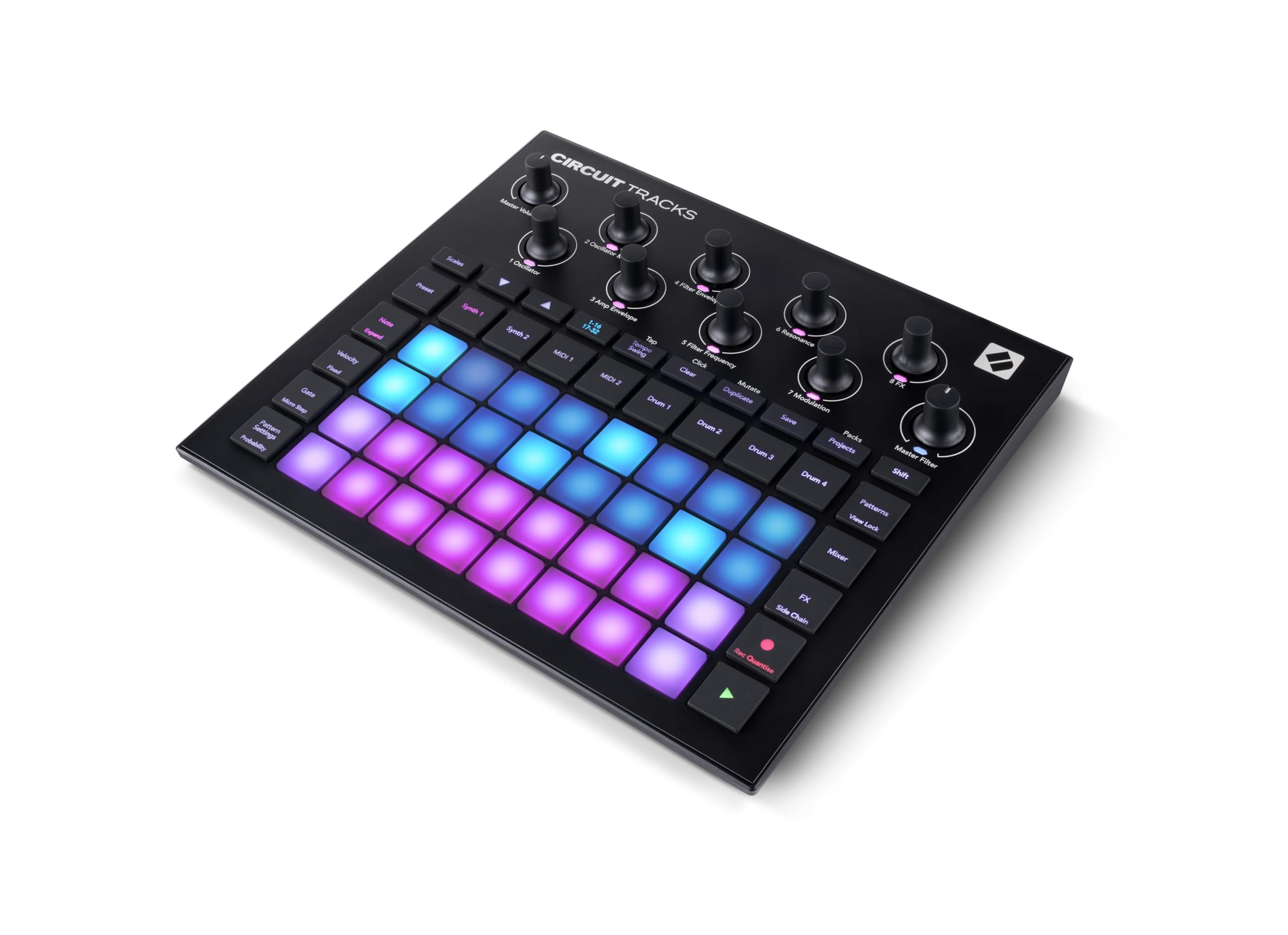
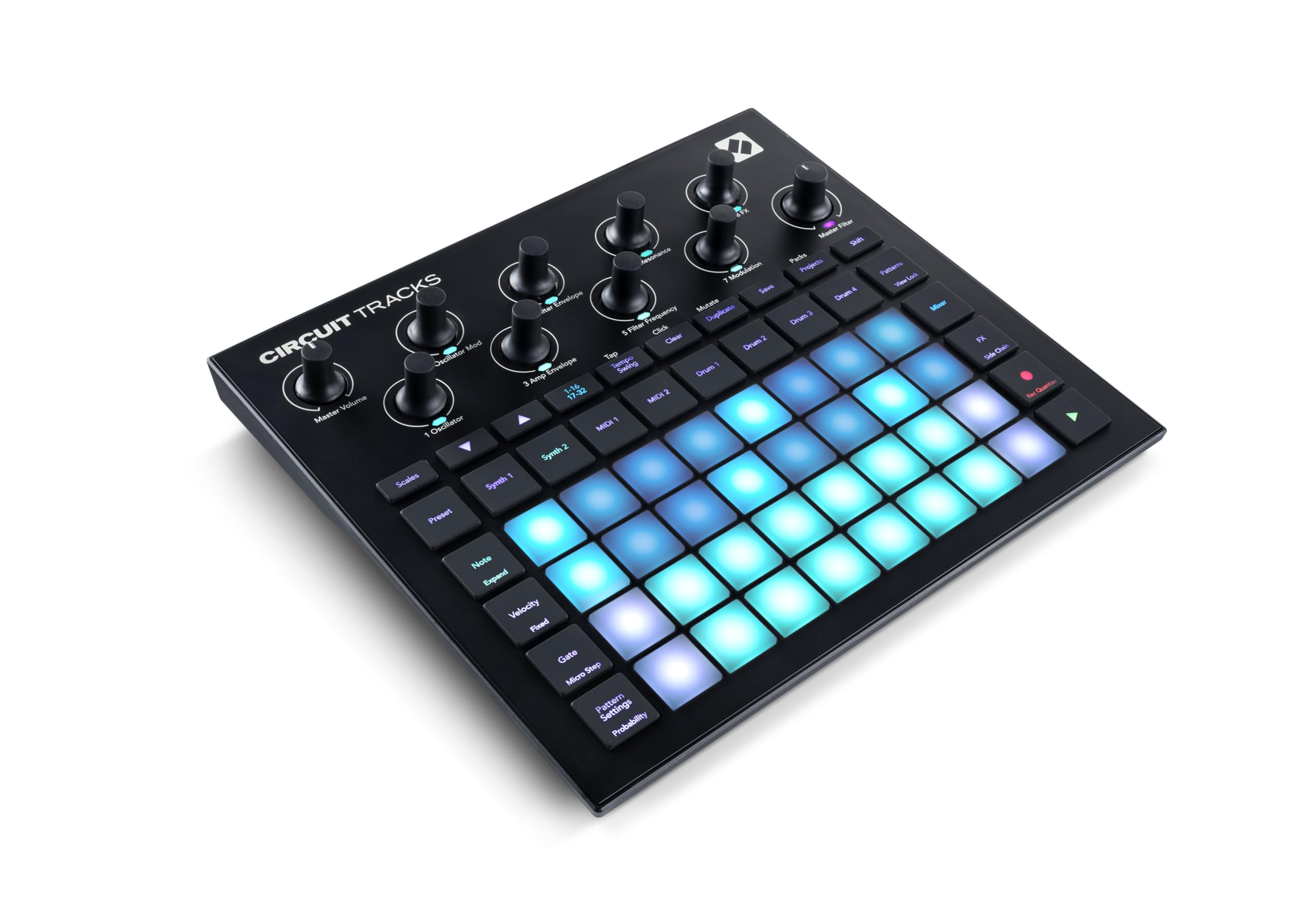
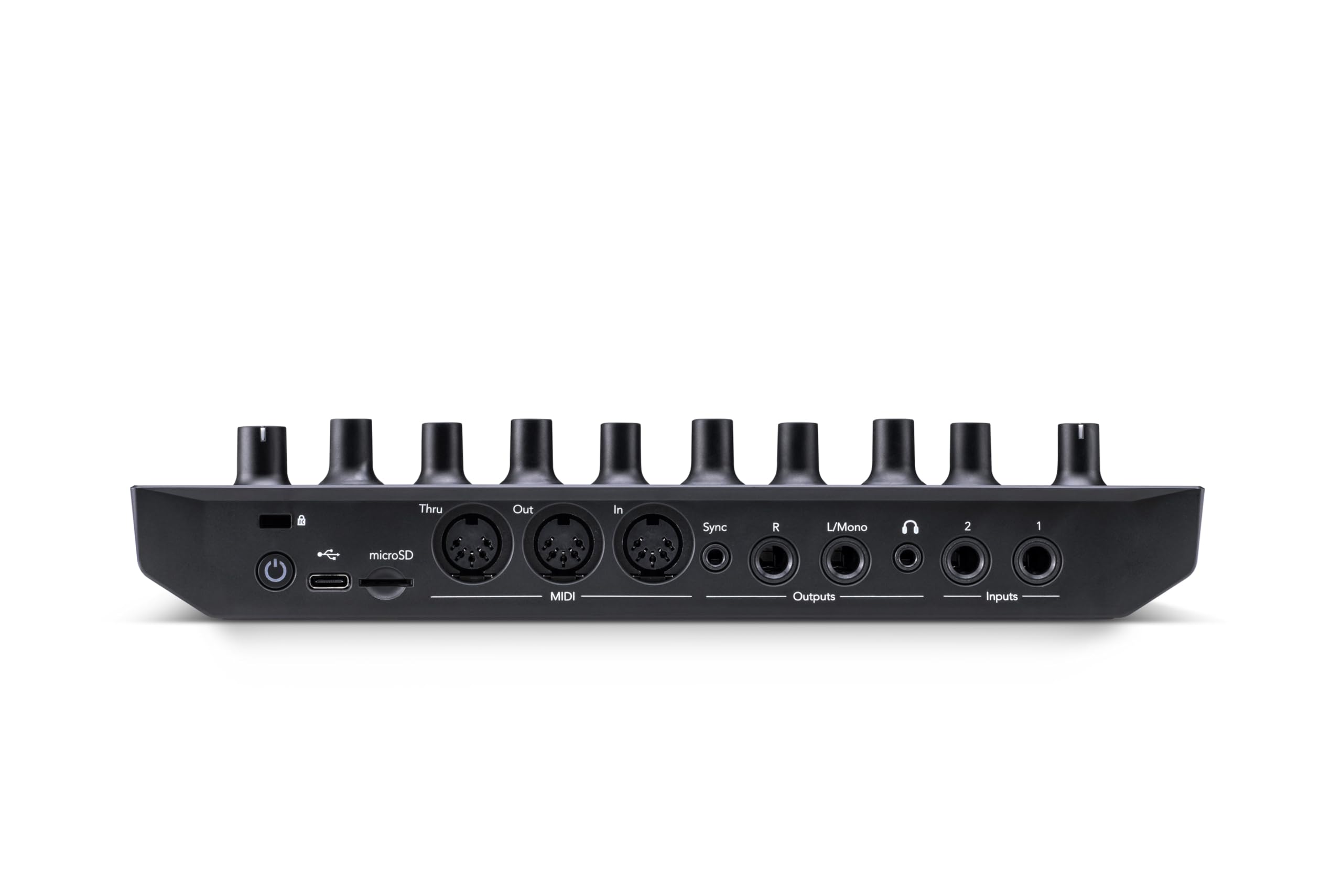
🎶 Unlock your groove, anywhere, anytime — the ultimate beat architect in your hands!
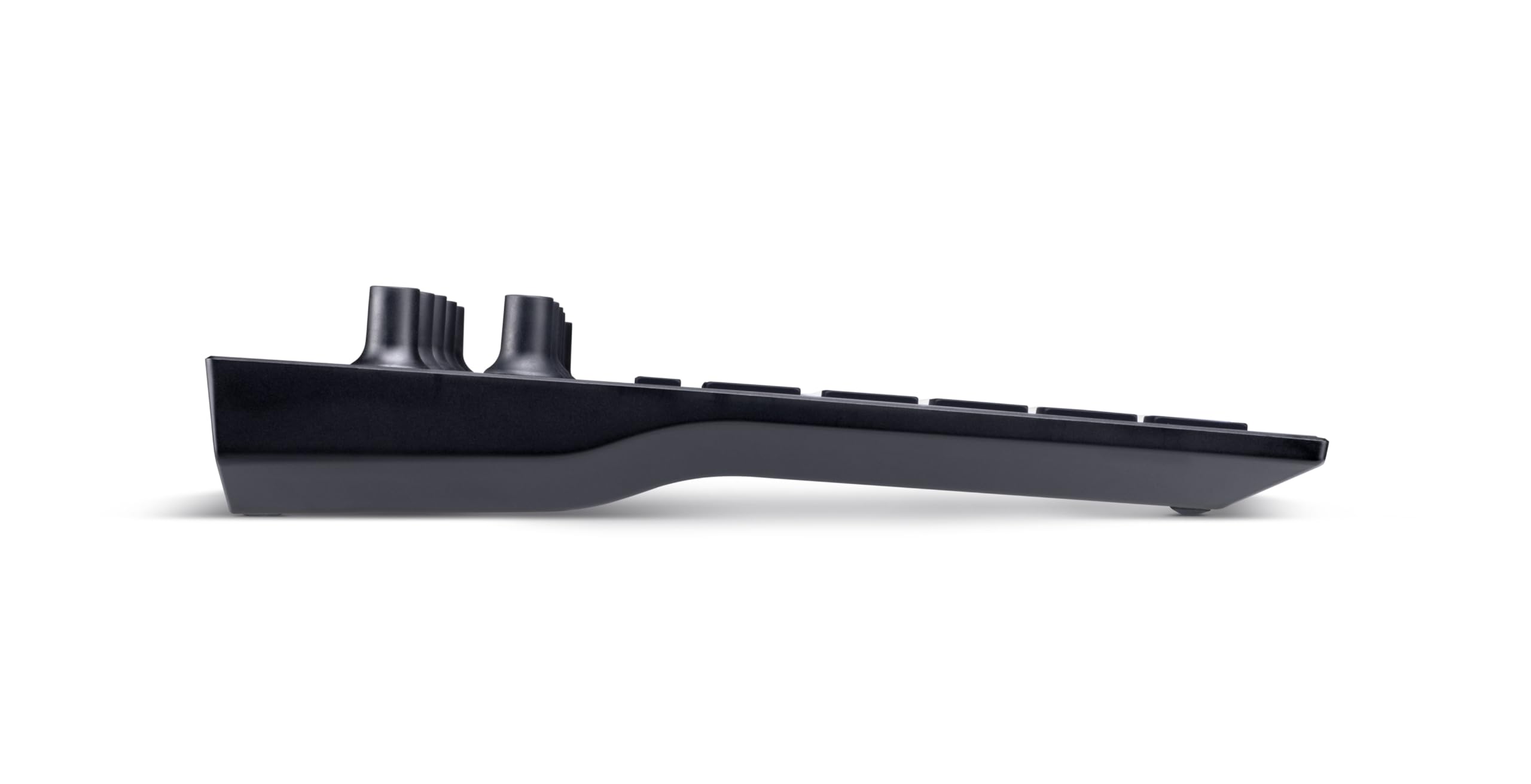
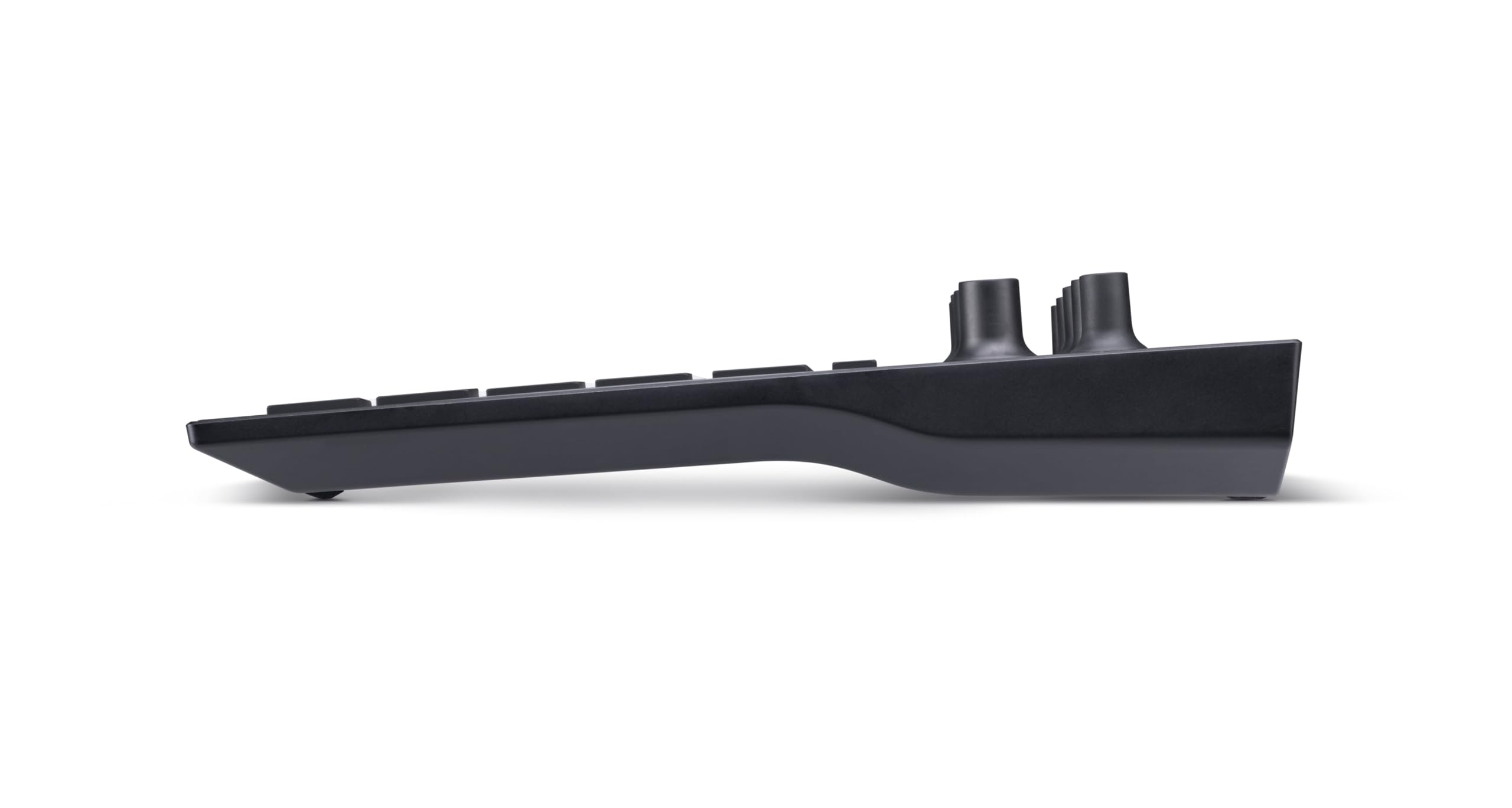
Novation Circuit Tracks is a powerful, portable groovebox combining two polyphonic synth engines, four sample-loaded drum tracks, and two MIDI control tracks. Designed for electronic music producers, it offers hands-on sequencing with 32-step patterns chainable to 256 steps, microtiming, and pattern mutation. Full MIDI connectivity and analogue sync enable seamless integration with external gear, while built-in FX polish your sound. Its rechargeable battery and compact form factor make it perfect for studio or stage, empowering creators to produce professional-quality electronic music on the move.


| ASIN | B08NZ1W6NN |
| Batteries | 1 AAA batteries required. (included) |
| Battery type | Alkaline |
| Best Sellers Rank | #18,587 in Musical Instruments ( See Top 100 in Musical Instruments ) #23 in Tabletop Synthesizers #6,167 in Music Recording Equipment |
| Body Material | Plastic |
| Color Name | Black |
| Compatible Devices | Synthesizer, Samplers, Drum Machine, Headphones, PC |
| Connector Type | MIDI, USB-C, microSD |
| Customer Reviews | 4.7 4.7 out of 5 stars (712) |
| Date First Available | February 8, 2021 |
| Finish Type | Painted or Varnished |
| Global Trade Identification Number | 00815301001294 |
| Included Components | Circuit Tracks, USB-A to USB-C cable (1.5m), USB Power Adaptor, Safety Information Sheet |
| Item Weight | 1.94 pounds |
| Item model number | AMS-CIRCUIT-TRACKS |
| Manufacturer | Novation |
| Material Type | Plastic |
| Operating System | Mac OS, Windows OS |
| Product Dimensions | 9.45 x 8.27 x 1.77 inches |
| Set Name | Circuit |
| UPC | 815301001294 |
H**E
Wish this had came out with the original Circuit!
Back when the original Novation Circuit came out, I was steeped in the world of guitar but was starting to take interest in the world of electronic synthesis. A friend at the time talked me into getting the Circuit and I grew to love it's intuitive workflow. I even improvised a couple of full length songs with it. But, as much as I like the sequencing workflow, I'm hesitant to edit the onboard synth presets. Don't get me wrong, the LEDs under the encoders help, but when it comes to tweaking tone, I prefer analog control. So, I dove into the world of synthesis and for a long time, used the Circuit to sequence my growing collection of synths. But I was annoyed that I had to sacrifice something, usually the Circuit's onboard synth tones, to sequence external gear. I got a Launchpad Pro and really liked it, as it's workflow is nearly identical to the Circuit. Yet that left me needing a full array of gear and a mixer to jam DAWless style. Fast forward to now. I've largely gotten out of music but have kept more portable pieces of gear to jam with on the fly when inspiration hits. I looked up sequencers for fun here on Amazon and came across this. I just had to have it. And now, I come to the review title: This iteration of the Circuit is EXACTLY what I've been wanting!! Two onboard synth channels (that I could still mute for more external gear sequencing!) that I'll largely leave alone, FOUR drum tracks, that not only play drum samples, but other sample types as well, and TWO MIDI control tracks dedicated to controlling external gear!! Still battery powered and to add more icing to this cake, has two audio inputs!! This has been great. I just grab this, two portable synths and some cables. Connect this Circuit Tracks to the other synths via MIDI and audio cable, then connect it to my Yamaha receiver, which sports connections to Polk Audio Bookshelf and center channel speakers, and a powered subwoofer, power everything on and get jamming!! If I want to do some knob twisting, I can noodle around on my external synths to my heart's content. Heck, I've even plugged in a small mixer I've got, and added my FLAMMA multi effects guitar pedal with an electric guitar and added some guitar work to my jams!! This Circuit fits my needs perfectly!! While this iteration of the Circuit seems a little less durable than my first generation Circuit, it still feels fairly durable, and battery life seems respectable; It's not a massive fuel tank that'll keep you going all day, but you can get a few hours out of it. Some folks may resent the fact that this Tracks and the Circuit Rhythm have non-swappable lithium batteries instead of the easily swapped AA batteries the original Circuit had, but for me, literally jamming in my bedroom, it's not a concern either way. Software seems fairly stable....I did have issues connecting to Novation Components, and had to download the software and update my Tracks offline. I still need to learn how to use the Scenes feature, and I know that'll be handy when I get around to making full length songs and recording them. But, I still think there's room for improvement here. I hope Novation still has a lot of plans to update and stabilize these devices. Overall though, I am stoked with this device and as I've outlined, it's exactly what I've wanted in a sequencer. I'm hoping this turns out to be at least as reliable as my old Circuit is though!
R**.
Amazing groovebox
I've used Korg Volcas for years, connected them together to have rythm, synth and bass which means lots of cables and literally a hundred knobs/buttons and never produced anything that sounded as good as my first attempt on the Circuit Tracks. My poor wife has listened to (been subjected to?) this process for years and when I played my first "track" from the Tracks she was really impressed, saying it sounded, "professional, like something you would actually hear in a movie" which is a real complement from her. She and my five-year-old danced in the living room while I played it. In addition, it was just a lot of fun making that first track, just me and one device jamming out; really cool. Prior to purchase I looked at groove-boxes from Roland, MPC, Elekton etc., and, based on price, flexibility and reviews I went with the Circuit Tracks. I watched tutorial videos (YouTube and Novation have a good number) and was pretty familiar with the device before it arrived. This definitely made for a more enjoyable experience when I finally had this thing in my hands. One of my favorite features is the ability to connect it to you computer and use the Components (free from Novation) software to download new sound-packs. You can download some free stuff from Novation or purchase sound-packs (they're not expensive) for the types of music you like. Isotonik Studios has some good ones. This allows you to change the sound of the Tracks to suite your music style and means the device does not have a fixed sound, and almost seems like a new groovebox after you change the sound packs. Cons: Recording. You get an awesome (to you) sounding track and want to record it and export it to a format (mp3 etc) that you can play on other devices? I won't go into the details, but it's not easy. There are some good videos from Gabe Miller Music (great source of info) on YouTube on how to get your track off the Tracks, but it's a process and requires additional equipment. Overall, this is a very user-friendly device and just fun to play around with. I felt like I was making songs that sounded really good quickly. I would recommend it to anyone looking to get into making their own music.
B**N
This is where we stand on this...
Oh fo so. After playing wit this. Samplers amazing. High quality audio.
D**K
Excellent
Simple, user friendly, and versatile.
M**.
Easy to learn, intuitive to use.
I've bought a few of these now already. I like playing with this thing. It's intuitive to learn and use, and they make great gifts for a few of my grandkids. I do have a lot of other much much more expensive midi synths, sequencers, mixing gear, and recording equipment. But with this all in one small portable battery powered unit, I can kick back and compose rhythms and melodies and beats from anywhere. And I find this beneficial, as opposed to sitting in a chair at a workstation trying to be creative.
N**L
Super petit séquenceur avec deux pistes synth, deux midi pour autres machines (ou synthe) et quatres batteries. Très portable et super connectique complète à l'arrière. Un peu limité seule pour live, idéal avec sa soeurette rythm. J'ai craqué après celle-ci pour former un beau couple novation circuit tracks/rythm. Merci novation pour la portabilité permettant de faire un petit set de 2/3 heures n'importe où. Il ne manque que le bleutooth pour atteindre la perfection. Permettant ainsi des connections à enceinte ou autre système bt... Bref c'est la seule chose qui manque à ces petits machines.
M**G
There are many cool things about this device but I think the best is the way you can pick it up for 5 mins at a time when you get the chance and it's immediate fun. Once you get your head around the UI you can make great sounds and tunes really quickly. I don't have time to write a massive review but I can say that this is a much better bet than a midi keyboard and computer set up. I have spent ages just making a pattern that repeats then tweaking the sound with the various knows and adding delay and reverb. You can get lost in this for hours but you can also get your fix in 5 mins as the machine boots up in 10 seconds, is portable and the sound quality is astounding, proper professional stuff. It's just about the perfect gadget. Beautifully made, loads of coloured lights, totally self contained. For what it does it is fairly priced. If you're thinking about it, go for it. This is one purchase you won't get bored or frustrated with because there's literally no set up time. Its completely self contained.You can play with it for 2 minutes or two hours. Buy some good head phones!
A**ー
I have a Roland TR-8S and a Maschine MK2. I really love the TR-8S because it's just so easy to use and there's tons of "hidden" features within the menus and by holding ctrl or shift or whatever. You can do really amazing things very quickly and easily. It's also extremely easy to use without instruction even for my 12yr old daughter. Sadly the TR-8S is lacking in sampling ability. The Maschine MK2 is really great, but it doesn't work standalone, although the device's UI (mini LCDs) was really great and simple to use, particularly for sample editing. This Circuit Rhythm was interesting because it's standalone and has sampling features, and it offers the same functionality as the TR-8S and the Maschine combined. It was love at first sight, but after using it for a few days, I just can't get to like it (in fact, I hate it). I'll explain why below: First, the good points: the device is very small and has a builtin battery for portable use. The knobs and pads feel good and it just looks cool. It also has good I/O for line, mic, midi, etc. However those are pretty much the only good things about it. The first use was painful because there's no instructions included in the box (I had to search around online for the PDF manual). The device's UI (buttons/knobs) are extremely unintuitive and very confusing. There's no way to use this without reading the manual. Unfortunately the manual is also crazy confusing. There's so many "new" terms such as "macros" instead of "knobs", there's various "views" such as "Sample view" and "Sample mode view" and switching between the different views and pages is extremely frustrating because you never really know where you are or what you're doing. The up arrow goes from page 8 to 7 to 6, meanwhile the down arrow goes from 1 to 2 to 3 etc.. Everything relies on your ability to decode between bright green, dim green, regular green, turquoise, blue, midnight blue, purple, geez! There's color codes for everything and all the pads have different meanings based on that. I know the Maschine's pads can also be color coded, but they colors are for yourself, not to understand the functionality of the device. On the Rhythm you have a color pattern to display the battery status, firmware version (in binary), and other things which can not be understood without reading the 95 page manual. Sequencing "beats" is fairly simple once you understand how to switch between different functions (pattern mode, sample mode, step mode, keyboard mode, slice mode, note mode, random mode), but even then, sequencing on 16 steps is still cumbersome and weird. For example, on the TR-8S the steps go from left to right, 1-16. Easy! On the Maschine, they go in counts of 4 (one bar) from bottom left to top right. Again, easy! On the Rhythm, they go in counts of 8, from left to right 1-8, then the next row 9-16. So if you want to find step 13, where is it? Well it's right under step 5. WHAT? There's no way for me to get used to that strange split of 8x2, compared to the 4x4 or 1x16 of the other machines. I had a feeling that would bite me before buying this, but it was confirmed after using it for a few days. The next issue was with sampling. All I wanted to do when I first got the device was: "connect a mic, record some vocals, chop them up and adjust them in different ways". Hah! Fat chance. It took me about 30 minutes of scrolling through the PDF and trying different things trying to figure out how to slice. In fact, the main issue stems from the manual being more of a tutorial than an actual instruction guide on how to use the machine. If you don't follow along from page 1, you have no idea what to do in a later section. So I finally figured out how to record from the audio IN, into a slot (after overwriting the already full sample slots), and I got my vocal as one "long" audio (max 32 seconds). Then I had to figure out how to slice it.. you have to get into "Sample Mode View" not "Sample View" (they're different, don't get confused here) which you can access in a couple ways, the simplest is to just hit button 6 twice (what's button 6, you ask? Go read the manual!). Then I figured out how to assign parts of the sample to different steps in the sequencer, but I realized two things: 1) slicing is REALLY HARD on this device. There's no LCD so you're kinda flying blind, you can't see the waveform and I find that's just almost impossible to do it just by ear. Yeah it works but it makes for some ugly cuts and the adjustment macro (knob) is much too sensitive.. and 2) once the slices are created the way you want, there's no way to timestretch or adjust effects for individual samples. Adjusting the tone (pitch) is possible but that works on the entire track not just the individual step (or maybe I didn't read the manual enough). On the Maschine that was so incredibly easy I never read the manual for slicing and stretching and effecting my slices. This thing makes it painful. It's also not possible to quantize a slice after the fact, well you can do some micro-step editing in "Micro Step Mode" but it's super clunky and strange and so, forget it. Did I mention the "macro" options for a sample are extremely limited? You've got a attack/decay (they call it slope), LPF, HPF, distortion.. that's it. You can't add other FX to a sample, only to a track or the entire project unless you do it in "record mode (live)". As for software, well let it be known that if you have an old Mac, you can't install the "Components" software or update the device's firmware. You'll need to find an old version after digging around forever in their online knowledge base. I finally got it installed and was able to update to the latest version (which version number? who knows, they don't tell you! It just updates, deal with it). It also doesn't detect my microSD card and doesn't have an option to format it. I guess I have to format it myself. The TR-8S can format the card for me and allows me to backup and export etc. The Rhythm doesn't provide an option to backup/export/save your stuff to the SD card. It just saves/overwrites the packs/samples you already have saved on the card. This device, although it seems cool at first, is such a pain to use with a computer because you HAVE to use their app for everything. Why can't it just present itself as USB drive and let me drag/drop files - like the TR-8S? Why do I need to create "packs" with my samples from my computer etc? It's so incredibly un-necessary. It would have been fine to just say "put samples in SAMPLE folder at the root of the card" - or something similar that ANYONE can do. Well in the end, I think the Circuit Rhythm was designed by "designers", not by actual musicians. It looks cool and has some sick LED pad colors going on, but that's just fancy lipstick on a pig. The device itself is mostly unusable and I have no desire to spend any more time trying to "learn" how it works just to do something seemingly simple. It's unfortunate because I had high hopes for this, but really it's not good. The price was decent, but I think I'd rather fork out a bit more for either an MPC ONE+ or a Maschine+ or an SP-404mk2. I know the SP-404 is also a bit clunky to use, but it has some extremely amazing features and is really designed for sampling. The newest MPC/Maschine are basically just a full standalone DAW (with the price to match), but at least you get the full features and I/O and you can use them right away without reading a poorly written "manual" (tutorial). Novation/Focusrite needs to step-up their game because this device is just not good. As a final note, if like me, you watched a bunch of y*tube videos from people who claim to know what they're talking about, and got "sold" on the idea that this is a good device, be warned those people are paid to say good things (even when they claim they're not). All they do is compare "specs" as if that's all that matters. What really matters is usability. If you have nothing else, this might work well for you if you patiently read through the entire manual. But if you're a noob you will HATE this thing. If you're experienced and have other devices, you'll also still HATE this thing. It's a toy and even then it's not even usable by kids. Save your money and look elsewhere.
N**L
Si vous voulez de la polyphonie synth prennez alors la novation circuit tracks, si c'est plus pour de la rythmique et sampling de base calors c'est bien la novation circuit rythm qu'il vous faut
L**E
Le circuit de novation est actuellement mon instrument préféré. Une fois que vous avez chargé les pack de samples fournis par le fabricant, vous avez déjà de quoi exrimer votre créativité pour obtenir rapidement des résultats cohérent à l'écoute grâce aux divers systèmes d'ajustement des samples. Je pense que cette machine offre de grande possible à découvrir progressivement. Le mode de création est abstrait et basé sur des couleurs, des formes et des combinaisons de touches mais dès que vous comprenez le mode de pensée, l'utilisation devient instinctive. Le mode d'emploi reste malgré tout une ressource indispensable si vous n'avez jamais utilisé ce type d'instrument. Le constructeur fourni des samples de base orientés R&B, Funk, Soul et Hip hop. Le modèle Circuit Track semble être lui, orienté musique électro de base.
Trustpilot
1 week ago
4 days ago