
DOWNLOAD THE APP


Customer Services
Copyright © 2025 Desertcart Holdings Limited
DOWNLOAD THE APP


🎬 Elevate your presence with pro-grade optics that make every pixel count.
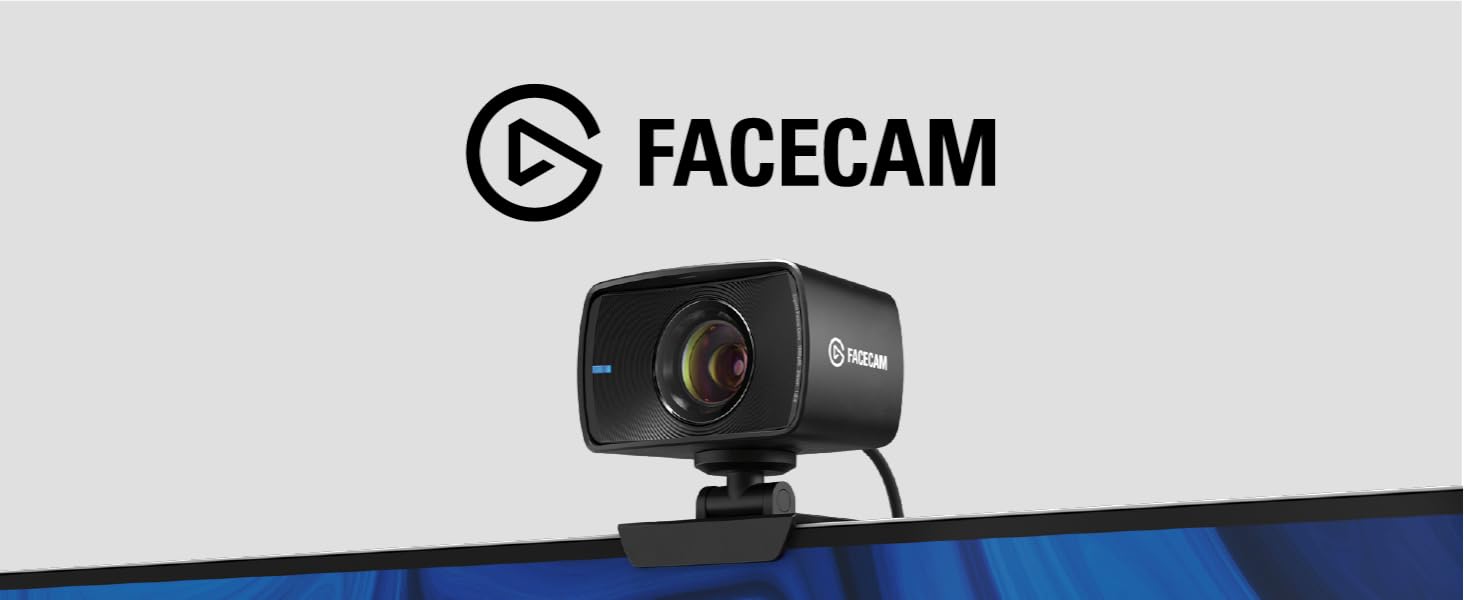
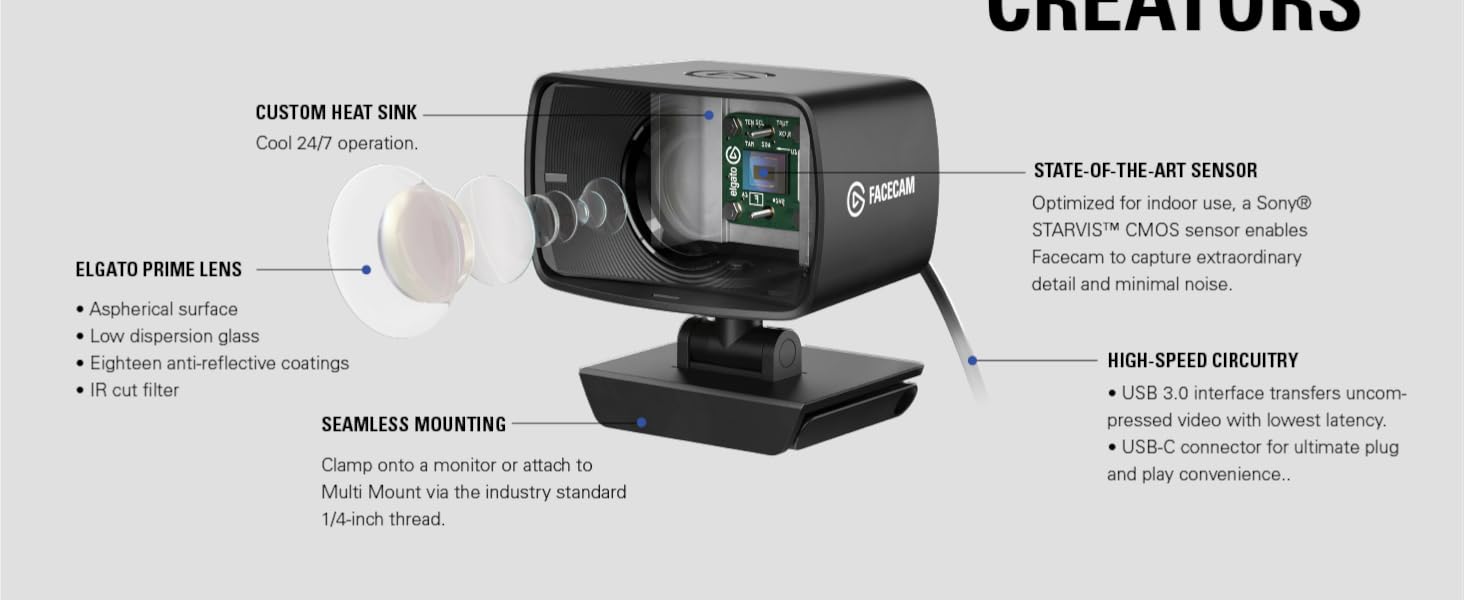
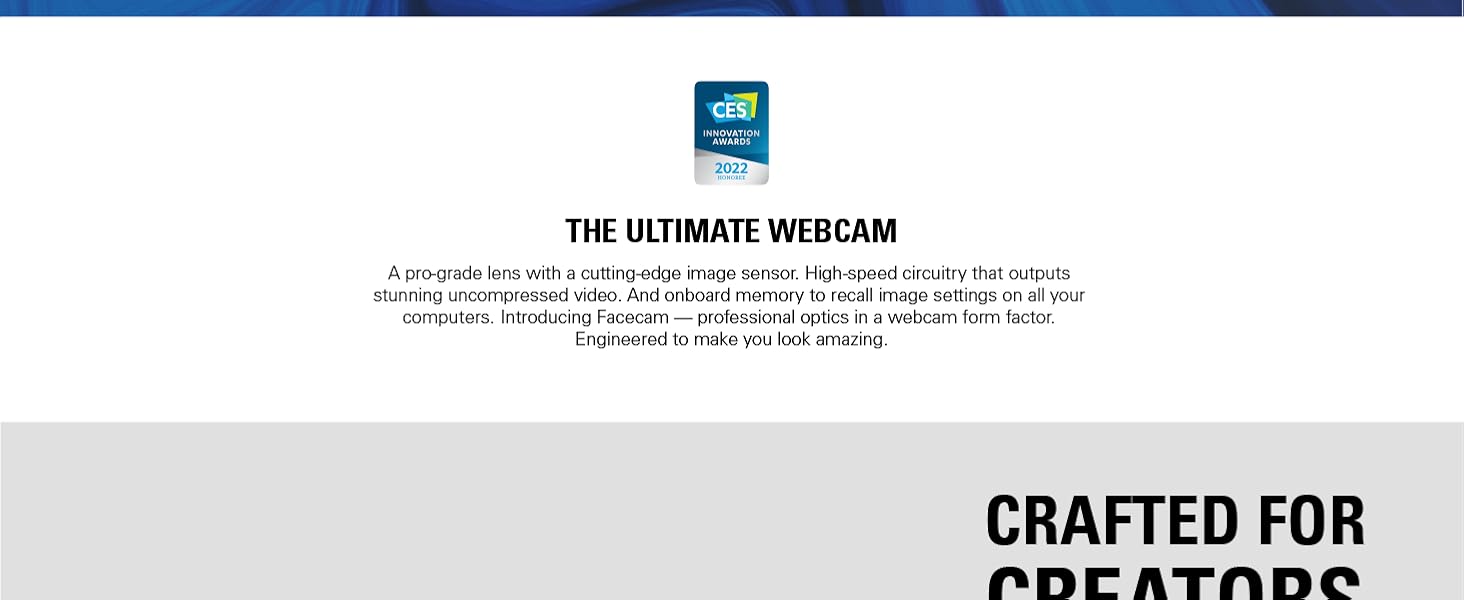
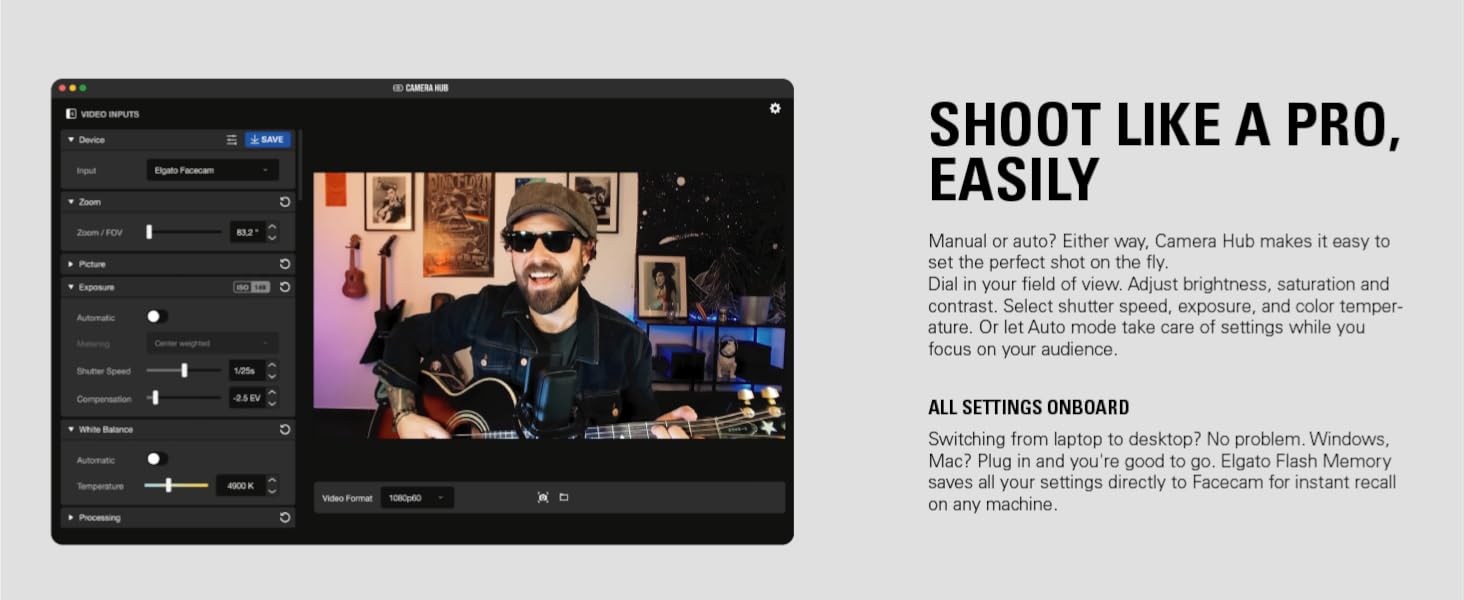
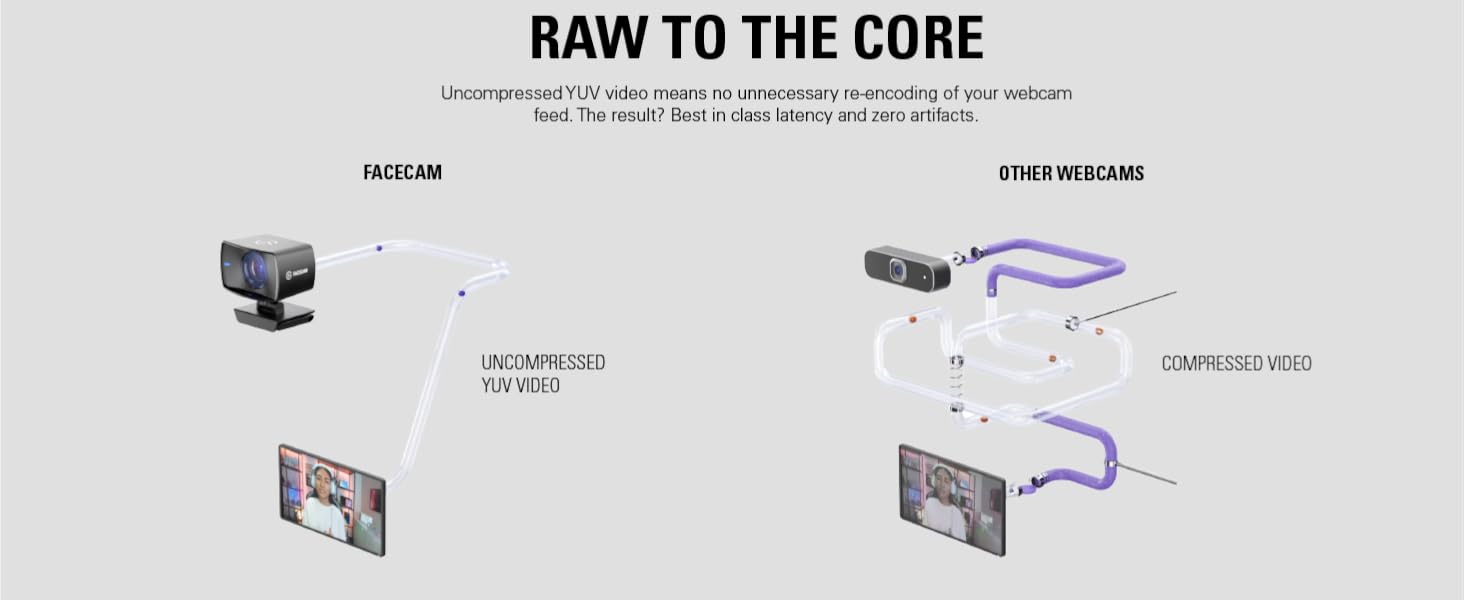
The Elgato Facecam is a professional-grade 1080p60 webcam featuring a premium Sony STARVIS CMOS sensor optimized for indoor use, advanced light correction, and a DSLR-style control app. It delivers uncompressed, artifact-free video via USB 3.0 with ultra-low latency, making it ideal for live streaming, gaming, and video conferencing on PC and Mac platforms.



| ASIN | B0973DV11T |
| Batteries | 1 Lithium Ion batteries required. |
| Best Sellers Rank | #633 in Webcams |
| Brand | Elgato |
| Color | Black |
| Customer Reviews | 4.4 4.4 out of 5 stars (6,187) |
| Date First Available | August 24, 2022 |
| Flash Memory Size | 128 GB |
| Hardware Platform | Mac, PC |
| Item Dimensions LxWxH | 2.28 x 3.15 x 1.89 inches |
| Item Weight | 3.63 ounces |
| Item model number | 10WAA9901 |
| Language | English, English, English, English, English |
| Manufacturer | Elgato |
| Max Screen Resolution | 1080p or 1920x1080 |
| Operating System | Proprietary (Windows 10, Macos 11.0 Compatible) |
| Product Dimensions | 2.28 x 3.15 x 1.89 inches |
| Rear Webcam Resolution | 540 MP |
| Series | Facecam |
| Standing screen display size | 2.3 Inches |
M**E
quality webcam
I really like this webcam that Elgato offers. Quality picture, functionality is superb in my opinion, Focus is great and is adjustable via the camera hub. Size well it's a little larger than others that are available but this is user preference I guess, fit's on my center monitor well with the provided mount and this could be mounted to a stand as well. Windows compatibility is good plug and play
T**T
Gorgeous camera...if you know what you're doing.
Right off the bat, I have to start my review by telling you the about the previous item. I'm coming from a Razer Kiyo, the camera with the little ring-light connected to it. Now, that camera lasted me a WHILE, and was a rather durable camera. Had a little more weight to it than this one, had an auto-focus feature, it was wonderful. So when I heard about this one, and all the features it could do, well I had to try it. At first, I'll be honest. I wasn't impressed in the slightest. I thought my previous camera had better quality video, I thought the auto-focus on that one was better than this camera which doesn't seem to do that at all (e.g. no differentiation between foreground and background), and it was a little blury. But that was MY fault. You see, you have to, HAVE TO, download a program onto your computer from the Elgato website called "Camera Hub", and it'll give you all these wonderful settings to full around with. Much like Kiyo had! Contrast, Saturation, Sharpness, Exposure, White Balance, Shutter Speeds, Noise Reduction...a whole bunch of stuff to full around with. ALSO, the effects? AI Background feature gives you the option to...you guessed it...give a focus to the foreground, which is what I was missing from the beginning. Only this time, it does a MUCH BETTER job than the Kiyo did (at the cost of a tiny bit of resources, naturally, it IS blurring your background in real time, after all). If you're using OBS or Streamlabs or something like that, I implore you to also add a LUT filter to your camera to change it up even more. It gives it even more quality than without it. Lastly, I recommend turning OFF Noise Reduction, as it adds an unnatural blur to the entire camera and does take up a tiny bit of resources, turn OFF Automatic Exposure and set your Shutter Speed and ISO to 1/60s and 200 respectively. That'll add a beautiful balance. Temperature to 3400 so that it gives a more natural color (and easier to tweak quality with LUT filters more accurately), and you've got yourself a professional camera you will never replace. This thing will carry you to the depth of your streaming and content creation career until the end of time...or at least make you the best looking person in your at-home Zoom meetings, if you're not touching the YouTube or Twitch side of things. Good luck!
G**Y
More Convenient than a DSLR & Works Almost as Good!
I'm use to do professional photography, so I just streamed on a $2500 Mirrorless Camera (Canon EOS-R). It was a nightmare of adapters, wires, software plug-ins & changing settings when I wanted to shoot. Bought this $130 Elgato & with decent lighting, it works almost as good! If you're a new streamer with disposable income, buy anything else before you invest in a beefy camera. It's a huge hassle & unless you're doing some really fancy stuff, it's not worth the money or time. At first my image looked really grainy, but I had to swap my ring light from RGB to white mode for it to be properly lit. For those that are used to manually shooting on professional cameras, sadly there are no aperture settings in the software. The aperture is fixed f/2.4 You can only change ISO and shutter speed. The fixed focal length is 24mm. So if you want to zoom in, keep in mind it is a DIGITAL zoom. If you want to shoot on a 50mm focal length? Your 1080p image will go down to a 720p image. For this reason, I wish I could have gotten the Elgato Facecam Pro. 4K at a 2X zoom would be 1080p and that's the highest I shoot at. BUT this standard version still works great. It really was a seamless setup for streaming. That's Elgato's thing. Just be sure to download "Camera Hub" software & run THAT through OBS for the best control on your settings. If you want to use the Effects tab, I had to download an NVidia Graphics Card plugin. It's mostly for greenscreen or blurring. I use the background blurring at 30%. It works pretty good even without a greenscreen & sub-par lighting. My only complaint is that I wish the Camera Hub software had the option to save multiple color profiles. I'd like to have one saved that I use for standard white lighting. But I'd also like to have ones that I can play around with for RGB lighting or maybe silhouettes. However, there might be some form of plugin for this. So I'm not going to drop my 5-star rating for that. (Image of me with a mustache was me using room lighting on my pro camera. Baby face is how I look on the Elgato Facecam w/ one ring light & backlighting.)
T**L
Fantastic image quality- with usability issues
Overall this is a stellar webcam, but points taken off for serious issues. As other have mentioned, the Hub software has many issues... freezing, crashing, refusing to open on another screen etc. In my case, I had an ongoing issue where I could only use the camera once per reboot. After it turned off for the first time, it fully disconnects from the PC, no longer even showing in Device Manager. Tried different cables, power settings, USB ports, but nothing fixed the disconnect issue. When it's working, the image quality is stellar. I'll give the company a little time to refine the software issues, I'm sure this will be a fantastic product after things get ironed out.
ま**い
使用目的はリモートワーク時のオンラインミーティングで、それだけの用途でレビューする。 MacBook Air (M1, 2020) で動作した。 付属のケーブルは USB-C to USB-A で、ハブ経由では動作しなかった。 所有しているいろいろな USB-C to USB-C ケーブルを試したがどれも動作しない。 Amazonで以下の商品を購入したところ、動作した。(USB-Cのどの規格がボトルネックだったのかはよくわからない。データ転送スピードか?) NIMASO usb type c ケーブル (Gen2) usb c ケーブル【100W/5A急速充電 USB3.1 PD対応 4K / 60Hz 映像出力 1m 】タイプc ケーブル NCA20C59 筐体は、金属が使用されているとかではないので高級感があるわけではない。 デザインはシンプルで、かっちり感もありメカとして作り込まれている感じがして地味に満足している。 ただ、奥行きも高さもあるため、置き場所は考えた方がよさそう。 エルゴトロンのアームが余っていたため、カメラマウント(長尾製作所 モニターアーム用 VESA カメラ&マイクマウント NB-MV001MH)を追加購入し設置した。 画質はめちゃくちゃ綺麗。 体を少し移動した時などにフォーカスが一瞬遅れたりするのが気になるのだが、 このカメラはフォーカスが固定されているのでそのようなことは全く起こらない。 この割り切った設計で機能を削ることでユーザー体験をあげているわけで、賢いプロダクトマネジメントがされていると感じた。 ソフトウェアでホワイトバランス・露出・コントラスト・彩度・シャープネスなどを弄れる。 ファームウェアのアップデート前は少しいじった方が自然だったが、アップデートするとほぼデフォルト状態で絵が出来上がってると感じた。 ソフトウェアも洗練されていて使いやすい。 アップデートで弄れる項目も増えた。 このように、ソフト面でも細かくチューニングされている印象を受けた。 オンライン会議用で画質を求めるが4Kを求めない、という用途だと価格なりの良い品質のプロダクトだと思う。
W**N
Love this webcam as long you run this in good lighting situations. It's pretty bad and noisy in dark lighting environments.
T**B
Zum Zeitpunkt des Schreibens der Review besitze ich die Elgato Facecam seit ziemlich genau 3 Wochen und bin bisher so gut wie restlos überzeugt von ihr. Einsatzzweck: Ich nutze die Cam für Streams und Videocalls per Microsoft Teams, wobei ich bei den Streams zusätzlich einen Greenscreen mit 2 Softboxen benutze. Lieferumfang: Die Facecam kommt mit allem was man für den Anfang braucht, einer Halterung mit der man sie am Monitor oben befestigen kann und einem USB Kabel zum verbinden mit dem PC. Die Kamera lässt sich vertikal schwenken, leider jedoch nicht horizontal. Das geht bei den meisten Webcams nicht, wäre aber nice gewesen wenn bei dem Preis daran gedacht worden wäre. Die Länge des Kabels ist für meinen Einsatzzweck ok, aber etwas zu lang. Ich habe es mit einem Kabelbinder hinter dem Monitor etwas zusammengewickelt, damit das Kabel nicht rumhängt. Das ist zwar leider kein standard aber hier wäre es auch nice gewesen wenn man 2 Kabel in der Verpackung bekommen würde, ein Kurzes und ein Langes. Es gibt leider kaum Produkte, die einem Kabel in 2 Längen bieten, aber seitdem ich meine PureWriter mech. Tastatur gekauft habe und die es geschafft haben Kabel in 2 Längen beizulegen erwarte ich das von mehr Firmen. Ein zusätzliches solches Kabel kostet die Firmen im Einkauf einen Centbetrag und bietet einem die Möglichkeit ein Kabel in der perfekten länge für sein Setup zu nutzen oder beispielsweise das Lange Kabel für den Desktop PC zu nutzen und das kurze Kabel um die selbe Cam dann mal eben am Laptop oder sonste was anzustecken. Bildqualität: Hier punktet diese Cam im Gegensatz zu ihrer Konkurrenz extrem. Ich habe schon etliche Cams hinter mir, diverse Logitech Produkte wie die C270, C922, Brio 4k, Streamcam, Dell Ultrasharp 4k und einige billigere Cams. Alles in allem schlägt die Elgato Facecam sie meiner Meinung nach ALLE. Ein Wunder darf man von der Cam nicht erwarten, es ist nach wie vor eine Webcam im Bereich von unter 200€. An eine "Reguläre Kamere" die man dann per HDMI über eine Capture Card einspeist kommt die Qualität der Facecam natürlich nicht ran. Wer diese Qualität erwartet und gewillt ist die gut 600€, die man für so ein Setup benötigt, hinzulegen, der findet in der Facecam keine Alternative. Wer dagegen wie ich im Bereich von unter 200€ bleiben möchte, eine normale Webcam nutzen möchte und gute Qualität bekommen möchte, für den ist die Facecam geradezu alternativenlos. Die Bildqualität der Facecam ist für eine Webcam extrem gut. Das Bild ist scharf, wird mit sehr sehr wenig Delay in 1080p mit sogar 60FPS ausgegeben. Die default Einstellungen der Cam sind ziemlich gut, die dynamische Veränderung zur Anpassung des Bildes an Änderungen in der Helligkeit und Ähnlichem des Raumes funktioniert auch gut. Trotzdem funktioniert die Kamera zur Überraschung von niemanden jemals am besten unter guter Belichtung. Mit nur der regulären Zimmerbeleuchtung funktioniert die Cam schon sehr gut und liefert selbst unter low light Bedingungen ein besseres Bild als die Konkurrenz ab, wenn auch etwas noisy. Spätestens wenn ich meine Softboxen noch dazu an mache ist das Bild sehr clean, scharf und flüssig und sowas wie ein Greenscreen lässt sich per Chroma Key perfekt ausblenden. Kaum eine andere Webcam in dem Preisbereich kann hier meiner Meinung nach unter irgend einer der Lichtbedingungen mit der Facecam mithalten. Die einzige Cam die hier halbwegs an die Facecam rankommt ist die Dell Ultrasharp 4k, die Logitech Cams können hier meiner Meinung nach alle einpacken. 2 Dinge wären hier aber noch anzumerken. Die Facecam besitzt im Gegensatz zu den meisten Webcams da draußen KEINEN Autofokus sondern einen festen. Wenn man nicht gerade 3 cm vor der Webcam mit dem Gesicht klebt sondern wie ein normaler Mensch mit einem Abstand von ca 40cm-1m hat man damit kein Problem und ist komplett scharf. Nur Dinge die man nah an die Cam hält um sie anderen zu zeigen/präsentieren werden nur unscharf dargestellt. Wenn man also beispielsweise ein Streamer ist der viele Sachen nah an die Cam hält beispielsweise als Teil von Unboxings oder Ähnlichem könnte das zum Problem werden. Für reguläre Streaming Nutzung und Videokonferenzen funktioniert sie aber super. Der 2. Punkt ist die Rauschunterdrückung in den Settings der Elgato Software Cam Hub. Ich würde definitiv empfehlen diese Option auszuschalten. Sie macht zwar das was sie soll, das Bild etwas entrauschen, es wirkt aber am Ende des Tages wie ein extremer Smoothing Filter durch den das Bild jegliche Details und schärfe verliert, wobei das auf die Lichtbedingungen ankommt. In einem etwas dunkleren Szenario ohne viel Licht ist dieser Effekt absolut grausam. Von sowas wie einem Bart bleibt nichts mehr übrig und es ist einfach nurnoch ein gesmoothtes matschiges Irgendwas. Unter helleren Bedingungen wie bei dem Einsatz meiner Softboxen funktioniert der Effekt zwar besser und lässt nicht alles ganz so matschig wirken, trotzdem würde ich definitiv empfehlen den Effekt auszuschalten. Für wen ist die Cam? Alles in Allem ist die Bildqualität der Cam im Vergleich zur Konkurrenz des Webcam Marktes extrem gut und so gut wie jeder Streamer dem seine Qualität wichtig ist wäre mit dieser gut beraten. Auch für den Office Einsatz kann ich sie empfehlen. In Programmen wie MS Teams hat sie für mich für Online Konferenzen der Arbeit super funktioniert. Sie sieht zwar nicht ganz so clean aus wie es viele andere Webcams tun, aber hat jetzt auch keinen krassen "Gamerlook" dass man sich im Office schämen müsste die auf dem Monitor stehen zu haben. Der letzte Punkt hier ist etwas schwieriger, nämlich ob die Cam etwas für die Linux Nutzer da draußen ist. Ich habe die Cam an meinem Linux Notebook unter Pop_OS getestet und werde früher oder später noch dazu kommen sie an meinem Main PC unter Manjaro zu testen. Allgemein ist es nicht garantiert und eher eine Seltenheit, dass Streamer orientierte Produkte unter Linux sauber funktioneren. Egal ob Elgato, oder Avermedia oder sonstewas. Viele der Produkte funktionieren unter Linux überhaupt nicht. Deswegen war ich überrascht als mein Linux Notebook mit Pop_OS (Ubuntu Basis) die Cam sofort erkannte und sie auch funktioniert hat. Leider aber hatte die Cam hier einen Delay von ca einer drittel bis viertel Sekunde und immer mal wieder kurze Aussetzer. Aufgrund der Komplexität von Linuxsystemen und der Diversität durch die ganzen Distros lässt sich hier nur sagen, dass es Grundsätzlich funktioniert und eure Erfahrung sich von meiner Unterscheiden kann und wird. TLDR: Meiner Meinung nach ist die Elgato Facecam aktuell so ziemlich das Beste was man sich so holen kann, ohne eine "richtige" Kamera für teuer Geld aufstellen zu müssen. Diese Review möchte ich mit einem Zitat eines Arbeitskollegen bei unserer digitalen Weihnachtsfeier in MS Teams, bei der ich diese Cam genutzt habe, beenden: "Da merkt ma' gleich wer der ITler mit dem High End Equipment is'. Der Einzige mit professioneller Kameraqualität von uns allen"
P**E
Plutôt bonne caméra en fait. je m'en sert pour le stream, elle fait bien son taff sans non plus être exceptionnelle, mais c'est un bon investissement pour le moment. Bon c'est sure qu'elle rendra beaucoup mieux avec tout le matos Elgato, surtout les keylights, mais je n'ai pas de rein à vendre pour les acheter. Je vous conseille un petit support par contre, j'ai opté pour un support à pince , flexible que je clips sur une de mes barres d'écran . Un gain de place
E**N
For the past 2 years, I had been struggling with a Logitech C920. Lighting was either too bright, too dark and trying to trick the camera into focus was an ongoing pain multiple times per day. The fact that settings are not stored in that webcam made it tough. I was constantly having to tweak OBS and the Logi software which wreak havoc with my green screen settings. The day I plugged in this Elgato Facecam, most of my related stress disappeard. This camera is so good that I can even use it without any additional lighting. It has to get pretty dark in the room before the picture gets grainy. I love the quality of the picture when compared to my C920. It is like night and day. Note: This does not have a built-in microphone. Not a problem for me but it is still something you should be aware of. My only problem with it is that it does not work when plugged into my USB docking station. It only works when plugged directly into my laptop - which is kinda defeating the purpose of a docking station. Based on my research of the issue, I suspect that my docking station just does not support enough bandwidth, even over USB-C. However, there are faster docking stations available which are compatible. If you are looking for a webcam with a good quality picture but don'thave the budget for a more expensive DSLR or mirrorless camera, you will likely be very happy with this camera. I am very happy with this purchase.
Trustpilot
1 day ago
1 month ago