Some deliveries may take a little longer than usual due to regional shipping conditions.

DOWNLOAD THE APP


Customer Services
Copyright © 2025 Desertcart Holdings Limited
DOWNLOAD THE APP


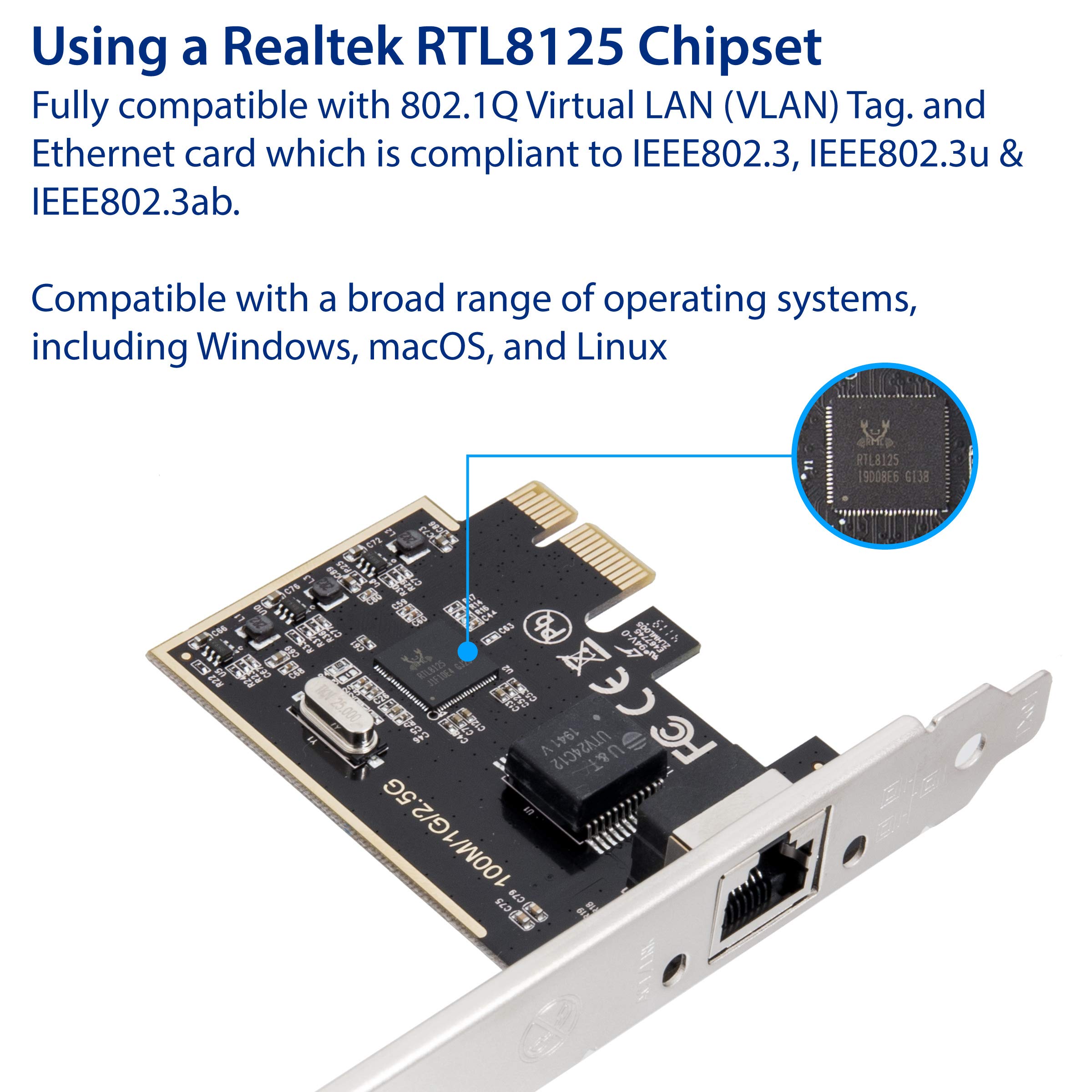

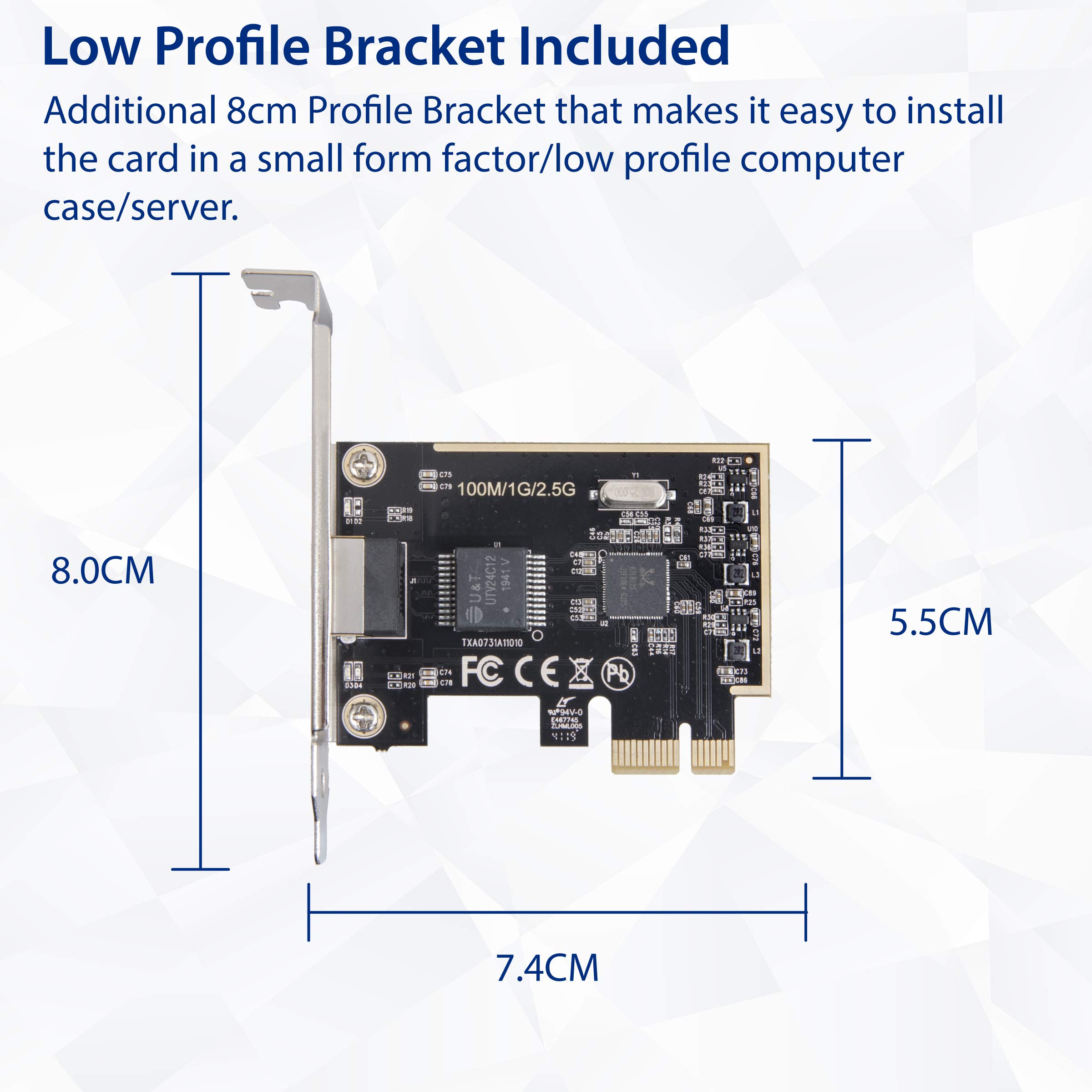

🚀 Supercharge your network — because buffering is so last decade!
The I/O CREST 2.5 Gigabit Ethernet PCIe Network Card delivers ultra-fast 2.5 Gbps wired connectivity via any PCI Express slot, including low-profile options for compact builds. Compatible with a wide range of operating systems and supporting advanced VLAN tagging, it’s the perfect upgrade for professionals seeking reliable, high-speed LAN performance with hassle-free installation and a 3-year warranty.



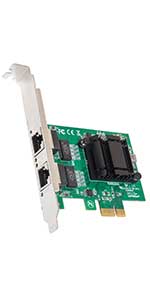

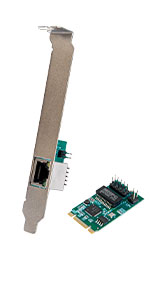
| ASIN | B07RF4SZ8R |
| Batteries Included | No |
| Batteries Required | No |
| Best Sellers Rank | #1,686,932 in Electronics ( See Top 100 in Electronics ) #517 in Network Interface Cards |
| Brand | IO Crest |
| Compatible Devices | Desktop |
| Connector Type | Ethernet |
| Country of Origin | USA |
| Customer Reviews | 4.4 4.4 out of 5 stars (257) |
| Data Link Protocol | Ethernet |
| Data Transfer Rate | 2.5 Gigabits Per Second |
| Date First Available | 20 April 2019 |
| Does it contain liquid? | No |
| Hardware Interface | Ethernet, PCI, PCI Express x1 |
| Item Dimensions LxWxH | 10.9 x 1.3 x 14 Centimeters |
| Item Weight | 90.7 g |
| Item model number | SI-PEX24059 |
| Manufacturer | I/O Crest |
| Model | SI-PEX24059 |
| Mounting Hardware | (1) 2.5Gb NIC Card, (1) Driver CD, (1) Low Profile Bracket, (1) Manual |
| Number of Ports | 1 |
| Number of items | 1 |
| Operating System | Linux, Windows 10, Windows Vista, Windows XP |
| Product Dimensions | 10.92 x 1.27 x 13.97 cm; 90.72 g |
| Type of cable or wire | ethernet |
S**N
Acabo de instalar la tarjeta de red, si costo trabajo para que mi tarjeta madre la reconociera, aunque al ser pci, y puedes conectarla en los puertos pci-e 16x, posiblemente mi tarjeta no la reconoce de este modo, y fue necesario colocarla en los pci. con eso la detecto windows sin problemas, ya solo busque el driver directo del fabricante del chipset, el cual es Realtek, y permitió que funcionara un poco mejor. A comparación de mis anteriores test con el conector de red de la tarjeta madre, si varia la velocidad de internet, pero puede que con el tiempo se ajuste y me de mejores resultados. la primera foto es del antes, y la segunda con la tarjeta
A**R
Used to upgrade an older PC for use on a 2.5Gb network. Hardware installation was easy and took 10 minutes, and Windows 10 installed a driver for it so it worked straight away. However I was getting 280-odd MB/s incoming, but only 170-ish outgoing. So I installed the driver on the included CD (Realtek 8125 chipset) and that got full speed in both directions. So far seems like a great, economic way to upgrade.
D**E
My Dell has an on-board gigabit adapter and I was getting 947 Mbps Up and 944 Mbps Down, after I installed this card, I got 1619 Mbps Up and 1091 Mbps Down on Bell Fibe 1.5 Gbps service. It's only been a week but so far so good!! There is one weird thing about this card, the ethernet socket is upside down when the card is installed. If you mount it above a graphics card plug, the clearance is a little tight to access the tab, other than that it works great!
T**A
Very Happy with this. I get 1715 Mbps (1.71 Gbps) Download and 1045.00 Upload. I pay for 1.5 Gbps service down and 1 Gbps UP. The most important thing is to plug the ethernet cable to the modem in the correct port. I made the mistake of using a 1 Gbps port initially and that is what I got. It is now plugged into a 10 Gbps port which fixed the issue. My service is Bell Fibe via Optical Fiber Cable direct from the street to my modem.
M**A
Aparte de muy buen precio para un 2.5 gigabit, mis pings bajaron de 25ms a 8ms.
Trustpilot
1 month ago
3 weeks ago