
DOWNLOAD THE APP


Customer Services
Copyright © 2025 Desertcart Holdings Limited
DOWNLOAD THE APP

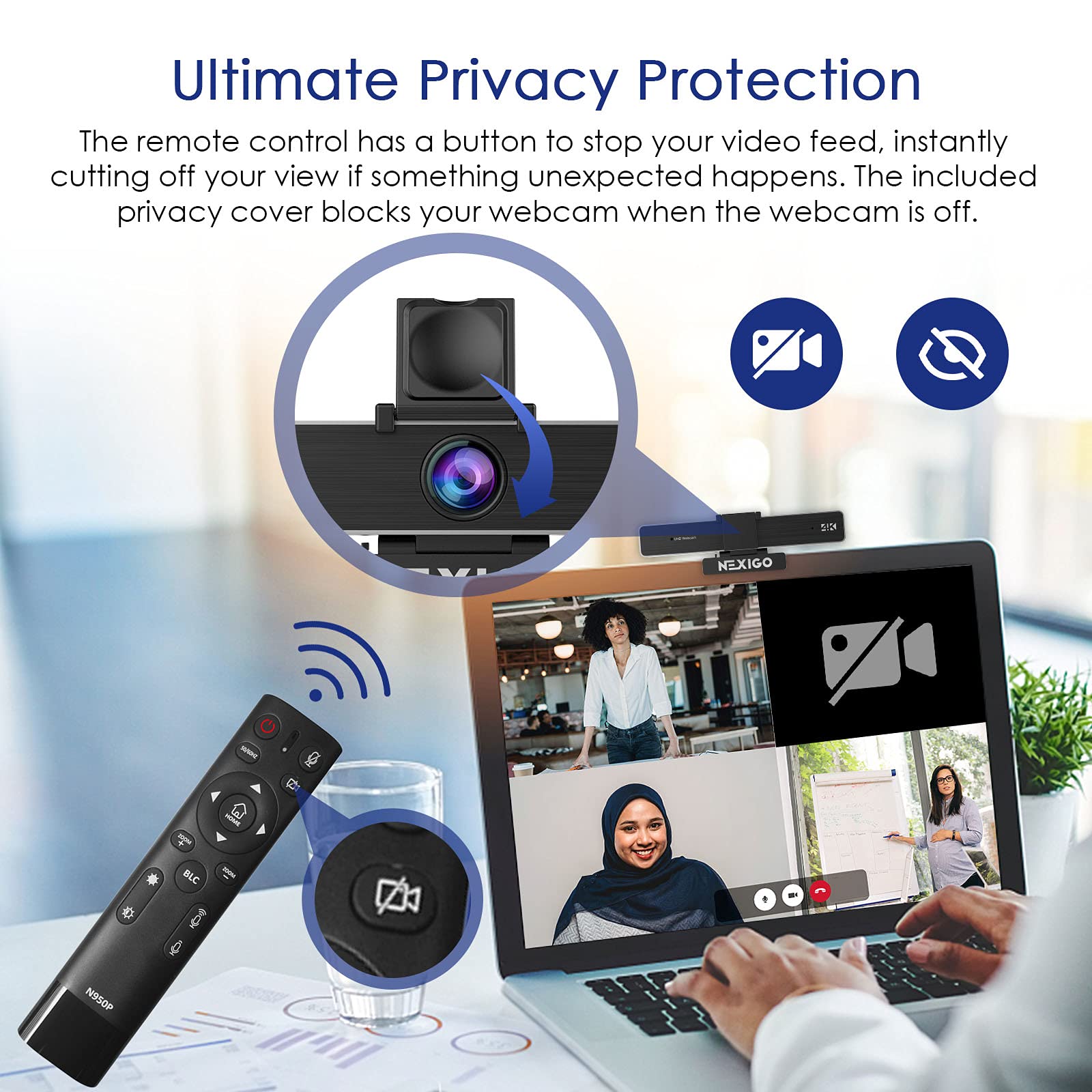
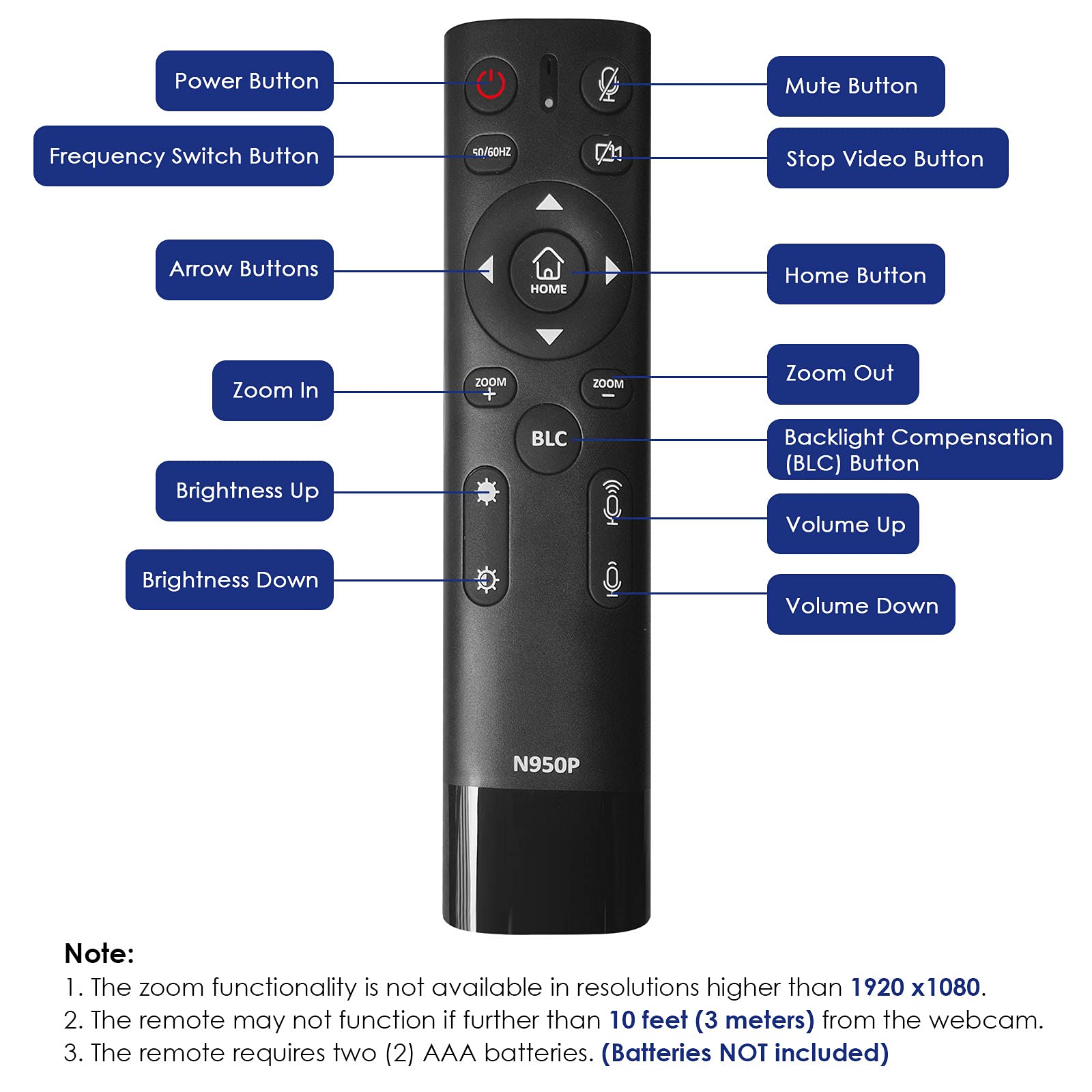


🚀 Elevate your virtual presence with NexiGo’s 4K Zoomable Webcam—because your image deserves the spotlight.
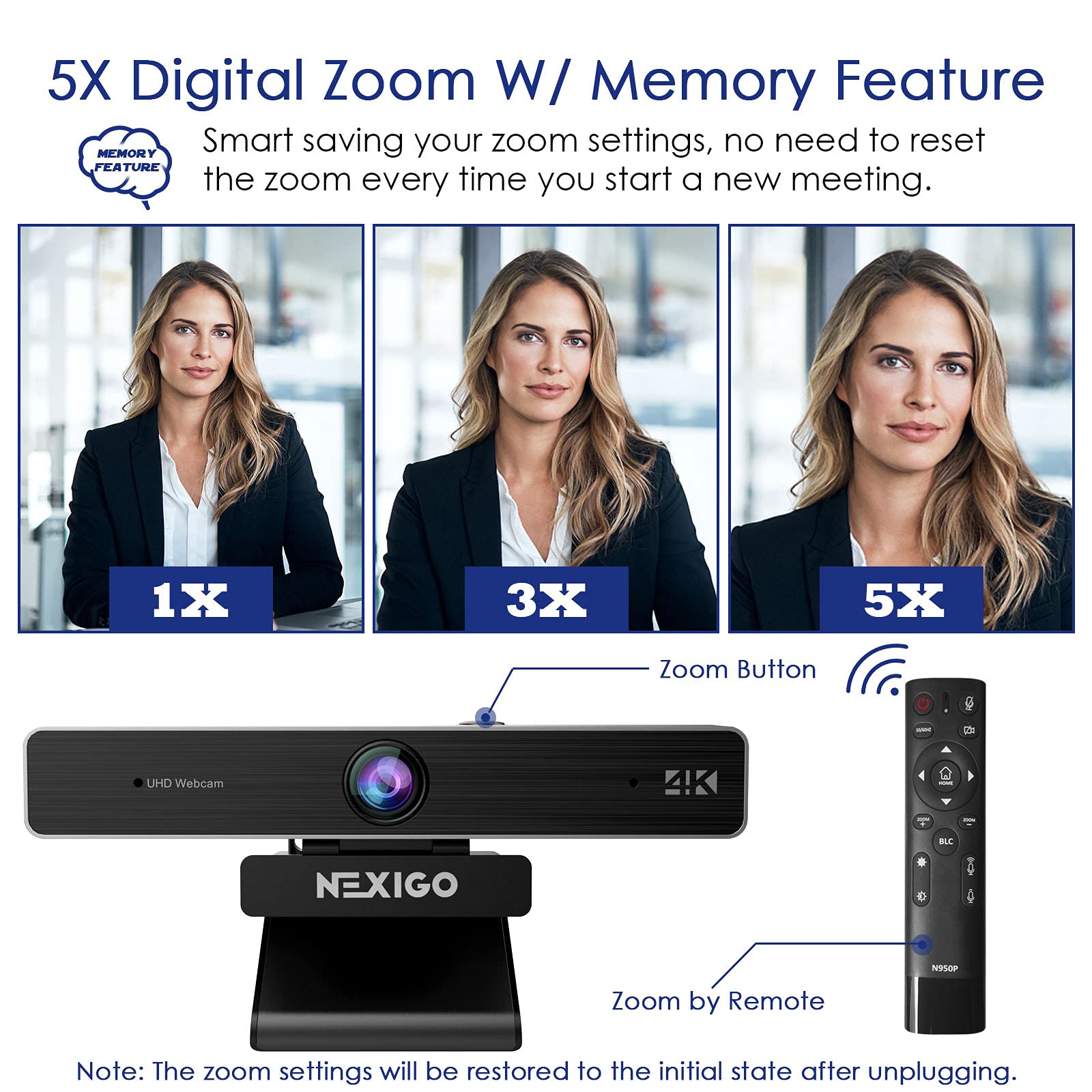
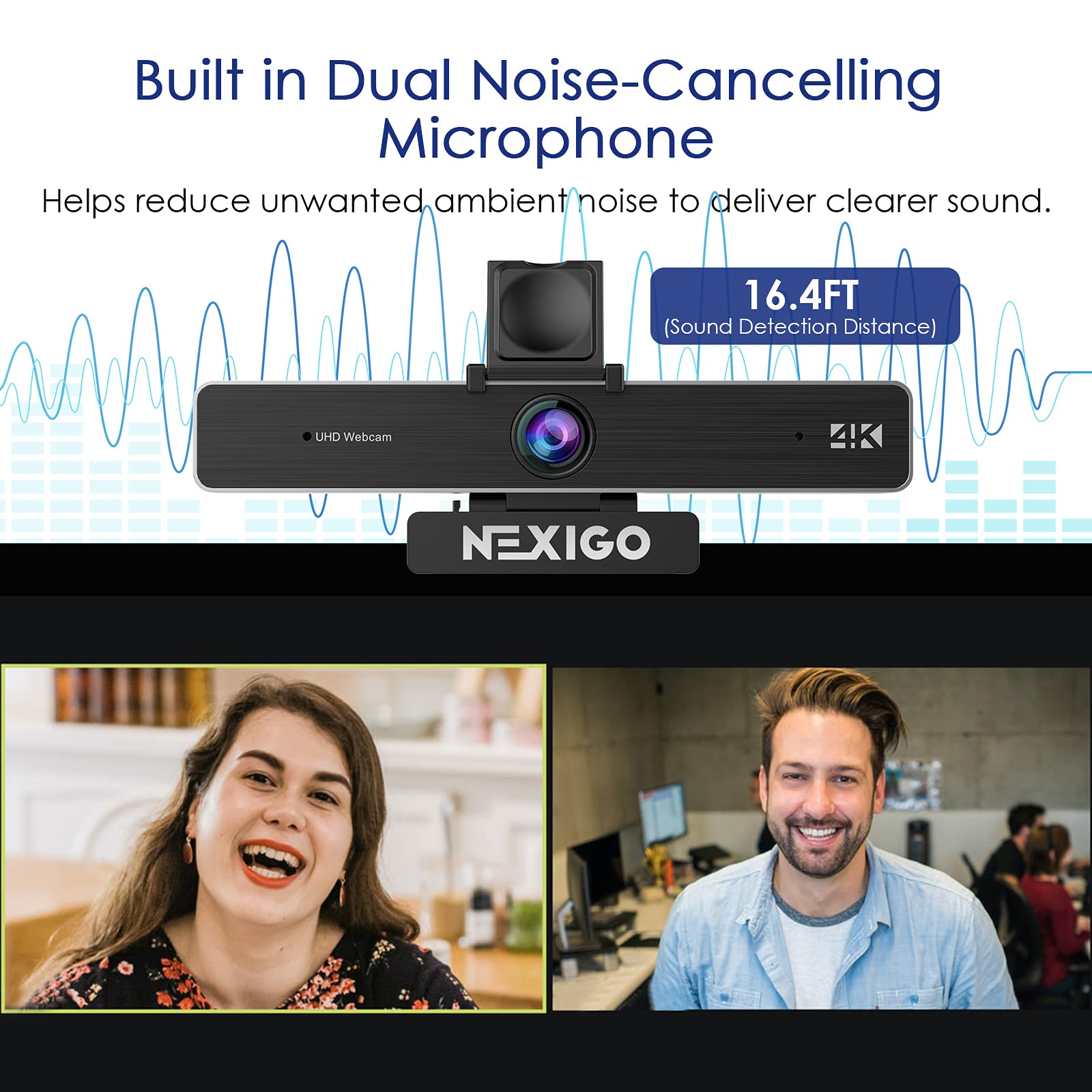
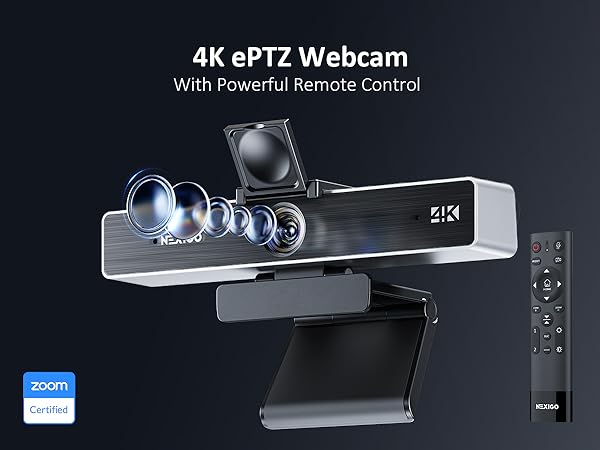
The NexiGo N950P Gen 2 is a professional 4K webcam featuring an 8.5MP Sony Starvis sensor, 5X digital zoom controlled via RF remote, and dual noise-cancelling stereo microphones. Compatible with USB-A and USB-C, it offers plug-and-play ease across Windows, Mac, Android, and more. With a privacy cover and low-light correction, it’s designed for flawless video conferencing, streaming, and online teaching.




| ASIN | B0BCJM6HQ2 |
| Antenna Location | video conferencing, live streaming, online teaching, recording, gaming |
| Are Batteries Included | No |
| Best Sellers Rank | #51 in Webcams |
| Brand | NexiGo |
| Built-In Media | Privacy Cover, USB Cable |
| Camcorder Type | Webcam |
| Color | Black |
| Compatible Devices | Computer, Laptop, Smartphone, Tablet |
| Compatible Processors | Sony |
| Connectivity Technology | USB |
| Customer Reviews | 4.4 out of 5 stars 27,634 Reviews |
| Digital Zoom | 5 x |
| Display Resolution Maximum | UHD |
| Effective Still Resolution | 8.5 MP |
| Effective Video Resolution | 8.29 MP |
| Exposure Control Type | Automatic |
| Features | Low Light |
| File Format | JPEG |
| Flash Memory Speed Class | C10 |
| Flash Memory Type | SDHC |
| Flash Memory Video Speed Class | V30 |
| Focus Type | Auto Focus |
| Form Factor | Compact |
| Has Image Stabilization | No |
| Image Aspect Ratio | 16:9 |
| Image stabilization | Digital |
| Lens Type | Zoom |
| Manufacturer | Nexight INC |
| Maximum Aperture | 30 f |
| Model Name | N950P-RF |
| Model Number | N950P-RF |
| Number of Speakers | 1 |
| Photo Sensor Size | 1/2.5 inch |
| Photo Sensor Technology | CMOS |
| Screen Size | 2 Inches |
| Sensor Type | CMOS |
| Shooting Modes | Low Light |
| Style Name | 4K Webcam |
| Supported Audio Format | unspecified digital audio formats |
| Supported Image Format | JPEG |
| UPC | 766214653387 |
| Video Capture Format | YUY2/MJPG |
| Video Capture Resolution | 4K |
| Video Resolution | 4K |
| Viewing Angle | 90 Degrees |
| Water Resistance Level | Not Water Resistant |
| White Balance Settings | Auto |
| Zoom | Digital Zoom |
T**N
A much better alternative to your laptop's camera
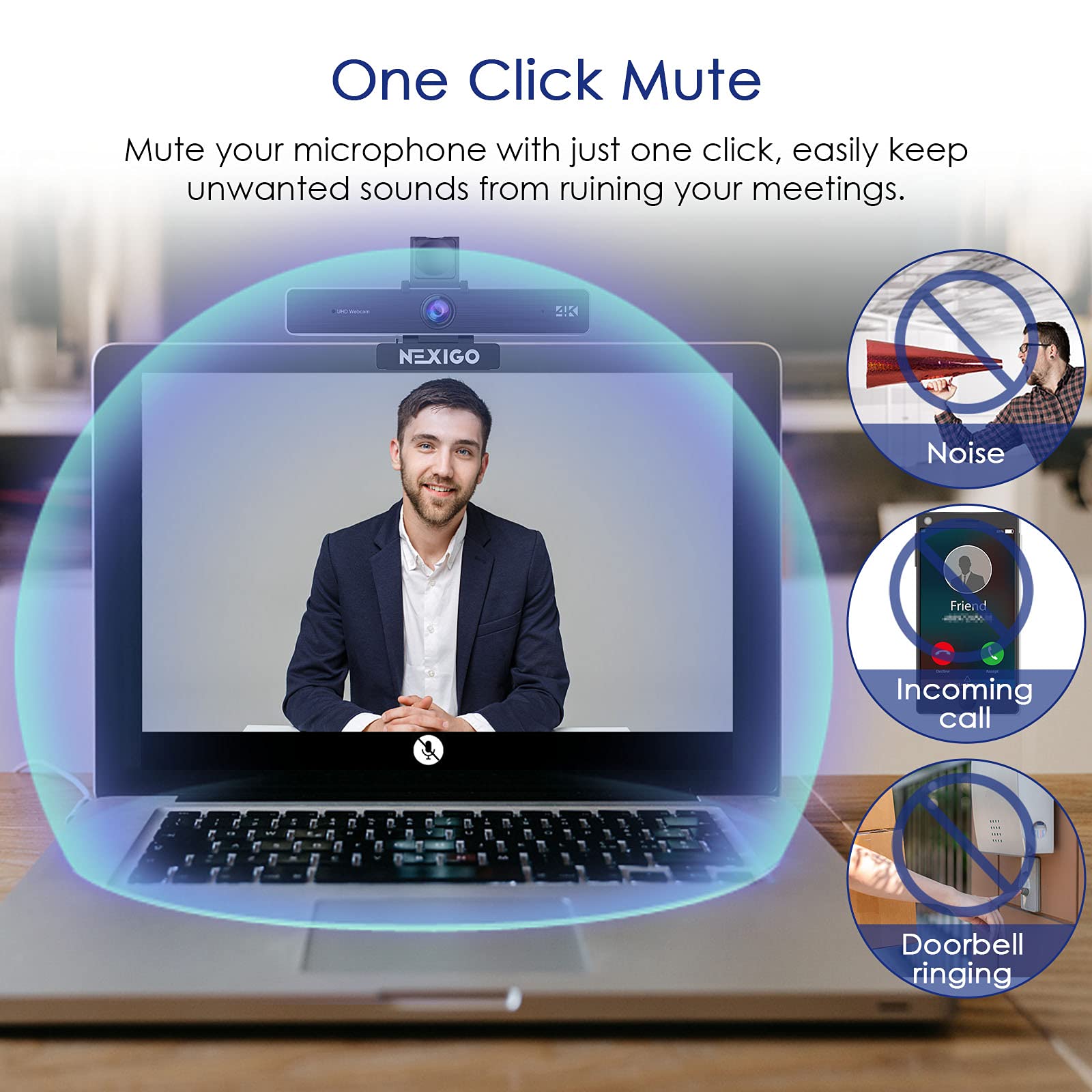
This web camera is an excellent addition to my business practice. Previously, when on conference calls with clients, I used the video camera that came with my laptop. The placement of the laptop on my desk made the position of the camera less than optimal, and no matter what filters or lighting I chose, the video images were washed out and the sound was sort of tinny. The images from this camera are well-lit and clear, and superior to my laptop's camera in every way. The sound is also significantly better. Set up was a no brainer, I just plugged it in and selected the camera, and it worked. It mounts (if you can call it that; it sits securely on top one of my external monitors) very easily, and the remote, which I didn't think I would use at all actually comes in pretty handy. It allows me to zoom in and out very easily and turn off the video and/or audio without having to reach for the mouse.
H**R
Outstanding Camera for Zoom/TEAMS virtual meetings
In my business I conduct an average of 1 virtual meeting a week using either Zoom or TEAMS software. The external camera I was using was over 4 years old and although it was very functional it lacked the newer technology/functionality of today’s cameras, so I decided to replace it. After researching my available options on Amazon and based upon several factors like reviews, zoomability, external privacy shade, and others I decided to go with the NexiGo Zoom Certified, 4K Zoomable Webcam with RF Remote and after using and fully testing it I am so glad I did. First as I mentioned earlier zoomability was a prime reason. My last camera lacked that functionality and it was something I truly needed to keep my shots tight and not allow the camera to accidently pick up other confidential information that may be visible in my office. The next feature that I wanted was easy connectivity specifically true plug and play (with the two types of previously mentioned software). I like that is has so many other features that I can use by studying and using the well written instructions, but I needed it to be out of the box "PLUG AND PLAY" and it was. The next feature I wanted was high quality 4K video quality. This camera has that and provides very sharp clear images down to the smallest area. I had my last camera mounted with a gooseneck mount to get the best shot. This camera did not need to have that extra mount. It mounted directly and securely to the top of my monitor and allowed me to point it exactly where I wanted it. Its weight is typical for a camera of its size and this weight was perfect and helped with its previously mentioned mountability. Next it came with external RF remote which I found handy in setting the zoom and using many other of the included features. Finally, it comes with a nice microphone inside the camera, but I use a professional grade external microphone, so I did not test this functionality. The one thing I think they could improve on is the external privacy shade which you have to literally place and lock down with the attached double-faced tape. This could easily be made to slide on the camera itself.
N**D
Excellent Picture, Easy Setup, No Zoom
Purchased this for a new PC, and the picture quality is excellent, a noticeable improvement from an old 720p camera. Field of view is wide, helpful for having more than one person in view on a call. Setup is a breeze - just plug it into a USB port, and open the camera app in Windows (11 in my case), or a video call app like Skype. There are controls for adjusting brightness, contrast, sharpness, and saturation available in the Settings app. There is no dedicated software suite of utilities that comes with the camera - all the controls are via Windows. Audio quality from the microphone seem very good based on a test call and a little video recording. The one feature missing is some form of zoom. This does not have optical or digital zoom. I knew this when I bought it, but in retrospect, it would be nice to have, so only for stars. The privacy cover is very basic, but functional. In any case, the camera works very well, is easy to use, and represents a good value. Recommended.
R**E
Good for the price
The NexiGo N930AF webcam delivers very clear video. Autofocus works fast and keeps the image sharp. Setup was quick and plug-and-play. Works great for zoom and video calls. The built-in microphone is clear. Solid value for the price.
G**.
A quality webcam with lots of features
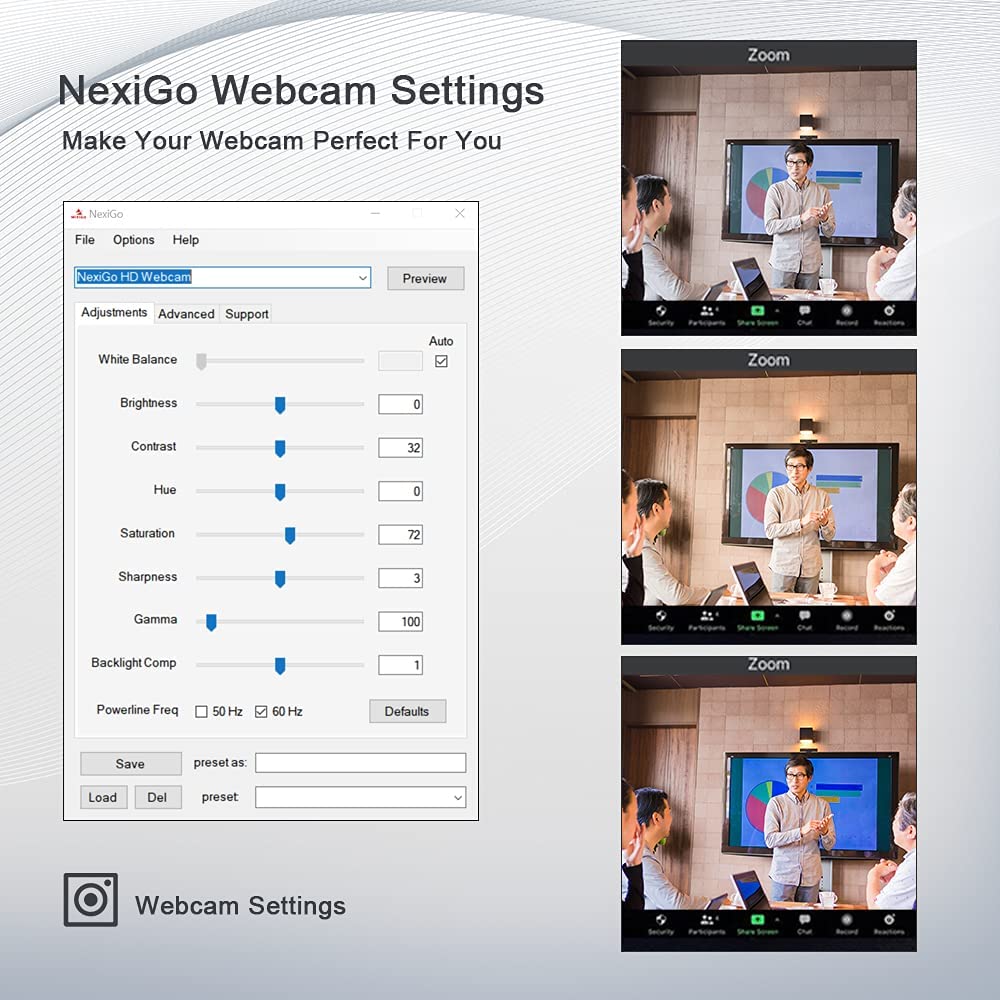
I've been using a NexiGo N660 and found it to be a high quality basic webcam at a very reasonable price. This N950P has many more features, albeit at a significant cost increase. Setup on Windows is plug and play. USB A and C connector cables are both provided. Set Windows privacy settings to recognize the camera and microphone and you're ready to go. The video was sharp and vivid right out of the box. The included remote allows for brightness adjustment and backlight compensation, but for those who like to tinker the downloadable software allows one to tweak other visual attributes; contrast, hue, etc. The remote also allows you to zoom, pan and tilt the image, but the zoom and therefore the pan and tilt functions only work at 1020p resolution and below. It should be noted that the pan and tilt functions don't actually pan or tilt the camera, they allow you to pan and tilt the zoomed image to areas that would be visible in the non zoomed image. With fresh batteries the remote worked fine at more than 20 feet from the camera, and you can save two remote settings. I was a bit disappointed to find that the frame rate is limited to 30 fps at all resolutions. That should be adequate for most purposes but if you need or want 60 fps you'll have to look elsewhere. Bottom line, if you need or want the the bells and whistles this webcam provides and are willing to pay the price premium then the N950P deserves a closer look.
L**B
Great quality at a great price
Gives a great sharp picture.
H**T
needs adjustment to get it looking right but it's possible
Most webcams have poor quality video. This one is no exception but it can be made acceptable. SOFTWARE: Mentioned in the product manual but not on the product page you can get this camera looking acceptable by downloading the AmCap software from the internet just google "nexigo amcap". With the software you can control things like sharpness, saturation, and auto exposure. I recommend the settings below. You simply download, unzip the file and click on the amcap.exe file to change webcam settings. keep that .exe on desktop or wherever you want to access it quickly. The software doesn't install itself to windows so you can move it around. In the app you want to go to Options and Video Capture Filter. I recommend disabling "auto exposure" because you'll look over exposed. Then go to the Video Prod Amp tab and adjust the gamma up or down to affect your exposure. Also adjust sharpness because it needs it. Lastly you can play around with the other settings as you like but those three adjustments get me 90% of the way to a decent picture. Pros: It's a fine webcam and ,if you use the software, you can get it looking decent and the sound quality of the mic is better than most in that it's loud enough for just chatting but not good enough if you want to emphasize your voice in a youtube video or recording. The auto focus is really only useful if you occasionally move things up close to the camera for people to see close up, Otherwise auto focus is not useful but I do like it. Lastly the Field of view (fov) is pretty good at around 70-75 degrees. this is good for person to person calls and I'd actually prefer it be even less. Larger fov cameras (110 degrees and more) are prone to a fish eye effect at the edges of the screen and I personally don't want other viewers to see more of my room than I want them to. for larger groups you can always move a smaller fov back further pretty easily. Most Logitech webcams uses fov in the 78 degree range because it works. Cons: The software seems to forget it's settings so if you close zoom and Amcap you have to redo the settings again when you come back. At 1920x1080 view and even 1280x720 the video become very grainy and you can see a lot of noise in the video. For use on zoom and skype it won't matter as those services can barely record 1280 anyway and no one will notice. Overall: I am considering returning this for a better quality device. It does the job with a bit of tinkering and the auto focus and fov are nice but even with proper lighting it's difficult to have colors look natural. I do recommend this as a decent midrange webcam.
D**5
Great Little Camera
This camera offers surprisingly decent image quality for its price point. Setup was a breeze, I had it running in minutes. What really impressed me was its ability to fit perfectly on my curved monitor screen, which is something I've struggled with in the past. Overall, a solid choice for anyone needing a simple and effective webcam.
Trustpilot
2 months ago
1 month ago