We remain fully operational. Our teams are working around the clock to ensure your deliveries continue safely.

DOWNLOAD THE APP


Customer Services
Copyright © 2025 Desertcart Holdings Limited
DOWNLOAD THE APP


🎥 Capture Every Moment, Anywhere, Anytime!
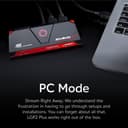
The AVerMedia GC513 Live Gamer Portable 2 Plus is a compact, portable capture card designed for streamers and content creators. It supports 4K60 pass-through and lag-free 1080p60 recording, compatible with Windows 11 and macOS 10.13 or later. Featuring plug-and-play UVC technology and a PC-Free Mode, it enables seamless streaming and recording on the go, making it an essential tool for professional-grade gameplay capture.


| ASIN | B0763TFZWT |
| AV Output | HDMI |
| Antenna Location | game streaming, gameplay recording, and content creating |
| Best Sellers Rank | #76 in External TV Tuners |
| Brand | AVerMedia |
| Built-In Media | • 4-Pole 3.5mm audio cable, • HDMI cable, • Live Gamer Portable 2 PLUS (GC513), • Quick guide, • USB Micro to Type-A cable |
| Compatible Devices | Nintendo Switch, PlayStation 4 Pro, PlayStation 5, XBox Series X/S |
| Customer Reviews | 4.4 out of 5 stars 2,272 Reviews |
| Global Trade Identification Number | 00795522965653 |
| Hardware Interface | USB |
| Item Dimensions | 1.9 x 2.2 x 5.8 inches |
| Item Type Name | Game Capturing Device |
| Item Weight | 6.56 ounces |
| Manufacturer | AVerMedia Technologies, Inc. |
| Mfr Part Number | GC513 |
| Minimum System Requirements | USB 2.0 port available, compatible with Nintendo Switch |
| Model Name | 1080p60 pc/pc free |
| Model Number | GC513 |
| Operating System | Windows 11, macOS 10.13 |
| Other Special Features of the Product | Portable |
| Platform | Nintendo Switch |
| Recommended Uses For Product | game streaming, gameplay recording, and content creating |
| Special Feature | Portable |
| Tuner Type | ATSC |
| UPC | 795522965653 |
| Unit Count | 1.0 Count |
| Video Capture Resolution | 1080p |
| Warranty Description | 3 year manufacturer |
K**E
A great option for older computers that lack USB 3.0
I have used several of these type of HDMI capture devices. Many here at Amazon have free returns, so I was able to order a few and then do a comparison. This is one of the devices I am keeping. Most computers have HDMI *out*, in order to connect the device to a monitor. However, if you want your computer to capture video, e.g. you want to digitize some videotapes, or you want to capture your game console to record your gaming (either for yourself, or if you want to have your own YouTube channel), then you need an HDMI *in*, which this is. This captures the incoming video, compresses it (without using the computer's CPU), and presents to the computer as a video in device, much like a webcam (although likely much better video quality). From their, your computer can record the video directly to your hard-drive (no worries about running out of space), or stream it via Zoom, Teams, Skype, or other video chat programs. Now, what makes this device unique among its competition, is that it works fine on USB 2.0 ports. Most of its competitors being sold today require USB 3.0. If your computer has USB 3.0, there are lots of choices to consider. But if you have an older computer without USB 3.0, then you probably want this. It can work with USB 2.0 because it converts video to a smaller bitrate, one that can be carried by the slower USB 2.0. I found the quality of recordings made with this device to be very good, certainly "good enough" for most purposes. I have successfully paired it with an older camcorder via its HDMI port, as a much upgraded webcam replacement for video conferences. Even if you have USB 3.0 on your computer, but the price, or delivery time, of other devices makes this attractive, I would recommend you give this consideration. (COVID19 has made devices like this scarce, with widely fluctuating prices to match.) I haven't used this devices other capabilities. I believe that most of the complaints here of the computer-free recording has to do with the quality of the SD card used, but haven't actually tried it myself. Same with the audio features, likely user error. If you are having difficulty with those, make sure you seek tech support before giving up on the hardware. AVerMedia has been in this space for a while, and generally have a good reputation.
S**S
Years of use.
Still working to this day. In the world of streaming this was a great price for a product that was well made. Compatible with any PC and easy to use. It is only 1080p but does it's job for video and audio capture.
A**Y
Reliable, convenient, good quality, minor issues
I bought this capture card back in 2019 for my gaming channel and it really did a great job. I used it for a few years to record gameplay from both my PS4. One of the best things was being able to record straight to a microsd card without needing a PC - super convenient, especially when I didnt feel like messing with cables. The recording quality was great -1080 at 60fps, sharp video and almost no lag. Audio came through fine too though I did have to tweak the mic settings a bit at first to get everything just right. The software had a few minor glitches here and there, but overall it ran pretty smoothly. The only small downside was that long recordings would get split into 4GB files, but that’s more of a file system thing than a hardware issue. I ended up using it for about 3-4 years before upgrading to a newer model, but this one absolutely delivered for the price. If you’re looking for a simple reliable and easy to use capture card for gameplay - I can definitely recommend it.
M**C
Zero documentation. Surprisingly solid device.
BLUF: This is an excellent device for the money, and a good Swiss-army knife for a consultant or QA team to have around. It comes with all the cables, too, and they're not bad. I bought this to record workstation demos for clients; software-only recorders are not reliable under high CPU loads, and this will record independently to a MicroSD card (U3, V30 or better). I cannot find an English manual for this thing. There is a FAQ, but a proper manual is missing from both the box and the web site. This is important, because there are some "magic button" combos that you will have to figure out by trial and error without it-- including some very frustrating things like "headset mute". Some information you may find helpful: YES, it records HD (1920x1080) video at high framerates. NO, it will not record 4K video. YES, it will reliably run under power from a normal (500mA) USB-A port. (The manufacturer suggests bringing a USB power bank along if you're using a laptop, which is actually not a bad idea.) YES, it really will record totally independently of the host system; all it needs is power and an HDMI connection. There is a big glowing button you whack to start and stop it-- that's it. YES, it will also work as an OBS Studio device (one video capture device that also brings in audio; you don't need a separate audio connection). YES, it will record HDMI audio. However, the levels are a little low. YES, the headset jack is 4-position (TRRS) 3.5mm, supporting a microphone. If the mic doesn't seem to work, hold each of the volume buttons down for a few seconds until the mute clears. YES, you can hear the HDMI audio passthrough in the monitoring headset. YES, you can hear your own headset mic in the headset. It is, in my opinion, way too loud relative to the HDMI video, so you may want to move the boom out a bit. YES, there is a mode to use it as a glorified card reader. This was done so that you didn't need to load and unload cards all the time-- I suggest USING IT THAT WAY, and taping over the card slot once the card is installed. YES, there are some low-latency drivers available; NO, you don't have to use them. The issue is a little complicated; see the website. When used as a standalone capture device, the native format is ".MOV". The device is physically quite a bit smaller than I expected, and quite light. Build quality is good. Grab one. I couldn't find anything else that was even close for twice the price.
N**E
A short tutorial for StreamLabs OBS
(SHORT TUTORIAL) """IF YOU ARE USING FOR STREAMLABS OBS HERES SOME ADVICE""" But first I am impressed with this device. It's small and sleek and almost no lag. I use my TV and computer so I don't notice the lag. But from what I can tell it's great. I did a lot of research on different products and this one is cheaper than the Elgato but works just as hard. If you are just starting to stream. Then pick this to start. SHORT TUTORIAL BELOW!! So just hook it up like the package says. And if once you get into streamlabs you need to go to sources and then [add source], from there go to "add video capture device". For me it gave me the "NO SIGNAL" or "COPYWRITE CONTENT" error. I use a ps4 and for me what it took was to 1 - Go into settings 2 - Go to system 3 - TURN OFF HDCP LINK!!! That will take care of your no signal or copyright error. Now back to streamlabs. Click on Video Capture Device in your sources. Then go to settings. Go to the bottom and select custom audio in "Audio Device". From there select "Microphone live gamer portable plus 2). And that will take care of the audio issue. And there you have it. Simple yet tedious.
J**L
Easy to use, works great!
I use this as a video recorder, not really for gaming. It works perfectly and records directly to a micro SD card in MP4 format. It will record any video and sound that is playing on your TV or computer screen through the HDMI connection, but you have to use pass-through in order to see what you are recording. One press of the button starts and stops the recording, which is what I use it for. It works as a PVR but you have to be there to press the button to start and stop. The video quality is great and I haven't seen any sync problems between the video and audio in the clips. It's dead simple to use and a great device for what it does!
J**A
Works well so far but instructions are unclear
I was kind of lost when I got this because I did not know where to start with this. I got this to record gameplay on the Nintendo switch when my son and I play. The tech guy in me knew I had to update the drivers in this thing so that the first step I took. I downloaded their software and then updated the device via their software. After that I formatted my micro SD card and set the switch to the middle mode. I then plugged my switch to the in hdmi port and the TV to the out port. I plugged the USB to the switch dock and we were all set. It will stay solid blue when ready to record. You press the middle button to start and stop recording. You can then insert your microSD card into an adapter and into your PC to view the videos. Audio and Video quality is great. FYI it doesnt work on the PS3 due to HDCP.
A**Y
**DO NOT BUY**DO NOT BUY**DO NOT BUY**
----> Comp-Science Major here who is also a Partnered streamer on Twitch with 1,000's of hours of stream time. This is an absolute garbage product that is NOT user friendly!! You WILL find yourself spending countless HOURS like I did or actually more, DEBUGGING something forever and ever instead of actually playing your games!! Here is a precise list of problems that are each never easily resolved. Each one is like having a tooth extraction: - The small usb-c connector that connects from the device to your PC is ALWAYS loose because of poor manufacturing, does not plug in with any "clicks" on the device and will fall right out if a cat walks by it. That's how loose it is. This alone gives millions of other problems!! No connection = no live feed. - You WILL also need to update this products FIRMWARE, not to be confused with Drivers, as it comes outdated, which if you are NOT computer literate, you will be pulling out your hair guaranteed!! - ANY game that you decide to stream will 100% begin to audio lag after just a few short minutes. If not addressed immediately, the lag will become more and more obvious during your session and eventually it will become impossible to ignore!! Your game will never be in sync with the audio which will force you to deactivate/re-activate live during your stream over and over again, causing you to lose impatient people in your stream audience!! Are you actually still thinking of buying this junk?? - When your sound does eventually de-sync, a multitude of "hissing and popping" will be heard through audio feedback until the source in your OBS deactivates. - Customer Service is NON EXISTANT!! Be prepared to watch 3 days of YouTube to learn how to properly make use of the device which of course, won't end up working in the end anyway and you'll be wondering why you spent $100+ on a plastic paper weight. I plan on purchasing this again, returning the product I have now with the good ol' Switcharooo, and then re-selling what I'll receive on eBay as working out of box special. F U Avermedia. Never again!!
Trustpilot
3 days ago
1 day ago