
DOWNLOAD THE APP


Customer Services
Copyright © 2025 Desertcart Holdings Limited
DOWNLOAD THE APP

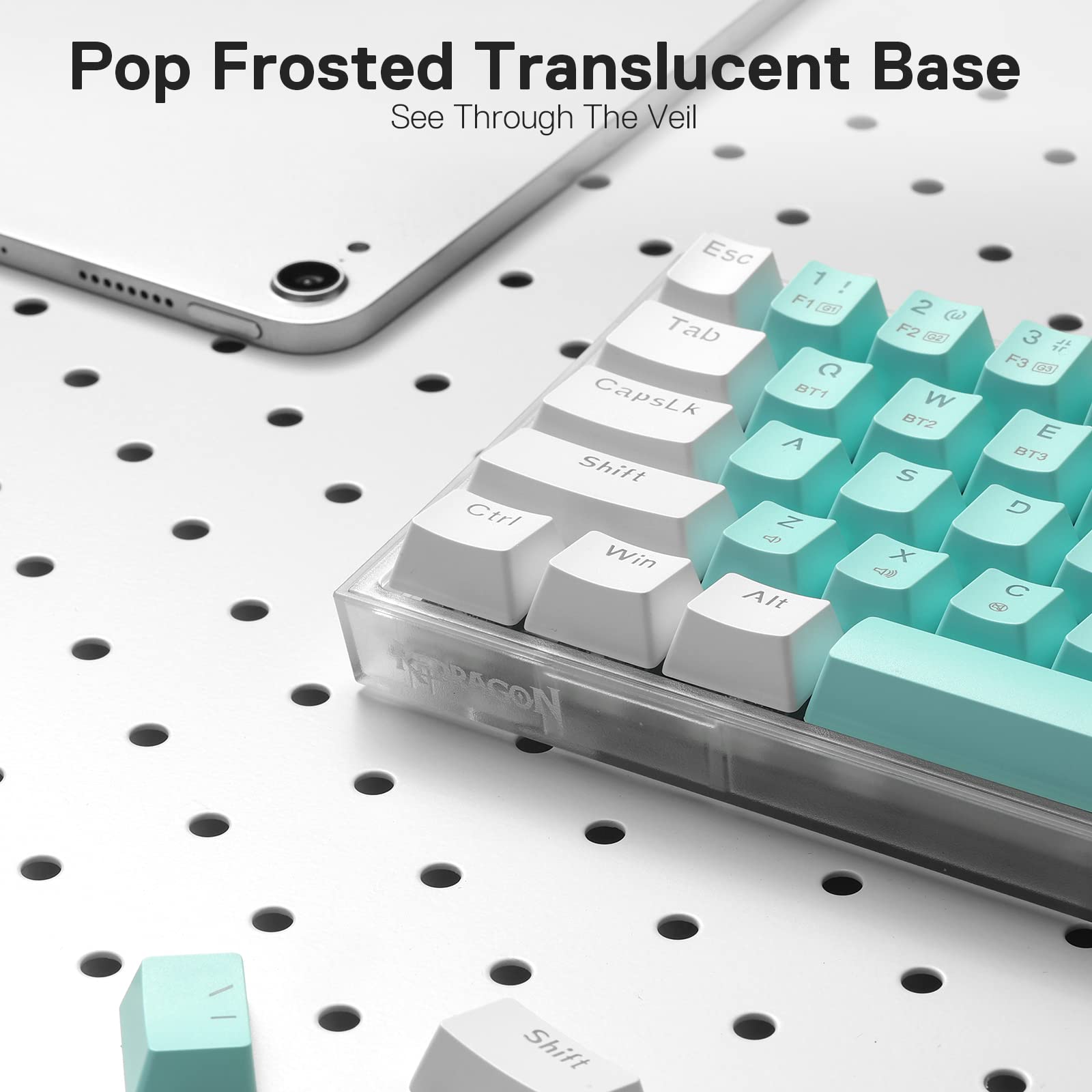
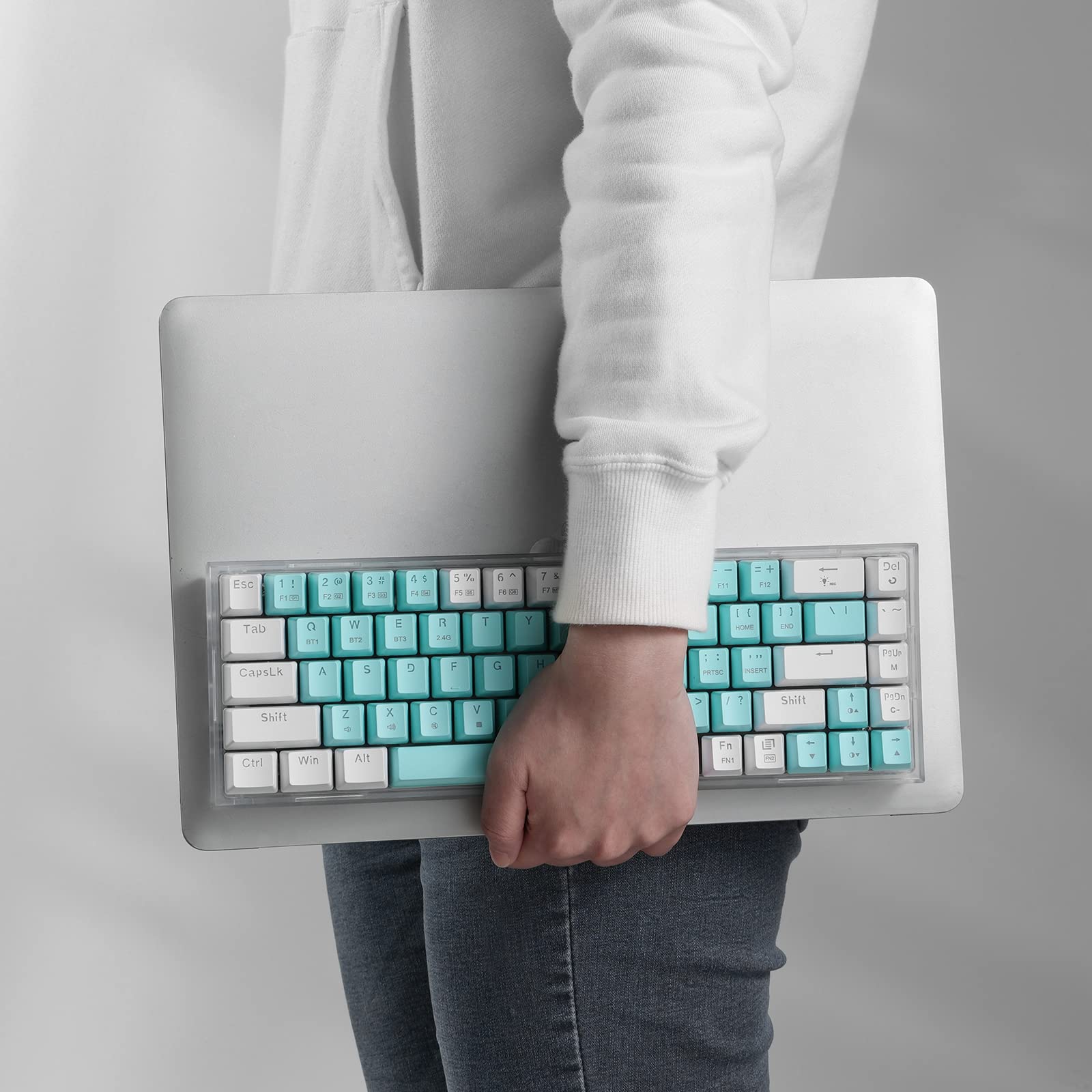
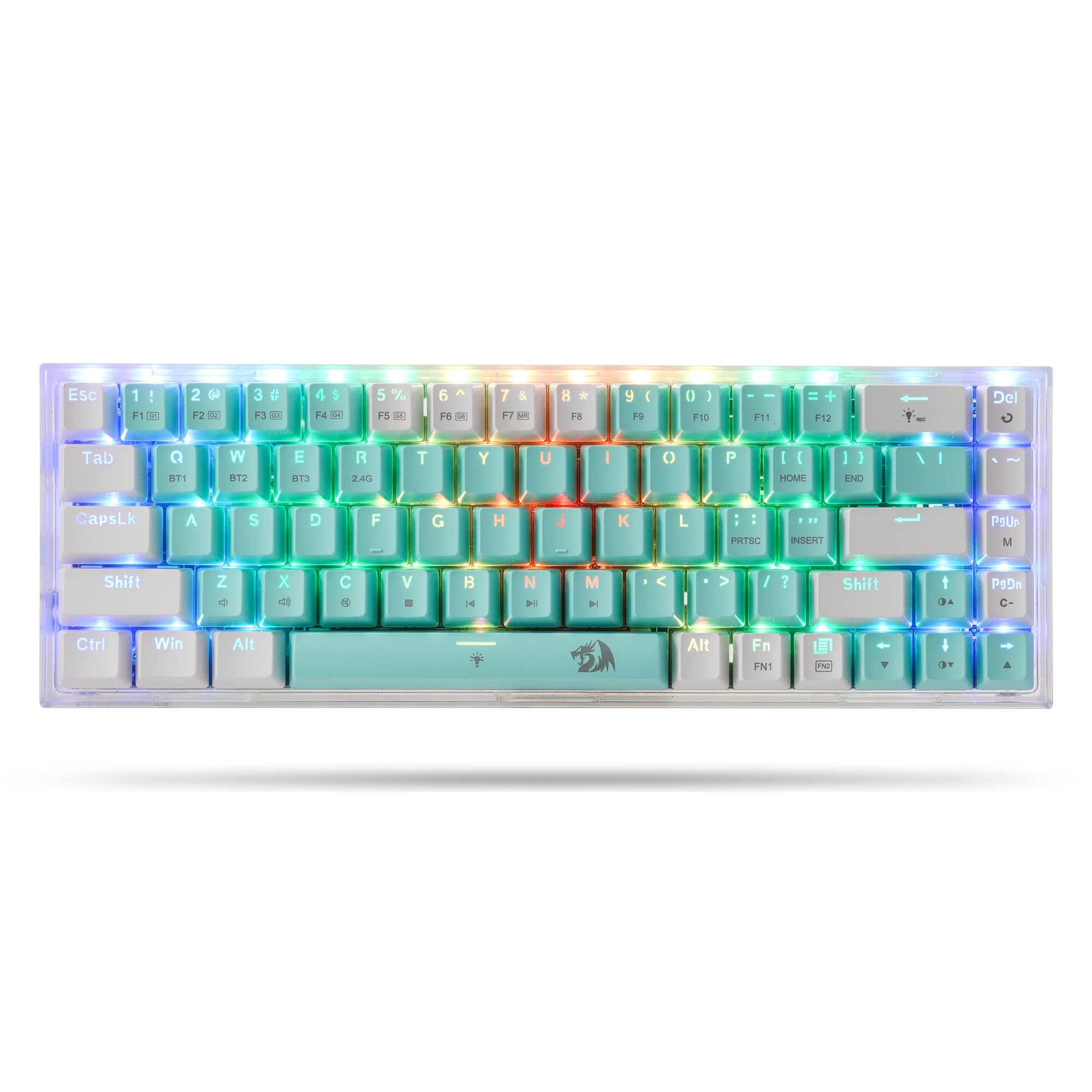
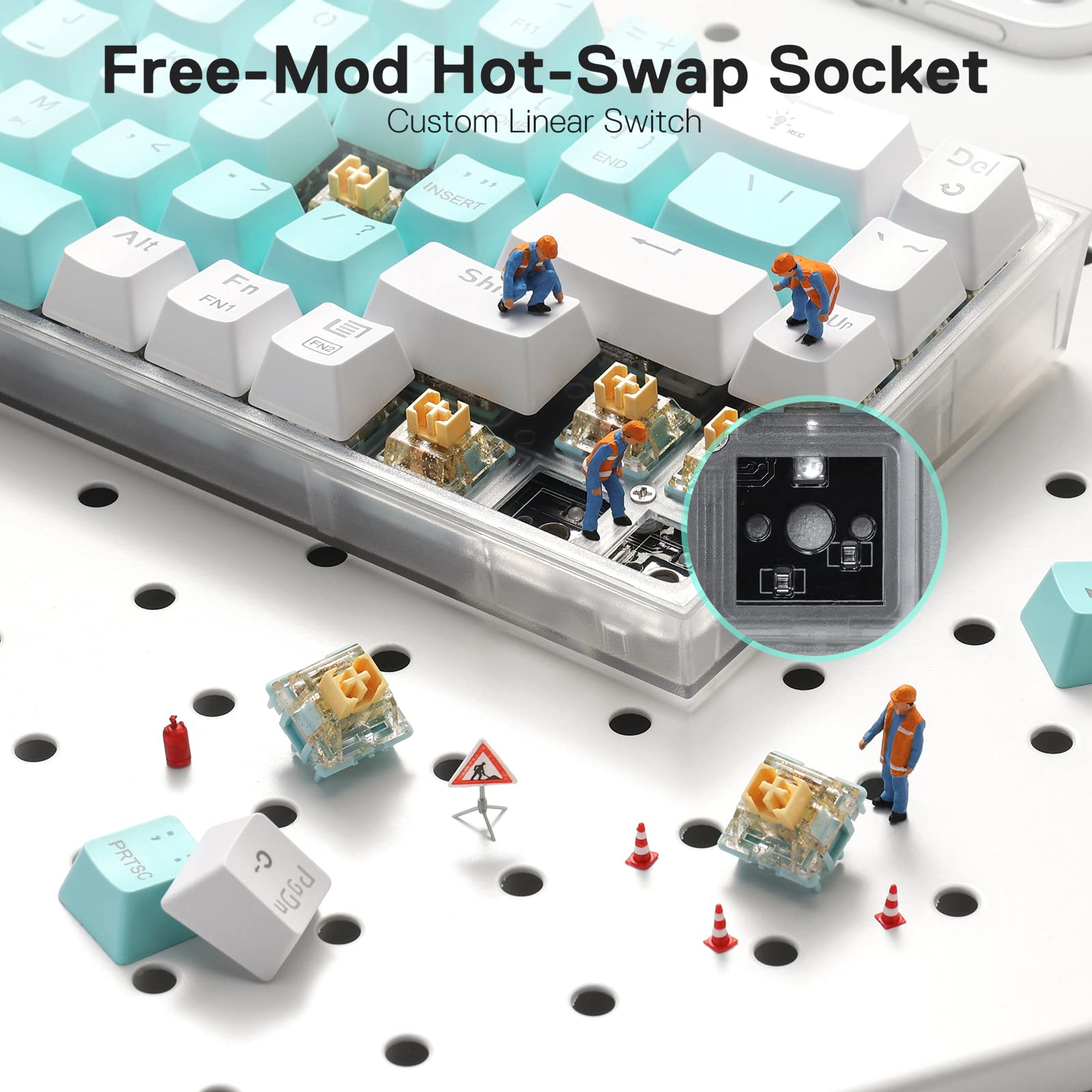

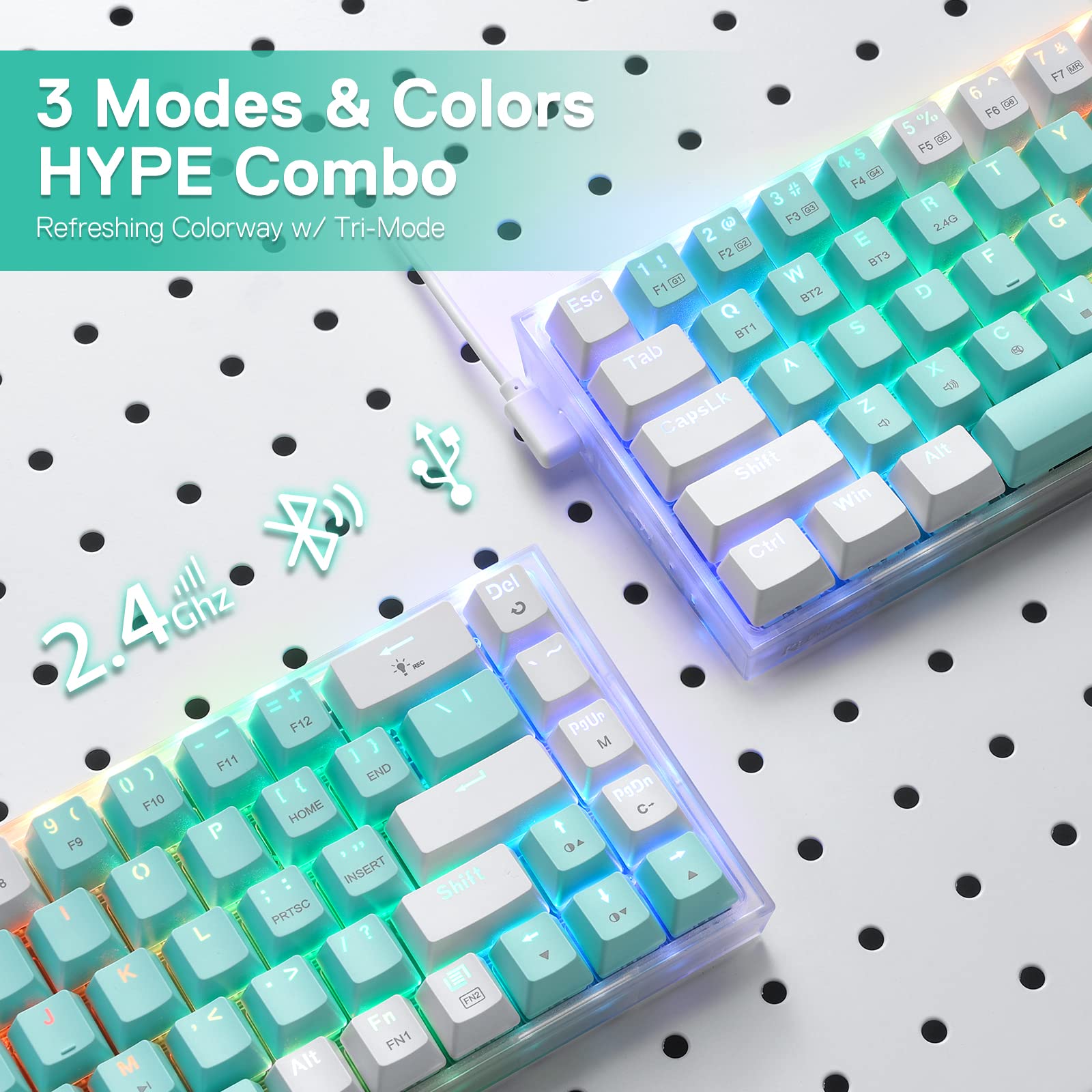
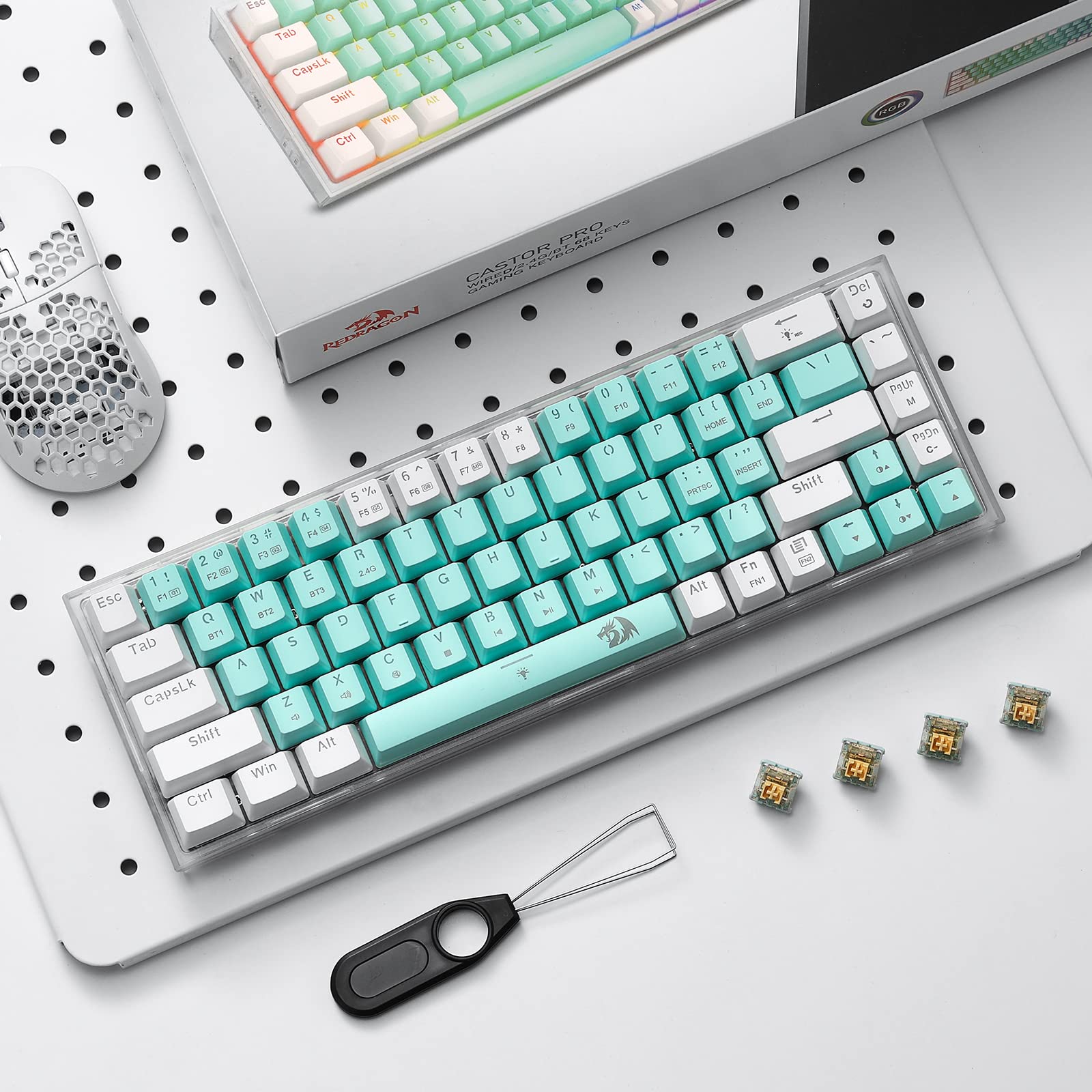
🎮 Compact power, limitless customization — own your desk, own the game.
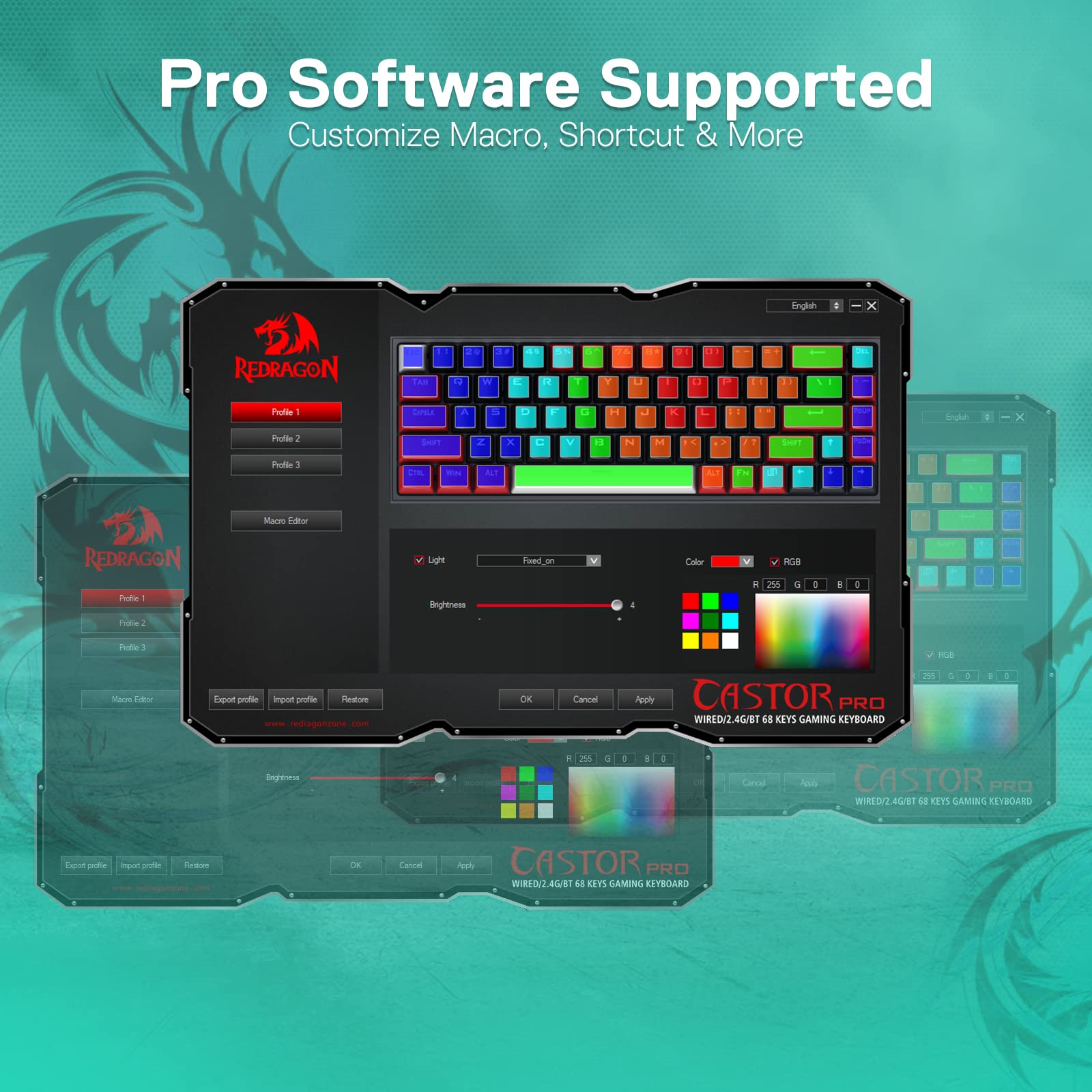
The Redragon K631 PRO WT is a sleek 65% mechanical keyboard featuring 68 keys with hot-swappable sockets compatible with 99.8%+ of switches. It offers versatile tri-mode connectivity (USB-C wired, Bluetooth 3.0/5.0, and 2.4GHz wireless), vibrant RGB lighting with 20+ presets including music sync, and quiet custom linear switches for smooth, fast typing. Lightweight and compact with a translucent base, it’s designed for gamers and professionals seeking a customizable, portable keyboard with pro-grade software support and included modding tools.


| ASIN | B0BX38TB94 |
| Additional Features | Compact, Custom Mechanical Switch, Hot-Swappable, Lightweight, Transparent Base |
| Antenna Location | Gaming |
| Best Sellers Rank | #34,467 in Video Games ( See Top 100 in Video Games ) #1,714 in PC Gaming Keyboards |
| Brand | Redragon |
| Built-In Media | USB Cable |
| Button Quantity | 68 |
| Color | White & Mint |
| Compatible Devices | PC, Laptop, Tablet |
| Connectivity Technology | BT, 2.4Ghz , USB-C |
| Customer Reviews | 4.3 out of 5 stars 481 Reviews |
| Enclosure Material | Acrylonitrile Butadiene Styrene |
| Generation | 3rd Generation |
| Hand Orientation | Ambidextrous |
| Item Weight | 500 Grams |
| Keyboard Backlighting Color Support | RGB |
| Keyboard Description | 65% 68 Keys Wireless True Hot-swap Gaming Keyboard |
| Keyboard Layout | QWERTY |
| Manufacturer | Redragon |
| Mechanical Keyboard Switch Model | Outemu Red |
| Model Name | Castor PRO |
| Model Number | K631 PRO WT |
| Number of Keys | 68 |
| Power Source | Battery Powered (USB charged) |
| Recommended Uses For Product | Gaming |
| Series Number | 631 |
| Special Feature | Compact, Custom Mechanical Switch, Hot-Swappable , Lightweight, Transparent Base |
| Style Name | Modern |
| Switch Type | Linear |
| Theme | Unicorn |
| Total USB 2.0 Ports | 1 |
| Warranty Description | 1 year |
B**.
Solid beginner keyboard that offers a lot out of the box
tldr: Great beginner keyboard; good keyboard otherwise, with the right expectations. I am a beginner nearing intermediate level keyboard modder, so this review is coming from that perspective. I have a customized, clicky, full sized mechanical keyboard that was an investment as my primary keyboard, a 60% cheap but ok mechanical keyboard I take when traveling or just wanting to have a smaller gaming keyboard but wanted to add a 65% keyboard (so I could have arrow keys) with a thocky sound to my lineup. I tried 3 other keyboards but finally found most of what I was looking for in this keyboard. At the time of my purchase, the price was $48USD after a 15% coupon. Out of the box, it's not bad at all for that price, especially for a beginner. These are Redragon's brand of switches, but they seem comparable to Gateron's yellow switches. I couldn't find the same switches on Redragon's site but when I looked at them closely, I noticed they had some glitter in the top half of the switch. Of course this doesn't impact performance, just a pretty little detail I was surprised to see. It was nice to find a board that came with switches that were similar to yellow switches, saving me the time and cost of swapping the switches right away. The board does seem to laid out to accept both 3 pin switches (which is what it comes with) and 5 pin. I don't have any 5 pin switches on hand to verify this but at a glance, it appears to be setup for this. The board is screwed into the case leading me to think I shouldn't have an issue opening it up to add foam or tape to adjust the sound. Again, I haven't taken the time to do this just yet but nothing gives me reason to think I couldn't. The keycaps are … fine. As another reviewer mentioned, they do feel more like ABS than PBT but with that said, they aren't the worst ABS caps that have come with keyboards by any means. For a beginner or someone who isn't interested in modding their keyboard, they will be just fine. Otherwise, you will probably be swapping them out sooner than later. The sound out of the box is surprisingly good/thocky, even with the likely lack of dampening material in the case and ABS caps. Is it the best thocky sound for a stock keyboard, not likely but for most people, this will probably be good enough. For those who want to do some customization, there is the ability to do so to adjust the sound as you want. The video attached to my review is the sound of the keyboard unmodified. I will eventually add some tape, lube, and o rings to further tweak my keyboard sound. The case is plastic but it's not bad. It feels nicer than other plastic cases I've felt. I don't think that there will be any durability issues; case doesn't flex unless you give a good push at the center of the bottom. You probably aren't putting your keyboard in a position to do this on a regular basis so it shouldn't be an issue. I primarily connect my keyboards via the wire so it's a minor annoyance is that the plug is on the left side instead of the top. On the other hand, it does come with a 90 degree USB C to USB A plug so that does help mitigate some of that annoyance. It is nice that you can switch between 2.4 wireless and Bluetooth via a small switch on the side, however, I don't use the wireless function of the keyboard so I can't speak to that on this one. IMO, wireless keyboards are generally inconsistent in their connection so I chose not to use it in that way. However, I do appreciate that there is a place to house the wireless adapter on the bottom of the board. My 60% keyboard doesn't have that and it annoys the heck out of me. The software is also …fine. It's easy to download and use and allows you to customize the RGB layout and set keybinds and macros. However, the keybind function is limited to the keys that are already on your keyboard. For example, I wanted to set my PgUp and PgDn keys to Home and End as those are ones I frequently use but the software requires you to hit the key you want to change it to. So to this point, I will never be able to add those keys to this board. Other software programs I've used allows you to select your key from a dropdown, so you can select something that isn't already on your board (the ironic part is that in this software, this is how you can set the media keybind, just not the key keybind). I even tried hooking up my primary keyboard to try to set the keys in the software that way but it wouldn't acknowledge it. Unless I am missing something that would allow me to set this, I don't see how I can adjust this. Out of everything, this is the biggest drawback of this keyboard for me but not enough to make me return it. For most people, this software will be good, but depending on the level of customization desired, it could be a drawback. ETA: Once I had some time to work with my keyboard a little closer, I realized the Home and End keys could be enabled with the FN key, which allowed me to mod those keys with the software. That’s what I get for multi-tasking rather than just sitting down and really working with the keyboard. Also forgot to mention that it came with extra switches, a keycap puller and a switch puller. Great extras if you’re just getting into modding your keyboard. A+ to Redragon for including the pullers. My pros and cons - your mileage will vary Pros: * Good keyboard sound out of the box. * Yellow-ish switches. * Ability to mod the hardware for customization. * Good price for the features and functionality. * Built in holder for wireless dongle. * Extra switches and a keycap and switch puller. Cons: * Cheaper feeling keycaps. * Plug on the side of board instead of top. Thanks for giving my review a read!
F**Z
Compact and Feature-Rich: Redragon K631 PRO SE 65% Mechanical Keyboard
I recently purchased the Redragon K631 PRO SE 65% Mechanical Keyboard and it has been an outstanding addition to my setup. Here’s my detailed review: Design and Build: The keyboard boasts a compact 65% layout, saving desk space while retaining essential keys. The build quality feels robust with a sleek design that complements any workspace. Switches and Keycaps: Equipped with mechanical switches, the K631 PRO SE offers responsive and satisfying keystrokes, perfect for both typing and gaming. The double-shot keycaps ensure durability and clear legends. RGB Backlighting: The vibrant RGB backlighting is fully customizable, with multiple modes and effects to choose from. It enhances the overall aesthetics and provides excellent visibility in low light conditions. Connectivity: This model features both wired and wireless (Bluetooth and 2.4GHz) connectivity options, providing flexibility and convenience. Switching between devices is seamless and the connection remains stable. Performance: The anti-ghosting and N-key rollover features ensure that every keypress is registered accurately, which is crucial for gaming. The keyboard’s response time is impressive, providing a smooth and efficient typing experience. Conclusion: The Redragon K631 PRO SE 65% Mechanical Keyboard is an excellent choice for anyone looking for a compact, high-performance keyboard. Its robust build, customizable RGB lighting, and reliable connectivity make it a standout option for gamers and typists alike.
T**I
Cute and good
I changed the keycaps obviously. I really like this keyboard. The switches are nice and the keys make a good noise. The frosted surround is cool and novel. Fits great on my desk at 65 percent size and you still have shortcuts you can use for media control and f keys. Great preset lighting controllable from the keyboard itself. The software is even better with per key custom lighting. I will say I had trouble finding the right software since the regular, pro and pro wireless all seem to have different versions? Also like many 3popel have experienced my anti virus flagged the reddragon software installer as malware. Wireless works good like...half the time? But that honestly might be my PC. And the Bluetooth connectivity definitely is my PC. The lights will flash on and off when it needs to be charged which is helpful. Probably won't work with 3rd party RGB software like most redragon keyboards don't. Will update after I've had it for a while.
T**E
K631 Pro SE - pretty great
Pretty interesting product from Redragon. I was immediately impressed by the typing feel. These linear switches are incredibly smooth and the keyboard overall has a fun poppy/thocky sound and feel. I do not hear a single bit of rattle from any of the stabilizer keys, normally at this product level I would expect some rattle. Everything sounds really good. The switches are the highlight of this product. Very fun typing experience. I don't think there is any foam or anything internally like many boards have these days for sound dampening, but it sounds completely fine without. The board does feel really light weight. It might give you the impression of cheapness at first, but once you place it on a desk, it doesn't matter. It doesn't move around or feel cheap at that point. And if you ever wanted to travel with a keyboard, it would be a benefit that this is nice and light. Keycaps are fine, not amazing nor terrible. I think they are ABS, I always prefer PBT, but these seem okay for now. The outer transluscent case looks very nice, feels sturdy enough, some flex if you really press on the center of the board, but nothing you notice from normal typing. The same LEDs lighting the keys shine through the sides and back of the case a bit and makes a nice effect. The quality and amount of RGB effects is on par with many other boards I have had. Could be a tiny bit brighter at maximum but it is good enough. Redragon deserves credit for the new hot swap sockets. Previously you were limited to certain switches like Otemu or Akko, they say this socket will now accept all switches. I haven't tried it yet but it is great that they improved this. (But the stock switches are so good, it's a feature you may not need!) My only complaint is that I wish it had 2 stage riser feet. It only has one foot you can fold down in back and the board sits at slightly less of an angle than I prefer for typing, so I am having to adjust. If it had the second taller foot like a lot of boards have so you can choose your preference, that would be nice. And another small matter of preference, I would rather have the USB connection on the back rather than the left side, but it's no big deal. I have not tried the wireless functions, and when plugged in wired it seems like the White "fully charged" LED on the left side of the board stays lit constantly. I did buy a used one that was discounted, so it is tricky for me to rate it at normal cost. I think I would still feel equally positive about it. I have purchased boards in this range before and they did not have hot swap sockets, they had noisy stabilizers, no wireless features, etc. So this is pretty impressive. I did not try the software, I just plugged the keyboard in and use the keyboard shortcuts for changing the RGB etc. I will finish by emphasizing again that the typing feel and overall sound is really incredible. I can't believe how good the larger keys sound.
D**S
Great keyboard for the cost !!!
At 2+ years of use on this keyboard and all RGB works great still and all the lighting choices are awesome. Connects through BT or 2.4ghz very easily. Never had a single issue with it.
F**L
Beautiful keyboard
This keyboard is super comfortable and really light. The Bluetooth connects to three devices easily, and switching between them is smooth. The keycaps look great and have clear shortcut labels. The 2.4GHz mode works perfectly. No lag at all. The lighting shines through the clear base in a way that looks really nice and gives some kind of retro vibe to it.
W**G
The sync lag and input delay is horrible.
I am using it on wireless and the input lag is crazy horrible. It often times skip over 1-2 letters when i am typing. Performance lag of each keys is not good. The quality of the board is good and very nice looking but the software itself is bad.
I**R
Dead a Few Months later, no word from anyone.
So I really liked the fact is was a complete keyboard, that I could get my feet wet with modifying, i Bought some different keycaps, some Glorious Panda Switches, and it became the best keyboard i ever had. I used it on my Desktop via Usb c, on my steamdeck over bluetooth, and had it set up to 2.4ghz on my laptop. Everything was going fine until i had to reset it using the Redragon Button command because it had frozen up and wouldnt work. Then the lights came back and it didnt type, so i downloaded the app, and tried to update it, now its just a hunk in the corner, and no one is responding to me. all in all good product if it works, i probably got unlucky.
Trustpilot
3 weeks ago
1 month ago