
DOWNLOAD THE APP


Customer Services
Copyright © 2025 Desertcart Holdings Limited
DOWNLOAD THE APP
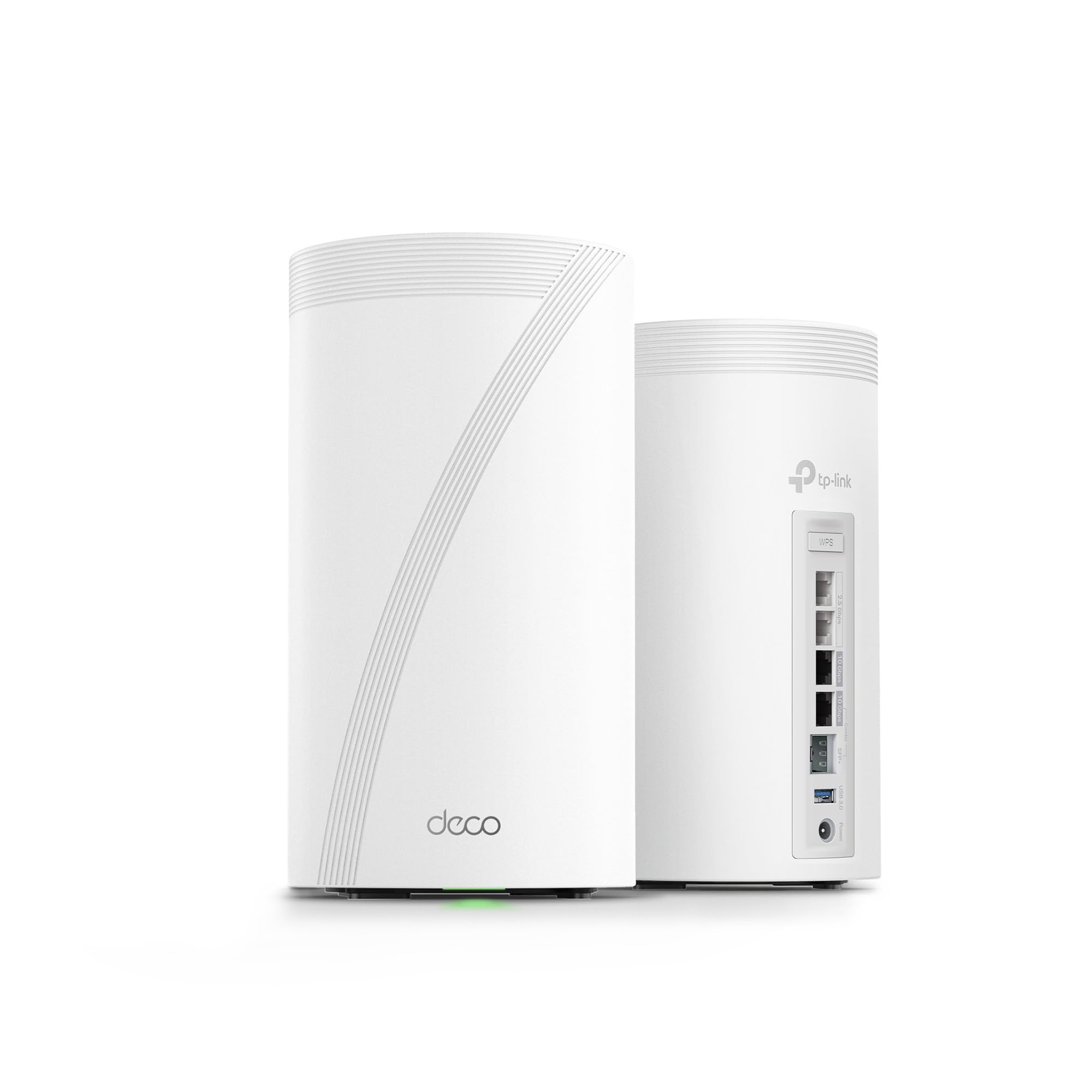


⚡ Elevate your home network to elite speeds and security — because buffering is so last decade!
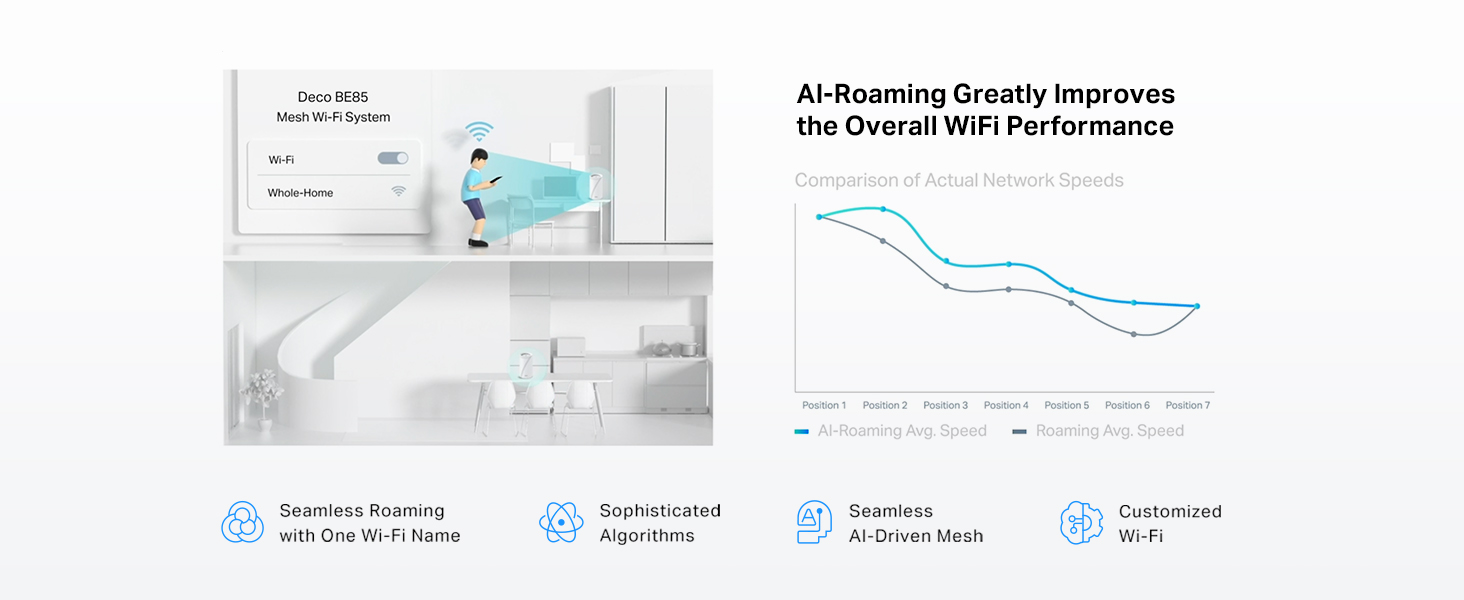
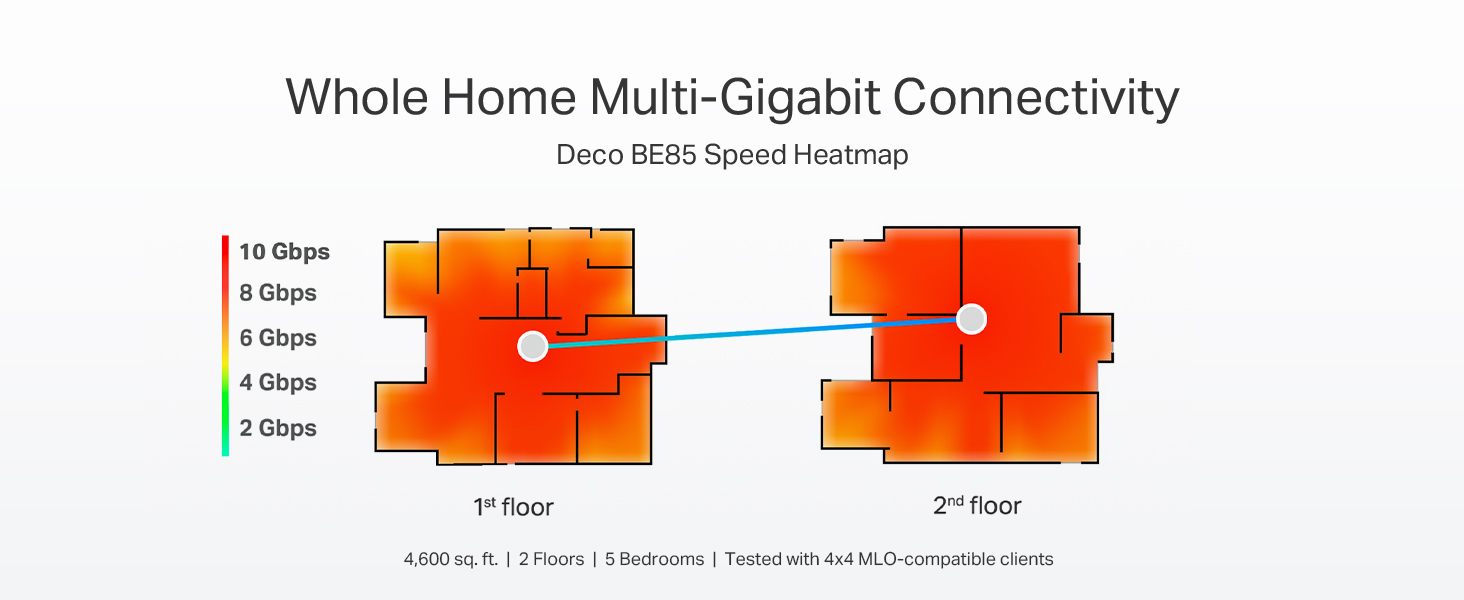
The TP-Link Deco 7 Elite BE85 is a cutting-edge WiFi 7 mesh system delivering up to 22 Gbps tri-band speeds with 12 streams, powered by 8 high-gain antennas and dual 10G WAN/LAN ports. Designed for expansive homes and heavy device loads, it supports simultaneous wired and wireless backhaul, AI-driven seamless roaming, and robust security features including VPN and HomeShield. Easy to set up and manage via the Deco app, this 2-pack system future-proofs your home network with enterprise-grade performance and protection.




| ASIN | B0C4W1L4B3 |
| Best Sellers Rank | #5,093 in Electronics ( See Top 100 in Electronics ) #25 in Whole Home & Mesh Wi-Fi Systems |
| Customer Reviews | 4.0 4.0 out of 5 stars (2,295) |
| Date First Available | May 14, 2023 |
| Item Weight | 6.53 pounds |
| Item model number | Deco BE85(2-pack) |
| Manufacturer | TP-Link |
| Product Dimensions | 5.04 x 5.04 x 9.29 inches |
H**K
Easy basic out of the box setup and powerful coverage and speed
I have been waiting for three years to reestablish my WiFi in my home following a fire that destroyed my previous WIFI MESH network. Extremely easy to setup once you login to your account. The only issue I experienced and it was an annoying one that could have been resolved with a preemptive statement in their instructions for logging into the TP app. It requires 2-factor authentication and will only use an email address and not a cell-phone SMS text message. They have difficulty in sending the emails to a regular email provider like Comcast. The 2-factor wait time times out long before you receive the code in an email… if you ever do. It was the only issue that I have encountered thus far. I found the first level support less than sufficient to explain why I could not get logged in, though he did insist that I needed to have a google or yahoo email but did not explain why. We spent over an hour and then he transferred me to his manager who said we would have to wait for the second tier support to call me in the morning. Which to their credit they did… but just after hanging u p with support, I tried to login from my iPad and I had face recognition setup and it bypassed the 2-factor email requirement. YAY that I didn’t need to revert back to the rental modem/router. The interface is intuitive though different approach than Comcast branded solution. Haven’t done much accept setup the bands and named the equipment. I have all network bands configured except you cannot separate 5&6 they are banded together as one for MLO. I have a guest, MLO, and IOT network setup for the SmartHome devices. All seem to have reconnected that were connected previously and 2 more have connected that had failed to connect with a single modem/router on the extreme end of the WiFi network. I have a 4k 4 story home so I really needed this. Two are on the on the 3rd floor on opposite ends of the house connected via Ethernet. The third is connected wirelessly on the first floor directly below the second unit. Coverage is terrific and performance a boost over the Comcast rented - modem/wifi router. I will update this as I explore more options and pursue network security options. Bottom line is simple out of the box setup and configuration with great coverage and speed. Only downside is they are L A R G E units so plan your placements ahead of time.
R**O
Big, bold, but works like a charm.
Came from a Eero 7 Pro (unstable, prob worst than Japan’s tectonic plate), this is so much better, easy to setup, you can do everything in 5 minutes, and has VPN!!!. You need tailor to your environment and make sure you test during all the changes, I got my optimal configuration after 30 minutes; using the satellite as a wireless mesh hub (not wired), and I’m getting 2gbps on everything that is attached to the satellite! Signal is pretty good for my usage, didn’t had a problem yet. It’s quite big, at least is well designed so it looks good anyway. Highly recommend this product!
G**Y
If you want to modify common Network setting or keep your data off their cloud don't buy
Last update: I have removed the BE95 from my office and put back the Asus ET12. The final straw was the network activity reporting that can not be turned off, I tried. The CCP will have one less users data to exploit. In the end the only GOOD part of the BE95 was the 10G and 2.5G ports. I'll just get a switch. I was amazed yesterday while giving the mobile app one more try, having to maneuver through ads trying to sell me poor VPNs, extra security that should be included, their "AI" assistant (right) etc. to again try and turnoff reporting, I couldn't. I know Orbi and others do similar antics. If the future is supplied hardware and their subscriptions software with useless garbage software offerings, I'll pass. My journey: Over the last weeks I have done multiple updates to this review. After a back and forth with TP-Link support, here is a snippet of their final response to me, "Thank you for your valued feedback about Deco BE95." Deco BE95 router is designed for clients who want to configure the Internet directly and quickly. Many advanced settings are enabled by default and have not opened to change." I will be replacing the BE95 and waiting for the ASUS ZenWiFi BQ16 Pro BE30000. I have also passed on implementing a very large system in my main house. Unfortunate, very good hardware but everything else is awful. All your data ends up in their cloud with no way of turning it off. SECURITY, PRIVACY? If I can access my router over Mobile or other Wifi networks, so can others. BTW, I received a report on my network usage from TP-Link yesterday through the app on my phone even though I have all reporting turned off. If they are reporting on my usage to me, what do you think they're doing with my and others data? Real missed opportunity. If you would like to read my journey, it's enclosed below: I'm an old network type involved in one way or another for 30 years. I have the ASUS ET12 mesh in my house and separate office which for the most part it's been good. Only faults are updates are not very regular (last one was April) and Parental controls are not great. Since Wifi 7 is on the horizon, I decided to take the plunge. To test I bought the single BE95 for my office with the intent of replacing the ASUS mesh if it worked out. I've learned a couple of things in the last four days using it in my separate office. First the good: - VERY fast by my measurements - My normal workload as a measurement, videos, large data sets etc. - Has been rock solid - Updates work as advertised - Ports are great - Hardware is fast and very good next gen The Bad: - I can still break anything. The installation was not as easy as the reviews I've seen. - More than one mobile client - Not as configurable as the ASUS (not even close) with configurable features in strange places - Weird bug trying to access from a Web browser. Yes I tried forums and reaching out to support, through their Chat and Phone and no response. I plan on trying again today. - Subscriptions for common features that should just be supplied. GREED Overall, I'm leaning on replacing the ET12s with the one stumbling block, web access. I will post an update when I get that resolved and more time with the BE95. Update: I've been using the BE95 for a week and here's where I am: Pros: - Still VERY fast - Happy with the hardware - Support is good and interesting (more on this later) Cons: - The WEB interface is a total joke and useless. No feature parity with the mobile version. - Always connected to their cloud, PRIVACY? - Features, like those common with other platforms are missing so not configurable - UI/UX is AWFUL with the features they have (very limited) in places they shouldn't be. - Support OK I contacted support on a couple of features, usability issues I was having and it was a mixed bag. First, don't go through the phone, takes too long. I used the chat function and support was quick. I asked three questions and received answers that were incomplete or wrong. Now the interesting part of this. The interactions were reviewed by other support engineers later and I received correct answers plus follow up, I liked this and set my expectations. I was also asked two days later by support what features I'd like to see. Since I'm a network type and coming off ASUS, I of course was used to being able to configure EVERYTHING and this is what I asked for. we'll see where this goes. The UI/UX issues are IMO mostly show stoppers for the normal user putting this into their home, unless the goal is just doing a vanilla setup and leaving it. Even then it's leaving potentially exploitable functionality on the table. Overall if you've made it this far; I'm now going to wait and see where they take the configurability and UI/UX before I replace my main system. Don't get me wrong, the speed and hardware are great but there is so much more potential being left on the table.
A**O
Su esperanza de vida es larga. Tiene lo más reciente en colectividad y eso le asegura mucho tiempo de uso. Se le saca más provecho si se usa en mesh, si sólo usas uno como módem recomiendo más la versión BE85 o la BE65. Tiene una potencia tremenda. Vengo del deco x20 y sí hay diferencia siempre y cuando tus dispositivos estén adaptados a la nueva tecnología de wifi 6e y 7
A**X
Este producto es excelente! Superó por mucho mis expectativas! Extremadamente fácil de instalar y configurar, la velocidad es similar a ethernet, la cobertura es muy amplia y super estable! Mis respetos!!! Tan bueno que compré otro pr para casa de mis papás! Unico tema, si tienes dispositivos muy viejos (xbox) o impresoras viejas ya no se conectan tan fácil. Muy feliz con mi Internet
A**E
The twins unit (Deco X60) definitely works better than a single router for my home which is narrow but long. The coverage is a lot better than my old one in terms of the signal strength and stability. On the side, I also like their look, rounded and stabled to be placed anywhere compared with those conventional designs. Happy with the purchase.
M**D
الجهاز ممتاز من ناحية الأداء، الثبات، وسهولة الإعداد. لكن المنتج مُعلن كـ BE22000، بينما الجهاز الذي وصلني مكتوب على العلبة BE19000. لا يوجد فرق واضح في الاستخدام اليومي، لكن وصف السرعة لا يطابق النسخة الفعلية. يفضّل تصحيح الوصف لتجنب اللبس للمشترين.
L**Y
TP-Link Deco BE22000 Tri-Band WiFi 7 Mesh System (Deco BE85) - 12-Stream 22 Gbps, 2× 10G + 2× 2.5G Ports Wired Backhaul, 8× High-Gain Antennas, VPN, AI-Roaming, 4×4 MU-MIMO, HomeShield (1-Pack) This is a pretty beefy WiFi node. It's double the size of the older WiFi 6e Xe75 NODE units. There's a tonne of reviews out there. So I'm going to offer my thoughts for my deco mesh upgrade I have 8 Indoor xe75 and 3 outdoor x50s in my mesh. One main xe75 malfunctioned in a brownout so I needed to replace it. Luckily it still boots up but for whatever reason it was ultra flakey. I briskly bought this newer be85 as a main node replacement. Deco app allows you to do a "replace main" node procedure. It basically takes you thru a series of boot ups and configuration transfers and then ultimately it makes you swap the Ethernet cables form old deco to new be85. This process was not smooth. The config transfer failed a couple times for whatever reason, but tirs times a charm. It worked!! My entire router setup including vlan and isp login worked flawlessly once the transfer was a success.. I was able to keep all my existing satellites and just swap this main node . Very happy ! Otherwise it means I need to make a new network and re-add all the satellites, very time consuming process That out of the way my network is humming really well. Able to get full 800mbps from my fiber optic Internet wired. WiFi wise , I get around 500mbps. I setup the MLO wifi (basically carrier aggregation with 5 and 6 ghz bands) and this works however I found it Slower than just 6ghz. With MLO ssid I get around 400mbps. (Tested in same location with my pixel 9 XL pro WiFi support). I'm not sure why MLO is slower. But what MLO offers is a stabler setting with multi band support. I'm happy to have it but likely not going to use it much. With such a complex network I find things seem to work better with this be85. It's likely because the CPU cores are much faster. Things seem to run quicker on my network. File transfers quicker inler load , network reboots make satellites reconnect really really fast compared to older xe75, and oddly enough my 2ghz iot devices seems to drop less and keep stable. Even if you're not needing wifi 7, this is actually a worthy networking upgrade due to the speed of things , in a complex mesh network. I'm very happy to have upgraded to this be85 rather than buy yet another xe75 replacement main node. The 2.5g Ethernet is a nice future proofing . Met network is just 1gbps so I can't take advantage of that . So if there are any folks out there who have similar large mesh network with decos , I recommend buying this newer gen be85 unit to be your one main node whilst keeping your other xe75's or x60's as satellites Since the time of review , I have bought a be65 WiFi node to replace my busiest satellite node. The extra processing power for be65/85 series is a notificible enough ugorade. It really is that good.
Trustpilot
2 weeks ago
3 weeks ago