
DOWNLOAD THE APP


Customer Services
Copyright © 2025 Desertcart Holdings Limited
DOWNLOAD THE APP

🚀 Print Fast, Print Smart, Print Big — Join the 3D Printing Revolution!
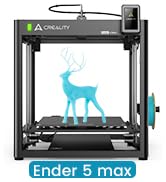
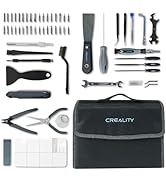
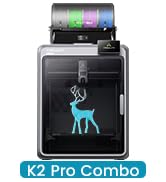
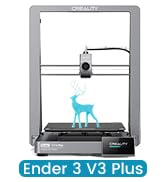
The Creality K1 Max is a powerhouse 3D printer featuring a massive 300mm³ build volume, ultra-fast 600mm/s printing speed, and advanced AI-driven quality control with 1μm LiDAR scanning. Its Core XY structure and dual auto-leveling sensors deliver stable, precise prints with minimal user intervention, making it ideal for professionals and makers who demand speed, scale, and reliability.


























| ASIN | B0C6248YFR |
| Item model number | K1 Max |
| Manufacturer | Creality 3D |
| Product Dimensions | 43.48 x 46.18 x 52.58 cm; 18 kg |
D**R
I've had this about bit less than a year now, and it's my first 3D printer. It was pretty much ready to go and was a very easy first printer. It prints well, and has a large volume. I've tried various filaments and it has handled all of them (except one cheap PLA from "e-sun" but that's due to the poor quality filament). I did root it to use Orca and print wirelessly, but Creality software has gotten a bit better and you probably wouldn't even need to root anymore. Orca does have more options though. The creality app and cloud stuff is useless. If I did it all over again, I might look at the offerings from elegoo which are cheaper, but this is still a great deal IMO. I've put about 10 problem-free spools through it. I'm not into figurines and stuff, I mostly print tools or adapters for things around the house. I think if you want to do figurines you'd want a resin printer.
D**T
This K1 Max is absolutely amazing. I have been printing for a couple years and it's always been a chore, slow and prone to failures. I figured reliable fast printing was still further in the future. Well, I stand corrected. This is a game changer for us. It's not just faster, it's mesmerizing. We haven't even tried 600mm/sec. even at 300, it's unbelievable. Almost impossible. But it works and so far, flawlessly. Only day one but we have printed more things on a few hours than ever before. Setup was easy, operation is just as easy. The software seems to have matured and works great. It's not a quite machine with all the fans, but it's a necessary evil. The Input Shaping blows my mind. The print head moves so fast that it shakes the machine all over the place. But since the calibration process measures and accounts for it by some magical algorithm, it just works. I highly recommend this printer if you can spring for it.
M**.
Wow! This printer is absolutely amazing! I upgraded from my old, faithful Geeetech Mizar S, and what a technological jump that was! Jobs that took me 8+ hours in the past now complete in under two! I highly recommend you use Creality Print, as I’ve found it to be a great tool with lots of features, and I’ve not had any issues with it (besides, who better knows what commands and code to send to a Creality printer better than Creality?). There’s a lot of online support for this printer, so when I had a clog (in my case, due to heat creep because of the job I was printing, which had 194 threaded holes, and because my room was too warm), I quickly found documentation and videos to help me disassemble the print head, remove the clog, and I was back online in 15 minutes. I have mine in a room with servers and computers, so it can get quite warm. That said, and since I print exclusively with PLA, I always run the back fan now to maintain cabin temp (running with the lid off is just too noisy). Since turning the back fan on with each job queued, I’ve not had another clog. As I was uncertain how long my machine sat on a shelf in some warehouse, I added grease (included in box) to the screws and rods before using (buy more grease!). Oh, and I love that it’s on my wireless network, as I don’t have to carry USB drives or microSD cards to it (just send the job directly from Creality Print). The built-in camera is nice, too, as I can monitor my job from my phone anywhere. This machine is truly a workhorse, and I definitely recommend it!
C**T
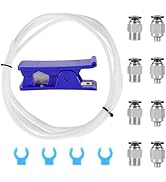
Out of the box the printer was fantastic, It did everything perfectly. It made me want to do 3d printing again. The finished prints were so smooth that it became depended on . However for some unknown issue the extruder failed and jammed the Creality supplied filament. There was no dirt, no leaks, top cover was on for PLA because it was well under 36C, somehow the extruder jammed and all went downhill from there. - Creality Hyper PLA deformation caused jamming in the extruder's plastic guide - I cut a fresh piece of PLA and tried to move it through the plastic guide into the extruder, it didn't fit! - Extruder guide is too small for 1.75 filament to pass through. it is very tight, I believe this is the main cause. - Long and twisty PTFE feed tube - I thought we had this lesson with the Ender 5 Plus that it doesn't work and causes drag, why is it here for 600mm/s printing?? The whole filament feed needs to be more robust like Micro Swiss style. Had a few jams and I think the gears in the extruder are done, it kept jamming no matter what. - How do I calibrate flow? theres no menu option but to root the system and adjust the Klipper printer.cfg myself. why? For a $1K printer, why isn't the flow auto calibrated? Each filament change needs recalibration, tired of doing this. - Extruder motor was super hot. Did this cause heat buildup and melt the filament to cause a disaster? It is all metal to the gears. The voltage was rumored to be a bit high to cause it to heat up. - Hotend is too complex to clean when an issue happens. it is far more involved than any Ender series. - K1C nozzle is a throw away item if it clogs. There is no way to clean this properly. Micro Swiss' extruder upgrade for Ender 5 Plus is much better - dual gears and you can clean it. I feel that the printer could have better design, especially in the hotend area, to avoid known issues in the past printers. Seems like nearly everyone ran into jams after using about 50-70% of the given hyper-pla spool. Overall 3 stars out of 5. Great attempt but flawed design, nearly guaranteed to jam.
V**R
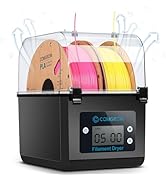
If you're in the market for a 3d printer you should really consider this one whether you're a beginner or an experienced Maker. I have several open frame printers and some enclosed that I really like but this is my new favorite. If you're new to 3d printing, be patient and follow the directions when assembling. When setting up your new awesome machine, a few things to keep in mind: Accessibility The default filament spool is on the back but there are a variety of options to place your filament elsewhere. You can 3d print side mounts, standalone mounts, or purchase a dryer and have your filament fed to the printer. Also keep in mind you will be removing the lid frequently and there are several cool options on various sites to 3d printer a lid riser. Stability This type of printer frame is FAST compared to a typical sling bed printer such as Prusa, Tenlog TL-D3 Pro, or any other NON "coreXY" type frame. So much that it will shake a lightweight table, a Swedish side table ;), or anything not very stable or secure. Software The included Creality Print version 5 slicer is very capable, easy to use, and works great! I enjoy it for a lot of everyday prints. If you're looking greater control, then OrcaSlicer works very well depending on your need. Frankly Built on YT has some fantastic reviews on this awesome machine. Multi-material There are options if you're looking to print multiple filaments. Creality was supposed to release the CFS over the summer with the K2, but it has been delayed until November which I am looking forward to. There are several 3rd party options available now however the best that I've found so far is 3d Chameleon. 3D Chameleon has come a long way but still requires a lot of tinkering. Overall, I highly recommend the K1 Max whether your new to 3d printing or are a seasoned pro.
Trustpilot
1 month ago
1 day ago