Buy anything from 5,000+ international stores. One checkout price. No surprise fees. Join 2M+ shoppers on Desertcart.
Desertcart purchases this item on your behalf and handles shipping, customs, and support to New Zealand.
🖨️ Print smart, stay connected, and never miss a beat!
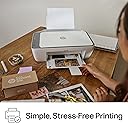
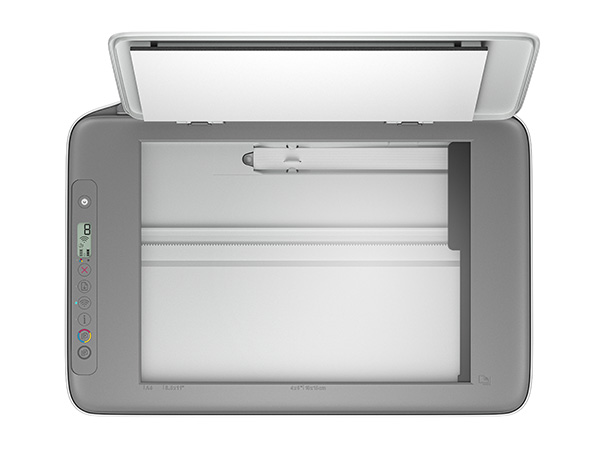
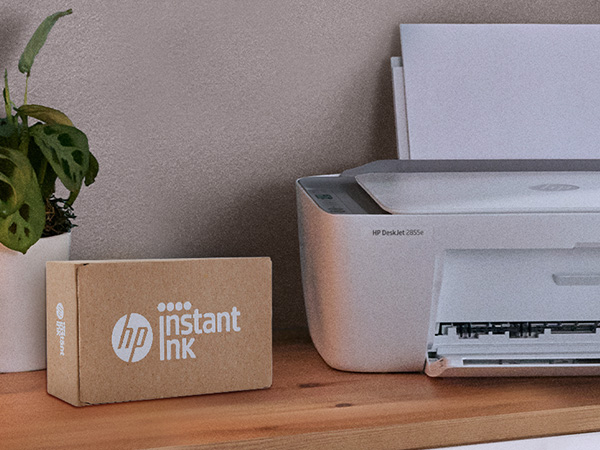
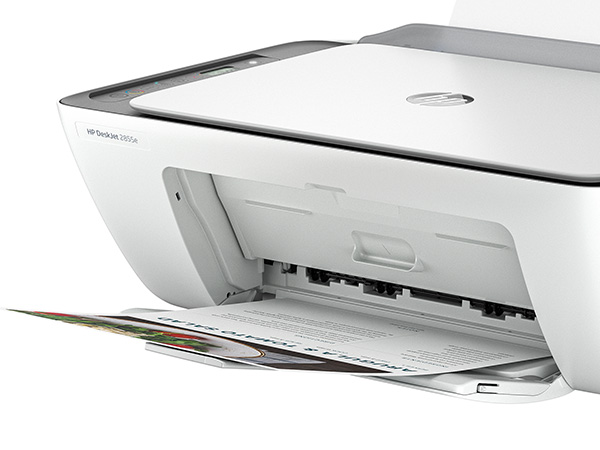
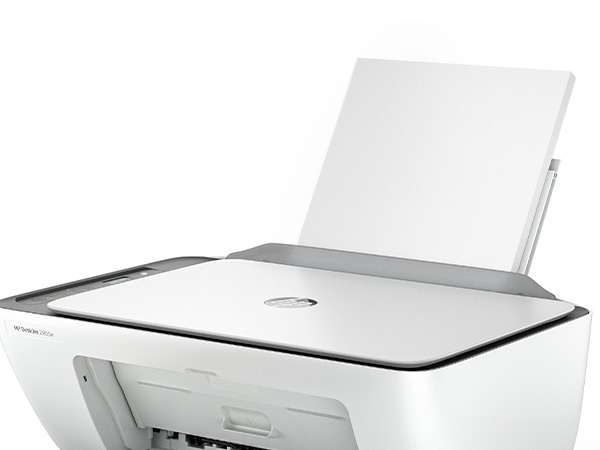
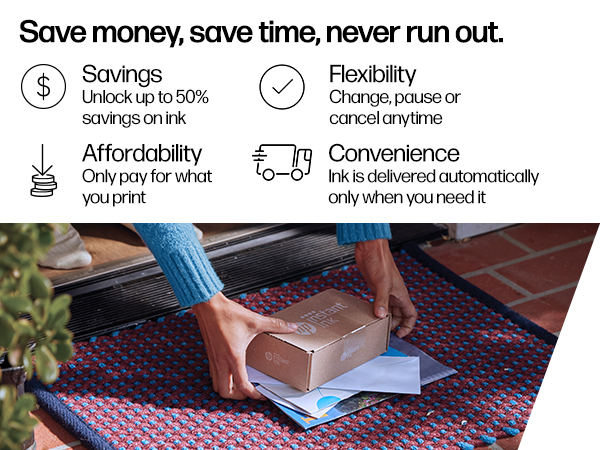
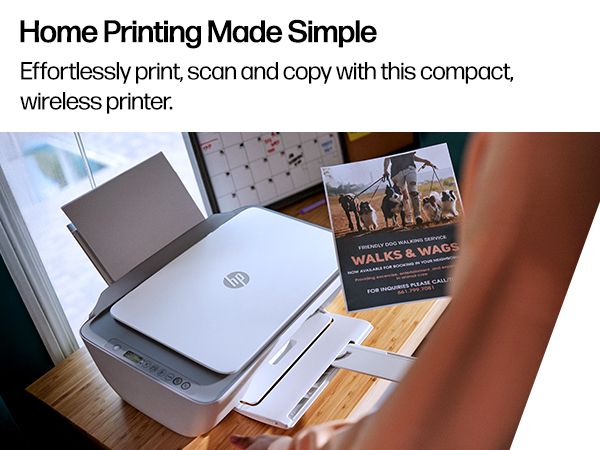
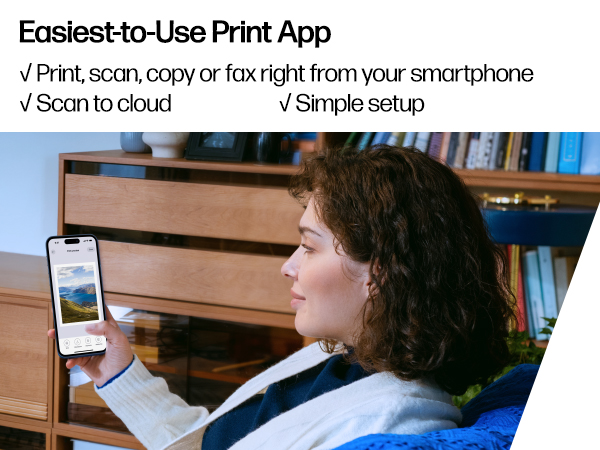
The HP DeskJet 2855e is a compact, wireless all-in-one inkjet printer designed for home use, offering reliable 2.4 GHz Wi-Fi connectivity, color printing at up to 5.5 ppm, and a 60-sheet input tray. It includes a flatbed scanner and copier, plus 3 months of HP Instant Ink to keep you printing without interruption. Ideal for professionals seeking affordable, versatile printing with smartphone app control.


| ASIN | B0CT2R7199 |
| Additional Printer Functions | All In One |
| B&W Pages per Minute | 7.5 ppm |
| Best Sellers Rank | #32 in Office Products ( See Top 100 in Office Products ) #1 in Inkjet Computer Printers |
| Brand | HP |
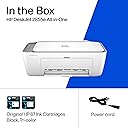
| Built-In Media | 588S5A HP DeskJet 2855e All-in-One; HP 67 Setup Black Cartridge; HP 67 Setup Tri-color Cartridge; Regulatory flyer; Setup guide; Reference guide; Power cord [For ink volume and page yield information, visit http://hp.com/go/learnaboutsupplies ] |
| Color | white |
| Color Depth | 24 bpp |
| Color Pages per Minute | 5.5 ppm |
| Compatible Cartridge | HP 67 |
| Compatible Devices | Smartphones |
| Connectivity Technology | single band wi-fi (2.4ghz only) |
| Control Method | App |
| Controller Type | iOS |
| Customer Reviews | 3.8 out of 5 stars 17,753 Reviews |
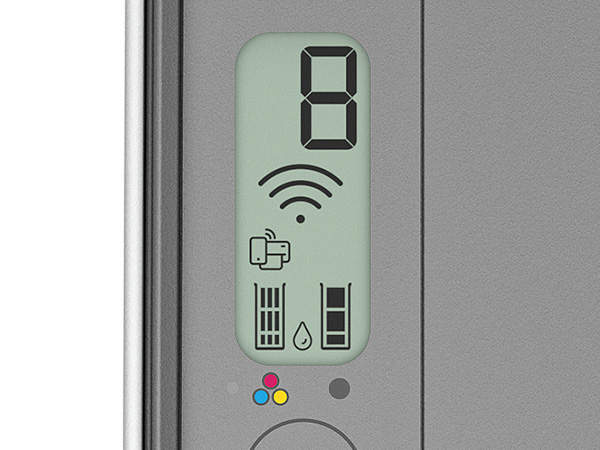
| Display Type | LCD |
| Dual-sided printing | Yes |
| Duplex | Manual |
| Hardware Interface | USB 2.0 |
| Initial Page Print Time | 15 Seconds |
| Ink Color | black, cyan, magenta, yellow |
| Is Electric | Yes |
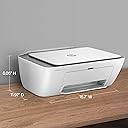
| Item Dimensions D x W x H | 11.97"D x 16.7"W x 6.06"H |
| Item Type Name | Inkjet Printer |
| Item Weight | 10.04 Pounds |
| Manufacturer | HP |
| Maximum Copies Per Run | 9 |
| Maximum Copy Resolution Black and White | 600 dpi |
| Maximum Copy Resolution Color | 4800 x 1200 dpi |
| Maximum Copy Speed Black and White | 7.5 ppm |
| Maximum Media Size | 3 x5 to 8.5 x 14 in |
| Maximum Print Resolution Black and White | 600 dpi |
| Maximum Sheet Capacity | 60 |
| Maximum print Resolution Color | 4800 x 1200 dpi |
| Model Name | DeskJet 2855e All-in-One Printer |
| Model Number | 588S5A#B1H |
| Model Series | 2855e |
| Number of Trays | 1 |
| Other Special Features of the Product | wireless |
| Output sheet capacity | 60.0 |
| Paper Size | 3 x 5 to 8.5 x14 Inches |
| Print media | Envelopes, Glossy photo paper, Paper (plain) |
| Printer Connectivity Type | single band wi-fi (2.4ghz only) |
| Printer Output Type | Color |
| Printer Resolution Horizontal in Black and White | 14 Inches |
| Printer Resolution Vertical in Black and White | 8 Inches |
| Printer Type | Inkjet |
| Printing Technology | Inkjet |
| Processor Count | 1 |
| Resolution | 4800 x 1200 |
| Scanner Type | Flatbed |
| Special Feature | wireless |
| Specific Uses For Product | Office |
| Total Usb Ports | 1 |
| UPC | 196337380097 |
| Unit Count | 1.0 Count |
| Warranty Description | One-year limited hardware warranty |
| Warranty Type | Extended Warranty |
| Wattage | 2.8 watts |
K**R
So far so good !
As a homeschooling parent, the HP DeskJet 2855e has been a very helpful addition to our daily routine. I use it constantly to print assignments, worksheets, and learning materials for my children, and it has made organizing schoolwork at home much easier. The print quality is clear and consistent for everyday educational use, and the scanner works well for submitting and keeping digital copies of my children’s completed work. I also like that it functions as an all-in-one device, so I can print, scan, and copy without needing multiple machines. Setup was fairly simple, and the wireless printing feature is convenient once connected. It is important to note that it only supports 2.4 GHz Wi-Fi, but once I adjusted my network settings, it connected without issues. Overall, this is a reliable and affordable printer that fits well for homeschooling needs and light home office use. It gets the job done efficiently and has been dependable so far.
A**H
The troublesome program and the frustrating printing experience
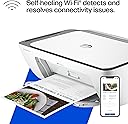
I'm really at a loss for words. The printer itself is completely fine, but the program written by HP is a complete mess. The computer took a long time to finally print out a document, but then what happened? I happily threw away the packaging box, thinking everything was fine. But then what happened next? Damn it, the next day when I reconnected, I couldn't do anything. The port couldn't connect, and the program couldn't associate with the device. Later on, on the HP smart page, it showed that I was connected, everything was online, and everything was ready. Then I tried to open a random file from my Office 365 and print it. But it couldn't print out a single document. At this point, I thought, can't be! Maybe it's just an issue with Office. I never even thought to blame this HP printer. But I wasn't giving up. I opened a PDF file. Damn it, it still couldn't print. My computer was doing nothing. Alt+F4 didn't work either. I tried printing from the web. Haha, there was no sign of response at all. Who wrote this "WIRELESS PRINTING – Stay connected with our most reliable Wi-Fi, which automatically detects and resolves connection issues"? Was it written for someone else? For your boss? For your lover? For your mom? You can tell anyone "Oh, it's reliable", but you never told your own purchasing users. You used the most unreliable connection scheme! HP smart? Hp Stupid!!!! The connection program is long, complex, confusing, and no one knows why you have to register an account before you can connect. The network connection technology is even worse. Ha ha, do you know that the WSD port is inherently unreliable? Why didn't they design a backup port? And then you set WSD as the default option. I changed the option but they changed it back. I really can't stand it. Also, the designers never thought that not all networks are stable and long-lasting. Once they go offline or disconnect, this thing will be useless!!! The funniest thing is that downloading this program on a Windows system is a very slow process. During the download, I wasn't allowed to change the storage location. The design like this is like a sewage pit. Who should be buried for such a bad design? Why not something else? Because I suspect that the things that can be called organized in the design of this thing simply can't be sold for value! And that's not all. I tried using other built-in programs to print in an attempt to fix the bug. Damn it, you even won't let me use the most basic method. How can you be so proud of saying that the connection is reliable??? ?? ?
K**O
Good product
Excellent printer for home and school use. Setup was quick and easy, print quality is great, and the Wi-Fi connection works perfectly. It’s compact, quiet, and very convenient for everyday documents and assignments. Definitely a great option for the price.
M**O
Exceptional Budget Printer for Home & Light Office Use – Highly Recommend!
I recently purchased the HP DeskJet 2855e Wireless All-in-One Printer, and after using it consistently for a few weeks, I can confidently say it has exceeded my expectations for a budget-friendly printer. If you are looking for a reliable, compact, and hassle-free machine for everyday printing, scanning, and copying, this is an absolute winner. Here is a detailed breakdown of why I am so satisfied with this purchase: 1. Super Easy Setup & Seamless Connectivity I was a bit skeptical about the wireless setup because past printers have given me major headaches, but HP has nailed it with the HP Smart App. The step-by-step instructions on my phone made the entire process foolproof. Within 10 minutes, I had the printer connected to my home Wi-Fi, calibrated, and ready to go. Printing from my iPhone, iPad, and laptop works flawlessly every single time without any dropped connections. 2. Print Quality & Speed For a compact DeskJet, the print quality is impressive. Text documents come out crisp, sharp, and perfectly legible, with no smudging. Color prints and graphics look vibrant and clean, making it great for school projects, recipes, and occasional photo printing. While it’s not a heavy-duty industrial printer, the speed is more than adequate for daily home use. It handles multi-page documents smoothly without jamming. 3. Compact and Sleek Design Space is a premium in my home office, and this printer fits perfectly on a small corner shelf. It has a modern, clean look that doesn't eyesore the room. The input and output trays fold up neatly when not in use, keeping dust out and saving even more space. 4. HP+ and Instant Ink Convenience The printer comes with the option to activate HP+ and try Instant Ink. I highly recommend opting into this! I never have to worry about running out of ink in the middle of an important task because the printer automatically detects when it’s running low and orders new cartridges to my doorstep before I even realize I need them. It saves a massive amount of money compared to buying cartridges at retail price. 5. Copying and Scanning The flatbed scanner works like a charm. Digitizing documents through the HP Smart App is quick, and the resolution is crystal clear. Making quick black-and-white or color copies directly from the printer's top panel is intuitive and requires just a single press of a button. Pros: Incredibly affordable upfront cost. Small footprint, perfect for tight spaces or apartments. Flawless wireless printing from smartphones and computers. Crisp text and vivid color outputs. Hassle-free ink management with HP Instant Ink. Cons: The paper tray capacity is on the smaller side (around 60 sheets), so you’ll have to refill it more often if you print in massive volumes—but for standard home use, this is a non-issue. Final Verdict: The HP DeskJet 2855e offers incredible value for money. It is dependable, user-friendly, and delivers great performance without breaking the bank. Whether you need it for working from home, kids' schoolwork, or just everyday administrative tasks, it gets the job done beautifully. Five stars!
P**D
Buyer beware !!!! what a piece of junk.
You must purchase HP ink cartridges at a higher price than generic. I got my printer a month ago and started using it. It ran very well and made fine copies. After a few weeks the colored ink cartridge ran dry. I realize a new printer only comes with small amounts of ink so no problem. Went on Amazon and purchased a generic black and color cartridge i have used for a long time on my cannon printer. Always worked well. Soon as i put them in the HP printer the machine started to go crazy. Spent a full day trying to figure it out. Then went on line and found out the HP printers are programed to use only HP cartridges. Had to trash $45 worth of generic ink that has worked for me for many years in other printers. NO..... I will never purchase anything with the HP name on it again. I just threw it in the trash !!!!
H**G
Easy Peasy
I'm 81 and while I have basic computer skills, I'm the furthest thing from being a techie. So I purchased this HP item believing that the lowest cost, least fancy all-in-one I could find from a major manufacturer would be the easiest to install and I was right. It came together easily and connected with my PC without any fuss. I love it and recommend it for anyone looking for a no-frills all-in-one.
A**R
Horrible customer support
Summary: - tried, unsuccessfully, to set the printer up to print from my son’s iPhone and his laptop - printer set-up app will not allow connecting to the university wifi as it is a public network (according to the HP agent) - the set up app does not give an option to complete the set up with an Ethernet cable (cable NOT provided) even though the printer does have an Ethernet port - the manual specifically discourages the use of the Ethernet port as it will restrict the use of some features. Not to mention that obviously the use of an Ethernet cable only allows connecting to a computer and not a smart phone - HP recommends on their website to use the chat option for support as it is faster. Customer support via chat is terrible in response time and support provided - in the end, 40 min wasted on the chat - problem not resolved - stuck with a printer I cannot return as it is past the return deadline - ordered an Ethernet cable and praying it will at least let my son print from his laptop Details: I purchased this printer earlier this summer for my son to take to his college dorm room. He moved in yesterday and proceeded to set it up to print from his iPhone and his laptop using wifi. He is on campus in the dorms so the wifi is the one provided by the university to the students. The printer would not let us set it up saying this wifi network was not supported by the printer/hp app, to try another network or contact HP support. The printer does have an Ethernet port (cable NOT provided) but the setup app only offered the option to set up by wifi, no option to set up using an Ethernet cable. The printer manual also specifically discourages the use of an Ethernet cable and warns it will not allow access to all the printer features. They even mention that they cover the Ethernet port on the printer with a sticker to deter people from using it. And obviously you cannot connect an Ethernet cable to a smart phone. The printer does NOT come with an Ethernet cable so we could not test it. I contacted HP support via their website chat using the link provided in the error message. I had to wait 20 min before being connected to an agent. But the frustrating part was the delay in response from the agent between each single question/answer. The agent asked 2 basic questions in 2 posts - first post was to provide info to identify myself and the printer - second post was to confirm my problem statement. I answered each question immediately and had to wait at least 5 min after each answer to get his feedback. I know it was at least that long as each post on the chat is marked with the time it was sent. After 15 min of wait (in addition to the initial 20 min to be connected to an agent), he answered that the university wifi was a public network and therefore would not work. He advised to try using the hotspot from my son’s iPhone. I answered that my son’s phone carrier/plan does not allow for hotspot so that couldn’t work. I once again waited and waited for an answer and gave up. I cannot return the printer as it is past the return deadline. I ordered an Ethernet cable and hope that will work with the laptop even though the setup does not offer that option and the manual specifically says that connecting via Ethernet is not as good as it does not allow access to all the features. As for printing from the iPhone I guess that is not possible. Could not be more disappointed by the terrible customer support and lack of information in the manual!
C**Z
Compact, easy, and perfect for home use – hassle-free printing
I bought the HP DeskJet 2855e wireless printer because I needed something simple and practical for home use, and it’s been a great purchase. The setup was very easy. Within minutes, I had it connected to WiFi and printing from both my phone and computer. That was important to me since I didn’t want anything complicated. It prints well for everyday use, whether it’s documents, school work, or basic printing. The quality is good for the price and does exactly what I need. I also like that it’s compact and doesn’t take up much space, which is perfect for home use. It’s not a professional printer for heavy-duty or high-end printing, but for everyday needs, it’s more than enough. If you’re looking for something affordable, easy to use, and reliable, I definitely recommend it.
E**A
Marca de calidad
Buen funcionamiento y tamaño para trabajo y hogar.
K**Y
Extremely easy to set up
Nice printer, works really good It's not real big so it fits in tight spaces Update: April 29... I love this printer I can print anything from my phone such a game changer for me. And so user friendly
D**H
Nothing but a Hassle
I've been using HP printers for many years and always liked them and always found them very easy to install.....well not this one and it's a better model than I usually buy ! When I first went to set it up it wouldn't install wirelessly so I hooked up my printer cable and that worked but of course I couldn't print wirelessly ! Then it stopped printing altogether so I contacted HP support and was guided to a "virtual assistant". I asked to speak with an agent but the virtual assistant asked me to answer some questions so it could hook me up with the right help. Well I spent 2 full hours answering questions and trying different things(no exaggeration) until finally it hooked me up with a live agent. The agent asked for the model number, product number and serial number and came back and said it was no longer under warranty even though I had just purchased this printer. Somehow, even though I provided her with the correct model number and serial number, they accessed the information from my previous printer which of course had a different model number and serial number and it was out of warranty and that's why I purchased a new one ! I was enrolled in their instant ink program which had all the correct info for the the new printer and also entered all the info in HPs Smart app which showed everything properly, model number and serial number but the agent still said it was no longer under warranty and if I wanted help I would have to pay a $19.99 fee. Again I told her this was a brand new printer and even though everything showed up online for this new printer she insisted I send her proof of purchase. Now I'm 70 years old and not the greatest with new tech and I told her this and that I didn't know how to send her proof of purchase and she offered no help of how to do it so I finally gave up after being on chat for a total of 2 1/2 hours ! I definitely would not recomend this model and I guess I'll have to try a different make of printer as this whole process totally put me off HP.
S**O
Desperdicio de dinero, NO HAY CARTUCHOS.
Desafortunadamente aprendí por experiencia propia que si vives en México y se te indica que la impresora es IMPORTADA no conviene comprarla, en México es prácticamente imposible conseguir los cartuchos, intenté ordenarlos también importados desde los Estados Unidos y jamás llegaron porque los vendedores siempre me dijeron que la mercancía se había quedado bloqueada en la aduana. Traté de devolverla pero el vendedor desapareció de Amazon y me quedé con una impresora inútil.
L**A
Impresora
Buena calidad
Trustpilot
5 days ago
2 months ago