We remain fully operational. Our teams are working around the clock to ensure your deliveries continue safely.

DOWNLOAD THE APP


Customer Services
Copyright © 2025 Desertcart Holdings Limited
DOWNLOAD THE APP
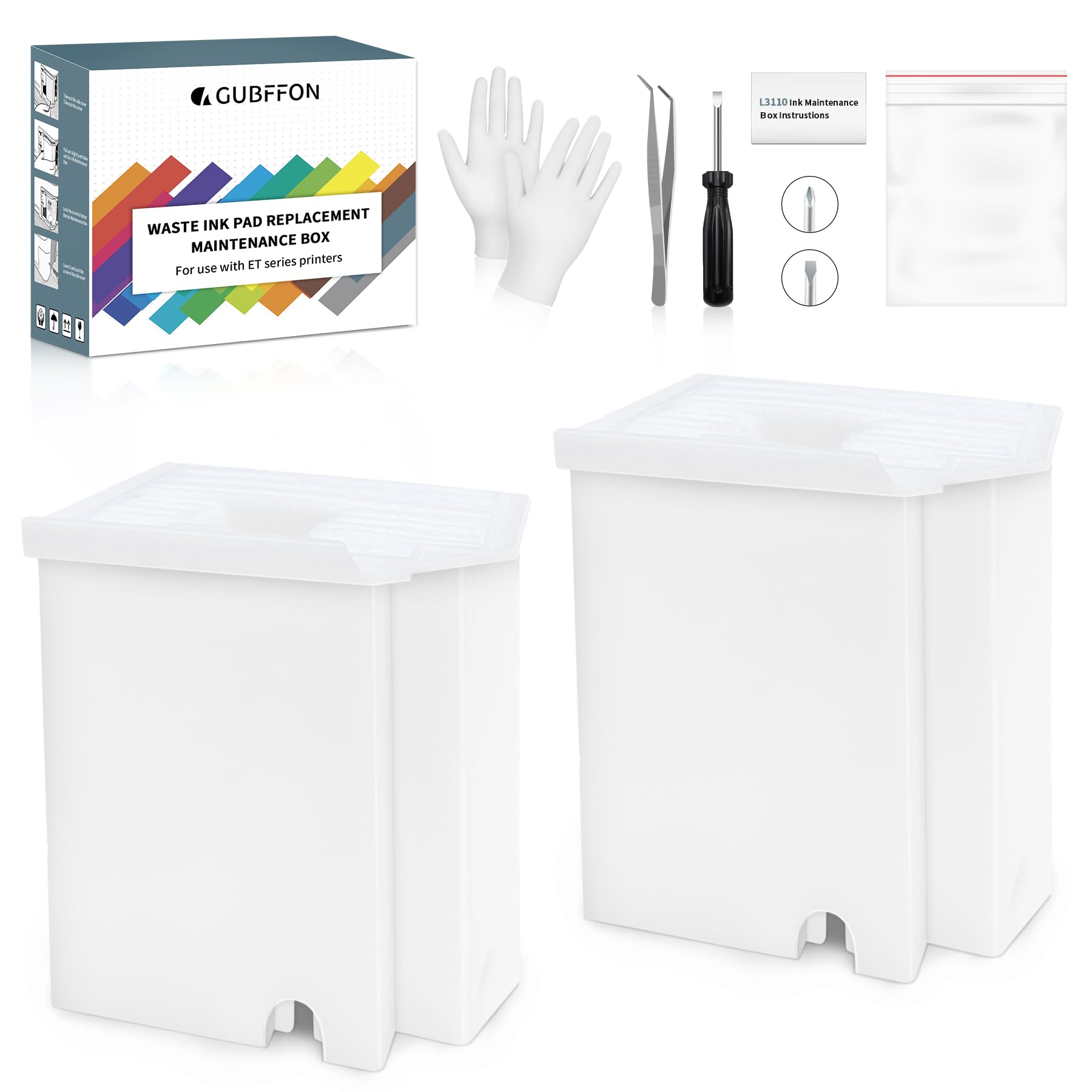




🛠️ Fix it fast, print like a pro—never miss a beat with GUBFFON Waste Ink Pads!
The GUBFFON Waste Ink Pad Replacement Kit is a high-yield, widely compatible maintenance solution designed for Epson EcoTank printers. It includes two replacement ink pads, a full DIY toolkit, and access to reset keys and software to clear service life errors. Engineered for durability, it supports up to 10,000 pages per replacement and comes with expert customer support to ensure hassle-free installation and reset. Ideal for professionals seeking cost-effective printer upkeep without downtime.


| ASIN | B0CXM1D2M4 |
| Additional Printer Functions | Print Only |
| Best Sellers Rank | #17,364 in Office Products ( See Top 100 in Office Products ) #815 in Inkjet Printer Ink Cartridges |
| Brand | GUBFFON |
| Built-In Media | 2*Replacement maintenance Tank(Ink Pad Sponge Included), 1*dual-head screwdriver, 1*seal bag, 1*tweezers, 1*disposable gloves, 1*Instructions |
| Color | White |
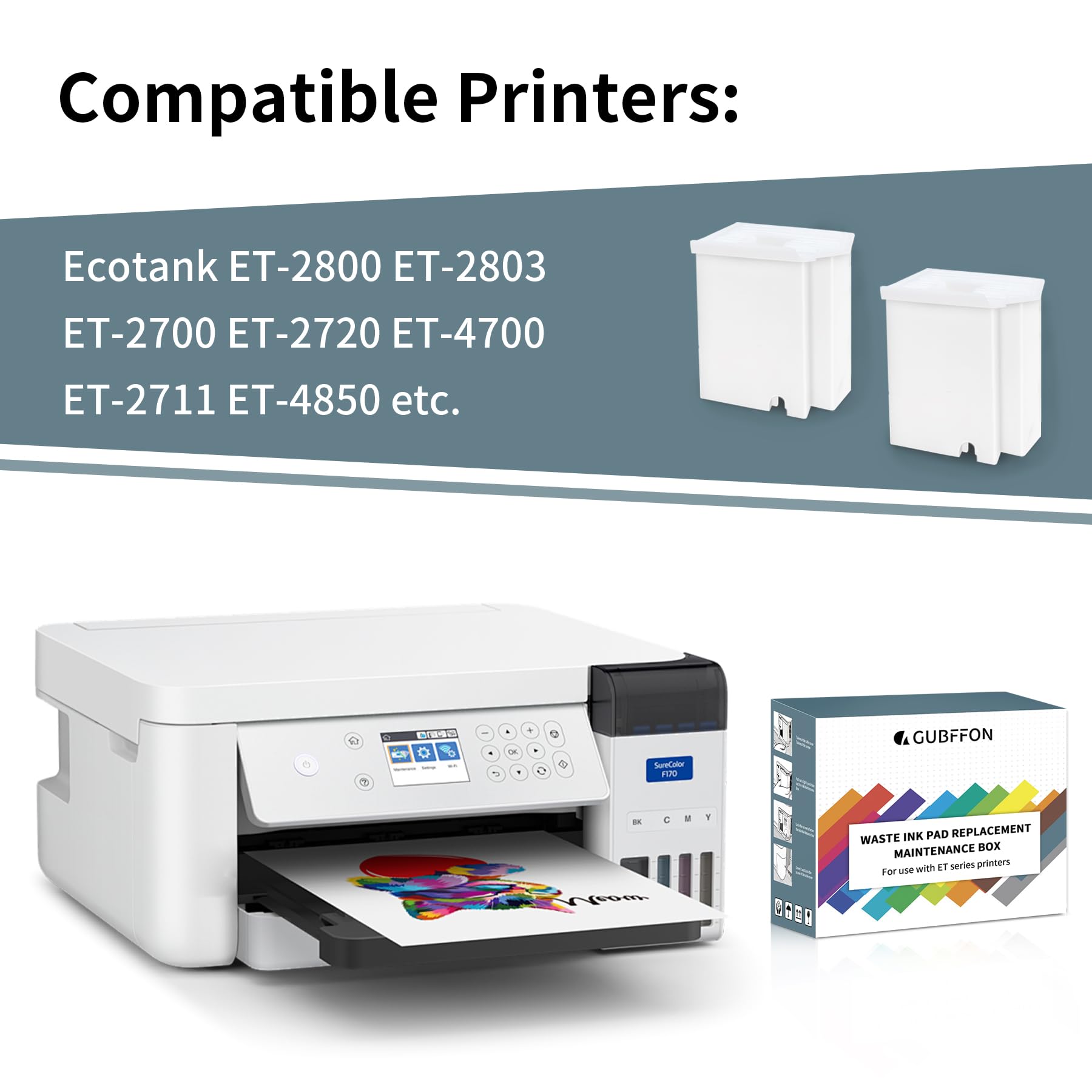
| Compatibility Options | Compatible for all Ecotank ET-2800 ET-2400 ET-4800 ET-2803 ET-2710 ET-2711 ET-2712 ET-2714 ET-2715 ET-2720 ET-2726 ET-4700 L3110 L3210 L3150 L3250 Printers |
| Compatible Devices | Ecotank ET-2800 ET-2400 ET-4800 ET-2803 ET-2710 ET-2711 ET-2712 ET-2714 ET-2715 ET-2720 ET-272 ET-2726 ET-4700 L3110 L3210 L3150 L3250 printer Compatible Devices Ecotank ET-2800 ET-2400 ET-4800 ET-2803 ET-2710 ET-2711 ET-2712 ET-2714 ET-2715 ET-2720 ET-272 ET-2726 ET-4700 L3110 L3210 L3150 L3250 printer See more |
| Compatible Printer Models | Ecotank ET-2800 2400 4800 2803 2712 2714 2720 |
| Customer Reviews | 4.1 out of 5 stars 332 Reviews |
| EU Spare Part Availability Duration | 2 Years |
| Ink Base | Water |
| Ink Color | Multicolor |
| Ink Colour | Multicolor |
| Item Dimensions D x W x H | 4.49"D x 3.07"W x 3.7"H |
| Item Type Name | Inkjet Printer |
| Manufacturer | GUBFFON |
| Model Name | MBWI01US |
| Model Number | MBWI01US |
| Model Series | GUBFFON Series |
| Number of Trays | 2 |
| Other Special Features of the Product | High Yield & Excellent materials & Simple operation & compatibility & Affordable prices & Saved the original printer |
| Page Yield | 11000 |
| Print media | Paper (plain) |
| Printer Output Type | multiple colors |
| Printer Type | Inkjet |
| Special Feature | High Yield & Excellent materials & Simple operation & compatibility & Affordable prices & Saved the original printer Special Feature High Yield & Excellent materials & Simple operation & compatibility & Affordable prices & Saved the original printer See more |
| Specific Uses For Product | Home and office use |
| Unit Count | 2.0 Count |
| Warranty Description | 1year warranty |
L**.
Superior Customer Service; 100% prefect and functional, BUT...
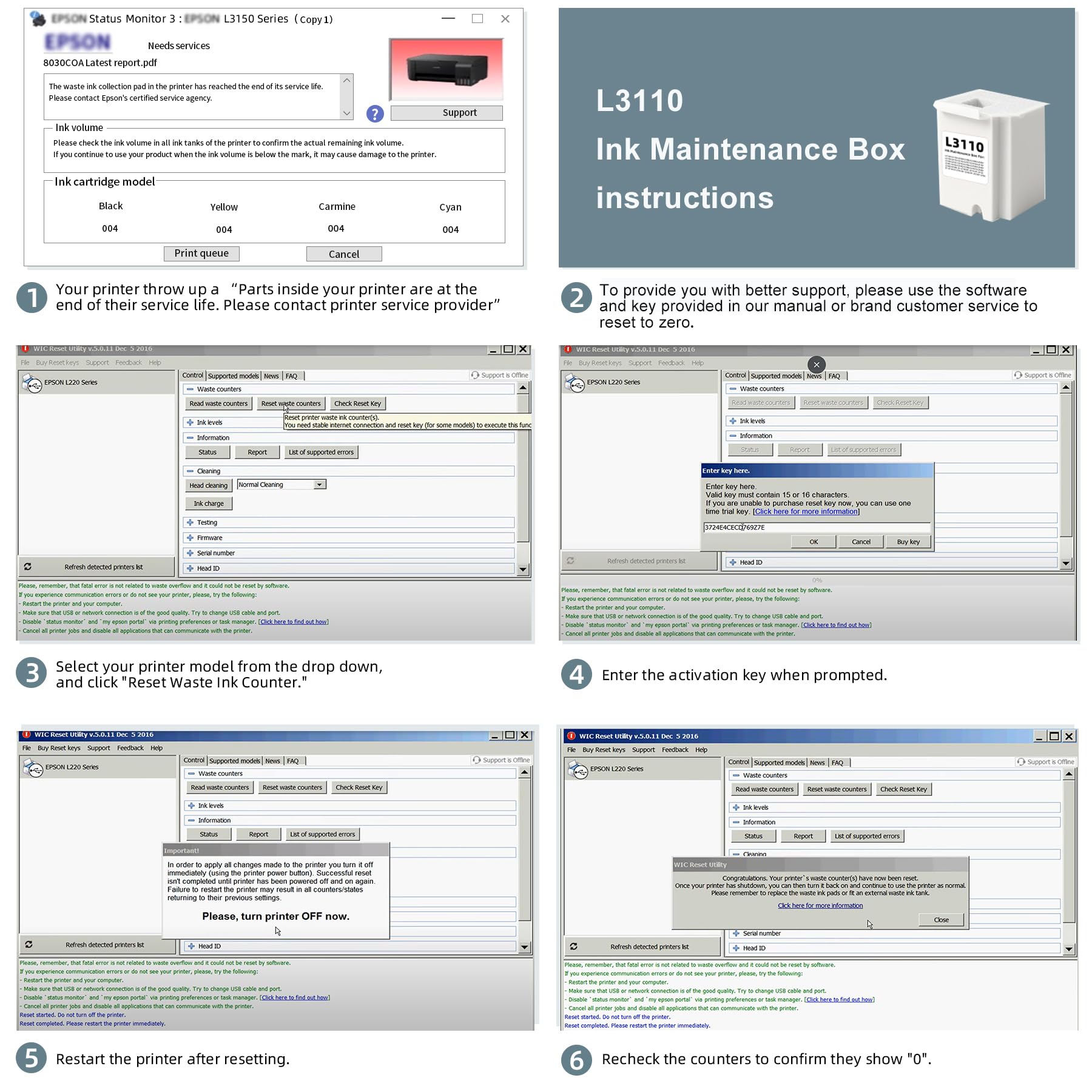
This product fits perfectly, after all it's just a simple piece replacement. The big deal is the counter reset, and this is where Customer Service outstands. People complaints about the difficulty of following the reset instructions, and with reason, as they are lengthy. But that is the printer you have, that is Epson's product. You either send the printer to them and pay the premium fee, or do it yourself, but you have to play their game. This is not Seller's fault; on the contrary, Seller put all their effort to include each and every steps you need to fix the problem, no matter what printer model you have. They included most, If not all, printer models you may have. They provided super detailed instructions to ensure your success; keys where needed, no keys where not needed, printer drivers location to download and ensure the resetter will work and, best of all, support if you need it. You have to contact them through Amazon asking for the user's manual (instructions; yes, the lengthy ones), the reset program and the reset keys if applicable (this depends on you printer model; some need the reset keys, some do not). And this is where you get concerned: When are they going to answer, now that my printer is locked? You think (I did): it is weekend, they will probably answer Monday or maybe Tuesday (after all, that already have the money, why care?). Well, I was absolutely wrong, they answered during the weekend with all necessary to have the printer back, up and running; Thank You. Some tips: 1. There is nothing wrong with the software (if got from a reputable source, and they for sure are), so get it without concerns. 2. Get the printer driver as advised; it is quite probable that the software will not work if you don't install the correct driver; don't forget to restart the computer after the driver installation. 3. Make sure your printer is set up with the USB connection Enabled (mine was disabled and that caused a headache: ET-4800). 4. When the resetter instructions call for Initialize the Counters, don't do it, not yet; select Check instead, just above Initialize. If you cannot read (Check) the counters, you will not be able to Initialize them: fix the connection problem first (make sure you installed the printer driver and RESTART the computer, make sure you enabled the USB connection in the printer, and make sure the usb cable is correctly connected). It's not Seller's fault to make long and complicated instructions, that is actually their effort to make sure you have all you need to succeed. Buy with confidence, this works: if you cannot make it work, you may find someone you trust to help you out (your kids or grandkids know a lot for sure), or just let Seller know, they are willing to help you out. Best regards.
B**O
Works great for ET-2720 - no key needed for this model either.
This worked great for my ET2720, and the price is exceptional compared to what you could pay to have Epson complete this process. I’ll admit that it took me a while to complete it, maybe 25 minutes, but that is because I was being cautious. When I do it again, it would likely take 5-10 minutes having already done it once. I did read a helpful review and followed some of their advice, and that might have added some extra time. Not sure if it is important to download the driver that the .zip file directs you to, but it is from Jan 2025 and is outdated so you might be regressing to an older driver version in order to complete this process. I’ll add some things to note: The driver software in the .zip - it is just a list of URLs to an Epson driver download for different printer models in an Excel document. Make sure you have a way to open a .xlsx file. You don’t need a reset key for all printer models. I didn’t need one for my ET-2720. Each download from their website has different instructions in the .zip - so they should tell you if you will need one or not and you can contact them ahead of time to get it. That’s another thing. Don’t waste your time with the instructions in the box. Just use them for the simple ink pad replacement steps and how to download the .zip from their site. Then just follow the .pdf that is included in the .zip from there on out. Solid choice for this solution!
K**.
Still Blocked
Installed the Waste Ink Pad Replacement but the chip wouldn’t reset and the error message stayed.
S**Y
Needed them
These are very easy to put in and set up.
R**W
Trouble with Website Info
Their ad is misleading. There are not '2 Reset Keys' included in the package. Had some communication problems with GUBFFON but once I learned that you do not need sperate Reset Keys on a Epson ET-2800, the program download they sent allows you to reset your counter for the Waste Ink and everything is fine after that. It solved the problem I was having and they were generous with their follow up. Kodo's to them for their work in China. The Waste Ink Pad replacement is working fine.
E**S
Muy útil tal como se ve en la descripción
Súper útil
J**N
Easy to install.
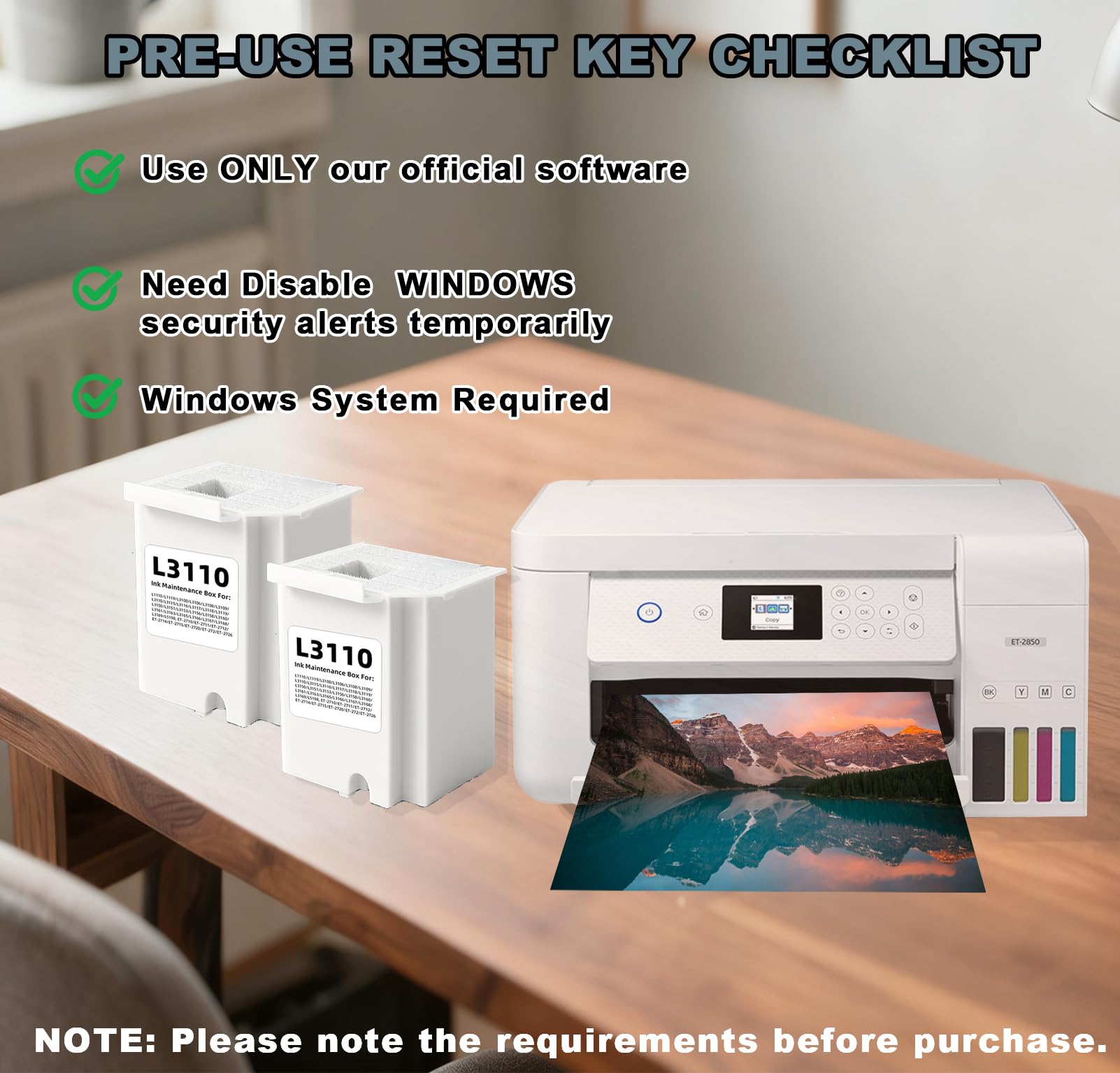
Very easy to install. Works just as good. The application that is needed for it does not work with Mac only Windows. But just look up a YouTube video and it shows you how to get it done on a Mac. You will need the wire for the printer to the computer. Price is good as well. Thats why I picked this one.
J**G
Awesome directions on install process. Printer USB cable is NEEDED to complete counter reset.
These Gubffon waste ink pad replacement tanks are amazing. The company has gone above and beyond with the written directions, right down to the counter reset online instructions, they are easy to follow, plain text with clearly defined photographic images. Tank install literally took about five minutes, counter reset took a bit longer, but as my computer decided to do updates, typical, so I am unsure of the exact timing. Once installation was completed, I needed to do printer maintenance, but mainly due to my printer having not been used in quite a while. My Epsom 2720 is running like new. Would highly recommend this product. ***A USB printer cable is needed for counter reset***
Trustpilot
1 day ago
4 days ago