Some deliveries may take a little longer than usual due to regional shipping conditions.

DOWNLOAD THE APP


Customer Services
Copyright © 2025 Desertcart Holdings Limited
DOWNLOAD THE APP
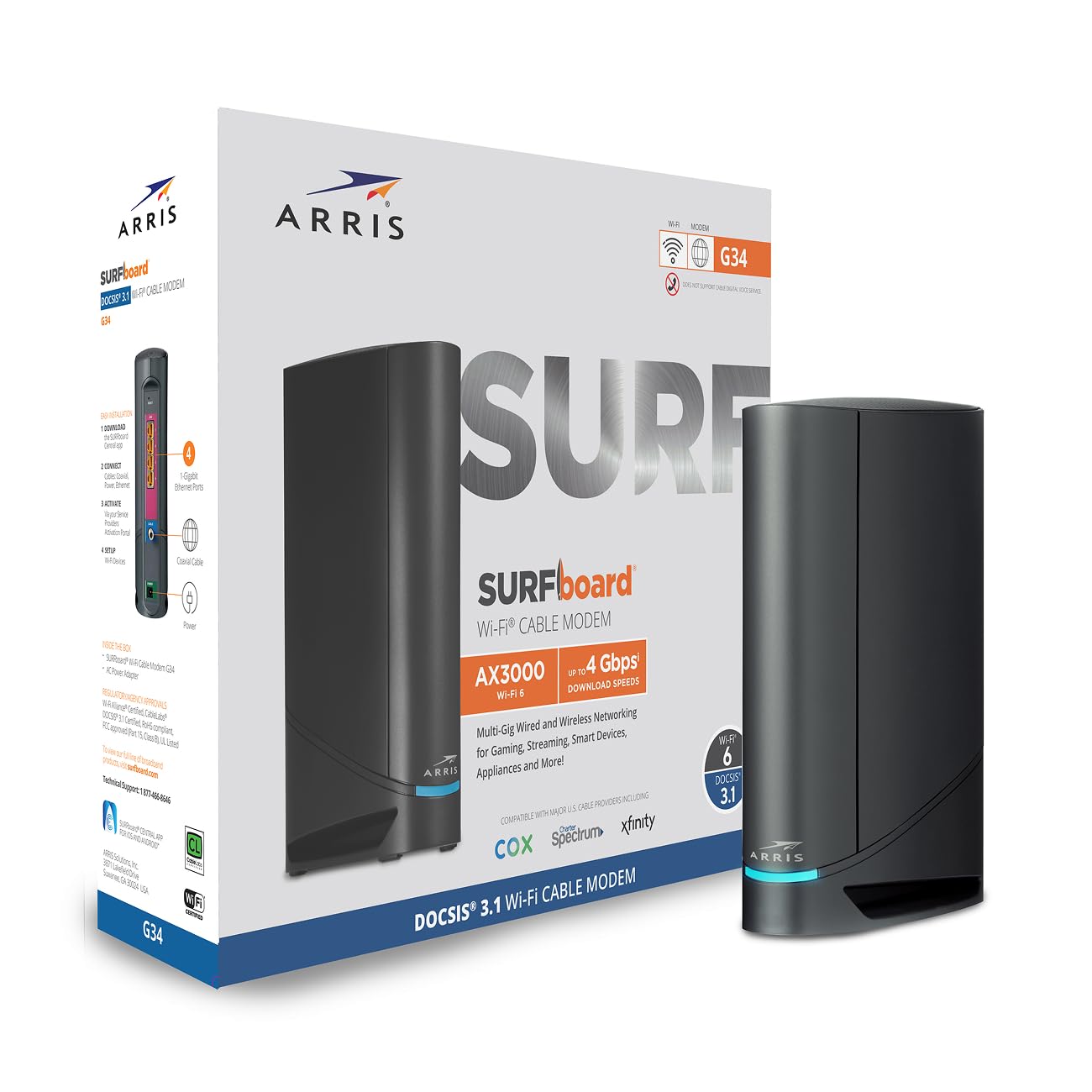
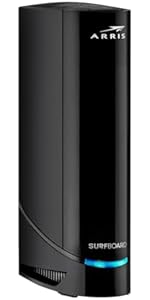
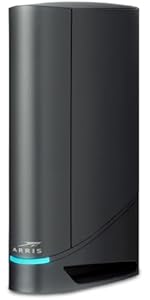
🚀 Surf the future with ARRIS G34 — where speed meets smart connectivity!
The ARRIS Surfboard G34 is a cutting-edge DOCSIS 3.1 cable modem and Wi-Fi 6 router combo delivering up to 1Gbps wired speeds and 3000Mbps wireless performance. Compatible with major US cable providers like Comcast Xfinity, Cox, and Spectrum, it features four gigabit Ethernet ports and advanced network management via the SURFboard Central app. Designed for professionals seeking reliable, high-speed internet with easy setup and robust parental controls, the G34 is a future-ready solution for seamless streaming, gaming, and remote work.










| ASIN | B096W716BY |
| Batteries Included | No |
| Batteries Required | No |
| Brand | ARRIS |
| Compatible Devices | iPhone, cell phone, tablet, computer, streaming devices, smart TV, IOT devices |
| Connector Type | Ethernet, WAN, Wi-Fi |
| Country of Origin | USA |
| Customer Reviews | 3.7 3.7 out of 5 stars (2,910) |
| Data Transfer Rate | 3000 Megabits Per Second |
| Date First Available | 15 June 2024 |
| GSM frequencies | 5 GHz |
| Generic Name | Docsis 3.1 Cable Modem WiFi 6 Router |
| Item Dimensions LxWxH | 25.4 x 7.6 x 20.3 Centimeters |
| Item Weight | 907 g |
| Item model number | G34 |
| Manufacturer | CommScope |
| Model | G34 |
| Model Name | ARRIS Surfboard G34 DOCSIS3.1 Cable Módem y Router Wi-Fi 6 |
| Mounting Hardware | modem router, power cord |
| Number of Ports | 4 |
| Number of items | 1 |
| Operating System | Linux |
| Product Dimensions | 25.4 x 7.62 x 20.32 cm; 907.18 g |
| Radio bands supported | 2Ghz, 5GHz, Dual Band |
| Special Features | Internet Security, Guest Mode, Parental Control, Access Point Mode, Alexa Compatible, Beamforming, QoS, LED Indicator, WPS |
| Voltage | 120 Volts |
| Wireless Type | 802.11ax |
O**L
Katastrophe, was dem Kunden hier verkauft wird. Das Surfboard ist für dem US Markt bestimmt, wird aber über Amazon DE verkauft. Das Gerät hat somit kein EU Stecker und lässt sich auch nicht bei den deutschen Providern registrieren.
W**E
This review is for the Arris Surfboard G34. I purchased this combo modem/router to replace my old one. When using Cox, note that you can't just plugin the new device and start using it -- you always need to call their technical support team to have them unregister your old device and register your new one. The setup process was easy and straight forward. The most difficult party was getting through to Cox technical support. My previous modem/router used DOCSIS 3.0 technology, so this upgrade gave me a 45% increase in download speed and a 366% increase in upload speed; all without changing my service plan. I saw lots of negative reviews for this device regarding the intermittent internet connections or the failure to connect to the internet. I have not personally experienced either of these issues. For buys who have this concern, if possible, I recommend retaining your old hardware for at least 30 days just in case you need to revert back. The product offers an optional mobile app to manage the network. The mobile app has very bad reviews. My recommendation is to configure your wireless network using your web browser first, then configure your mobile app after. Most of the negative reviews appeared to be from users attempting to perform the initial configuration using the mobile app. PROS: - Easy to install. - Fast wireless speeds. - Optional mobile app. - Modem and wireless router combined into a single hardware device. CONS: - The single LED status light makes it difficult to determine the state of the modem (see below). - When you rename a device using the web interface, those names do not carry through on the mobile app. FEATURES NOT ADVERTISED: - Free mobile app called 'SURFboard Central.' The mobile app allows you to see what devices are connected to your network, assess your network health, test your Wi-Fi speed, and even rename connected devices. The app was easy for me to use, despite the negative reviews. - You can setup a primary home network, a secondary home network, and a guest network. Each network includes a 2.4GHz and 5.0GHz SSID. COLOR CODES: - Solid Green LED: Indicates the Online status is in DOCSIS 3.0 mode. - Solid Blue LED: Indicates the Online status is in DOCSIS 3.1 mode. *This is the color you want to see. - Blinking Green LED: Indicates downstream and upstream channel search. - Solid Amber LED: Indicates the unit is powered on. - Blinking Amber LED: Indicates the firmware download is in progress. - Blinking Blue and Green LED: Indicates error mode in sequence. - Solid Light Blue LED: Indicates the WAN is selected over the Ethernet mode.
W**3
Update to further reduce stars after a terrible 10 days with this. Looking for replacement, as even with band steering off, tedious manual traffic management, this full-on chokes and loses all internet connection multiple times a day, for long enough that connection to work vpn and important teams and zoom meetings are lost. We get fast and decent coverage when it is connected, but it will inevitably glitch out at the worst times. We need a connection that won't drop out long enough to disconnect work vpn or lose zoom or teams meetings, and this seems unable to provide that. Our 400mps xfinity service is not the problem, as we hardly ever had noticeable disconnects with the old TG1682G - and those were traceable to a reported xfinity outage, not the gateway issues that are clearly down to the G34. That old TG1682G was replaced only to save on rental fees, and the G34 specs made it seem like a solid choice, but it is not. You can see in the xfinity app that the G34 is offline, and in wifi details on any and all devices. However, Arris seems to be working hard to make you think it isn't their problem. The light on the gateway will stay blue like nothing is wrong, and the dumb surfboard app makes it appear connected, shows all the "connected" devices, and shows good results in speed test, but that is only gateway-to-device. Just in the short time since this was purchased, Arris popped up a note saying their speed test is no longer available to test gateway-to-service-provider, so you see decent wifi speeds, but have no actual internet during these frequent hiccups. Set up with Surfboard app, plus Xfinity app, was no problem, and wifi distance is generally good. However, unlike the older Arris I rented from xfinity for years, this thing is much more prone to causing video meetings, work vpn, etc. to drop out briefly, but long enough that they fully disconnect. This glitching is mostly due to the band steering, I believe, and they do tell you in arris documentation that disconnections can be a problem if you select to have your 2.4 and 5ghz bands integrated and use the automatic band steering traffic management option. (EDIT, turns out this is not the only thing causing disconnects, every day.) It seems really stupid in this day and age to not have decent band and channel management from a gateway like this. It is so frustrating that I can't have the benefits of automatic smart traffic management, and I've not easily found a way to override the glitchy steering for just one or two important devices. Instead, I've had to separate the bands and try to get the household to manage our traffic ourselves, to be sure I won't drop out of an important zoom or teams presentation. That's just crazy after my old gateway handled this fine for as far back as I can remember, managing not to visibly drop the connection while switching bands for laptops and portable devices that sometimes should be on 2.4 (better able to handle long distance from router, or not needing much bandwidth at the moment) and sometimes should be on 5.0 (more robust when close enough). I will also note, besides the band-steering drop outs, this gateway has totally lost connection with xfinity a couple of times in one week, with no outage noted by xfinity. That nearly never happened with the old gateway, and only when there was a noted outage on xfinity's part. (EDIT, still happening, all the dang time. So MANY resets.) After having more embarrassing dropped meetings and work projects in one week than in the last three years, I'm sad that the much older Arris gateway was much smarter than this G34.
A**R
Xfinity is Horrible.. I pay for 400 Mb upload and 400 Mb download bandwidth, I get only 80 Mb download and 11 Mb upload. I have my own brand new(6 months old) Arris Surfboard G34 DOCSIS 3.1 Gigabit Cable Modem at home right from beginning of this service. When I signed up for this plan, I got 400 MB speed for a month and everything was excellent. Later on Xfinity did some upgrade in my area, which made my internet speed drop to 80 MB. I have a Xfinity technician friend, he confirmed it, he said if I call Xfinity they will send technician home and complain it's the issue with Modem and not their network. Charge me Technician visit charges. He had a device, showed me why they would say my Modem is bad and he explain which upgrade made my service bad too. He said, if I want to stay with Xfinity and get 400 MB speed, spend another 300$'s get another modem and keep doing this for every 2-3 years. He said, Xfinity knows this pretty well, they will pretend as they don't know the issue and they will send technician home, get ready to pay technician visit charges. I still tried to talk to Xfinity Operator about internet speed issue, I get to speak to offshore representative, she try to play innocent, give me repetitive explanations. They offered sending technician home. By now, I know where I am going with this. Right now, I don't have any other internet service provider option in my area to switch. I have to bite it, I have to pay for 400 MB and get 80 MB i.e., with wired connection. Wireless is even horrible its just 11MB download and upload of 3.4 MB. If I bring down my service package to 100 MB, I get 20MB or even less. Every thing will be alright if I take the Modem from Xfinity and pay 15$'s extra a month. I would say stay away from Xfinity, I feel like I am getting cheated and I cannot do anything about it
R**O
Below is my original review. Arris made good on replacing the Surfboard G34 DOCSIS 3.1 Gigabit Cable Modem & Wi-Fi 6 Router (AX3000). I had spent time with Sparklight support confirming that the original one had stopped working. I reached out to Arris Tech Support and after 3 calls they were convinced it was a faulty device. I re-installed an older modem I had and sent back the original one (after getting the RMA and shipping label from Arris). The process went well and within a couple of weeks I received the replacement. Went through the setup and got everything setup. I'll see how long this one lasts. I thought it fair that I update my review since they did replace it. ----------- Original Review below ------------------------ Easy to install. Worked with my carrier Sparklight. Upgraded after finding that I had paid for upgraded service for several months but since I owned the previous modem, they didn't bother to tell me the older modem wasn't compatible with the service I was paying for. I purchased this modem/router for the upgraded service and the install was pretty straight forward. It worked pretty well for about 5 and a half months. I then had problems with the router. Did a factory reset but I couldn't rename my router to what I had setup all my "smart home" accessories to access, so I purchased a new router. Everything worked really well for about 2 weeks and then the modem started not connecting all the time. It finally got to the point that it wouldn't connect at all. Called Sparklight and they confirmed the internet service was working and the modem was not connecting. Supposedly this was the third Arris G34 modem with an issue for the day. Said it might be a firmware update. Unfortunately I rely on my internet connection for work so I'll be going to my nearest Sparklight location to pickup a rental modem. Funny how the cable companies end up getting you in the end. I feel like I wasted $200 on this Arris G34.
Trustpilot
2 weeks ago
1 month ago