
DOWNLOAD THE APP


Customer Services
Copyright © 2025 Desertcart Holdings Limited
DOWNLOAD THE APP
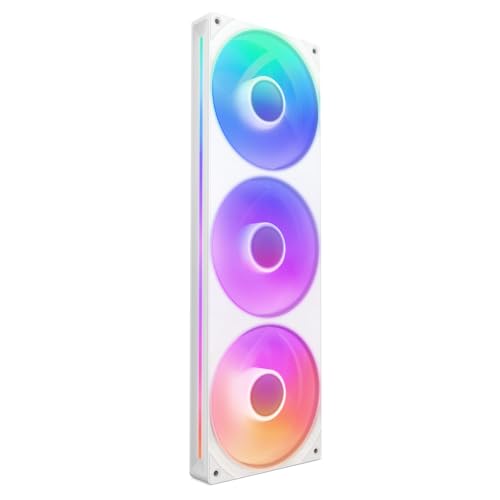

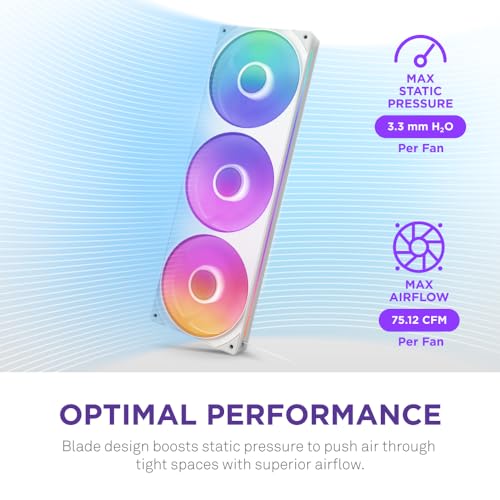
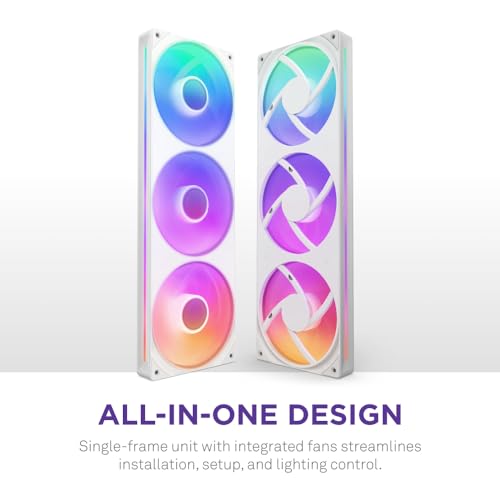


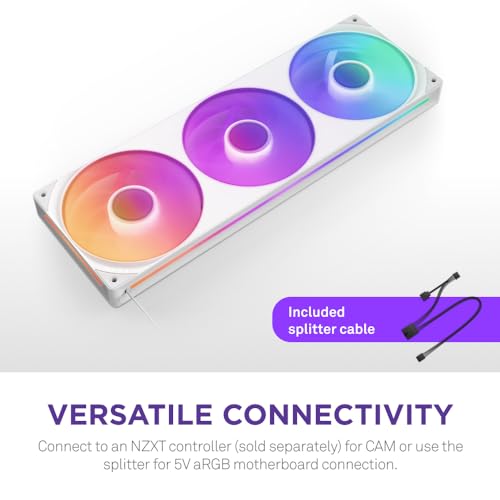


❄️ Cool your rig, light your style — all in one sleek frame!
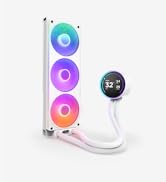
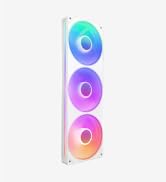
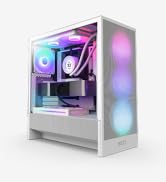
The NZXT F360 RGB Core is a 360mm single-frame cooling unit featuring three 120mm high static pressure fans with fluid dynamic bearings for quiet, durable performance. Each fan includes 8 individually addressable RGB LEDs for customizable lighting controlled via NZXT CAM software or motherboard ARGB headers. Designed for easy installation and clean cable management, this white unit delivers strong airflow and vibrant aesthetics, ideal for professional builders seeking both performance and style.






| ASIN | B0D1RHS6WS |
| Batteries Required? | No |
| Batteries included? | No |
| Best Sellers Rank | 7,669 in Computers & Accessories ( See Top 100 in Computers & Accessories ) 87 in Fans & Cooling |
| Colour | White |
| Customer Reviews | 4.6 4.6 out of 5 stars (1,179) |
| Date First Available | 4 Jun. 2024 |
| Item Package Quantity | 1 |
| Item Weight | 469 g |
| Item model number | RF-U36HF-W1 |
| Manufacturer | NZXT |
| Material | Copper |
| Noise Level | 30 Decibels |
| Part number | RF-U36HF-W1 |
| Product Dimensions | 36 x 36 x 36 cm; 469 g |
| Size | 360mm White |
| Style | RGB Core |
| Voltage | 12 Volts |
| Wattage | 9.48 watts |
D**E
Clean design, strong airflow, and excellent RGB presentation
I installed the NZXT F420 RGB Core as a front intake upgrade, and overall it has been a very positive addition to my system. The single-frame design is the biggest advantage. Installation is significantly easier than mounting three separate fans, and cable management is much cleaner with fewer connections to route and hide. This alone makes it feel more premium and builder-friendly, especially in a glass-panel case where aesthetics matter. Cooling performance is solid. The fans move a lot of air and handle restricted airflow well, which helps keep system temperatures stable under load. At lower and mid RPMs they remain fairly quiet, and while they are audible at higher speeds, the noise level is reasonable given the airflow output. The RGB lighting looks excellent. The illumination is bright, smooth, and evenly diffused through the blades, giving the system a polished, high-end appearance. RGB synchronization through NZXT CAM or motherboard ARGB headers works reliably and is easy to configure. Build quality feels robust, with no rattling or vibration once mounted. The frame and fans feel well-constructed and consistent with NZXT’s overall design language. The only real downside is compatibility—you need a case that supports a 420 mm single-frame fan mount, which limits options. It’s also more expensive than standard fans, but the convenience, looks, and performance help justify the cost. Overall, the NZXT F420 RGB Core is an excellent choice for builders who want strong airflow, clean cable management, and standout RGB in one integrated unit. Highly recommended for compatible cases.
A**N
Top Quality item that keeps your PC cool and stylish
NZXT make quality components and this fan array is no exception. It's solid, well made and works as advertised. It's not noisy and shifts a good amount of air at all speeds. The three 120mm fans are RGB LED enabled so depending on how you connect to your motherboard can be set to the illumination you want. Having only one each of fan-header and LED header connectors means less cable clutter. There are rubber pads at each mounting point to help dampen any possible vibration and the mounting screws are provided. A highly recommended item. However I purchased an Amazon Return/Resale "Used - As New" item: the screws were missing and the fan cable was stuffed into the box with zero care twisting it nastily all over the place. Luckily this hadn't cut the cable and I had some spare screws to hand.
J**N
Smart looking, great rgb and airflow.
Really smart! These fans are easy to use and with 1 cable for 3 fans, great for cable management. They look neat and perform with great airflow. I got this to replace my aio cooler fans so it matches the others that came in my case. I have a recess in the bottom of my case to fit these in but can see if you have a case with bottom mounted fans this style will really clean up the look. Nice and quiet too.
M**Y
Excellent dual fan with great cooling
I bought these NZXT F240 RGB fans at the same time as the NZXT H5 Flow case which came with a triple fan installed. I have had a couple of NZXT cases but this is the first time using their fans. I am familiar with the NZXT CAM software and both sets of fans were picked up easily, what I like about these is how easy they are to install over single fans. Using the software you can adjust the brightness and colour, there are a number of preset effects too that will suite most people's preferences. What I do like is the ability to customise the speed of the fans in the software and ultimately the noise of them. At top speed they are noticeable, but when paired with the H5 case I do not need to set them higher than 50% as the air flow is so good. Under workload or gaming I am seeing about 10 degree Celsius drop in temps compared to my last case and fans, cpu cooler is the same. I think for the build quality and price these are excellent value for money.
C**S
Great idea, bit pricey.
I currently have a 7800X3D system inside a Thermaltake Tower 200 case. The Tower 200 has a specific side-mounting bracket for 120mm or 140mm fans, so I went with the F280 140mm frame here. The advantage of the "single frame fan" is that you can run 2 fans from a minimum of a single cable, so you basically just screw the fans into place inside your case, connect up a fan header, and you're done. You can use a PWM fan header (4 pins) which will dynamically change the fan speed based on system temperatures. If you also have an RGB controller system either on the motherboard itself or a seperate controller box, you can change the lighting effects on the fan too. I believe you can also use the F280 as fans for a CPU liquid-cooling AIO radiator. Out of the box, the F280 has a proprietary NZXT connector on the cable, but you also get an adapter included which will work on any 4-pin fan header and any 5-volt RGB controller and which also lengthens the cable by about 20cm. The cabling is long enough that I was able to use my motherboard's SYSFAN and JARGB_V2_2 connectors on opposite corners of a microATX motherboard without stretching or straining anything. Once connected up, you can now fiddle with various settings inside your BIOS cooling tab or whatever software your motherboard uses. I have an MSI motherboard, and the built-in "Mystic Light" setup on it works with the F280 here. I set up the F280 to reflect the CPU temperature, changing colour from Green > Red as the CPU heats up with use, and you can have loads of different other visual effects according to whatever RGB controller you're using. In use, these 140mm fans aren't totally silent, but neither are they especially noisy. In the attached video, you can watch them cycling colours as I launch 3DMark and the CPU & video card rev-up (the mic is also right next to the case; it's not as loud as it sounds !). It's all fairly easy to set up, just depending on how easy your case is to access things. Annoyingly, the F280 fans don't have an airflow direction marker on the frame anywhere, and the first time I set it up it was backwards, sucking air out of the case rather than pulling it in, so I had to unscrew it all and flip it around, although with the Tower 200 and the F280, this only takes 5 minutes in all. It's also a little pricey, I think - fundamentally, these are just two medium-sized fans....for £45......but you also only need 2 connectors to get it all running. If I'd gone for 2 individual fans instead, I'd need to have checked I could daisy-chain them, or use multiple fan headers etc. etc. and this is basically a much simpler way of doing things overall. There are also not many of these double fan setups out there to buy in the first place, which kinda limits your options.
D**S
Um dos melhores coolers que utilizei em meu computador. Recomendo fortemente tudo dessa marca nzxt eh incrível. É caro, mas vale cada centavo.
S**E
Fonctionne super bien il y a deux prises pour les ARGB donc peut fonctionner avec n’importe quel système (Peut être connecté à un adaptateur autre ou à son adaptateur d’origine Nzxt) les couleurs sont vives et ne clignote pas
A**.
1. **Design und Ästhetik:** - Der F360 RGB Lüfter besticht durch sein attraktives Design und die integrierte RGB-Beleuchtung. Die Beleuchtung kann in verschiedenen Farben und Effekten angepasst werden, was zur visuellen Attraktivität des Systems beiträgt. - Die RGB-LEDs sind hell und gleichmäßig verteilt, wodurch der Lüfter ein auffälliges Element im PC-Gehäuse wird. 2. **Kühlleistung:** - Der F360 RGB Lüfter bietet eine solide Kühlleistung und ist in der Lage, eine beträchtliche Menge an Luft zu bewegen, was zur effektiven Wärmeabfuhr beiträgt. - Er eignet sich gut für den Einsatz in Kombination mit Radiatoren oder als Gehäuselüfter, um die allgemeine Luftzirkulation im System zu verbessern. 3. **Geräuschpegel:** - Einer der Vorteile des F360 RGB Lüfters ist sein leiser Betrieb. Selbst bei höheren Drehzahlen bleibt der Lüfter relativ leise, was ihn ideal für Benutzer macht, die ein ruhiges System bevorzugen. - Die Geräuschpegel sind niedrig, ohne die Kühlleistung zu beeinträchtigen, was zu einem ausgewogenen Betrieb führt. 4. **Installation:** - Die Installation der F360 RGB Lüfter ist einfach und unkompliziert. Die Lüfter werden mit allen notwendigen Befestigungsmaterialien geliefert und sind kompatibel mit den meisten PC-Gehäusen. - Die Integration der RGB-Beleuchtung erfordert jedoch eine Verbindung zu einem RGB-Controller oder einem kompatiblen Mainboard, was je nach Systemkonfiguration variieren kann. 5. **Software und Steuerung:** - Die NZXT CAM-Software ermöglicht eine umfassende Steuerung der RGB-Beleuchtung und der Lüftergeschwindigkeit. Benutzer können individuelle Beleuchtungsprofile erstellen und die Leistung an ihre Bedürfnisse anpassen. 6. **Preis:** - Die F360 RGB Lüfter sind im höheren Preissegment angesiedelt, was angesichts der Qualität, der RGB-Funktionalität und der Leistung gerechtfertigt ist. - Sie bieten ein gutes Preis-Leistungs-Verhältnis für Benutzer, die Wert auf Ästhetik und leise Kühlung legen. **Zusammenfassung:** Die NZXT F360 RGB Lüfter sind eine ausgezeichnete Wahl für Benutzer, die ihr System sowohl ästhetisch aufwerten als auch eine effiziente und leise Kühlung sicherstellen möchten. Sie bieten eine starke Kühlleistung, eine ansprechende RGB-Beleuchtung und sind einfach zu installieren. Die NZXT CAM-Software ermöglicht eine einfache Anpassung und Steuerung. Der höhere Preis ist durch die Qualität und die gebotenen Funktionen gerechtfertigt.
L**.
Quedé fascinado, funciona a la perfección además que es muy lindo estéticamente, recomendadisimo
M**W
Very easy installation and works brilliantly.
Trustpilot
2 months ago
1 month ago