
DOWNLOAD THE APP


Customer Services
Copyright © 2025 Desertcart Holdings Limited
DOWNLOAD THE APP
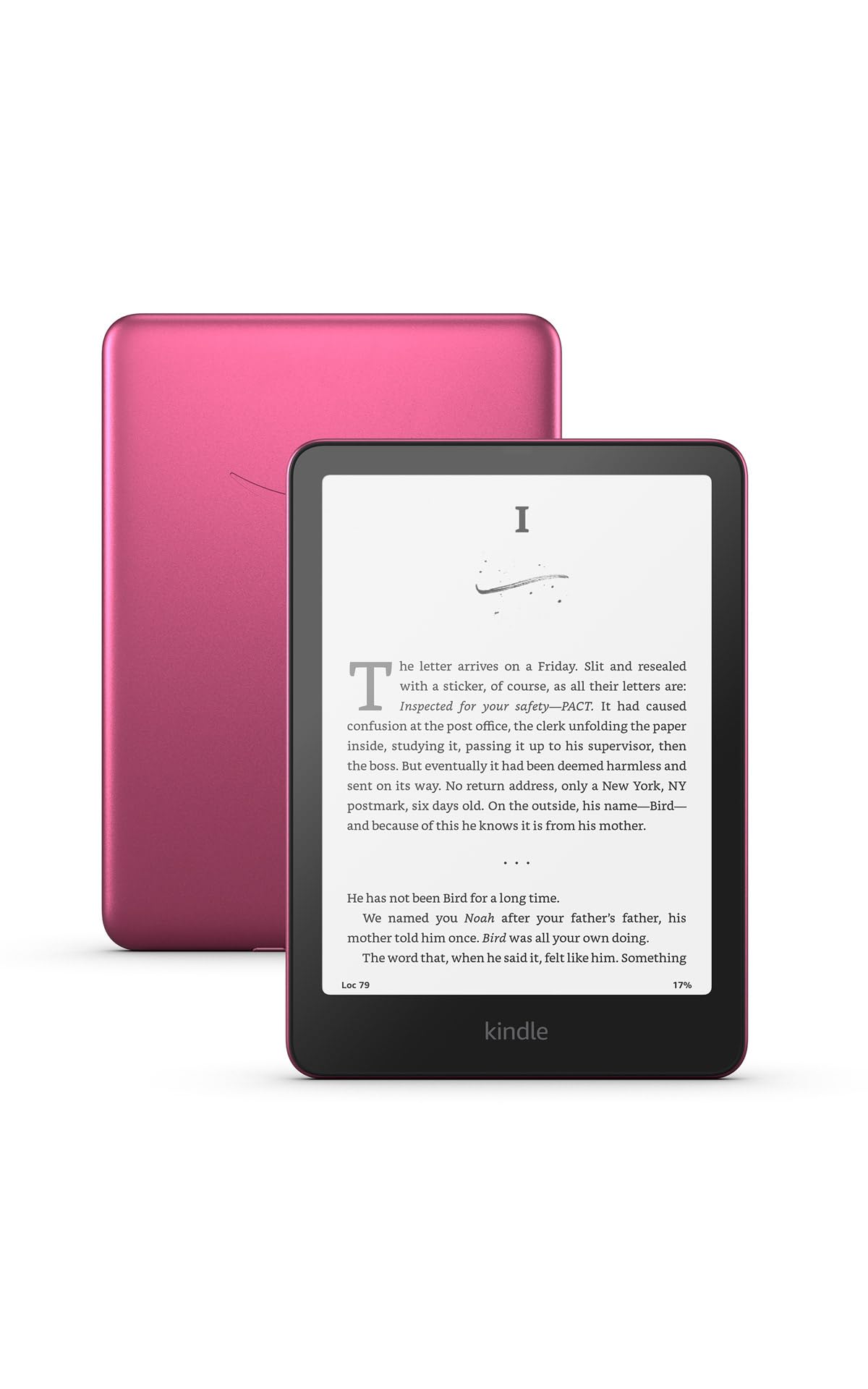
📚 Elevate your reading game—faster, smarter, and wirelessly charged for the modern book lover.
The Amazon Kindle Paperwhite Signature Edition 32GB (2024) is the fastest Kindle yet, featuring a 7” high-contrast display with 20% faster page turns, adaptive front light, wireless charging, and an ultra-long 12-week battery life. Its waterproof design and massive 32GB storage make it perfect for immersive reading anywhere, anytime.
| Display | Amazon's 7” Paperwhite display technology with built-in front light, 300 ppi, optimized font technology, 16-level gray scale. |
| Size | 5” x 7” x 0.3” (127.6 x 176.7 x 7.8 mm) |
| Weight | 7.5 oz (214g). Actual size and weight may vary by configuration and manufacturing process. |
| System Requirements | None; fully wireless and doesn't require a computer to download content. |
| On-Device Storage | 32 GB; holds thousands of books. |
| Cloud Storage | Free cloud storage for all Amazon content. |
| Battery Life | A single charge lasts up to twelve (12) weeks, based on a half hour of reading per day with wireless off and the light setting at 13. Battery life may vary depending on use. Audible audiobook streaming over Bluetooth will reduce battery life. |
| Charge Time | Fully charges in less than 2.5 hours with a 9W USB power adapter. |
| Wi-Fi Connectivity | Supports 2.4 GHz and 5.0 GHz networks with support for WEP, WPA, WPA2, WPA3, and OWE security using password authentication or Wi-Fi Protected Setup (WPS). Does not support connecting to ad-hoc (or peer-to-peer) wifi networks. |
| Accessibility Features | VoiceView screen reader, available over Bluetooth audio, provides spoken feedback allowing you to navigate your device and read books with text-to-speech (available in English only). Kindle Paperwhite also includes the ability to dark mode adjust font size, font face, line spacing, and margins. Learn more about Accessibility for Kindle. |
| Content Formats Supported | Kindle Format 8 (AZW3), Kindle (AZW), TXT, PDF, unprotected MOBI, PRC natively; PDF, DOCX, DOC, HTML, EPUB, TXT, RTF, JPEG, GIF, PNG, BMP through conversion; Audible audio format (AAX). Learn more about supported file types for personal documents. |
| Documentation | Learn more about Kindle devices with our Quick Start Guide and Kindle User Guide. |
| Warranty and Service | 1-year limited warranty and service included. Optional 1-year, 2-year or 3-year. Extended Warranty available for U.S customers sold separately. Use of Kindle is subject to the terms found here. |
| Included in the Box | Kindle Paperwhite Signature Edition, USB-C charging cable and Quick Start Guide. |
| Waterproofing | Waterproof (IPX8), tested to withstand immersion in 2 meters of fresh water for 60 minutes. Learn more about the waterproof Kindle Paperwhite. |
| Available Colors | Metallic Black, Metallic Raspberry, and Metallic Jade |
| Generation | Kindle Paperwhite Signature Edition (12th Generation) - 2024 release. |
| Software Security Updates | Learn more about these software security updates. If you already own a Kindle, visit Manage Your Content and Devices for information specific to your device. |
T**L
I love my Kindle! Update!
I have had my Kindle for over a month, and I am still excited about this Kindle. However, I just saw that it is on sale (Black Friday Deal), and I wanted to cry. It is now $45 less than what I paid (excluding the cost of the charger and case; add another $60 to that $45 (Ouch!)). Then, I had to have a talk with myself, and it went like this: Trinigal, stop being upset! You are fortunate to have purchased a Kindle that works well, and doesn’t have issues (like others who have shared the dissatisfaction with their Kindle). You are still enjoying your reads and always looking forward to your next read. I then chuckled to myself, and said that the title of the next book I select should be: When is the right time to buy a Kindle? My original review is below: This is my first Kindle, so I don’t have any other Kindle to compare it to. I usually read a physical book, books on my Computer, IPad or iPhone. This Kindle makes a difference in my ability to relax while reading a book. It is an awesome device that is portable, light weight, and convenient. Although I like reading on my IPad, it will no longer be my go to device for reading (When you know better, you do better). My house is full of unread books that I bought over the years, and that really bothers me because I just couldn’t find the time to read (being a professor with lots of other academic books to read, I gave those academic books priority over a good novel). Now, I am at the point where I want to read books for relaxation purposes. I chose the Kindle Paperwhite Signature edition as part of my incentive to read a good book. I researched this Kindle for an entire month before investing in it. Let’s get to the workings of the Kindle: This 7 inch Kindle is easy to hold in my hands. The IPad truly strained my hand when I tried to use only one hand when reading. At times, I had to lean the IPad on my thighs for support. Now, there will be no more hand to thighs when reading! The Kindle set up was very easy, and user friendly. I did not experience any problems connecting to the internet. After set up, with bated breath, I waited to see how the pages turned on the Kindle, and if I will find any fault with the action of turning the pages of the book I was reading. I am happy to say there was none; no noticeable long lag time, no problems were experienced with the turning of pages on this Kindle. Then I squinted my eyes, opened my eyes wide, I turned the Kindle upside down, and side to side while turning to the next page of my book; I was trying to see if there will be any trace of the previous page as I turn to the next page ( ghosting; some users experience an imprint of the former page while moving to the next page of their book). Happy to report, I tried hard to find a problem with that but I found none. What about the battery? The battery charged very quickly, and there was no problem during that process. I did charge the battery with the case on the Kindle, (as the picture shows). The Kindle came with an 80% charge and in 30 minutes (or less) it was fully charged (100%). I am hardly ever swayed by reviews: Sometimes reviews work as an incentive, or a deterrent….I always say, try an item out and make your personal decision. This Kindle is a keeper, and I am also going to purchase the new Color Kindle Colorsoft. Conclusion: This Kindle paper white Signature Edition , Gen 12/32 GB, is truly made for reading. It is certainly a handy device for traveling, and reading on the go. It is easy on the eyes, and therefore, easy on the brain. The raspberry color is really nice, and I plan on buying an extra clear case so that I could easily see the vibrant color of the kindle. I am honestly excited to be part of the Kindle family!
T**G
The best ereader available
I absolutely love the Paperwhite. The 7” screen is ideal for portable yet enjoyable reading. It’s large enough for my 40+ eyes to see a full page at a reasonable font size, but lightweight and portable. I absolutely love the green color. It’s beautiful. With the backlight, distraction free reading, and anti-glare screen, it just doesn’t get better than this for a daily driver.
A**M
My Personal Library in My Bag….
I’ve always wanted a kindle and finally decided to purchase one. I really enjoy using it to read on the go, it’s very portable due to its size (very light and semi thin) it can fit in most purses/bags. It also holds battery life for a very long time and charges really fast. The screen is the best part, there’s no glare and it’s not hard on the eyes, it feels like you’re reading the actual hard copy book. Far as price, If you can wait until it’s on sale or buy it second hand. Overall, I would recommend it, especially if you read a lot or have a kindle unlimited subscription like I do.
T**R
Worth it
I have owned several kindles over the years and this is BY FAR the best. What surprised me the most was the speed -- in the past, my kindles have been laggy when unlocking or turning pages. However, this kindle does both almost instantly. It's a noticeable improvement in speed. The build quality is quite good. It's lightweight and pleasant to hold in the hand. I usually prefer using it without a case around the house, because I think the reading experience is much better that way. My only gripe with the build quality is that the back panel has a bit of a "plastic-y" feel to it. If you tap on it with your finger, it feels hollow instead of solid. That makes the device feel cheaper, but you won't notice it with a case, and honestly it's not a big deal anyways. In terms of screen quality, it's excellent. The text is super sharp and the pages look like a real paper. It's quite astounding how good these displays have gotten. I would rate this 5 stars overall. It's a bit pricey, bit it's definitely worth the money. Wonderful device.
A**R
Fantastic
I’m honestly so impressed with my Kindle Paperwhite Signature. It’s noticeably faster than previous models, with quick page turns and smooth navigation that makes reading even more enjoyable. The lightweight design makes it easy to hold for long reading sessions without any hand fatigue, and it’s sleek and cute without feeling fragile. The screen is crisp, the lighting is easy on the eyes, and adjusting brightness is effortless. It’s also incredibly easy to use, even if you’re not super techy — everything feels intuitive and simple. I love how portable it is; I can take it anywhere and read comfortably. If you’re on the fence about upgrading or buying your first Kindle, this one is absolutely worth it. I couldn’t be happier with it!
T**2
Gen 12 Paperwhite (32Gb)
I recently purchased a new Gen12 Paperwhite (signature edition) because my Gen6 Paperwhite was having issues with not holding a charge on car trips. (Weird, right?) After using the new Gen12 Paperwhite for a couple of weeks to get used to the changes from my previous device, my general conclusion is that it is a decent device. However, I cannot say it's worth paying full price. (The "Black Friday" sale and a trade-in discount made the purchase much more palateable.) There are pros and cons to any new tech, and the Gen12 is no exception. Here are my thoughts. Pros: - It is much faster on start-up and restarts than the Gen6, which seemed to get slower over the years. - Dark mode. For some of us, this is MUCH easier on the eyes. - Library list mode now includes a cover thumbnail. - "Sleep Mode" displays the cover of the book you are currently reading - Large storage capacity - You can still customize your viewing "theme" and add your preferred font via computer. - Blutooth connection for headphones/earbuds and "voice view" (Your kindle will read to you, a feature that Gen6 did not have, but the old Kindle Keyboard version did have.) I have not tried this yet, but it is nice to have the option again. (Currently, this is only available in English.) Things I'm still undecided about: - "Tap to Turn" zone for page changes. It's convenient to not have to swipe, I suppose, but every accidental bump to the screen changes the page. This may be something that will sort itself as I grow accustomed to the devide -- it's too early to tell. - The default "Home Screen" looks like Kindle for Android app, with a "carousel" ribbon of your library at the top, recommendations from the Kindle Store, and Reading Insights. However, you can customize this to only show your library, if you desire. - "Warmth" setting for screen light. I'm still trying to get a handle on this one. So far, it seems that I my light options are white, parchment, or something so yellow the page is illegible. Cons: - During Set-up, I did not have to enter my wi-fi password. Apparently, Amazon pulled this sensitive information from one of my other devices (Gen6 or Firestick). Personally, this makes me EXTREMELY uncomfortable. I am unaware of giving Amazon (or anyone else) permission to store a password anywhere other than on the actual device, and certainly not to retrieve it to transmit elsewhere. - The device automatically wakes when I open my cover. (Personally, I preferred the "Swipe to Wake" feature of Gen6.) In a household with small children and/or cats who play with everything, this can be problematic. - In Dark Mode, there is a brief flash of white light when turning the page. For me, it was annoying enough to stop using dark mode. Is this normal or a device defect? I do not know, but I'm hoping for an update/software patch that will fix this bug. - The side edges of the device are VERY narrow. Because I normally hold the device side, I have frequent accidental page turns. - There is no option for continous page scroll. (One of the better features of Kindle for Android, in my opinion.) While this feature isn't strictly necessary, if this could be added via a software update, that would be GREAT.
D**K
Big Upgrade From Older Kindles
This is a big upgrade from my original kindle. It’s faster and the screen size is larger, brighter and more crisp. It also has slimmer bezels. It took a little time to get used to the larger size as I like to hold my kindle one handed. Overall, I recommend this Kindle. It’s easy on the eyes and has a long battery life.
K**X
Bad first impression, but now I love my Kindle Paperwhite. Love it!!
I have left my original review at the end of this edit, out of hubris. I have since learned how to properly manage my new Paperwhite with the help of Grok AI. At first setup of my Paperwhite, it appeared as though it had downloaded all 625 books my wife and I share. It turns out, it had downloaded the titles and icons as placeholders or reminders for me to choose which books I wanted on my Paperwhite. With the help of Grok, I learned the VERY easy trick of creating a Collection in which I could download and put the books currently on my reading list. When I say easy, I mean easy. I now have the 20-some books I regularly read and use as my visible and simple to manage Library. So elegant! So, a real review. First of all, so light and easy to hold. Impossibly thin. How do they do that? Then the screen, a beautiful glare resistant and clear screen, readable in all indoor light, including by a sunny window. I had bought a case for this Kindle, but I find the naked Kindle nicer to hold. I have a discovered the double-tap, which lets me turn the page with a light double tap of my finger on the back of the Kindle, which I can do without moving my hand or changing my grip. So much more convenient than swiping to tapping the screen. This Paperwhite replaces my Oasis, which had buttons on the side of the screen that served as page-turners. I greatly prefer the double tap on the back of my Paperwhite to the buttons on my Oasis. I did my morning reading with my new Kindle, about two hours, and found the experience super comfortable, easy and convenient. I charge my Paperwhite on a stand, which works great, and with the supplied cable (which now has the same plug port as my iPhone, making one cable work for both), and found both easy and convenient. I have decided not to get a screen protector, and I will use a slip or slide cover for travelling, rather than the traditional book case. I could go on and on. I super like this Kindle, now that I know how to use it properly. I will leave my original review at the end here, so the reader can see that my problems arose entirely from innocent ignorance. If setting this Kindle up as a replacement, consider using one of the several AI assistants available on line to walk through the process hand in hand. My original review: My Oasis has begun to die, and so I bought a Paperwhite to replace it. When I registered my new Paperwhite, it downloaded ALL of my books and my wife's books. 645 books. I have talked to Kindle support, and I will need to remove my wife's books, one by one, manually. No other option exists. I can't even find my own books in the clutter to move them to top of the grid. A serious flaw, and Kindle support has made me feel as if I did it to myself. I will now spend I don't know how many hours trying to make this Paperwhite usable. Shame on Amazon.
Trustpilot
3 weeks ago
2 weeks ago