
DOWNLOAD THE APP


Customer Services
Copyright © 2025 Desertcart Holdings Limited
DOWNLOAD THE APP
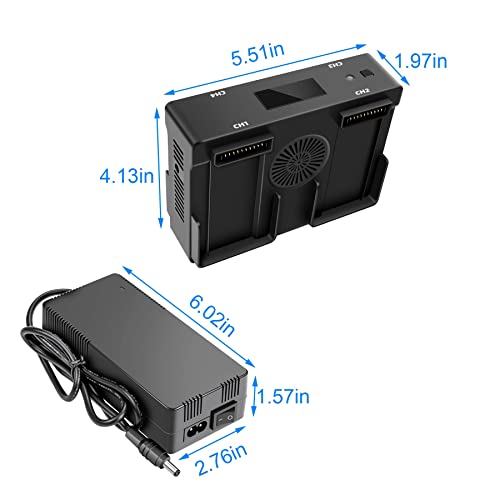
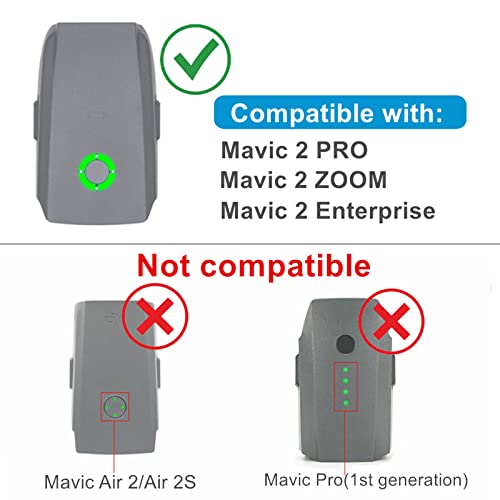


🚀 Power your Mavic 2 like a pro—charge smarter, fly longer!
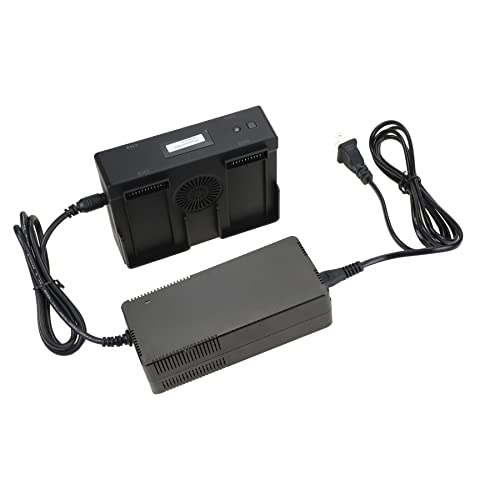
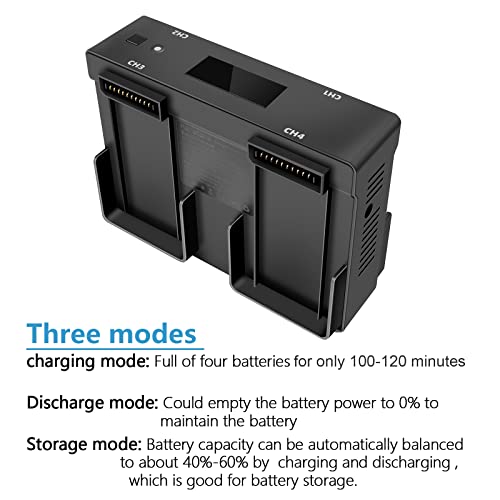
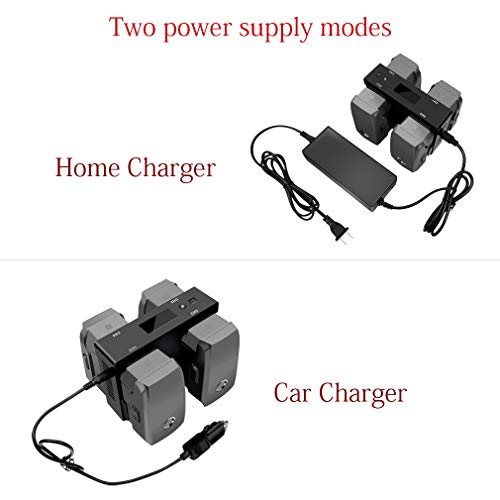
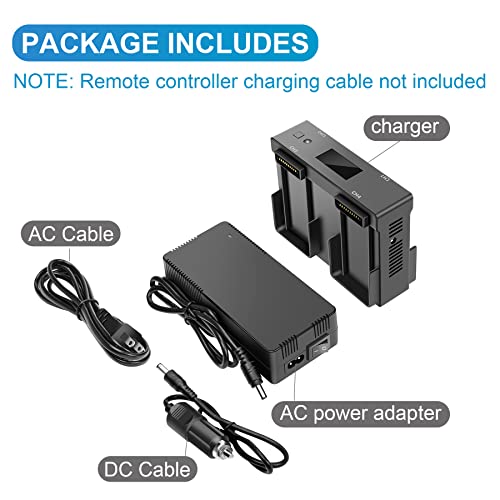
The Hanatora 5-in-1 Battery Charger is engineered exclusively for DJI Mavic 2 series batteries and remote controllers. It supports simultaneous charging of up to four batteries with a max 6A output, featuring smart modes for charging, discharging, and safe storage to extend battery longevity. Equipped with both AC and DC adapters, it offers versatile home and car charging options. The integrated digital display provides real-time battery status, making it an essential upgrade for drone professionals seeking efficiency and battery health optimization.


| ASIN | B07Y9V4GTR |
| Batteries Included | No |
| Batteries Required | No |
| Battery cell composition | Lithium |
| Best Sellers Rank | #334,087 in Toys & Games ( See Top 100 in Toys & Games ) #17,859 in Remote & App-Controlled Toys |
| Brand | Hanatora |
| Charging Time | 120 Minutes |
| Country of Origin | USA |
| Customer Reviews | 4.4 4.4 out of 5 stars (690) |
| Date First Available | 5 September 2024 |
| Item Weight | 712 g |
| Item part number | MAVIC2-024-05 |
| Manufacturer | Hanatora |
| Package Dimensions | 24.9 x 19.5 x 6.2 cm; 712.14 g |
B**R
My background is in electronics, this review will be "gently" technical. This is more than just a great charger, it has 3 important and discreet modes: 1) charge with cell balance 2) storage with cell balance 3) full discharge to zero volts 1) Charging: Plug in up to 4 batteries and they will all charge. Note that when charging 4 batteries, station 4 will initially not charge at a 2 to 3 amp rate as do stations 1 - 3. This is due to max power considerations. As soon as the 1-3 receive a significant charge, station 4 will start to catch up. At about 99% charge, the finish charge will be low current to balance the cells (the battery can be removed at this point if needed. 2) you can plug in your discharged or charged batteries and depending on their individual state, they will be discharged down, or charged up, to 15.4 to 15.8 volts for long term storage. Storing at this charge level prolongs battery life and should be considered if you won't be flying your drone for a few days or more. Storing lithium batteries fully charged stressed them, so this is a useful feature. This is also why Mavic 2 batteries (and probably others) are programmed to initiate a slow self discharge when stored in a charged condition for a set number of days (I believe the default is 10 days, I changed mine to 5 days). But really, it's better not to store them fully charged for any appreciable length of time if it can be avoided - - overnight for flying next morning, no problem. But if flying late morning, then this charger makes it quick and easy to charge 'em all while having breakfast! 3) Another feature is discharge mode . The will discharge a fully or partially charged battery down to zero (0%) which is recommended after every 20 or so charge-discharge cycles for maximum battery longevity. Note that when using the car charging cord, the vehicle's engine will need to be running before plugging in the charger. Otherwise, due to the high current demand, the charger's input voltage will be too low and you will get an error indication on the display.. Noise: Not objectionably at all. Both the AC power adapter and the charging cradle have small muffin style cooling fans to dissipate heat, a necessary design feature when charging with this much power. BTW, no smell noted. All in all, a reasonably priced and far more convenient upgrade compared to the DJI provided charger. Minor cons (communicated to mfg): Add an on/off rocker switch on AC power adapter so one does not have to unplug cord between uses. Add a bit more length to the DC (car charger) cord. Note that due to fairly high current demand, wiring loss (voltage drop across wiring) can be an issue - that's the reason they kept the cord fairly short. As a result, on some vehicles, this leaves no convenient place or rest the charger with batteries - especially when driving (and who wants to sit parked with engine running for an hour to charge batteries?). They could increase wire thickness and add a foot or so to the length with no net loss. I'm very happy with this charger.
V**A
EDIT: IMPORTANT NOTE... When I wrote the original review I had only used it in the "charge" mode. When I went to discharge the batteries for storage I thought I had a defective unit as the batteries would not discharge, even if left overnight. OPERATOR IGNORANCE AND ERROR... BUT SNEAKY FINE PRINT IN THE INSTRUCTIONS. What I came to learn is that, unlike most batteries, THE Mavic 2 BATTERIES *THEMSELVES* TURN ON AND OFF! When attempting to use the Hanatora unit to discharge the batteries ***you must turn them on***, just as if you were powering on your drone! The instructions are in the fine print in the teeny instruction manual that comes with the unit. Something that most don't know before buying is that DJI's batteries should not be stored fully charged long term. They can be set (programmed) to auto-discharge after a specified period, but you need to do that through your Flight Controller and app, one at a time, and then they will discharge as programmed. And, you might already know that DJI's charger, while it will HOLD 4 batteries at a time, it only charges one at a time? Not the Hanotora... The Hanotora charger is a 6amp output and can charge two batteries simultaneously at full 16v 3amp charges. If you hang more than 2 batteries on it they charge simulatneously, but share the 6 amps distributed evenly between the, but simulatneously. But if you have 3 batteries and some DJI charger, you can charge 3 batteries simultaneously at full power and be up and running in minutes rather than hours. Additionally, it has an LED readout so you know exactly what the charger is doing. And I'm told that you should completely discharge and recharge these batteries after approximately 20 cycles. I'm not sure how true that is, but this charger can do that while the batteries themselves will only discharge to 40% to 50%. And then it has a mode where it will take your batteries down to that level so you can have them in long terms storage...and then when you're ready to fly you can get fully charged quickly. I didn't *need* this charger as the DJI 4 bank charger I got with the fly more kit is fine. But the Hanatora can do so much more with out breaking the bank.
C**O
No issues great charger!
B**S
This is really a great charger! Charges super fast and also discharges the batteries when you want to drain the batteries down to 0 percent. It also has a setting to put the batteries into the storage setting. Once the batteries are done charging it then goes into a battery tender mode. It has a USB port to also charge your remote controller or smart controller. The screen is also informative and tells you exactly the status of the batteries. The only downside is that it is rather loud as there are fans in both power adapter and charger. Best to locate in an area away from where you relax or sleep. I used the discharge mode and it works great! Best to set it at night and let it do its thing while you sleep. A total discharge of all my batteries has given them new life! Best to drain down to 0% every 3 months. All in all this is a really nice arrangement. Well worth the money and my batteries are happy.
C**R
Info for all lipo drone batteries. Do not ever discharge a lipo drone battery down to 0% or nothing. Doing so results in almost instant death, a swollen battery, or inoperability in the drone later. This means don't use the discharge function on this charger. Only use the charge functions. The mavic 2 batteries have a smart battery management system that manages the state of charge automatically. Lipo batteries do not suffer from a "memory" effect that older nimh or nicad batteries did. They do not need to be cycled to maintain performance. What is true though, is if you're going to store your mavic 2 batteries, they should be stored at 50% charge. The storage function can be used for this.
Trustpilot
4 days ago
5 days ago