
DOWNLOAD THE APP


Customer Services
Copyright © 2025 Desertcart Holdings Limited
DOWNLOAD THE APP




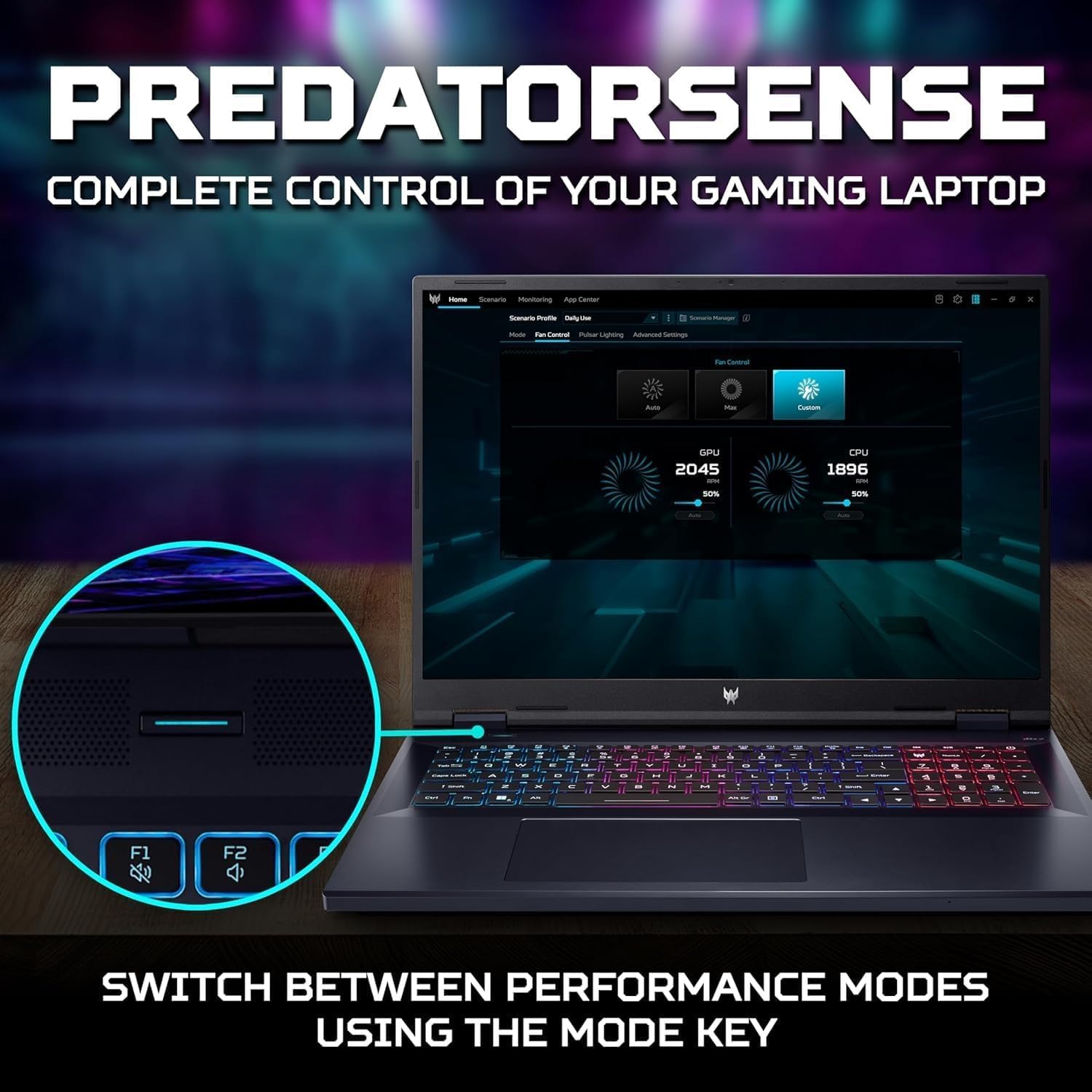



🔥 Rule the game and your workflow with the Acer Predator Helios-18!
The Acer Predator Helios-18 is a cutting-edge 18-inch gaming laptop featuring a 2.5K 240Hz IPS display, powered by a 24-core Intel i9-14900HX CPU and NVIDIA GeForce RTX 4080 GPU. Equipped with 64GB DDR5 RAM and a massive 4TB SSD, it delivers exceptional performance for gaming, content creation, and multitasking. Advanced cooling solutions and customizable RGB lighting enhance user experience, while Wi-Fi 7 and Thunderbolt 4 ensure future-ready connectivity. Preloaded with Windows 11 Pro and lifetime Office, it’s designed for professionals and gamers who demand top-tier power and style.
| ASIN | B0F43HJS1L |
| Audio Output Type | Headphones, Speakers |
| Audio Recording | Yes |
| Audio features | This product has built-in speakers and supports headphones output |
| Automatic Backup Software Included | Microsoft Office 365 |
| Available M2 Slot Count | 1 |
| Best Sellers Rank | #196,135 in Computers & Accessories ( See Top 100 in Computers & Accessories ) #35,068 in Traditional Laptop Computers |
| Bluetooth Version | 5.3 |
| Bluetooth support? | Yes |
| Brand | acer |
| Built-In Media | Laptop, Accessories |
| CPU Codename | Raptor Lake |
| CPU Model | Core i9 |
| CPU Model Generation | 14th Generation |
| CPU Model Number | Intel Core i9-14900HX |
| Color | Black |
| Compatible Devices | External displays, mice, keyboards, storage devices, and other USB or wireless accessories |
| Connectivity Technology | Bluetooth, Wi-Fi |
| Control Method | Touch |
| Customer Reviews | 4.3 out of 5 stars 2,231 Reviews |
| Display Resolution Maximum | 2560x1600 Pixels |
| Display Technology | LED |
| Display Type | LED |
| Form Factor | Laptop |
| Graphics Coprocessor | NVIDIA GeForce RTX 4080 |
| Graphics Description | Dedicated |
| Graphics Ram Type | GDDR6 |
| Hard Disk Description | SSD |
| Hard Disk Interface | Solid State |
| Hard Disk Size | 4 TB |
| Hard-Drive Size | 4 TB |
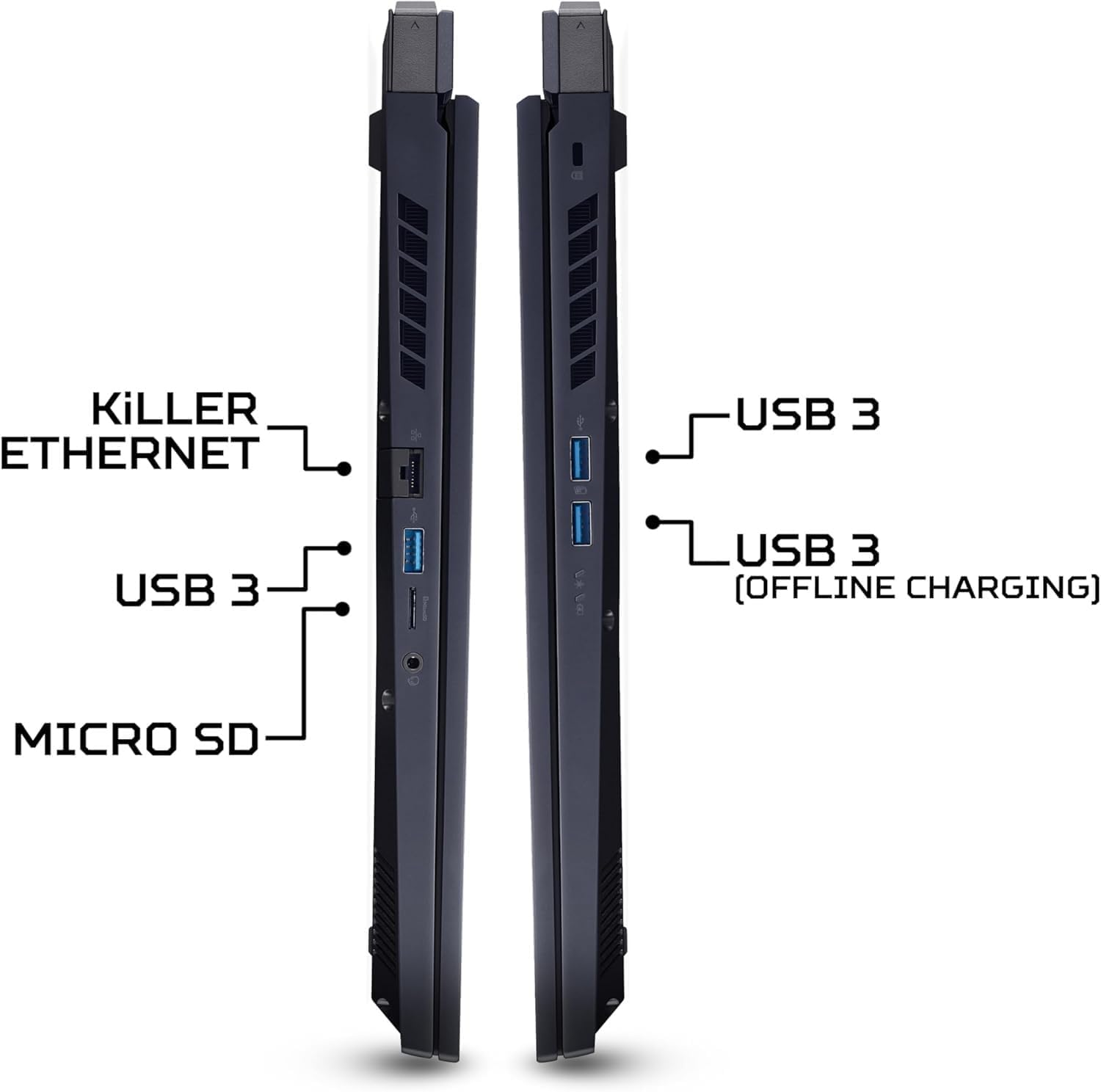
| Hardware Interface | Ethernet, HDMI, Thunderbolt, USB |
| Has Color Screen | Yes |
| Human-Interface Input | Keyboard, Microphone, Mouse |
| Item Dimensions L x W x Thickness | 15.91"L x 1.07"W x 12.29"Th |
| Item Weight | 7.2 Pounds |
| Keyboard Description | Gaming |
| Keyboard Layout | QWERTY |
| Manufacturer | Acer |
| Maximum Display Brightness | 500 Nit |
| Memory Slots Available | 2 |
| Microphone Form Factor | Integrated microphone |
| Model Name | Acer Predator Helios 18 |
| Model Number | Acer Predator Helios 18 |
| Model Year | 2025 |
| Native Resolution | 2560 x 1600 pixels |
| Notebook Pointing Device Description | Touchpad |
| Number of Ports | 8 |
| Operating System | Windows 11 Pro |
| Optical Storage Device | No |
| Other Special Features of the Product | Backlit Keyboard |
| Processor Brand | Intel |
| Processor Count | 24 |
| Processor Series | Core i9 |
| Processor Speed | 5.8 GHz |
| RAM Memory Installed | 64 GB |
| RAM Memory Technology | DDR5 |
| RAM Type | DDR5 RAM |
| Ram Memory Maximum Size | 64 GB |
| Refresh Rate | 240 |
| Resolution | 2.5K |
| Screen Finish | Smooth, likely glossy |
| Screen Size | 18 Inches |
| Specific Uses For Product | Gaming, Multimedia |
| Total Number of HDMI Ports | 2 |
| Total Usb Ports | 3 |
| Touch Screen Type | No Touchscreen |
| UPC | 195133243605 |
| Video Output | HDMI, Thunderbolt |
| Video Processor | NVIDIA |
| Warranty Description | 1 |
| Warranty Type | Limited |
| Webcam Capability | No |
| Wi-Fi Generation | Wi-Fi 7 |
| Wireless Compability | 802.11.be |
| Wireless Technology | Bluetooth, Wi-Fi |
B**2
Great screen, great for gaming, heating issues can be easily fixed by undervolting.
Screen Quality: Excellent. 144 Hz, 1920 x 1080 pixels. Screen looks excellent for the price. Youtube and games look great on this screen. Big enough and completely suits all my needs for gaming and watching videos. A lot of laptops in the same price range only have a 60 Hz screen. While that's decent, the fact that this one is 144 Hz is pretty impressive. Battery Life: Meh. It isn't going to last very long even if you're just chillin' watching youtube videos or netflix. Gaming, it's definitely not going to last more than an hour or so. But I always have it plugged in, so I don't really care about this. However, you have to make sure it's in "better performance mode" and not "best performance mode" while doing hardcore gaming. When I put it all the way up to the best performance mode possible while gaming, my battery was actually slowly draining WHILE it was PLUGGED IN. The drain was slow, but it got down to about 94% after an hour or so. That's a bit lame. But after putting it in the proper mode and undervolting and such, there's no issue and it stays at 100%. This is just potential minor issue, but I think it's worth mentioning. Gaming: I can play GTA V at 60fps on ultra settings. League of legends on ultra settings at about 110 - 120 fps. Good enough for me. You should of course search up acer helios predator 300 gaming videos on youtube if you're curious how it performs in various games. It does much better than a PS4 pro. So I'm pleased. Every game I play nowadays, league, GTA, apex legends, etc, runs smoothly and at a high enough fps, so it's good enough for me personally. Cons: Space. You're going to want to spend money on purchasing and installing an extra 1TB or 2TB hard drive or SSD if you're a hardcore gamer like me. The built-in 256 GB SSD the laptop comes with is nice, but with the size of many major games nowadays, it's just not going to be enough for you. Thankfully my laptop came with the screws and stuff you need to install a second SSD, which is what I did. I dropped another 150$ on a second 1TB SSD. I've heard that some people had their "cage" missing that you need to install an SSD, and had to contact Acer to get one mailed to them for free. I was lucky enough to have a cage and screws included with mine. Overheating: Not a problem anymore since I undervolt mine and bought a cooling pad and it runs just fine and at safe temperatures, but if you haven't done either of these things I've heard that the laptop can potentially reach unsafe temperatures. ***You will likely have to go on youtube and watch a video or two on how to undervolt your computer so it doesn't overheat while gaming. After doing this I saw virtually no drop in performance but a humongous drop in heat while gaming, so it seems to have fixed everything. After undervolting, I'm able to play demanding games like GTA V on ultra while staying in the 55 - 60 degree Celsius range which I've heard is quite safe and optimal. But it's annoying to do all this if you're a computer noob and don't really want to learn how to do it. It'd be nice if the computer didn't have overheating issues in the first place. Before undervolting, I may have saw heat spikes of about 75 - 80 degrees Celsius while gaming. I am not an expert on computers and GPUs and CPUs and what temperatures they can safely handle for how many years and such. But I've heard people with this computer voice real concerns that their helios has reached 85 - 90 degrees or even higher under certain conditions. I can understand why that would make anyone nervous. That seems quite hot and is a definite issue. Learn to undervolt it a bit or reapply some thermal paste or both and everything should be peachy. I've had it for about a month and I'm quite pleased. I think the CPU and GPU in this laptop are quite good and the price is acceptable. Overall I'm pleased with my purchase and would definitely recommend to anyone getting into PC gaming.
D**Z
I'm impressed, which is rare with technology and I
I've had some time to run this laptop through its paces after several weeks testing it out. I was a bit concerned about the small storage, but it is easy enough to upgrade it or add an SSD or small format mechanical drive for storage needs should that become necessary. For now, the 240 GB M.2 SSD works at about 60% capacity. I did find it curious that it runs considerably faster than a similarly equipped tower I have, but that one also has a great deal of hardware and drivers since it serves as the main computer out of 4 for a Boeing flight simulator. Out of the box the Acer Predator Helios 300 15" screen was ready to go. I removed the trial antivirus and Office 365 versions, and installed my preferred OS, the prerelease version of Windows (I've been doing it for years due to the unusual way I use my computers). I then got into the tools and assigned specific programs to either the default GPU or the Nvidea GTX-1060 6GB GPU as appropriate, regardless of whether I would be using my MR headset (also Acer) or not. I added an external switch controlled USB 3.1 hub and the MR headset and was impressed. The sound, when sent through the laptop speakers, is pretty good, on par with TV's roughly the same size, though a bit softer than I'm use to due to the speakers pointing down rather than at me. It's plenty load enough to be heard in the next room clearly, but not so loud it bothers the neighbors like the flight simulator does (I guess I'm louder than the nearby airliners taking off, lol). Once I was happy that everything worked, I allowed Acer to update any outdated BIOS requirements, and then had to get into the BIOS to turn the screen backlighting on full time, rather than have it turn off after a few seconds of inactivity (annoying, but saves power if on battery only). This picked up the speed a bit further towards what I had expected according to all I researched about this machine. I then personalized the screen lid with my own stickers, preferred to the Predator logo and name at university. The primary function of the Helios 300 is in the virtual world, mimicking as closely as possible the arrangement of multiple screens from the flight simulator "inworld" so I could study more effectively and productively for my classes when my disability leaves me stranded in bed at somewhat unpredictable and annoying times. I have Second Life and Sansar set up, both of course to the GTX-1060. Second Life does not appear to have a working model for mixed reality (or even full virtual reality from what I've read), but my testing with Sansar does appear to work rather well. Both operate at roughly 60 fps when I hit the turbo mode, heating things up to roughly 80 deg Celsius at maximum settings on the main screen (Second Life) and with mixed reality (Sansar). A quick word to Linden Labs about the controllers not being recognized had them coding to fix that problem. I'm stationary in the real world, so the controllers are much needed in the virtual world to move about (hence the choice of mixed reality rather than Oculus or Hive at twice the price, plus costs and problematic setup of sensors, in a wheelchair, not happening. For school I get Office365 Student and Educator from the University, all the apps, plus speech to text apps for days I cannot type. I find I do have to use the headset I have for me to be heard properly, the mics built into the laptop tend to pick up everything and try to type words it interprets from the sound of GE and PW airliner engines screaming on departure over my apartment complex. It even tries to type out the birds having their early morning music jam in the large tree outside my window. The headset doesn't pick up anything more than a foot from its front, so problem solved. If planning on intense gaming with this little beast, I strongly recommend a cooling pad under it. At 80 C, that's 20 degrees from being able to boil water at sea level, so a tad warm on the lap. I do not recommend closing the lid during MR/VR sessions at all due to the high temperatures, especially when ambient room temperature is more than 70 F or so. The Helios 300 also comes with 16 GB DDR4 memory, which I intend to upgrade to the maximum 32 GB when I go to add an additional large capacity storage drive. Adding storage and RAM is easy, one screw each for access, 4 additional screws for removing the drive caddy waiting for your storage option. One note on the drive this one came with, what happened to the Optane M.2 drive the machine is supposed to come with? Intel reports that it was installed, but the drive my system arrived with is not the Optane drive it was told was installed. Just a thought, so long as it operates as specified I'm good, and the Optane storage module was never in the description, so no worries. Just an odd thing to come across, I guess. Despite having the extra $200 to go with a 17.3" screen rather than the 15.6" (with a 1 TB drive instead of 256 GB), I am using this one for school when unable to use my main rig, and take it to every doctor appointment to stay caught up with school even if they opt to admit me into the hospital (life with my disability). The 15.6" is much easier to handle behind me than the heavier and larger 17.3" I have retired, which means it can go in my backpack rather than rest on my lap and then slide rapidly forward to the floor when I inevitably have to stop short to avoid running someone down in the hallway that just stepped out from around a corner. Still, the picture is crisper than the older and larger one, which makes watching documentaries or reading my assignments much more pleasant due to reduced eye strain. 2 hours before bedtime (at home), the screen switches modes (a Windows feature) to seriously reduce blue light levels, which works rather nicely to insure I am ready for bed on time and not lying awake for a few hours after. As mentioned, I do not advise having the lid closed when the laptop is running, not even in sleep mode (as technically it is still running), since heat can build rather quickly. I hate touchpads, largely because one of my meds reduces electrical conductivity in my digits (fingers and toes), so touch screens and pads do not see me or act much differently than I had intended. I picked up a rather nice gaming mouse (unknown where the previous one I ordered ended up, but it wasn't with me) that works rather nicely, and it allows me to switch dpi settings on the fly depending upon my range of motion limits on any given day (the higher, the faster and further the pointer on the screen moves, a gaming feature that works nicely wit disabilities as well). On better days, or when I need finer control on a mesh object I am building, I can down-tune it to move more slowly and shorter distances with the same effort. Just a thought, throwing it out there in case others would rather a mouse over a touchpad. The touchpad is easily enabled and disabled using Fn + F7. If you are like me and type a lot, this is a handy little feature. At first, I wasn't certain about the keyboard, since I rarely get along with this particular design. I can type with confidence, however, as it feels quite mechanical compared to my retired Acer laptop I thought had the same design. The red backlighting is easy on the eyes, even when typing in the dark. Just be sure to get into the BIOS to turn the backlighting to always on, or do what I did early on after the update and just memorize the positions of keys that do nothing unless you combine it with another key, pressing those will turn the backlighting back on. It's LED, so they contribute little heat and consume very little power, but for some every watt counts I guess. The numeric keypad works okay, I'm literally use to actual 10-key calculators, so this one is smaller and more bunched together, but I'm sure I will adjust. I never recommend hibernation mode, since it rarely comes back up the way you had it when you told it to save what you were doing. Odds are it'll come up with problems, requiring you to reboot anyway. Sleep mode works (with the lid open), and you can shut it down and later quickly power right back up again. This laptop is "brick-able" if stolen, so keep your serial number handy just in case. You'll lose all your data, but that happened when someone ran off with it anyway. The idea is to destroy the data and make the computer unusable without having to replace everything other than the case, power supply, and battery. It's cheaper to buy one than it is to steal one (most portable electronics are going to this) Do what I do and save important things (like my classwork for the current term) on the one drive, it will then be waiting for you when you get home, to work, or to class when you sign in with your Microsoft account email. Also, be smart and pick a randomly generated password and PIN, you will find life much easier if you do. I use Windows Security for antivirus and firewall protection, it's free and I figure it is their operating system therefor they know where all the security issues are. If not, everything is backed up regularly anyway. There are plenty of videos on YouTube to show you how to easily upgrade storage and memory, including upgrading of the M.2 primary drive, not to mention lots of tips and tweaks for all gamers and power users. Make sure one of the first things you do is register your new laptop with the manufacturer to start your warrantee. I did not go with the Amazon one, mainly because by the time I might need it, I've already replaced the laptop with the latest and greatest anyway. I've had excellent experience with Acer laptops for several years, and have worked on the hardware side of things with tower, desktop, all-in-one, and laptops, so simple repairs I can do for myself (since 1978). If you aren't comfortable doing those repairs, the Amazon warrantee is a very good one (from what I've been told), and I do get it for peace of mind with tech I do not know how to repair. To date, I have yet to have a warrantee issue with Acer, and I look forward to that continuing with this machine. The current price for this laptop is excellent, a bargain when you consider a similarly equipped gaming tower now costs much more. Grab one while you can, and have fun!
C**.
Very good gaming laptop
It's got a very good performance because It can run most games on high quality at 60 fps. Also I already upgraded it with a 500 gm nvme m2 and a 2TB HDD, the only small issue here was the little bastard screw that fixes the m2, I wasn't able to unscrewed myself and had to hire a technician to do it (pathetic I know), but the performance and compatibility of both components is great. I've got some trouble with windows during the first week after delivery because of directx. Acer just adviced me to reset manufacturing configuration, but after I told them it didn't fix the problem they informed me that wasn't their problem but a microsoft problem. Fair enough, but I can imagine a less tech savy person would consider this product worth 1 star after such experience. So, Acer people, I hope you can see some window for improvement here. It takes a while to learn how to undervolt the gpu and cpu, but once it's done, with the help of a $1.30 support and 15W cheap regular fan, I can game with temperatures ranging from 80ºC to 85º. I'm sure I could reach lower temperatures but that would mean playing with 1700 mhz rather than the 1890 mhz I'm getting currently from the gpu clock. From what I can gather this temperatures are ok. The delivery was quite fast, I live in Colombia and it took them like a week to deliver the laptop, 2 or 3 three days less than specified, and I wasn't required to fill out some paperwork at customs or some other bureacratic errand. I just clicked, waited an received, nothing more. Excelent delivery service. In conclusion the laptop's got good performance, good screen, and everything works. I was surprised by the poor battery life though, fortunately my plan was to use it as desktop replacement. UPDATE: The laptop was bought on july-2019. On august 2020 it died completely, full on brick. Acer replaced the board because it was still under warranty. Today 19-apr-2021 the laptop works well, though it's hotter than it previosly was, even after undervolting. Sometimes a weird message appears after I turn on the laptop, it says: "no bootable device" or something similar. I have to turn it off and on and the problem is solved. This usually happens after a windows update.
G**S
Good Gaming laptop for a Budget
Chances are you know a bit about computers if you've made your way through all of the laptop options to this guy. If you are new to buying computers, I will break down some of the specs, what they mean, and what I feel their value is. If not, scroll to the end for my final thoughts. For the new guys, here's the breakdown: SCREEN: 144hz IPS 1080p display. 144hz means you get 144 frames per second. Most laptop screens are going to get 60hz or nicer ones get 120hz. 144hz is fast. IPS displays are good for wide viewing angles and color production. I am surprised to see a 144hz IPS display on a gaming laptop because in the past, IPS were only used for graphic design. 1080p is Full HD, and is more than adequate for gaming on a 15 inch screen. 4k is kind of overkill especially for a budget. A 27inch 144hz IPS 1080p display goes for up to $300. I would estimate the value of this laptop's display at ~$150 GRAPHICS: Nvidia gtx1060. I wouldn't buy a laptop without a graphics card, and it has to be NVidia. The 1060 is a great value and is perfectly capable of handling games at 1080p. The 1070 and 1080 are more for 4k gaming and make them kind of overkill and not as budget friendly. The 1060 should be able to connect to a 4k tv and play games in 4k, but they would probably look better in higher settings in 1080p on that same 4k tv. A desktop gtx 1060 still goes for about $300. CPU: Intel i7-8750h. This is a beast. 6 cores with hyperthreading. It supports ultra HD resolutions without a graphics card. I won't bore you with all of the details about how beastly this is. Bottom line, it is a top of the line CPU. the desktop's i7-8700 goes for just over $300. a RAM: 16GB of ddr4 should suffice for just about anything. Leave a hundred screens open on your browser and play games while using photoshop. Who cares right?? You could get more but it would be overkill for a budget gaming machine. This much ram for a laptop sells for around $150 Storage: 256gb M.2 PCIe NVMe SSD. A lot of letters right? This is probably the fastest type of drive in the consumer market. Rather than a giant block in your laptop, this is a small card that goes in the motherboard. It is fast!!! No more PTSD every time you restart your computer. 256GB is enough for windows and several large programs like photoshop. I don't recommend this as a storage drive, only as an operating system/large program drive. That's where the problem lies. This is the only drive in the laptop. You can easily install a second drive in the bay on the bottom of the laptop. It takes 3 minutes. I would recommend a hard drive from western digital. The installed 256gb m.2 drive goes for $120. However, adding another drive adds $100, upping the price of the laptop to $1300 (its currently at $1200) Bells and whistles: 1 USB 3.1(type c), 1 USB 3.0, 2 USB 2.0, 1 HDMI 2.0, SD Card reader. (no thundercat port) HIgher end laptops have more bells and whistles like extra ports and fun other things. This comes with the basics, and most people won't need more than that. Keyboard: red backlight, side numpad. Can't change the colors. Kind of basic keyboard. This saves on overall cost of the laptop and its a bell or whistle I can live without. FINAL THOUGHTS: Adding up the assumed monetary value of the Display ($150), GPU($300), CPU($300), RAM($150), and Storage($120), We have a base value of $1020. I can't easily estimate the motherboard, battery, laptop shell, power cord, and other small parts, but assuming all those other parts add up to ~$300, that makes the value of this laptop around $1300. It sells for $1200 so it is a good value. Biggest selling point in price range: Other similarly priced laptops offer similar specs, but not many can boast of having that 144hz IPS display. Some competitors are at 120hz which isn't anything to scoff at. The M.2 NVMe is a must if you are considering other competitors. Other than that, most laptops in this pool offer the same general specs (CPU, GPU, RAM) CONCERNS: Audio: Audio kind of sucks. If you hold the speakers towards you, they sound fine, but they aren't even close to ear level so all the sound is getting muffled by your lap. I usually use my headphones, but there are also a lot of bluetooth speaker options nowadays. Materials: The case is solid. Parts of it are metal and other parts are plastic. Oils from your fingers show up very well all over the laptop. Wear vinyl gloves when playing games (jk don't). You may have to clean it often. Overheating: All gaming laptops will get hot. In fact most other laptops I considered buying were criticized heavily for getting too darn hot. The ones that weren't criticized for that were criticized for breaking at the hinges. I purchased this one because it was reviewed as being sturdy and cooler than other gaming laptops. I haven't had any specific problems with this laptop, but others have suggested boosting the fan if in a hardcore gaming session. Invest in a cooling pad. It should be very hard to overheat this laptop to the point of failure.
G**G
Great Gaming Computer
I bought the Predator Helios 300 over Black Friday weekend 2018 and was a bit anxious before and after the purchase. “Will this be the right laptop?” I thought with some trepidation, or more than once, “God, I’ve made a huge mistake!” The big reason for this was the price for the thing - $1,000 or more, plus the $175 or so on accident insurance - as well as the many reviews saying it gets too hot and too loud. I did a lot of research and it came down to this Predator Helios or the HP Omni. I decided on the Predator, and when I got it I downloaded and installed two Ubisoft games: Assassin’s Creed IV Black Flag and Tom Clancy’s Ghost Recon Wildlands. I would suggest removing some of the bloatware - there isn’t too much - and then restarting the computer. I didn’t restart, and as I began to download my games from Ubisoft, it was clear there were some problems. “Why is it only giving me 400 kb/s...or less?” I thought. After a restart, though, I got up to around 7-8 mb/s. Not that fast, but the games got downloaded and one of my concerns was alleviated. I started AC Black Flag on the highest settings with the best, full-screen resolution of 1920x1080 60hz. The game played great, it looked great, and there were no lags. More important, there was no rapid heating of the computer and the fans never kicked onto their max setting. After an hour of gameplay the fans were going at about half-rate with an average of 70 degrees and a few spikes as high as 87 degrees. When I stopped the fans stopped and the computer was soon down to around 60 degrees. It usually sits steady at 45 degrees when you’re doing nothing. Oh, and that max fan setting doesn’t sound like jet engines, as one reviewer wrote. I wouldn’t even liken them to the stovetop fan or the bathroom fan. If you were in another room, I don’t think you’d hear them. If you’re sitting in the living room, you can hear them but they’re not so loud they take away from your experience or someone else’s activity. Ghost Recon Wildlands got pretty hot during the intro, running around 85-90 with spikes up to 96 degrees. The fans were running at about max at that point, but again, this isn’t a huge bother. With headphones, you don’t notice. I asked my wife if it was too loud and she said no from about 15 feet away. That game pretty much runs in the upper-90s throughout. When playing Fallout 4, the highest temp I reached was 93. When playing XCom 2, I usually got in the upper 90s for temps. I have no problem with the GPU heating up anymore, as I overclocked it after downloading the Intel performance program. All in all, I’m happy with this purchase. I had to get a gaming laptop as my wife won’t let me get an Xbox - my preferred system - saying it’s a bad influence on our 7-year-old son. I can see her point, but I had to pay $700 more to play the same games. Oh well - that’s marriage. I’m glad I have a system that will play all the games from the past few years, as well as all the games that will come out for the next couple years, and hopefully more. I have no problems with this system, and plan to use it solely for gaming, keeping my other $250 laptop for MS Office and most internet tasks. I was worried this would be a bad purchase, but so far after 25 days of playing it for around 4 to 6 hours a day, it’s still working fine. I’m glad I bought it.
A**A
Another Gamble Laptop
I’ll preface this review with saying that I am returning the first one of these laptops that I purchased. What does that mean? The laptop isn't perfect! I'd give it a 3.5 as of now. The Bad! Ok, so what went wrong? First laptop the “B” key is sticking. Every 5 or 8 taps and it sticks down. Not happy about that on a $1300 laptop, but moving past that. Overheating. Well, everyone has read the reviews. Yes this laptop can run hot. Too hot to the touch in certain areas. This is the main reason for my first return. Also saw frame drops where every 15-30 minutes things would slow down a bit. Acer really needs to address this as its really the only weak point. Build quality could be a little better. I would prefer a more robust design. At the very least less plastic and more aluminum or something. Maybe Acer could offer a Heavy Duty line that is more durable and offers better cooling. Maybe i'm one of the few who wouldn't mind a heavier, thicker laptop as long as it performed well and was built like a tank. Battery life sucks. Get over it, its a gaming laptop, but its bad. I was watching Netflix with the brightness turned all the way down, powering my little cool pad and speakers and I had about 2-2.5 hours of battery life. Maybe 3. Memory is something you'll want to upgrade. After installing GTA 5 and a few small games I've run out of room. Not a big deal though when you take into account that this is simply an area where Acer saved money and passed the savings to the consumer in final price. The Good Picture quality is brilliant. I am very happy and impressed with the picture. Note that I am not very experienced with HD picture, but this is the best computer picture I've ever seen. Speed. This laptop is fast, startup in 7-8 seconds, surfing the web, downloads, streaming videos, gaming, its remarkable. I'm blown away Sound, its a laptop, I won't even comment, get some external speakers. Quality. Pretty happy with the overall quality. The back lit keyboard is very nice, the keys feel great. Touch pad feels high quality. Screens flexes a good it though, and the laptop doesn't feel indestructible but it ought to hold up for daily use. Gaming is great on here. I play GTA 5 with mods, high graphics, and it just runs great. Only exception being the overheating and every 15-30 min frame drops. Hopefully the Second model doesn't have any issues, will update if it does. Second model has issues! Seeing some very noticeable backlight bleed around the bottom border of the screen. In addition to that I see two stuck or dead pixels in the middle of the screen. The quality control on these laptops is really terrible. I've given up.
E**M
the predator- a great laptop for the price *updated*
backstory ------------ lets start with I have liked the concept behind predator laptops since they were announced , that being said I have never gamed hardcore on laptops , more generic use for work and some side games when time permits on towers. I've had roughly 3 laptops myself, for various tasks, my 10 year old one still works, but its an original duel core from intel so lacking in performance in present standards, also typically build towers or servers for my friends and family. gaming or otherwise or work. currently the reason i bought this as my newer (ish) laptop had met a tragic fate by being mashed to pieces two stories up, and thus left me without one, I was able to salvage the SSD (thanks crucial!) SO for myself I wanted a laptop close enough to a gaming pc in terms of performance and usage so when at the office I can render and model and massively number crunch, ect in short times., close to what I can at home. but more or less I wanted a no compromise machine that was powerful and able to do anything I throw at it. So far the predator has accomplished this. Now I purchased the three bundle , which significantly lower the laptops price to 800+$ with a gaming predator headset and gaming mouse pad (a great deal if its still available) The laptop itself: ------------------- it has all the bells and whistles and low bloatware , the machine tears apart big compressed files fast and with my old laptops ssd in the extra bay I was able to get to working on it fast and effectively. the current m2 via stock is intel & reads 3000+ writes 1000+ (I prefer the Samsung m2 which is equal read and 3k write) the ram is 2667mhz clock speed but it clocks via cpuz to 1330hz I probably will upgrade the ram as i see it as a choke point in this system to 32 gb as that the only choke point of this purchase I see I am not big on OC, but did play with predator sense using it , but overall I keep it lowered to normal levels I ran benchmarks against my friends using the OC, these were an alien-ware laptop and a msi laptop both are 3k$ laptops and I was only a bit behind and even won in some places rather impressive to me and my friends. this thing performs very well for what it cost. overall everything about it has been very impressive, ive tried DMC5 at max and warframe, and cod games as well as skyrim all at max, fan speeds hit 4k. It does get warm and ive done the bios and predator sense updates and its been doing better, also nvidia updates & win 10. Still seems like it gets hot, I have noticed on research they tend to put meh thermal paste and very little on the chips and require a new thermal paste if you want cooler temps. seeing many have done this upgrade and cut the heat issue down to impressive levels makes me think that might be a good area to start (low cost fix) ive done live renders in 3dcoat and 7brush , its been great . the mousepad on left lower corner clicks in a weird way unlike other side of its pad , But its precise and works -a minor complaint Battery life- yes a big deal for me most of my lower end laptops I've had or used barely last 1+ hour and so far the predator on battery for work has done 5+ with win 10 eco mode on . that is pretty nice , gaming on DMC5 I did 3 hours which for me was great no complaints on battery. note that on battery it switches to the innate gpu on the i7 (max clock on power is 4.7 naturally via intel stepping and on battery 2.2) the 1060 it comes with is fine and with the new nvidia update can utilize the rtx functions (a happy surprise to me) 1060 6gb is minim for this update the "overheating " now ive read plenty of review and i investigated the laptop on inspection the gpu and cpu have almost to no thermal paste, what is on it is a dust like residue and its not making good heat transfer . I used kryonaught thermal paste (thermal grizzly) and applied after removing the old "paste" and cut my temps on idle to 30C and the highs are 70-80 id suggest update to current predator sense and use the cool boost , but since i did that quick fix ive had zero heating problems anything further develops and I will update for now its a good worker and predator laptops have 2 year warranty from ACER but I do recommend getting a good warranty likes square trade or whoever you trust Update: no overheating after kryronaut upgrade , and i have a to go laptop stand to help mitigate heat further
T**P
144hz, 1060 gtx & i7-8750h version
I don't often even write reviews, i have to be compelled by a superior experience, or an abysmal experience. anything that falls in the middle isn't worth the white noise. I am very satisfied with the performance for dollar. I made sure to test drive it for over a month before i wrote a review. runs the games i am most interested in (heavily modded Fallout 4, Mad Max, Witcher 3, Borderlands 2) excellent and super smooth on very high or ultra settings. Heat was a lot better for me than some have reported, especially with previous versions of this series. I never had temp above 63 degrees except when i put Mad Max on ultra and let it try to run at 144 fps to match monitor and even then the fans kept it well below limits. I have had zero issues with the 8750H throttling as it is prone to do in many new laptops. mine is usually running as fast as it wants to with nowhere near worrisome temps. With a load it stays at 3.9 to 4.1Ghz. Performance: A+ Temps: A- (better than most) (keyboard area and mousepad area do not heat up at all) Build Quality: A+ Battery: B (runs for a reasonably long time browsing web, watching youtube, etc, gone in a blink when gaming, but what do you expect running demanding games on max or near max settings.) Screen: A+ (beautiful, bright and smooth.) Noise: A- (a bit noisy at max, fortunately max is not needed. ) extra hard drive slot was a wonderful addition, had a 240 solid state 2.5mm drive left over i threw in and it made the storage size bearable for now (fallout 4 +mods is over 100GB haha) Size/Weight: A ive had "dual gpu" type laptops before, i remember this tech to be painful in earlier versions. I had a laptop one time that you had to shut completely down and flip a switch on the side to reboot in desired GPU. I ran fallout 4 for first time (and first game on this after unboxing) and it decided i had an Intel GMA and did not choose a preset. I manually chose ultra and launched. 1060 kicked in and ran flawless. Every game after has found the 1060 on the first launch and set preset to ultra. I don't know if it was a fallout 4 thing or if it was simply that the 1060 had never turned on before, but it was not a big deal as it still worked out easy for fallout 4 and worked flawlessly on everything since. Going from Intel to 1060 is instant and invisible. No reboot, no manual selection, no lag/stutter/stall/etc. Just works. Very little bloatware. Don't know what Acer did, but from complete shutdown this thing boots into windows faster than anything Ive ever owned. Its borderline ridiculous. faster than other gaming computers Ive had could come out of standby. I searched and fretted and lamented for a couple months trying to find a laptop that met ALL my criteria. This is it. i got the CPU, GPU, screen and temps I wanted, didn't have to compromise anywhere. Also, Acer made it super easy to register for the warranty. Instead of having to fill something out and mail it in, there is an app that you can open, type a few things into and boom, registered and warranty validated (then uninstall). The predator sense software to choose fan speed and GPU OC settings is easy and a great option. Most laptops wont let you do anything with fan speeds or clock settings. I did, at first, thing is was hinky garbage, then i realized the changes i made had a delay. If you set 'Max fan' it will kick in instantly, but choosing custom settings has a few seconds or more delay, but then it works. I used Throttlestop to drop CPU core voltage and drop a few more degrees, but it wasn't necessary as temps were already good. 5 weeks in I am super satisfied with EVERY aspect of this purchase and have no regrets. I believe this most recent (2018) version of this laptop has some good improvements over the older versions concerning performance and heat, so be careful you know which one a review is talking about as Amazon lumps them all together for some reason. here are reviews in this section for 60hz screen versions, 7700hq CPU versions, 1050Ti versions, etc. and that does not accurately reflect this exact product, especially since this has the metal blade aero fans that most older versions do not. future plans: swap CPU and GPU thermal paste for Thermal Grizzly Kryonaut, upgrade both SSDs to 1TB size. Anyway, highly satisfied and would recommend to anyone for a great gaming laptop at a great price.
Trustpilot
3 weeks ago
3 weeks ago