
🚀 Unlock your data’s full potential with Terramaster D6-320 — storage that keeps up with your hustle!
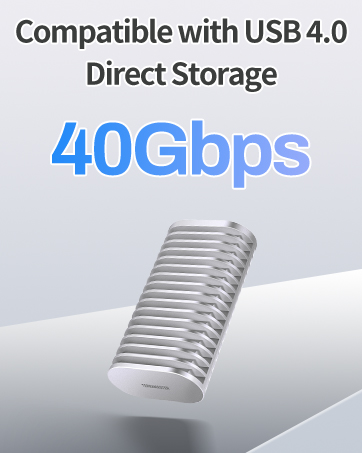
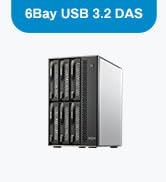
The TERRAMASTER D6-320 is a robust 6-bay external hard drive enclosure featuring USB 3.2 Gen2 Type-C connectivity for blazing 10Gbps transfer speeds. Supporting up to six 3.5" or 2.5" SATA drives with a maximum capacity of 132TB, it offers hot-swappable convenience and broad OS compatibility (Windows, Mac, Linux). Its intelligent temperature-controlled fan ensures efficient heat dissipation and quiet operation, making it an ideal solution for professionals seeking scalable, high-capacity, and reliable external storage.













| ASIN | B0BZHSK29B |
| Compatible devices | Windows, Mac, Linux |
| Connectivity technology | Thunderbolt, USB |
| Data transfer rate | 10 Gigabits Per Second |
| Guaranteed software updates until | unknown |
| Hard disk form factor | 3.5 Inches |
| Item model number | D6-320 |
| Item weight | 4.1 Kilograms |
| Manufacturer | TERRAMASTER |
| Material | Metal |
| Max number of supported devices | 1 |
| Product Dimensions | 22.86 x 12.7 x 22.86 cm; 4.1 kg |
K**N
Well I had 5 external hard drives hooked up to my server, I ran out of electrical outlets so I wanted something to change that. This was seamless, I shucked all the external drives and popped them in. Connected the USB-C and started up the server. All drives remained the same drive letter and I was back in business. I added some foam on the bottom as the hard drives have quite a bit of vibration when spinning (Enterprise drives) and this reduced the noise to nothing. Transfer speeds/read write are limited to what the drives can read/write and not what the controller/interface can handle. Overall great product, solved my needs, simple to setup, and I have a free bay for later expansion. The hot swappable feature is also very nice to have.
C**E
Bought in July 2024. Still working very well. Great price for a 6 bay DAS. I'm using with Win 11 Storage spaces. Two of the drives are set up in a RAID 1 config. The others are in a single drive config. Performance is very reasonable over USB 4. However don't expect super speed. If you REALLY need high performance use an internal SSD directly connected to the motherboard. I just need plain vanilla storage in a large volume with RAID configuration options and this serves me very well. To date, the drive configs have been stable with no issues. See enclosed benchmarks. I'm driving the Terramaster D6-320 with a Geekom A7 mini PC. I've moved from a tower case with a 750W power supply to the Geekom A7 and the Terramaster D6320 and I'm VERY happy. This config runs at a fraction of the power draw of my tower and is MUCH quieter.
C**X
Been running 6 drives for about a year now and no complaints! It will not power off if your PC continues to provide power over USB when shut down, but that's a limitation of some PCs--just putting the detail here to save some folks some trouble or confusion. Check your bios for settings, sometimes they're hidden.
F**C
First of all, the reviews are conflating many different devices. The devices reviewed have notably different firmware and are designed and built differently. So the overall review is not really relevant. You'll have to wade though all reviews to find the ones applicable to the product you're considering. I'm just updating my review. I have been fighting for a few months to get it to work right. Thing is, no mater what, if you happen to transfer big files, or try simultaneous transfers, it will just fail to work properly and the USB control will be reset. The reset takes some time, so forget about any kind of throughput. The kernel messages seem to indicate errors in the processing of NCQ. Trying to disable it or limiting the queue depth is not allowed. I guess the firmware doesn't implement correctly those features. Another update. I have been writing firmware for devices for years. I would be embarrassed and ashamed to unleash a product that poorly done. It is missing key features that would make the product easy and reliable to use. For example, you don't seem to be able to get each disk unique identifier, the WNN. I could go further, but at that point you figured that the device is only half baked. Sure, it will work with a basic workflow and LOTS of hand holding. The heat is not extravagant, but substantial. Al in all a device where they cut so many corners to lower the price, that it is missing its usage target. I would NOT recommend it as a D.A.S.. Or anything else for that matter.
J**N
Edited 11/2025: * Terramaster provided two USB cable (A to C) and (C to C). After replacing the cable it has resolve the instability issue. Thus far the system has been stable for the last week. Currently rebuilding the RAID10 array. Edited 10/2025 1/5 Stars: Critical Hardware Failure - Unstable Under Load, Not Safe for RAID Model Purchased: Terramaster D6-320 (Direct Attached Storage) I purchased the D6-320 to host a large 6-disk RAID 10 array. While the initial setup was fine, the enclosure has proven to be critically unstable and unreliable under load, making it unsuitable for any data storage that requires integrity and redundancy. The Core Problem: The enclosure repeatedly suffers from intermittent disk dropouts, which is evidenced by repeated failures in my mdadm RAID 10 array (/dev/md127). The array first went degraded when three disks failed spontaneously. After successfully re-assembling the array, the subsequent resync process (which puts high load on the hardware) failed again at 84% completion, taking out three different disks, two of which were previously stable. Crucial Troubleshooting Steps: To rule out drive or power issues, I performed extensive testing: * Reseated existing disks * I installed a new set of disks. * I swapped the unit's power adapter for an alternative power supply. The failure pattern remains consistently repeatable whenever the array is under heavy I/O load. This conclusively proves the issue is not with the drives or the PSU, but with the D6-320 enclosure's internal components, specifically the drive backplane or the host controller. Conclusion: This is a fatal hardware flaw. A storage enclosure that cannot handle a simple array resync is not fit for purpose and poses a serious risk to data integrity. I am now forced to initiate an urgent warranty claim for a replacement. If you plan to use this enclosure for a critical RAID array, be warned: this model appears to contain a hardware defect that makes it fundamentally unreliable when stressed. Look elsewhere for stable, redundant storage.
Trustpilot
1 month ago
5 days ago



