
🚀 Power-packed Mini PC: Big Performance, Tiny Footprint!
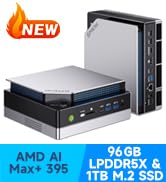
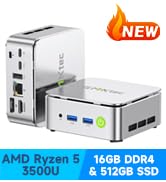
The GMKtec M3 Ultra Mini PC combines a cutting-edge Intel Core i7-12700H processor with 16GB DDR4 RAM and a 512GB NVMe SSD, delivering desktop-level performance in a compact design. It supports triple 4K displays via dual HDMI and USB-C ports, features integrated Intel Iris Xe graphics for smooth visuals, and offers ultra-fast networking with 2.5G Ethernet plus WiFi 6 and Bluetooth 5.2. Ideal for professionals seeking a powerful, space-saving workstation with expandable memory and storage options.













| ASIN | B0DS2Q4SBG |
| Are Batteries Included | No |
| Best Sellers Rank | 40,874 in Computers & Accessories ( See Top 100 in Computers & Accessories ) 287 in Desktop PCs |
| Brand | GMKtec |
| Computer Memory Type | DDR4 SDRAM |
| Customer Reviews | 4.6 4.6 out of 5 stars (697) |
| Date First Available | 2 Jan. 2025 |
| Graphics Card Description | Integrated |
| Graphics Card Interface | Integrated |
| Graphics Card Ram Size | 16.0 |
| Graphics Coprocessor | Intel UHD Graphics |
| Graphics RAM Type | DDR4 SDRAM |
| Guaranteed software updates until | unknown |
| Hard Disk Description | SSD |
| Hard Disk Rotational Speed | 7200.0 |
| Hard Drive Interface | PCIE x 16 |
| Hard Drive Size | 512.0 |
| Item Weight | 1 kg |
| Item model number | GMKtec NUCBOX M3 |
| Manufacturer | GMKtec |
| Maximum Memory Supported | 64 GB |
| Memory Technology | DDR4 |
| Number of HDMI Ports | 2 |
| Number of USB 2.0 Ports | 1 |
| Number of USB 3.0 Ports | 3 |
| Operating System | 11 Pro |
| Package Dimensions | 18 x 16 x 14.99 cm; 1 kg |
| Processor Brand | Intel |
| Processor Count | 1 |
| Processor Socket | FCBGA1744 |
| Processor Speed | 4.4 |
| Processor Type | Mobile CPU |
| Resolution | 3840x2160 |
| Screen Resolution | 3840 x 2160 |
| Series | GMKtec NUCBOX |
D**N
Great little Windows PC no bigger than your Mouse
I have a number of Windows PCs which are coming to the end of Microsoft Support for Windows 10, so was looking for a PC to use for some everyday activities plus the ability to run some of my older games to free up space on my gaming PC. This GMK tec Mini does the job really well and its quite a fun novelty that it is about the same size as my mouse. It feels fast for ordinary operations such as web browsing. It comes with Windows 11 preloaded but it is installed with a small footprint and consequently the hard disk isn't instantly cluttered as soon as you add a game or two (but I did opt for the larger 512GB). Yes it will play older games quiet well and supports Direct X12, so you can probably get even fairly recent games to work at low settings. I can between get 20 and 40 fps for Guild Wars 2 but it does vary depending on how busy the game is. Its not a games machine but, you can run titles such as the above or Skyrim with acceptable performance and save some space on your gaming PC. It supports two 4K Monitors, but I have a 1080p monitor so it I'm not using its full capabilities. If your not a PC expert worth noting that you have to supply your own Monitor, Keyboard, Mouse and HDMI cables. I have recycled a USB Keyboard and Mouse, but that leaves just one free USB socket. It would benefit from a couple more USB sockets even older ones to allow other peripherals to be added. I get sound through bluetooth link to a speaker, there is also a headphone socket. The plug is a UK standard, which might not have been obvious from Amazon pictures. It would help to have a bit longer power lead. So in conclusion I'm happy with this purchase and glad I didn't spend more on one of these mini's that is designated a gaming machine as, I think then I might have been disappointed as they are also utilising integrated GPUs. Probably you need to shop around for what is best for you on performance/ price. But the GMK tec mini is providing me with what I wanted. It will be interesting to see how it lasts.
J**G
First power up, what I did wrong.
This mini PC is intended to replace my 12-year-old Intel i5 3570k tower PC, which has experienced a memory controller malfunction. Not a gamer, needed for office and internet usage. This is more powerful, very quick, yet uses less energy, in a much smaller case. I'm very pleased with build quality and value for money. During the initial boot-up I made the mistake of not treating it as a new pc. Thinking I would save some time with it getting my account settings from another pc's backup. This caused an Activation problem for Windows 11. I reached out to the Customer Support Team, and over the next few days, the issue was resolved to my complete satisfaction. Every response from them was helpful and positive, I cannot thank them enough. What I should have done is create a Local Account during the first boot up, with the internet not connected.
N**D
The little helper
Firstly, for the money you are actually getting a full blown Win 11 Pro system. Easy to start - straight out the box, plug in, connect to an HDMI screen and that's it. Log in to your Microsoft account to activate though, as it will error if you skip this step in setup. Once setup and updated - you are good to go. WARNING the USB type C plug is 12V 3A - NOT 5V. Do not use on your phone. The specs are good - especially for the money. 12GB DDR5 RAM, half terabyte SSD with 4 threads on the gen 12 CPU and 2 HDMI 4K outputs make this a very useful bit of kit. Top tip - go into msconfig and the advanced tab in 'boot' to enable all 4 threads. Wifi communication is good and download speeds are normal. This is before you use the RJ45. Both the SSD and Wifi are accessible from the bottom panel an are upgradable. I used my 3 way folding blu tooth keyboard and touchpad that worked well. Would suggest separate mouse. Sound and video playback are more than sufficient, but this is not a mainstream gaming machine. That said - earlier games and Wii/PS2 emulation have been tested and proven to be good. The only downside I can say is worth mentioning is that the USB sockets are underpowered - they do not provide even 1A. You cannot use an optical drive for just one port. A 2 socket 'Y' splitter has been successfully used to get around this. I installed over my network with an optical drive shared in the properties of the host machine. All in all, a very portable, lightweight travel companion - or for a humble home user that doesn't need a full blown rig.
J**Y
COMPACT & EFFECTIVE
A good PC at a very good price. Compact and yet effective.
M**N
Neat and powerful
This is a very neat and powerful computer, at least for what I want to do with it. General stuff, plus some photo/video editting. Easy to set up. So far no problems. Some have said that the fan is noisy, certainly when it boosts the fan, you can hear it, but most of the time there is no noise. It is still early days as yet, but so far very pleased with the performance and ease of use.
J**S
Hardware is decent, do fit your SSD with heatsinks as the airflow is not adequate. As the N150 is just out, the Linux tree does not support the GPU 0x46D4 (yet?). Hence forget support for hardware video encoding/decoding. VGA compatible controller [0300]: Intel Corporation Alder Lake-N [Intel Graphics] [8086:46d4] On Ubuntu upgrade to kernel 6.11.0-17 which supports this GPU. March 23 2025: updated UEFI with 'fwupdmgr update' which bricked NucBoxG9 i.e. BIOS is corrupted. Why update? UEFI contains MS keys which has been breached. GMKTec support does respond and told me to take out the bios battery, wait and place back the battery. This fixed it.
C**R
The NucBox G5 is a remarkable feat of engineering, fitting a very capable processor and lots of ports into an incredibly tiny package that will fit anywhere, or that you could easily take with you in a bag (more on that below). As an existing owner of the NucBox G3, the G5's baby(?) brother (G3 = lesser power, bigger size), I was already impressed with what GMKTec has been able to do with a mini-PC, but the G5 blows that out of the water. Size Comparison with NucBox G3: The NucBox G5 is remarkably compact, measuring just 72 x 72 x 44.5mm and weighing less than a small and light coffee mug (168 grams). To put that in perspective, it’s about 2/3 the lenght of a deck of cards, and about twice as thick. When you compare it to its predecessor, the NucBox G3 (see photo), it's clearly much smaller, and about the same weight. The G5 manages to maintain its power while taking up even less space on your desk... or frankly anywhere you want to put it. I had my G3 and now have my G5 mounted on the back of a monitor (see photos) - just be careful to ensure adequate ventilation so the unit doesn't overheat. Performance and Use Cases: Inside the NucBox G5, you’ll find an Intel N97 processor, a step up vs. the N100 in the G3. The 3.6 GHz CPU has 4 cores and 4 threads . Now there's no way it can compete with high-end desktop or laptop processors, but it’s more than capable for everyday computing tasks. I've also used it with zero perceptible latency with an external FocusRite interface and Neural DSP Archetype plugins (CPU-heavy guitar amp and effects modelling software) that has choked some of my older laptops and it's capable of light work without a huge number of layers in Affinity Designer (pro-level vector graphics design software). If you haven't used those types of demanding software, that's genuinely a huge achievement for something that costs less than $300 CAD. For day-to-day activities like office work, web browsing, and multimedia playback, the NucBox G5 works very well too. It can handle running at least a dozen browser tabs at once in MS Edge or Chrome. Its small size, combined with built-in WiFi and Bluetooth, makes it easy to integrate into your setup. Comes with Windows 11 Pro baked-in, so setup is straightforward even for non-IT professionals. The OS loads quickly, and basic tasks are smooth. Let’s set realistic expectations though. If you’re planning heavy image or video processing, the NucBox G5 might struggle. Stick to light to medium-weight office tasks, and you’ll be pleased with its performance. Connectivity, Ports and Power Consumption The NucBox G5 offers many connectivity options, but it is a bit disappointing to see that all USB 3.2 ports are Type A (no USB C connectivity without adapters). It has limited upgrade options, so consider your needs carefully before purchasing - you can basically upgrade the hard drive size and that's it. Given the size of the unit, the RAM (memory) is hard-soldered to the motherboard, but at 12GB for most purchase options, it's got plenty for most applications. If you’re looking for a lightweight machine for on-site work, off-grid systems, or even van life, the NucBox G5’s power draw (15-25W) through its single USB-C port makes it an excellent choice. Packaging: The G5 comes nicely boxed and the box is highly protective of the G5 itself. (The box did take some minor dings in transit as seen in the photos, but the contents were pristine.) I was also pleasantly surprised that GMKtec fixed the absolutely airtight NucBox G3 box that was almost impossible to open. This one is snug to open, but doesn't require a prybar to get into. In summary, the GMKtec NucBox G5 is a worthy upgrade from the G3, offering an impressive blend of compact design, powerful performance, and affordability. If you need a mini PC that fits almost anywhere without compromising too much on capability, this little box is worth considering. Just be mindful of its intended use, and you’ll appreciate what it brings to the table!
S**R
Difficile à mettre en route,le dual boot est un peu compliqué
A**N
It works. It is OK. But it is very loud under high load and temperature goes up to 100 C. It also trottles all the way down to 1.5Ghz. Didn't experience any problems with wifi. I'm thinking of returning it since the noise is very distracting and impacting sleep. It might be fine only for office work.
T**N
I recently purchased the GMKtec Mini PC N97 with Windows 11 Pro preinstalled, and I couldn't be happier with my decision. This micro desktop computer, powered by the 12th Gen Intel Alder Lake N97, has truly exceeded my expectations in every way. Exceptional Speed and Performance The standout feature of this mini PC is its incredible speed. The Intel Alder Lake N97 processor, with speeds up to 3.6GHz, ensures that everything runs smoothly and efficiently. Whether I'm browsing the web, streaming videos, or running multiple applications simultaneously, the GMKtec Mini PC handles it all with ease. Perfect for Programming and Web Development As someone who spends a lot of time programming and developing websites, I needed a reliable and powerful machine. The GMKtec Mini PC has proven to be the perfect companion for my work. It effortlessly handles all my development tools and software, allowing me to code and test my websites without any lag or delay. The compact size is also a huge plus, as it saves valuable desk space without compromising on performance. Seamless Integration with Windows 11 Pro The preinstalled Windows 11 Pro is another major advantage. It provides a user-friendly interface and a host of new features that enhance productivity. The seamless integration of hardware and software ensures that I can take full advantage of the latest Windows updates and functionalities. Compact and Stylish Design Apart from its performance, the GMKtec Mini PC also scores high on design. Its compact and sleek form factor makes it an attractive addition to any workspace. Despite its small size, it packs a punch and delivers top-notch performance, proving that good things really do come in small packages. Final Thoughts Overall, the GMKtec Mini PC N97 is a fantastic choice for anyone in need of a powerful, compact, and reliable mini desktop computer. Its speed, performance, and compatibility with programming tasks make it an excellent investment for developers and tech enthusiasts alike. I highly recommend this mini PC to anyone looking to upgrade their computing experience.
Trustpilot
3 weeks ago
3 weeks ago



