
DOWNLOAD THE APP


Customer Services
Copyright © 2025 Desertcart Holdings Limited
DOWNLOAD THE APP


🚀 Elevate your network game with Festa FR365 — where speed meets smart business-class control!
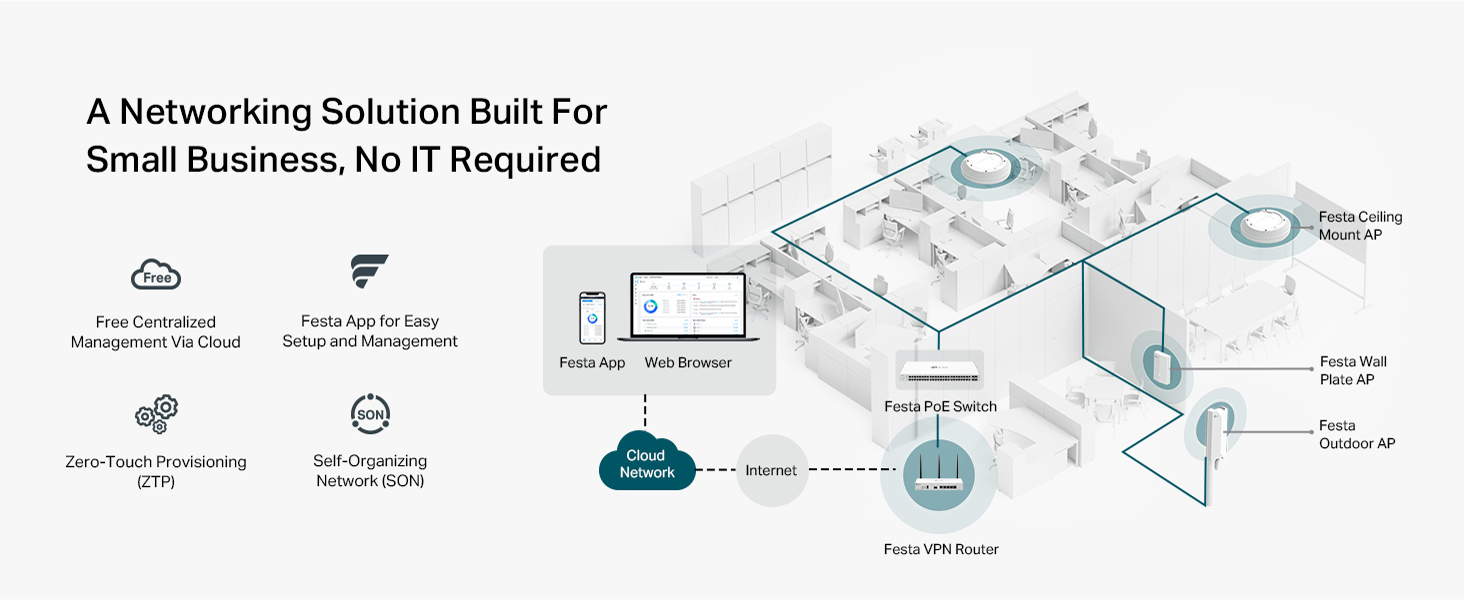
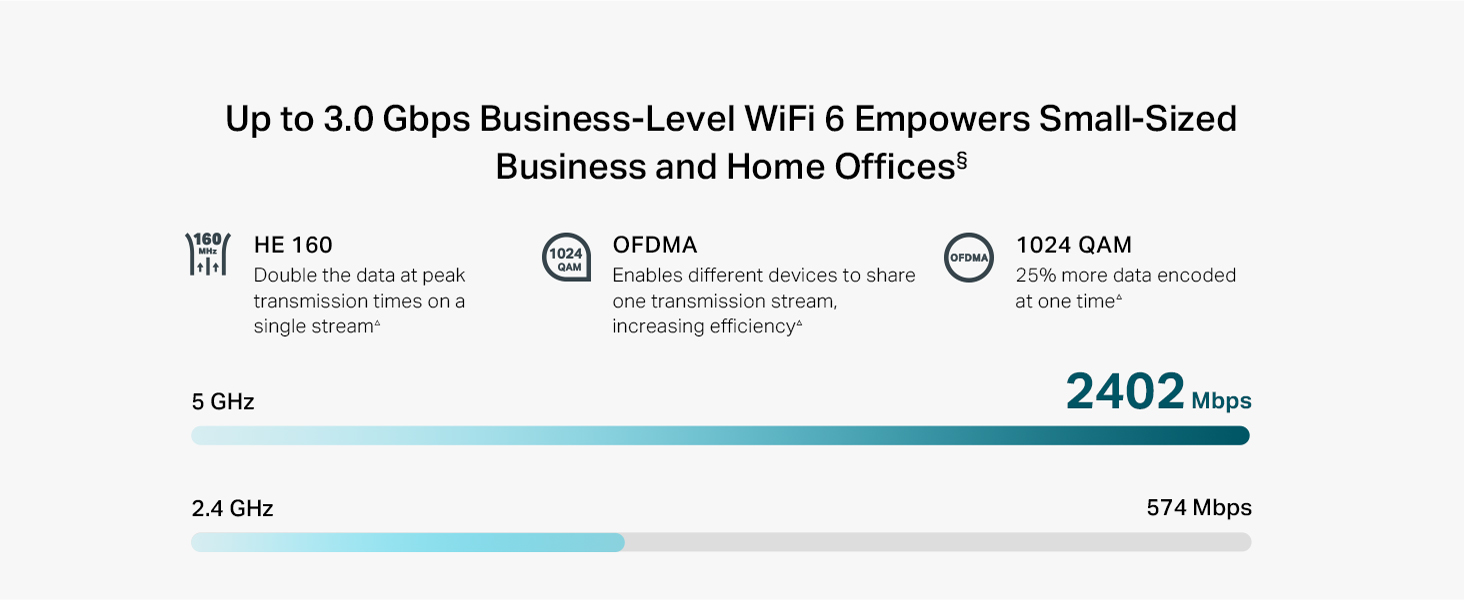
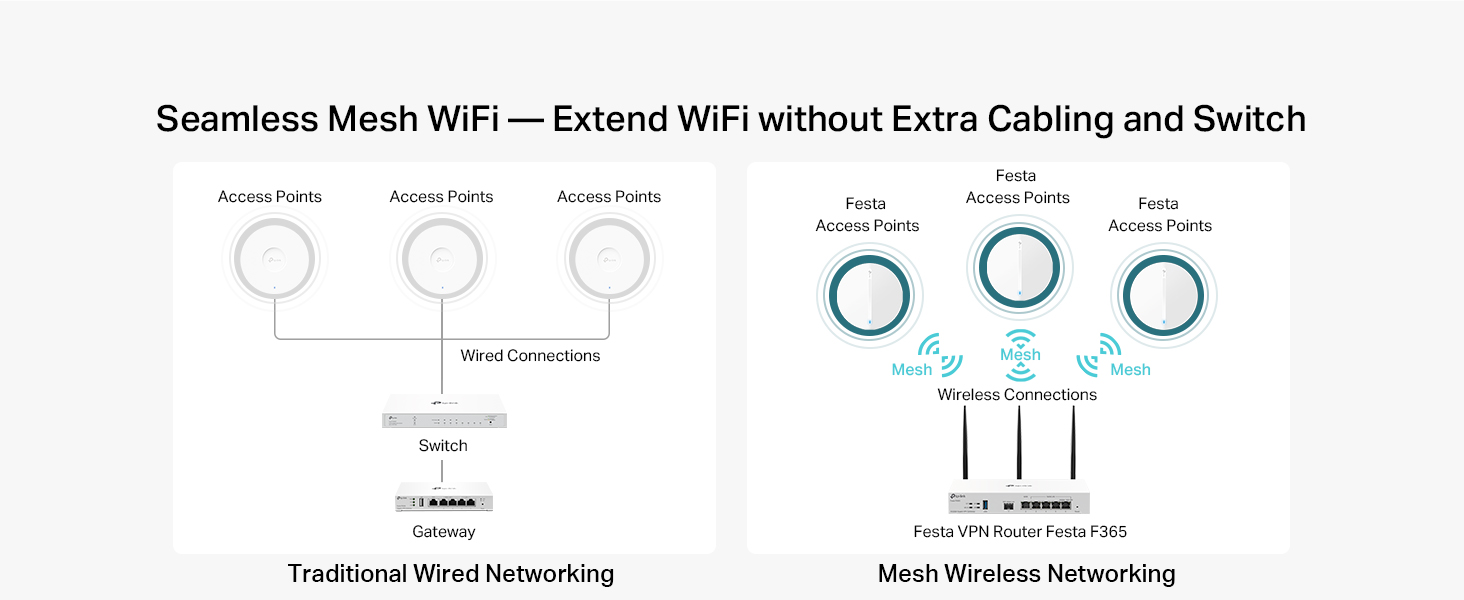
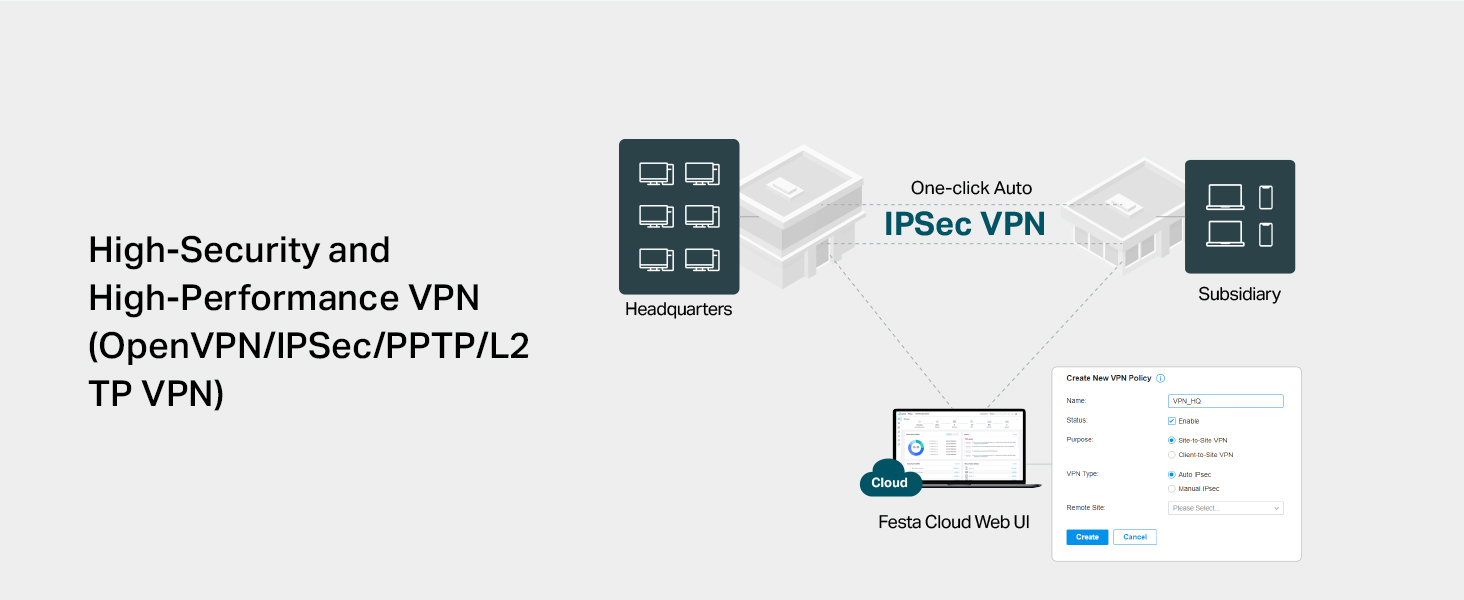
The TP-Link Festa FR365 is a high-performance AX3000 WiFi 6 VPN router designed for small businesses and advanced home users. Featuring six gigabit ports including an SFP, load balancing across up to 5 WAN connections, and a USB 3.0 WAN port for 4G/3G backup, it delivers up to 3 Gbps combined dual-band speeds. Integrated with the Festa Self-Organizing Network platform and free cloud management, it offers easy setup, mesh networking, seamless roaming, and robust VPN support for secure, reliable connectivity.





| ASIN | B0D8M44Q91 |
| Best Sellers Rank | 51,429 in Computers & Accessories ( See Top 100 in Computers & Accessories ) 398 in Routers |
| Guaranteed software updates until | unknown |
| Item model number | Festa FR365 |
| Manufacturer | TP-Link |
| Product Dimensions | 18.2 x 7.9 x 37.5 cm; 1.06 kg |
A**H
I've put this unit to the maximum test
I bought this unit because I only have vdsl. I bought a second line to gain more bandwidth. I I run alot of services in my homelab. Even when I'm downloading or uploadeding large files it only sits at 60 percent. Great for people who need a backup line or load balance between 4 connections. I it has good fetures like port forwarding and all standerd networking. I works with cloudflare tunnels
D**X
Great bit of kit
2 mobile network routers in the house, combined in a load balancing cfg. (When one fails the other kicks in).... No need to run mobile routers in modem mode. Works perfectly, with some nich little security features too. Bargain!
D**E
da
it a good router but need the controller to use it fully
A**R
Prosumer router, not for every home user
More feature-rich than a typical router. Documentation and support are not at the same level as those of other enterprise products. Talking about the features: The main selling point is there: up to 3 + 1 WAN connections. It can do link aggregation of those out of the box nicely without controller. Configuring the priority of those WAN uplinks is tricky though. You will need a lot of patience but doable without OMADA, so the box does work as a standalone device, and priorities the use of connections. Speed is OK, as long as you do not do any software-based actions. (Means you want to stick to the HW supported settings. If you go for QoS, or go for VPN encoding your speed will drop by 50 - 95%. E.g. SW based VPN encryption can do 30 Mbps at max as opposed to normal routing with 950-980 Mbps) Plus point is the power consumption: real-world readings are 5.5-6.5 W Minus points startup takes 6+ minutes (so a power spike can cause a long internet outage) no local DNS server, you have to reference all your devices via IP (the box designed to work in a larger corporate network, so in home office it is an issue)
J**N
Absolutely amazing bit of kit!
I used this to switch out my BT Router and it works BEAUTIFULLY. Absolutely amazing bit of kit! 👍🏽👍🏽
A**S
Solid like a rock
Originally went for an EdgeRouter, but had tons of issues getting that connected to ONT. The device was not passing the 300 Mbps through. After days of battling with that router decided to send it back and went for this one. In less than 5 mins I was up and running. Obviously, it does not have the deep packet inspection capability of the EdgeRouter that comes in handy BUT, it does what it says on the tin. Very happy.
S**B
Garbage - Worst Decision I made
If you want a basic load balancer then fine. Unlike nearly every router I have worked with there is NO local DNS functionality so you have to install your own. Don't bother with the firewall it does NOT work. Put an access control to block incoming traffic, I can still access the IP address from the WAN. Tried to block an IP address outgoing nope stops nothing. Tried the MAC filtering same result I can go anywhere on the web with no restriction. Basically, if you buy this then the only feature you will get is load balancing and I am not convinced it even does a good job at that. Testing show I spend most of the time being sent via the 72Mbps link and not the 500Mbps. Just avoid the ER605 its just junk.
M**D
Great value, missing some features
This works very well as a basic IPv4 router. My internet is faster and more stable than when I use my BT Smart Hub 2. That said, it's missing: - full IPv6 support (I only get a link-local address, and there is no IPv6 firewall) - per-device traffic stats/graphs - IGMP proxy (so can't use it with BT TV) Given the price, this is OK, but I would have expected the above features on any router.
A**R
I have been using this for more than a week, overall good product. Must but if you want to use with multiple internet connections in one network Pros: extremely easy user interface 5x gigabit ports WAN fail and load balancing Small form factor No need for omada contoller Setup and forget configurations Cons: don't use with omada contoller. Horrible placement of options. WAN connection polling time cannot be set in standalone mode Some settings require hard reboot to apply, auto soft reboot not reflecting the settings The order of WAN port number is reversed for working order, last WAN is default not the first one
A**S
no funciona el provisionamiento, se queda como confingurando y nunca termina de configurar
S**T
Great product
G**Z
Our home is 4,000 sqft on two levels and the wifi distribution was built using an older Netgear wifi/router with a first generation Rockspace wifi mesh. As more smart devices, tablets, IOT's and such being added, the system really began to choke and just couldn't handle the load. That's when I decided to rebuild the topology using a standalone router and upgraded wifi mesh. There isn't a huge selection of standalone routers in the home networking category, and the selection came down between Ubiquity and TP-Link. I settled on the TP-link ER605 and am very pleased with the overall results, though it did come with pretty steep learning curve, due to its (in my opinion) confusing GUI interface. For instance: setting a DHCP address pool is hidden within a category called "Network List". All that is displayed is a Network Name "LAN", the IP address of the router, and a couple other parameters. You must select an edit icon to expand the display which will allow you to customize your LAN set up. It's subtle, and easy to miss if you don't understand the GUI design intention of the programmers at TP-Link. The MAC/IP Reservation controls are straightforward, but there is no obvious way to sort the list by IP or MAC address. I have nearly 70 devices hanging off my network, and not being able to sort the lists makes for a tedious effort when looking for a specific device. I contacted TP-Link support about this and told me that, no, you cannot sort the DHCP IP listing, but you can if you use their add-on OMADA Hardware Controller (at a cost of about $100), but I really don't want another layer of hardware or complexity to deal with. There are other quirks in the interface that slowed my setup time, only because I had to spend more time just to find where the specific option I was looking for is buried within the GUI. Now, anytime you migrate to a new topology, there will be a learning curve, but most of the quirks I ran up against could easily be addressed with a bit of effort on the GUI design. Things like Port Forwarding (Called "Virtual Servers" in the GUI), Dynamic DNS, and OpenVPN services are all there and are fairly straight-forward to set up. So, overall, this little modem has delivered everything I expected and need and this, coupled with the new wifi mesh system (Eero 6+ with 4 nodes with backhaul to the router) has dramatically improved our overall network and wifi service throughout the house. The ER605 modem has proven to be very well suited and is a fast and efficient workhorse of a router. With a bit of pain, effort, and patience to get through the learning curve of the interface, there will be only a few minor disappointments in the interface.
E**Z
Lo uso para conectar otros aparados mediante LAN y funciona bien, facil administración, buena tasa de velocidad. Recomendable para pocos dispositivos LAN o Ethernet.
Trustpilot
3 days ago
2 months ago