Buy anything from 5,000+ international stores. One checkout price. No surprise fees. Join 2M+ shoppers on Desertcart.
Desertcart purchases this item on your behalf and handles shipping, customs, and support to New Zealand.
🚀 Unlock next-level storage speed and capacity—because your data deserves the best!
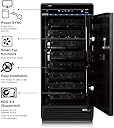
The Mediasonic USB 3.2 Type C 8 Bay Hard Drive Enclosure (H82-SU31C) is a robust DAS solution supporting up to eight 3.5-inch SATA drives with a massive combined capacity of 240TB. Featuring USB 3.2 Gen 2 Type C connectivity delivering up to 10Gbps transfer speeds, it includes smart thermal controls and broad OS compatibility, making it ideal for professionals demanding high-capacity, high-speed external storage.


| ASIN | B07G5NZ35Q |
| Best Sellers Rank | #94 in Enclosures |
| Brand | Mediasonic |
| Built-In Media | Main Unit + Accessory |
| Color | Black |
| Compatible Devices | Desktop, Laptop |
| Connectivity Technology | SATA |
| Customer Reviews | 3.5 out of 5 stars 127 Reviews |
| Data Transfer Rate | 10 Gigabits Per Second |
| Enclosure Material | Metal |
| Hard Disk Form Factor | 3.5 Inches |
| Hardware Interface | USB 3.2 Gen 2, USB Type C |
| Hardware Platform | Linux, Mac, Windows |
| Item Dimensions L x W x H | 6.8"L x 4.9"W x 9"H |
| Item Weight | 11.45 Pounds |
| Manufacturer | Mediasonic |
| Material | Metal |
| Memory Storage Capacity | 30 TB |
| Mfr Part Number | H82-SU31C |
| Model Number | 8 Bay USB 3.1 Type C |
| Product Dimensions | 6.8"L x 4.9"W x 9"H |
| Supported Devices Quantity | 8 |
| UPC | 629329002047 |
| Warranty Description | 1 Year Warranty from Mediasonic Store |
S**S
This unit does exactly what it says!
So Far So good! Installed 6 x 18TB drives which had previously been connected via an internal network card. So worried at first about transferring them over to this unit (Data loss). Did one drive at all ; with unit and PC powered down and booting up everytime. No issues at all! Using the High speed USB makes a huge difference and seeing transfer speeds over 180Mb / Sec. I followed recommendations and purchased a high quality USB cable separate from the one that came with unit. Big bonus is my drives spin down after so many mins of in-activity which I really wanted. Drives running cool monitored by software program I have installed.
I**B
Works good with patience......
So far this product works OK - with caveats. After receiving my unit I initially installed five 8TB Seagate Exos drives, and now I've added three more to fully load it with 8 drives. While I was successful at getting the drives installed, the mechanical alignment guides are not good. The drives are not installed with a caddy, but a plastic handle is attached to each drive and, when the drive is installed, the inner doors apply pressure to these handles to ensure the drives can't back out of the SATA connectors. It's an OK system, but the drive alignment to the SATA connectors on the backplane can be a problem. Not an impossible problem if you are careful and have patience. For me, the bottom drive was by far the most difficult to get aligned as the bottom of the metal frame for the drive held the bottom drive slightly too high for easy connector insertion. I kept swapping drives around and coming in at different angles until it mated. This mis-alignment will likely put pressure on the SATA connectors that would normally be supported by the mechanical frame. It works and will probably be OK for consumer use. After all, this is an inexpensive enclosure. My second concern is related to the thermal management of the enclosure. I've run a temperature experiment several times with the same outcome. During a multi-day drive burn-in, I monitored each drive's temperature through the SMART data. The fans are configured to pull air through the enclosure, and the only venting through which the fans can pull air is located towards the bottom of the front (beneath the outer plastic door with the key lock). The fans will change speed based on load, but even at the highest fan speed some of the drives will creep into the lower/mid 50degC range. There is a spread of temperatures across the drives. However, if I open the front plastic door then all of the drives are in the mid 40degC range, which is fine. The cooling/airflow is certainly not optimal for the configuration. Based on my simple experiments, I would say that adding vents to the outer door would give a drastic improvement in cooling for some drives. I've not taken the time to add my own thermocouples to the enclosure. In general, this enclosure is a good deal for what it is. There is certainly room for improvement that shouldn't add to the product cost. For me, the electrical performance of the unit has been solid. I've completed one 5-day drive burn-in sequence with no errors on the drives or with the enclosure. I've connected this enclosure to a Protectli mini-PC running ProxMox and am using a Ubuntu Desktop virtual machine with two assigned CPU's to do the drive burn-in. The burn-in process is taking 50-60% of the two CPU cores. .... I'm adding to this review after several weeks of using the product. The bearing on one of the cooling fans is starting to rattle, so the fans will have to be replaced on the unit that I received. This is an incredibly short life cycle for the fan as they are rated for 35,000 hours, which is 4 years. One of mine didn't make it for 4 months without a noisy bearing/pending failure. Luckily, the fans are readily available through multiple sources. As part of my burn-in process, I tested read and write throughput on all combinations of 1,2,3,4,5,6,7, and 8 drives (test script). In general, the enclosure operated up to the speed of the drives themselves (in my case each drive can handle 240-250MB/s) when 4 or fewer drives were tested in parallel (there were some instances where one drive may have been lower throughput, but this could have been the OS causing this and not the hardware). For the 6-drive tests (my standard use case), the R/W throughput was down to around 150-180MB/s for most cases. For the 8-drive case, all drives were around 150-160MB/s or 1.2GB/s combined throughput. This lines up with the 10Gbit/s interface throughput. So, I'm happy with the electrical hardware performance. I've had no interface errors so far under Proxmox using virtual machines as test platforms, but I did have to pass though the whole Thunderbolt device (PCI device) and not just the Thunderbolt port itself on the Protectli mini-PC platform. When I passed through just the Thunderbolt port I had periodic lock-ups (apparently a known issue in Proxmox and not an issue with the drive enclosure). Once I passed the Thunderbolt port to the VM using the preferred method, I've had no problems after weeks (literally) of burn-in and performance testing. So my initial impression is unchanged after several weeks - electrically this product performs as expected, but mechanically/thermally there is room for improvement. However, for the cost, this is a good solution if you are patient and are aware of the mechanical limitations.
F**K
Absolutely horrible device. READ THIS BEFORE BUYING!
Before I get into my review, I first want to exclaim that anyone who purchases this unit will regret it sooner or later. Read On... So I purchased this unit after having success with various Mediasonic 8-bay units. I am using this on a Linux server in a RAID6 configuration with NAS rated devices. The plan for my Linux server was to upgrade from a USB 3.0 enclosure to this 3.1 gen type 2 enclosure for the throughput enhancements. So the ONLY good part: I was able to transfer all my drives over to this new unit without any issue. The server recognized my RAID volume immediately and was able to mount the device as I would expect. I then was able to complete a benchmark (read-only) test using hdparm against my RAID device -- which reported over a 4x increase in performance. Well, of course this was exciting to have this just seamlessly drop in and instantly gain that much performance. To test the device I put on a movie for my family using Plex and it was amazingly fast. I thought this was going to be the best purchase in a while -- HOWEVER, MY HOPES WERE DASHED -- after about an hour into the movie it suddenly cut out -- inspiring an instant WTF moment! Logging into the server revealed that my RAID mount decided to stop responding and throw several I/O errors. After experiencing this, I thought perhaps a reboot would kick the RAID back into gear... but NOPE! that would have been too easy! It didn't remount jack after a fresh boot. Of course I was having barnyard animals by this point coupled with several colorful metaphors spout about in an attempt to mentally cope with this ordeal. So after calming down a bit, I regained my ability to think logically through the issue and spent a couple hours trying to figure out what the hell happened. The first obvious next step was to move all my disks back into the old 3.0 enclosure and reboot again. Survey says? SAME PROBLEM! At this point I was experiencing a holy s**t moment and went into panic mode, once again creating a toxic environment for all those would could hear me yelling through the walls. Then I regained my composure by chugging a Mt. Dew as a coping mechanism. LOGIC RETURNS: Fortunately after doing some research I was able to reassemble the software RAID -- however the enclosure absolutely hosed a couple of my disks! By this point I had chugged a couple Dews. THE GOOD: The RAID6 configuration finally met a real use case now, where I could technically still mount my RAID (6 out of 8 disks). That said, I honestly would have been screwed if I had lost additional disks! So, based on other reviews and from my first-hand account, my guess is that the unit had disconnected some devices, ultimately FUBARing the RAID. Those that understand RAID systems realize they do not play nice when multiple drives suddenly go missing while in use! First thing I did after recovering my RAID is backing everything up to a very large external hard drive. That is just one of those things you do when "good RAIDs go bad!" -- yeah, it may be time to get a YouTube channel going! With that all said, I believe that Mediasonic absolutely failed with this particular unit and sadly they are still selling these and serving the tech community a huge injustice! That pretty much has sealed the deal for me going forward on JBOD enclosures from Mediasonic. A NEW HOPE: I elected to fork out some extra cash and purchase the "QNAP TL-D800C 8 Bay Desktop JBOD Storage Enclosure with USB 3.2 Gen 2 Type-C Connectivity". Not many reviews for this particular product at this time, which is a bit worrisome -- BUT given where QNAP stands in the industry, that was encouraging enough to give it a go. If all goes well (or not well at all) I will be leaving a detailed review of that product.
R**D
Solved a storage problem that had been nagging me!
I have 6 of the 8 bays currently filled, and it works great. It also works fine under Linux. I'm very happy with the enclosure and found other reviews of high temperatures not to be applicable in my case. The mounting of the 3.5 inch drives was easy, and the devices are all properly found and supported under both Windows and Linux. I'm able to read S.M.A.R.T. data from all of the drives, and even with saturating multiple disks in the enclosure the performance bottle neck is the disks themselves, and not the enclosure or USB3.1 connection. If anyone is looking for an enclosure to house a large collection of media, or archival files I highly recommend this enclosure. One last note, as another review said I find the LED's to be distracting. Blue LED's are very bright, and they are accurate and do make it easy to see which disks are active, if that's important to you it's a good feature, but I did as another reviewer did and taped over all the display LED's except the fan speed.
T**D
Amended review
Amended review before original review below **** I had to pay the return shipping to send this to Mediasonic in California, but they exchanged my original unit for a brand new one since I was within the warranty period. Fingers crossed that when I run this in bootcamp mode on my Mac and write files to the drives that it continues to work. I have 6 drives in the 8 drive bay, and it's working right now. If the brand new replacement unit fails I'll be back to update this review. **** Original review below I bought this in the middle of September 2019 but didn't start using it until July of 2020. Originally I was going to switch to a macbook pro but waited until now to make the switch. I loaded in all 6 of the drives that were in my PC, formatted them all to exfat and transferred my data over. I noticed that multiple drives would "disconnnect" while transferring data from other drives back and forth. I adjusted the "disk sleep mode" settings on my mac which seemed to fix the problem. I've been using this for about two weeks ago now, and two nights ago all drives stopped appearing as connected to my macbook pro. All 6, I've restarted the device, I've changed the cable I use to connect the Probox to my mac.....nothing. I'm not sure of what other steps to take and the customer service from this company is abysmal. I reached out them originally on July 26th and was told I would be contacted the next day. No contact, no support. I reached out to them again yesterday on Facebook and have yet to receive any response. So, if you're looking for an expensive paperweight buy the Probox. I've had it for almost a year but have only used it for 2 weeks and it already stopped being recognized by my Macbook Pro. I'd love a refund so I can buy a more reliable brand, but I can't even get a response from the company. As someone who runs a video production business, this level of customer service is subpar to say the least.
M**.
Best 8-Bay DAS Hard Drive enclosure thus far
The Mediasonic USB 3.1 Type C 8 Bay 3.5-inch Hard Drive Enclosure – USB 3.1 Gen 2 10Gbps Support UASP/S.M.A.R.T / 16TB Hard Drive (H82-SU31C) is a nice, new 8-Bay HD enclosure that is fast, looks sleek and has multiple features other enclosures do not. Synch, Support up to and including 16 TB Hard Drives, Locking door, USB 3.1 connection works fine with a USB 3.0 to USB 3.1 cable and multiple USB 3.0+ PCE hub cards also. The smart circuit board docking system also appears to prevent the dreaded mounting, unmounting up down roller coaster rides seen in other enclosures. I have 'three of those dreaded 5-bay DAS by a different Tech manufacturer and they are a constant headache. Not this one, thus far its solid and I recommend it. I'll purchase another one in the future.
J**B
Questionable implementation of USB 3.1 Gen2 standard
TLDR: If you are a Windows user this will probably work fine for you, if you want to use a unix variant, be careful. If you are a linux user, it will also work mostly fine for you, unless you like to use the /dev/disk/by-id/<unique id> disk devices for things like ZFS. /dev/sdX devices will work fine. If you are a FreeBSD or TruNAS user, this probably won't work for you. Background; I have many years of experience using DAS/JBOD enclosures with Linux. I've used SCSI, eSATA, SAS, and now USB 3.1 Gen2. Use: I like to use ZFS on linux where best practice to build your ZFS storage array is using the /dev/disk/by-id/<unique id> devices. The MediaSonic USB 3.1 Gen2 enclosure will only populate four out of eight of these /dev/disk/by-id/<unique id> devices, the rest get overlayed with the scsi path id and are not unique forcing you to use the /dev/sdX devices for the remaining four disks when fully populated. I contacted Mediasonic support to ask about this, and was told "Mediasonic doesn't support linux" - which is fine, I am not expecting them to support linux and I'm not disappointed or angry about that, but I was expecting them to have their hardware comply with the USB 3.1 Gen2 specification correctly. If the protocol spec is correct, then I don't need their support as with linux, a disk is just another device and I know how to use those well enough. At first I thought maybe the linux USB 3.1 Gen2 driver wasn't expecting an 8drive enclosure, its a relatively new item on the market. I loaded up TruNAS (FreeBSD based) and it would only recognize four of eight drives at all. Linux could see all eight using the /dev/sdX devices, but not /dev/disk/by-id/<unique id> and TruNAS would only acknowledge four of eight disks period. At that point, since those OS USB 3.1 Gen2 drivers are independent, I guessed that it was probably a problem with the Mediasonic enclosure. To confirm this, I bought a competitors 8bay USB 3.1 Gen2 enclosure and tested that (at about twice the cost, ugh) but it worked perfectly, all /dev/disk/by-id/<unique id>'s were present and it operated as I expected. The competitors rig was also much quieter and had some nice screw-less disk trays. So, now I know that this Mediasonic enclosure is implementing the USB 3.1 Gen2 protocol in a way not as good as their competitor. If I'm going to trust my data to this hardware, I'd prefer I was able to trust their USB 3.1 Gen2 implementation, and given this experience, I cannot. To be clear: it works fine if you use the /dev/sdX devices, but if you want to use the better practice /dev/disk/by-id/<unique id> devices, you should look elsewhere. I'll be looking elsewhere. This was originally a 2 star review, but I'm adding a 3rd star because while I was writing this, I got an email from Mediasonic support saying they would see about letting me return my Mediasonic enclosure even though I bought it in January (its late March now), so if that works out, they earned that third star with that.
M**S
So far so good!
I run an 8bay NAS filled with 4TB drives as my primary storage for my Plex server. Everything has been great but im a firm believer in the 3-2-1 backup rule. As such, my string of random external HHDs mapped together with duct tape & beer was not cutting it. This seemed to be my best bet for large storage. For the unit itself, its works exactly as described. Im getting around 800MBs R/W (according to Black Magic Speed Test) running 8 4TB WD Red NAS drives, connected to a 2018 Mac Mini. As others have mentioned the status lights are obnoxious so they have been covered w/ electrical tape. Also, like others have mentioned, I was nervous about the lack of vents or fans in the front. Because of this I bought some fan covers/grills and drilled out my own vents in the door. Not the prettiest thing in the world but gives me better piece of mind that this will keep my ~$800 worth of HDDs cool. All in all its been reliable but its only been up for a few weeks. Should I have any issues I will report back
A**G
Fantastic drive bay
Awesome case and works great for either SSD or mechanical drives. Highly recommend
F**R
المواصفات والماركة
جهاز أكثر من رائع وصلني مغلف وفي موعده تماما
S**S
Avoid… find something else
I wanted to like it.. but it’s so noisy I can’t. I even had Mediasonic in Richmond BC send me two new (and different model) fans to replace the noisy one’s in it… nothing worked. For $500 this this should be whisper quiet but it’s packs over 50 dB of noise all from the poor quality fans.
A**N
Does the job
Good for having 8 drives connected to you pc via 1 cable. Temps are acceptable with high fan setting. performance is the same if you had your hdd connected to sata port. moving files from one drive to another inside the enclosure sometimes drops after 100GB or so with an error. Causes longer bios time, my system goes to 106 s bios time.
T**A
The enclosure works fine, however...
I bought three of these enclosures. The first one came with a bad unit, cannot recognize 2 of my hard drives, had to return it and bought again, then it worked fine. Last month I bought another two, one of them is even worse, it destroyed one of my hard drive! I lost 3TB data! Have to return it again. I hope the company would put more effort in controlling the quality of their products.
Trustpilot
1 week ago
4 days ago