


๐ Elevate Your Duplication Game!
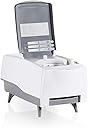
The Nimbie USB 3.0 CD/DVD AutoLoader NB21-DVD by Acronova is a powerful automated disc duplicator designed for professionals. With its multi-master mode, it allows for the duplication of different master discs in a single batch, ensuring efficiency. The device features USB 3.0 connectivity, which is backwards compatible with USB 2.0, and supports a variety of third-party software on PC, making it a versatile tool for all your disc management needs.
| ASIN | B00HQOOQCG |
| Additional Features | Multi-master mode for disc duplication |
| Brand | Acronova |
| Built-In Media | Acronova Nimbie USB 3.0 CD/DVD AutoLoader NB21-DVD |
| Cache Memory Installed Size | 2 MB |
| Compatible Devices | Desktop |
| Connectivity Technology | USB |
| Customer Package Type | Standard Packaging |
| Customer Reviews | 3.8 out of 5 stars 23 Reviews |
| Data Transfer Rate | 5 gigabits_per_second |
| Form Factor | External |
| Hard Disk Interface | USB 3.0 |
| Hardware Connectivity | USB 3.0 |
| Hardware Platform | PC |
| Installation Type | External Hard Drive |
| Manufacturer | Acronova |
| Mfr Part Number | NB21-DVD |
| Model Name | NB21-DVD |
| Model Number | NB21-DVD |
| Special Feature | Multi-master mode for disc duplication |
| Specific Uses For Product | Personal |
| UPC | 183206001962 |
| Unit Count | 1 Count |
A**R
Terrific time saver: works well!
I purchased this autoloader to rip a library of 400 or so audio CD's (original recordings of spoken lectures and class instruction). It did it's job just fine. For use under Windows or Mac this should work for you with no surprises. The drive mounts as a normal USB-attached drive. The loader mounts as a separate device under Windows. Basically when the loader receives a normal "eject" command it knows how to eject the current disk from the lower-front slot, and to load in a new disk from the stack at the top. For Linux, you will need to sign an NDA and obtain the API from the manufacturer--and then you can probably create what you need. (We attempted this, and gave up--choosing instead to run on Mac.) From there, it is up to your software what you want the drive to do. You can rip, or record, or even do 1:1 duplication in "interleave" (where you stack your disks as original, blank, original, blank, etc.). I wish I would have had this a few months ago when I ripped my movie collection to my media server. But in short, I think this loader is very helpful anytime you have more than an handful of disks to work with in some kind of a batch operation.
M**E
Reliable Fast Ripper for CDs and DVDs
The Acronova Nimbie is a first-rate product. Over the last two months I have archived two very large collections for academic and broadcast clients, and the Nimbie itself has performed flawlessly. I would advise anyone contemplating purchase to dedicate a PC with a clean Windows 7 install and a RAID hard drive implementation (or Drobo) for ripping. The four-star rating has more to do with the provided software (dbPoweramp, and batch rippers for dbPoweramp and iTunes) is quite good, but does not behave well on computers that are packed with a lot of software. The QQRipper-iTunes would occasionally stall on my main music production box, requiring me to unload the hopper, eject the disc in the Nimbie, pop it back on the hopper pile, turn off the Nimbie for 30 seconds, turn it back on, wait for the drivers to load, and resume. Problem was solved with a cheap used Win7 box with a separate install and a network-permissioned internal RAID array - has never stalled! The dbPowerAmp batch ripper setup is faster on good discs and CD-Rs than QQripper+iTunes (especially on CD-Rs), though you will have to subscribe short- or long-term to get the best automatic metadata -- well worth it if you are ripping and tagging a large collection of commercially released CDs. The dbPowerAmp batch ripper urgently needs one feature - an option to create a new folder for each unidentified CD or CD-R. I would encourage Acronova to develop drivers and software so that I can use my Nimbie with the Tesla Roadster of players/taggers/rippers, MusiChi Suite. Do that and you get the Full Five-Star Monty, I promise! Even with its minor to moderate shortcomings, this is a terrific tool for disc archiving, and unlike other similar products I have used in the past it has had no mechanical issues or disc ejection issues. Bravo!
N**D
I've wanted a product like this for years!
My initial unit had a dead optical but Acronova support was incredibly helpful diagnosing the issue and getting me a replacement very quickly. It is obvious the team their really cares about the quality of their products. This is a well designed and styled unit and it just chugs away. Setup on a Mac took nothing more than plugging in and installing QQGetTray I've wanted a reasonably priced tool like this for years and years. I tried training my cats to load my cds but they scratch things or fall asleep. As nice as the cloud services are I want all the special and odd CDs I've found over the years and all my music archived in a lossless format forever. Other options are thousands more and aren't practical in a home environment. If you are looking to rip a large catalog of music this is the difference between months of work and days.
R**N
Buggy item doesnโt work properly
Buggy product, does not work well with apple. Load only a few discs before it stops with an error message. Mechanically good, but software is crap. Regret this purchase. Itโs a dud.
A**G
Good idea, Terrible implementation
That killed it for me. It does the job, but very buggy and frustrating. Didn't work at all on my Mac (with El Capitan), and Windows had to be restarted to detect the device again after unplugging the USB once. The unload cup catches the burned CDs only until about 70% full, then they go all over the table/floor, which effectively limits it to about 20 disks at a time if you don't want to pick them up off the floor later. Last but not least, the user interface looks and feels like a quick and dirty job, with mislabeled buttons, blurry thumbnails, and unstable performance. Not worth the price, in my opinion, and so back into the box it goes.
D**I
Great device to rip Compact Discs
I've been ripping hundreds of CD's from my collection. This works very well. A little learning curve, at the beginning, but it was soon up and running. I was a bit confused by a few procedures, but their phone help was top notch. The techncian took all the time I needed to explain how to make it work, and encouraged me to call back, if I had any more questions. This is a bit pricey, but it saves me a ton of time, which is in less supply than money. Haven't tried it with DVD's, but it works very well ripping CD's.
W**C
Wonderful device with some medium level troubles.
An excellent product when it's working, but tends to lose connection once every few dozen discs, and developed drive issues after about 2000 discs. System and tools in play: Windows 7, QQBoxPro 3, USB 3.0, BS Disc to HDD. DVD drive appears to have minor problems reading as compared to the DVD drive on my computer. BS Disc to HDD may have issues reading - a bad file may be what's hanging it, and it certainly takes ages to handle a known bad file, whereas other software not associated with the device (TeraCopy) skips bad files much more reliably. Note that I expected some read errors in general, as some of the data being backed up is on media nearly 18 years old. No tests on music or movie ripping. After 2000 discs, read errors and hangs increased, disconnects increased, and finally the drive started failing to open. This last sometimes just happens to DVD drives: Press the button and you can hear it attempt to open and fail. This appears to be the case where it only fails to open when empty. On a computer, I'd just drop $20 and replace the drive. On the Nimby - I'm not taking it apart to replace a component until speaking with tech support - this may be somewhat more complex. Upshot: I love it when it's working, but expected it to be a lot more reliable in terms of both software and lifespan on the drive.
U**C
So good. I purchased this to put my media collection ...
So good. I purchased this to put my media collection onto one big 40 TB server. Ripped thousands DVDs, still working like a champ. Software is great. This guy will throw you a disc error every once and a while, but it's to be expected when you are doing a large project.
Trustpilot
3 days ago
1 month ago