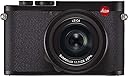
🛡️ Shield your Leica Q2 like a pro—because your masterpiece deserves nothing less!
The Expert Shield Glass Screen Protector for Leica Q2 is a precision-cut, optical grade hardened glass protector designed specifically for the Leica Q2 camera screen. It offers lifetime guarantees against bubbles and scratches, ensuring crystal-clear touch sensitivity with no lag. Engineered with a unique gel adhesion layer, it provides durable, impact-resistant protection while maintaining flawless screen clarity and easy installation.
| ASIN | B07Q31PBTV |
| Best Sellers Rank | #112 in Digital Camera Screen Protectors |
| Customer Reviews | 4.3 4.3 out of 5 stars (180) |
| Date First Available | January 29, 2015 |
| Is Discontinued By Manufacturer | No |
| Item Weight | 0.48 ounces |
| Item model number | Leica Q2 |
| Manufacturer | Expert Shield Ltd |
| Product Dimensions | 3.54 x 0.02 x 6.69 inches |
F**X
Easy Peasy, Lemon Squeezey
Glad that it's glass instead of plastic film. In terms of functionality, the glass protector will definitely withstand the rigors of daily use like fingernail pokes and the occasional scrape across shirt buttons or jacket zippers. Packaging comes with 2 protectors either for that second try, or for future replacement. I thoroughly appreciate the clear and concise written instructions, it paints a clear picture in my mind on what I need to do to pull off a successful installation. No need to sit through videos with tacky music. The fit is accurate and feels high quality with no sharp edges to snag on. With the accurate sizing and clear instructions, I was able to pull off a successful installation on the first try. Because it's a small screen (back of the Leica M10 camera), bubble removal was quick after the first swipe down the middle of the protector.
G**S
Fits perfectly easy to install
Excellent camera lens replacement
T**N
Excellent service and product.
Received on time, and fit my camera perfectly. Easy to apply
C**G
Will be great if comes with tool for installation.
It would be great if the product comes with the alignment tool for installation. Quality is good but the screen protector itself is not 100% covered the screen.
J**P
Purrr-fection!
Super-clear protection! I prefer the shiny ones like this rather than the matte ones because these are brighter and clearer. Even outdoors - unless the sun is shining directly on the back of my camera, which it rarely does because I'm holding the camera in front of me, clear non-matte like this just looks better to me. It's not "anti-glare;" it's just as shiny as the screen on the camera - which I prefer. Anyway, this one is glass, and it pretty much disappears once installed. Yes, it is very slightly smaller than the screen itself, a fraction of a millimeter on each side, but it must be. That little bit of clearance is needed otherwise installing it would be a nightmare. Even if a tiny bit of an edge catches the border around the screen, it won't seal. So there's a bit of clearance built in. I noted that it's the same size as the matte Leica-brand screen protector that I replaced. Speaking of which, installing it is not a matter of just slapping the thing on. Allot plenty of time, have everything to hand before starting, and work carefully. Once I got in the groove and did it right, I didn't even have to press out any air bubbles. The gel just spread perfectly evenly right to the edges, all by itself. But what really sets this brand apart is the customer service. I emailed and got a response back from a real person in less than a day, replied to that and got a response back later the same day. All for a 20-buck screen protector. Their customer service is tops! I used this to replace a matte Leica protector that I scratched. That one did its job; the screen was still fine, but this one works better with the touch control on the screen. And it's clear and bright and less than half the price. So: Read the directions. Watch the videos on their website. Have everything to hand before starting. Be patient and work carefully. If you mess up on the first try (like I did), wait a day to calm down (like I did), then try again. There's a spare thoughtfully included in the package just in case. It will look awesome, and using the touchscreen will be just as fast. I will be using Expert Shield protectors on all my cameras from now on.
W**.
Waste of money and time
I followed the instructions to the letter and still couldn't get either of the included protectors to seat without dust and imperfections embedded. The second one I put on had a scratch on the back within a minute from using a microfiber. Would not recommend. Touch screen does not work correctly either. I've used other protectors on the M10-R and didn't have any issues.
C**N
Tricky to align but in the end worth it.
They give you two in the package. Not one but they don't tell you. Very nice quality but they need to have an alignment tool to make it fool proof. I got the one that says glass. Crystal clear. You have to clean the Q3 screen with wet wipes not included and then clean it with a microfiber cloth, then blow off any dust with air can. Put simple masking tape on one side of the protective screen and form a hinge on the camera to align. This takes patience and a steady hand. Failed on first attempt as it had some imperfection under the screen. Not dust. On the second try it turned out perfect. Great protection and the company offers help even if you don't get it right. Regardless of the alignment issues. I recommend this product. Once you get it on right. It's perfect protection for your camera's rear menu display. Just like you do for an iPhone only the Q3 costs $6,000. I felt I should protect the screen. Looks great and it can be remove with no residue. It can't damage the camera. Only protect it. To repeat, Expert Shield needs an alignment tool like they have with Spigen glass screens for the iPhones. I think the Expert Shield is a quality product for the Leica Q3. Don't settle for second best with such a fine camera. The how to video could be better also.
T**T
Fit perfectly, Much cheaper than Leica screen protector
Note that this comes with 2 screen protectors. I bought the "Glass" one. I used the blue masking tape on the right edge of the LCD to aid with the alignment. You will need to"dry fit" to make sure the tape is at the correct position before peeling off the clear film on the protector and apply it to the LCD. I had the screen protector lean against the tape and slowly lowered it to the LCD. Since the screen protector will touch the right side of the LCD first, start applying pressure from the right side and work your way to the left side. NO bubble, one try - That's all it takes.
Trustpilot
2 months ago
1 month ago