Desertcart purchases this item on your behalf and handles shipping, customs, and support to New Zealand.
๐จ Elevate your digital canvasโcreate anywhere, anytime with Wacom Intuos!
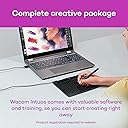
The Wacom Intuos Medium (CTL6100WLK0) is a sleek, black wireless pen tablet featuring a 10.4-inch active surface and 4096 pressure sensitivity levels. Equipped with Bluetooth and a battery-free pen, it offers seamless compatibility across Mac, Windows, Chromebook, and select Android devices. Ideal for digital artists, educators, and remote professionals, it includes 4 ExpressKeys for shortcut efficiency and supports drawing, painting, photo editing, note-taking, and teaching applications.


| Active Surface Area | 10.4 inches |
| Asin | B079NWPZTG |
| Brand Name | Wacom |
| Colour | Black |
| Compatible Devices | Smartphone, Tablet |
| Country Of Origin | USA |
| Customer Reviews | 4.5 4.5 out of 5 stars (2,740) 4.5 out of 5 stars |
| External Testing Certification | ID 00529-18-01796, ID 00529-18-01796 |
| Global Trade Identification Number | 00753218986832 |
| Item Highlight | Battery-free pen, 4 ExpressKeys for shortcuts, works with Mac, Windows & Chromebook; Ideal for creators, students & teachers |
| Item Weight Unit Of Measure | 0.91 Pounds |
| Manufacturer Part Number | CTL6100WLK0 |
| Model Name | CTL6100WLK0 |
| Model Number | CTL6100WLK0 |
| Native Resolution | 1920x1080 |
| Network Connectivity Technology | Bluetooth |
| Number Of Items | 1 |
| Number Of Packs | 1 |
| Operating System | Android,Os,Windows |
| Pressure Sensitivity | 4096 Levels |
| Product Features | Bluetooth |
| Screen Size Unit Of Measure | 10.4 Inches |
| Software Update Supported To Date | unknown |
| Specific Uses For Product | Drawing, Painting, Photo Editing, Note-taking, Teaching, Remote Work |
| Target Audience | Teacher |
| Unit Count | 1.0 Count |
| Upc | 753218986832 |
User
CUMPLE LO PROMETIDO / OJO CON LAS LICENCIAS DE SOFTWARE
Es un producto como uno se lo puede imaginar al tacto, calidad y bastante amigable. Definitivamente el tamaรฑo mediano hace una diferencia para las personas que tenemos manos grandes, al menos yo lo he sentido cรณmodo en este par de dรญas que la vengo utilizando. No soy diseรฑador ni ilustrador, soy Administrador especializado en MKT y aรบn asรญ puedo decirles que he encontrado poco a poco las ventajas de esta herramienta para apoyo en mis actividades tanto profesionales como de extra-curriculares.Algo importante a mencionar y que me dejรณ un poco insatisfecho pero al mismo tiempo lo comprendo, es el hecho de que la caja especifique que vienen 3 Software de Bonus (Sรญ, al momento de registrar la tableta en la pรกgina oficial te da acceso a 3 instaladores: uno para un software de ediciรณn de fotografรญas, otro para ilustraciones y otro para ilustraciones en general y especรญficamente de mangas). La รบnica licencia que viene disponible para registro es la del Software CLIP STUDIO PAINT PRO y es para 2 aรฑos y la obtienes una vez registras la tableta en la pรกgina oficial de WACOM (lo confirmรฉ con WACOM) los otros dos Softwares รบnicamente permiten un periodo de prueba de 90 dรญas. ES DECIR NO TE QUEDAS CON LOS SOFTWARE DE MANERA PERMANENTE, UNA VEZ CUMPLEN SU PERIODO HAY QUE COMPRARLOS. Anteriormente al parecer sรญ venรญan incluidos como parte del paquete, ahora no.Fuera de eso estoy muy satisfecho con la compra y espero poder sacarle el provecho suficiente como principiante, tiene una curva de aprendizaje como cualquier electrรณnico pero nada que cualquier persona pueda superar.
User
Unleashing Creativity with Seamless Performance
As someone who was looking for a tablet that would provide a lag-free and user-friendly experience, I was drawn to the Wacom Intuos Medium Bluetooth Graphics Drawing Tablet. And I must say, it has surpassed my expectations in every way.Right out of the box, I could tell that Wacom put a lot of thought into designing a tablet that's both functional and visually appealing. The sleek and slim profile makes it portable and aesthetically pleasing, but what really impressed me is the performance.The connectivity via Bluetooth ensures a clutter-free workspace, and the setup process was a breeze. The tablet was quickly recognized by my system, and I was able to get started without any unnecessary hassles.What sets this tablet apart is its responsiveness. I was eager to test the claim of a lag-free experience, and the Wacom Intuos delivered. Drawing, sketching, and illustrating felt fluid and natural, as if I was working with traditional media. The pressure sensitivity is on point, allowing for precise control and a wide range of artistic expressions.The learning curve was surprisingly minimal. The included software and tutorials were helpful in getting acquainted with the tablet, but even without them, the intuitive interface makes navigation and customization easy for both beginners and professionals.Battery life is also commendable. I can work for long hours without worrying about constantly recharging the tablet. It's another aspect that adds to the overall ease of use and convenience.In conclusion, the Wacom Intuos Medium Bluetooth Graphics Drawing Tablet is a must-have for anyone looking to explore digital art or enhance their existing skills. Its combination of flawless performance, ease of use, and attractive design make it a valuable investment for artists of all levels.Whether you're a seasoned artist or just starting out, the Wacom Intuos offers a perfect blend of performance and simplicity. It has made my artistic endeavors more enjoyable and efficient, and I'm confident it will do the same for you. Highly recommended!
User
Nice tablet
Bought as gift for son, received no complaints
User
Good Quality
Good Quality
User
Very nice -- with a slight learning curve! (TIPs!)
I was a graphic designer for a long time, and I have a very old Wacom board I purchased years ago. I wanted a smaller, more portable board, but felt the smallest size would hurt my hand (per reviews), so I bought the medium size which is close to the size of an 8 x 11 piece of paper. So glad I did, as this size is perfect for how I use the board -- to work with photos.But -- I can see why some reviewers are having a problem. Best advice I can give is to go back to what we learned in drawing class: Move your arm when you draw, not your hand, and you'll get a much smoother line.If you need extra traction for control, tape a piece of paper down on the top of the Wacom and draw on that instead of the (slippery) board. When working with photos, try to start with the highest res image you can as low res images are very pixelated and can make working with close up details difficult.Enjoy! And Highly Recommended!
Trustpilot
2 months ago
1 day ago