We remain fully operational. Our teams are working around the clock to ensure your deliveries continue safely.

DOWNLOAD THE APP


Copyright © 2025 Desertcart Holdings Limited
DOWNLOAD THE APP


Buy anything from 5,000+ international stores. One checkout price. No surprise fees. Join 2M+ shoppers on Desertcart.
Desertcart purchases this item on your behalf and handles shipping, customs, and support to New Zealand.
☁️ Own your network like a pro — control, analyze, and scale with Omada OC200!
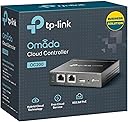
The TP-Link Omada Cloud Controller OC200 is a compact, metal-encased device designed for centralized management of Omada networks. It offers real-time traffic monitoring, graphical analytics, captive portal creation, and seamless cloud access for remote network control. Ideal for medium-sized home or office environments, it supports scalable network expansion with Omada-enabled devices, delivering professional-grade network oversight in a sleek, reliable package.


| ASIN | B07GX6GVB6 |
| Antenna Location | Business |
| Antenna Type | Internal |
| Best Sellers Rank | #32,174 in Computers & Accessories ( See Top 100 in Computers & Accessories ) #803 in Networking Devices |
| Box Contents | Ethernet Cable, Omada Cloud Controller OC200, Quick Installation Guide |
| Brand | TP-Link |
| Brand Name | TP-Link |
| Colour | XX3 |
| Compatible Devices | Smartphone |
| Connectivity Protocol | Wi-Fi, Bluetooth |
| Connectivity Technology | Wi-Fi |
| Control Method | App |
| Controller Type | Switch |
| Coverage | Wireless (No specific range) |
| Customer Reviews | 4.5 out of 5 stars 1,768 Reviews |
| Data Transfer Rate | 100 Megabits Per Second |
| EU Spare Part Availability Duration | 5 Years |
| Frequency | 5 GHz |
| Frequency Band Class | Single-Band |
| Global Trade Identification Number | 00845973084233 |
| Is Electric | Yes |
| Is Modem Compatible | No |
| Item Dimensions L x W x H | 10L x 9.8W x 2.5H Centimeters |
| Item Type Name | Wireless Access Point |
| Item Weight Unit of Measure | 0.66 Pounds |
| LAN Port Bandwidth | 10/100 megabits per second |
| Manufacturer | TP-LINK Technologies Co., Ltd |
| Manufacturer Part Number | OC200 |
| Maximum Upstream Data Transfer Rate | 1000 Megabits Per Second |
| Model Name | OC200 |
| Model Number | OC200 |
| Number of Ports | 2 |
| Operating System | RouterOS |
| Other Special Features of the Product | Remote Access |
| RAM Memory Installed | 256 MB |
| Security Protocol | WPS |
| Special Feature | Remote Access |
| UPC | 845973084233 840030702020 840460619905 |
| Unit Count | 1.0 Count |
| Voltage | 5 Volts |
| Wi-Fi Generation | Wi-Fi 6 |
| Wireless Communication Standard | Bluetooth |
| Wireless Compability | Bluetooth |
S**K
Its Good!!, but do you need it ?
Okay, I know the setup is not neat but it works great. Well the reason I am writing this review is because I could not see details that are needed to make the usage of Omada controller really worthwhile. Firstly Do you need it? : Answer is if you love to see and control what is happening in your network and love to see the details of load, stats and other things in single page. Then yes!. Especially useful if you want to monitor your wifi network, it even shows heat maps and also which band of wifi is been utilized how much, guest wifi setup ..etc which is great. Overall if you are a person who wants to manage a medium network home/office and love to see the numbers and make life a little more complicated then its for you. You will love it. So now points to remember before you start using it. - Creating a new network is much easier then adding this to a exiting network. I found it the hard way. Just adding this to a network may not work and adopting devices which even supports Omada will fail badly, if not preped. - This is worthwhile only if you have Omada enabled SDN devices. So all the stats and thing I told will work only if you have Omada supported devices which are costly. Else you cannot do much. - A good Router which supports Omada is a must else you cannot do much in the case of managing your network and traffic. - Even if you have a Omada suppoted device to add its best to do a factory rest of the device else you may not be able to adopt the device correctly. So I told starting a new network fresh is easy. - Note that you can do all it does at a router level, if you have a good router(gateway) which can manage VLAN and other things you can achieve the same thing may be not in that level of stats and single page view, but still enough. - I felt OC200 UI interface is slow, I have at least 20 devices up in my network and this hits around 35 during peak times. I saw that refreshing and updating the client list etc takes time. May be the next level is faster not sure if its worth the cost . Note this does not impact the network speed. This is just the UI interface I felt. - Overall layout and interface is good but some setting are hidden I felt, and reaching that and editing takes time. This is critical as certain settings do impact overall operations. - I used to have a standard network with a Router and switch setup adding Omada was not easy and it took me a day or so to fine tune it as per what I needed. I could afford this downtime and test time because it was my home network not sure if you can do the same in a working/office network where down times cannot be afforded. I feel you need to first setup this in a test bed and then port it to the live network. Overall I say its worth the buy if you want to play around and still have control. If you are person who wants to setup a simple network and don’t bother much, a good router will still do the trick. I have this up since some weeks now all is good and everything works well as i planned.
A**V
Omada FTW
Best investment for a centralised home network. Build quality is great and supports a lot of other Omada devices and functions. Very easy to setup if you know your stuff. And it's easy to learn if you just look for a few tutorials on YouTube if it's really necessary.
R**.
Excellent Omada SDN Cloud Controller
I had bought this because I wanted to manage all EAP245 and switches using a single interface. 1. The concept is good 2. You can manage upto 100 EAP and switches 3. You would need to buy Omada-supported switches with PoE. I couldn't find it in the local or online market but Tp-Link support arranged one from Mumbai. 4. It doesn't have a power supply as it takes power from PoE. Make sure you have a PoE switch or need to buy an external LAN/PoE converter. 5. Supports only the managed switch is obvious Now my entire network can be managed in one place and even if I am outside of the office. I can access the entire office network from anywhere.
S**.
Helpful!
Works the way it claims to work.
A**R
Good nice
All good but customer support of TP link is not good.
A**L
old hardware
old hardware version, updated OC220 much better however NOT available on Amazon till writing this review
K**I
Single place to control your network
If you want secure your network and add firewall and control everything from single interface & from cloud this is best route. pair it with inexpensive POE+ switch,router and add an access point. it better and inexpensive alternative to sdn network controllers likes of unifi or cisco. powers over poe+. uses 3.3w power. tested it for over couple of months and total power consumption was 2 units for a month. connect with tp link account to access from anywhere. no need to forward ports or setup dmz to access it from anywhere. in box contents are oc200, Cat 5e 1 meter cable and guide. cat 5e is more than enough as controller only have 10/100 connector and doesn't need much of bandwidth. set up, it was relatively easy. connected incoming internet cable from my fiber ONT to the gateway, connected LAN from gateway to my poe + switch and poe switch to oC200. Scanned the network with nmap. but you can use omada mobile app or omada discover utility on pc. just go to the ip of controller and follow the on screen prompts. done.
Trustpilot
1 month ago
1 month ago