💼 Secure your digital empire with speed and space — because your data deserves the best!
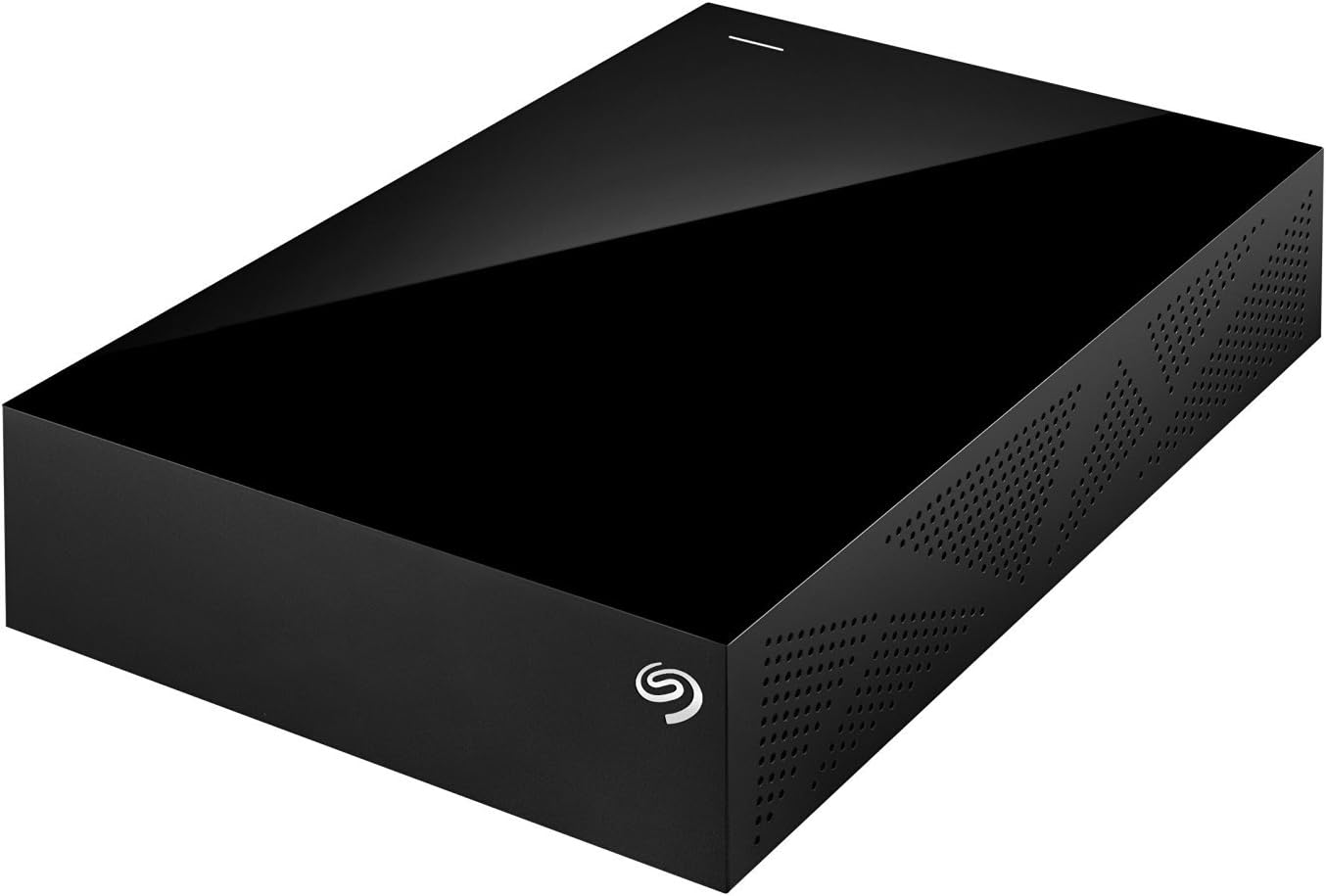
The Seagate Backup Plus 6TB Desktop External Hard Drive (STDT6000100) offers a massive 6TB capacity with ultra-fast USB 3.0 connectivity. Designed for seamless use across both Windows and Mac platforms without reformatting, it features easy one-click or scheduled backups via Seagate Dashboard software. Its compact, durable design makes it an ideal desktop companion for professionals seeking reliable, high-capacity storage and effortless data protection.


| ASIN | B00R1P2WDK |
| Best Sellers Rank | #631 in External Hard Drives |
| Brand | Seagate |
| Built-In Media | Seagate® Backup Plus Desktop Drive 6TB USB3.0 |
| Cache Memory Installed Size | 6 |
| Color | Black |
| Compatible Devices | PC, Mac |
| Connectivity Technology | USB |
| Customer Reviews | 4.3 out of 5 stars 3,403 Reviews |
| Data Transfer Rate | 5000 megabits_per_second |
| Digital Storage Capacity | 6 TB |
| Enclosure Material | Unspecified |
| Form Factor | desktop, external |
| Global Trade Identification Number | 00763649067093 |
| Hard Disk Description | usb 3 |
| Hard Disk Form Factor | 3.5 inches |
| Hard Disk Interface | USB 3.0 |
| Hard-Drive Size | 6 TB |
| Hardware Connectivity | USB 3.0 |
| Hardware Platform | PC;Mac |
| Installation Type | External Hard Drive |
| Item Type Name | Seagate Backup Plus STDT6000100 - Hard Drive - 6 TB - USB 3.0 - Black |
| Item Weight | 1.9 pounds |
| Manufacturer | SEAGATE |
| Mfr Part Number | STDT6000100 |
| Model Name | Backup Plus Desktop |
| Model Number | STDT6000100 |
| Number of Items | 1 |
| Specific Uses For Product | Personal |
| UPC | 763649067093 |
| Unit Count | 1 Count |
J**R
New firmware fixes speed bumps and heat issues with ST8000AS0002-RT17.
It has been a long time since I said anything positive about Seagate. The last time was for the 2TB drive which used 1TB platters to create a very fast cool running drive and it was only that particular drive as the rest were utter crap and so were almost all other Seagate drives I have had since or before. This new version uses a newer case with holes on the bottom and sides to dissipates heat so it stayed under 50C after using it a few hours. While older cases it would get to 60C and I had to turn them off at that time. This drive is also HEAVY. Adding 2 or 3 more platters seems to make the drives almost twice as heavy as smaller drives, the 8TB WDC drives are also heavy. But this drive shakes when the head moves unlike the WDC drive. So you can actually hear and feel the head movement. On of the main changes seems to be the way the drive works, Unlike previous models where data was stored on a 20GB area and then that data was moved onto the SMR storage area, this newer model seems to store data directly on the storage area. I copied a 2TB drive over and it went at around 80MB/sec speeds.. With no spiking issues in between. It is still slower than PMR drives which would copy them at almost twice the speeds. But here it looks like once its buffer is full, it will write out the buffer directly onto the SMR track. So you can see how each track is being written in spurts unlike the smooth motion of PMR drives but unlike the older models where it would almost stop when the large buffer is being moved onto the SMR data area. So Seagate has learnt after a decade of trial and error like some kind of baby growing up. That is not praise for a multi billion $$$$ company that sells hundreds of millions of these things. Other than maybe some of the old guys running things might have passed onto greener pastures for changes that should have been done a decade ago. And it only took 3 or so years to perfect the firmware to get it to a working model. So this SMR firmware works even better than the advanced format firmware with boundary layer cross over where the 4k windows NTFS cluster over laps 2 advanced format sectors as the 512b translated sector is not aligned properly with the 4K NTFS cluster to the 4k advanced format drive sectors due to drive firmware or operating system mis-alignment (this was a major problem even if Microsoft had special routines to fix this issue as Seagate did not properly align the drive sectors with some firmware), the copy speed would fluctuate widely due to this mis match as the drive would basically do a read and then a write to create new sector data crossing 2 sector boundary layers almost imitating an SMR type drive. This will not happen with this drive as the entire track would be written out anyway. But it does show maturity of Seagate programmers in fixing some of the issues that caused problems before. Now changing data would still cause some problems but not as much as before. The big cache area used in the drive would basically cause time outs and crashes when copying large amounts of data with older firmware's so using a much smaller cache buffer seems to have fixed such problems. In essence now this is a real backup drive where you can backup your system image and such with speed AND also be able to use this as a storage drive. The difference being with the older firmware using this to store large amounts of data would cause errors or crash the operating system while a backup would only write out changes from the last backup you did so did not exhibit this problem. I hope people understood the technical problems which were explained. It took many years to understand these things and what caused them as the manufacturers themselves tell you very little and it was a lot of effort to learn from many people little bits of information on how it worked. Hopefully this review will help some people to better design their solutions by understanding the ways the drive works in different scenarious.
M**7
10 Year Review
I bought this Seagate Backup Plus 5TB Desktop External in Dec 2015, so been about 10.5 years now. Used it on a Mac. In the last few years I ran it 24/7. Here are my stats, followed by summary: Usage history Power-on time: 57,298 hours Equivalent to about 6.5 years running 24/7 Power cycles: 638 ✅ Advanced SMART Status: PASSED ✅ Overall Health Rating: 100% ✅ Overall Performance Rating: 100% ✅ Failed indicators: 0 ✅ Failing indicators: 0 ✅ Warnings: 0 ✅ I/O errors: 0 ✅ My takeaway: With over 57,000 hours of operation, this drive still shows perfect SMART health: zero bad sectors, zero pending sectors, zero uncorrectable errors, and only 638 power cycles. It's been used as a long-running media storage drive and remains fully healthy, according to diagnostics. The runtime is really high, too high, but the drive shows no measurable signs of degradation. No funny sounds, no trouble whatsoever. I have lugged it around from room to room, traveled with it too. I'll still look to replace it soon, because of its age, and also capacity. But no complaints in 10 years isn't bad!
I**S
Getting It To Work With An Older IMac 5 And Mac OS
Seagate 5 TB - it seems to be functioning fine so far on my old iMac 5 which always runs out of space. - I switched from an older 4 year old WD My Book which functioned perfectly but at 500 GB had simply become inadequate to store my stuff. I've never owned a Seagate product and I am keeping my fingers crossed. There is a $9.99 'recovery fee' option as you check out on Amazon which did not sit too well with me as it seems that the previous/current products have a 'problem' with numerous recovery requests, hence the need to charge the $10 for recovery. I could be wrong. Some reviewers have claimed that Seagate charges up to $500 as recovery fees. I pray that that shall not happen to me (or you) and I might get another storage device as a secondary backup if the machine starts acting up. Maybe I should have paid the $10. - the discounted price of the Seagate 5TB and the fact that I could get an extra 1TB by adding a bit of money on top of what I would have paid for a 4TB WD My Book swayed my decision. - I plugged it in and downloaded the Seagate 'dashboard'. I followed the instructions by other Mac owner reviewers to go to disk utility and partition the disk in order to format it for use by the iMac. Click on the Seagate 5TB drive and then at the top right hand side, click on 'partition and then choose 1 partition as your option. It seems that, for you to use the Seagate as the Time Machine, you have to choose the Mac OS journaled option while partitioning the drive. -The Seagate dashboard then gives you the option of using it with a Mac or PC or with a Mac alone. It 'warns' you that some capabilities shall be lost when you select the Mac only option. It also recommends one to download Seagate software if selecting the Mac and PC option. - I selected the Mac only option as I wanted the Seagate drive to function as my Time Machine. Setup was a breeze and I clicked on the Time Machine option after setup to initiate the initial backup. The initial backup took a while (the bar said 6 hours but it was more like 1 and a half) but all subsequent backups have been fast. - the data is easily recoverable from the time machine which easily scrolls to whatever date and time the data you want to access was saved and you may access it the same way it was saved then. I prefer to use Time Machine but other people have other preferences. - the Seagate icon is seen at the top right whenever the Seagate drive is on but it seems that, when you click on it, the 'Home' option does not allow you to recover data from there as I guess, once you select the Mac only option and the Time Machine as the default recovery app, then you have to recover and view your data from Time Machine and Time Machine only. I guess when you select the Mac and PC option, then the Seagate Icon, and later, app shall allow you access to the data. The Seagate app only allows you to get the latest update. (When Mac only/Time Machine mode is chosen at the beginning) - it seems quiet and doesn't get too hot. I unplug it sometimes as I heard that that stretches the life of the drive. Opinions differ sharply about this. - I don't know if you can change the setting from Mac only to Mac and PC once you make the selection and format the drive. You may need to research further. - a Seagate recovery app is downloadable but I am not sure if you need to pay a fee to use it or if it is free. Hopefully I (and you) never get to find out.
R**R
A refined external drive design
Things I Liked (+) Refined, well-ventilated enclosure design (+) USB 3.0 capable (+) Rubber feet at bottom of enclosure for grip (+) No proprietary encryption on data stored in drive Things I Didn't (-) Activity light pulse too soft to discern ongoing transfer operations Caveat for International Consumers (/) The included AC adapter I received is of the US-style 2-pin configuration. A physical pin adapter may be needed for overseas use. Seagate has a knowledge base article on the voltage specification of their products under "How do I identify / differentiate between Seagate External power supplies?" or check directly with Seagate if in doubt Overall: Four stars. The Seagate Backup Plus represents a refinement of the Seagate Expansion Desktop design. The unit functions well within expected parameters though the activity light pulse is too weak to discern transfer operations at a quick glance Note: This review is based on the 5TB variant I have reviewed other external storage solutions such as the WD My Book and the Seagate Expansion Desktop . Hence, I have certain expectations when it comes to external desktop drives. This Seagate Backup Plus more than satisfies those requirements. By now, the dimensions of an external drive are almost standard; the Backup Plus occupies a similar footprint to that of the Expansion Desktop and the My Book. Unlike the Expansion Desktop however, all the faces of the Backup Plus form a right-angle with each other, so technically you could stand the unit vertically if you desire, though I would not do it myself since it's not specifically not designed for it and it's not the most stable position available. Similar to the Expansion Desktop and the My Book, the Backup Plus powers on as soon as electricity is supplied; there is no dedicated on/off switch on these devices. The enclosure design of the Backup Plus is a refinement to that of the Expansion Desktop, there are now more grilles and vents to facilitate air circulation to keep the drive cool. However, I find the activity indicator light of the Backup Plus to have a very soft pulse. Simply put, the light flashes indicating drive activity are not that easy to distinguish; the light exhibits a glowing effect rather than a conventional binary on/off pulse. The effect is visually appealing, though I'd have preferred something slightly more distinct. The Backup Plus is USB 3.0 capable and I receive transfer rates from 65 MB/s to 90 MB/s depending on the number of files transferred. I experience similar performance with the Expansion Desktop and My Book, hence these speeds are within expectations. Like the My Book, the Backup Plus comes with backup software preloaded on the drive for installation though I have never used them. The unit can function perfectly fine as a drag-and-drop solution if you prefer to sort your backups manually. For completeness, I will also mention here that the Expansion Desktop does not come with any preloaded backup software. As far as I know, the Backup Plus does not employ any mandatory encryption methods on data stored to the drive. This is simply a common drive behavior aligning to my expectations however, not a special feature exclusive to the Backup Plus. The Seagate Backup Plus is definitely a highly decent external drive worthy of consideration. Compared to the Seagate Expansion Desktop , the most tangible refinement of the Backup Plus would probably be the enhanced ventilation from the new enclosure design. Otherwise, I do not really observe any other material difference between the two models, especially since I do not use the supplied backup software. This does not imply that the Backup Plus is not worthwhile. Rather, it shows how high the bar currently stands for external drives and the Backup Plus performs reasonably well by these standards. If your computing environment is fairly warm, the Backup Plus would probably be the better choice. For myself, I simply scout for the cheaper price between the two models. As for the WD My Book , I'd welcome you to browse my review if you'd like my take on it. I try to avoid recommending for or against another brand in a product review unless the situation absolutely compels for it.
R**N
Works with a Wii U
If you own a Wii U, you'll no doubt know that the internal storage isn't exactly huge. While its not a terribly big deal due to the games playing off the disc and not needing an install, Eshop downloads can add up. With the growing selection on the Eshop, some downloads are getting a bit bigger. For example, "Child of Light" is 2GB. If you intend to download the new Mario Kart game, that's around 4.5GB. Needless to say if you want to go the digital route, that 32GB is going to go fast considering with nothing on it except for the OS and apps that can't be deleted, there's only around 23GB to use. I first tried a 1TB "passport" style drive. It needed a Y cable to power it but it didn't work as intended. I could see what was on the drive but it wouldn't save progress during games. It seems the size of that drive and not having an external power source was the problem. Needless to say I was upset about that. Nintendo does strongly recommend a powered hard drive. I decided I'd give it a shot. This drive was a steal for $100. 2TB is overkill for the Wii U quite frankly but getting smaller powered drives seems a bit more difficult to come by. Set up for it is a breeze. There is NO need to hook it up to a computer first to format it. The Wii U will take care of that. Simply plug it up to the USB port on your Wii U of your choice, plug the drive into the wall, boot the system and follow the instructions on the screen easy peasy. Move files that are on your Wii U's HDD and you're off to the races. I moved approximately 10GB of data on the Wii U to this drive within 30 mins which I don't think is that bad of a transfer time. The drive looks nice and matches the Wii U pretty well even though it has rough edges. It seems very well ventilated with vents on the bottom and the sides. It automatically powers itself off when the Wii U is not in use so no need to worry about it spinning endlessly and running up the miles so to speak. The only issue I have with it is there isn't an "ON" indicator light that most drives have. If it does I simply haven't noticed it. When I first turned it on I wasn't sure if it was working. If you get tired of using it for a Wii U it is quite easy to reformat the drive and make it usable for PC external storage or other tasks. Just keep in mind that its very likely you will lose the programming that was on the drive when you bought it. Needless to say if you want to do more digital downloads for your Wii U this drive is a beast. I can't vouch for PC performance but I have other Seagate drives that work great so imagine this would be the same.
A**T
A learning experience
I don't like to give one star reviews, but this is primarily done as one star because Seagate has failed to describe its product with full notations on the 4 k sector drives. (which this one is and is now the norm on most all new drives manufactured today). The limitations of having non-backward compatible 4 k sector hard drives is; They will not work as a backup using the win 7 or below back up utility. What I have learned here is that the 4 k sector drives only work with win 8 if you want a system image. So Seagate and not necessarily this drive gets only one star for false promotion of compatibility with the majority of windows operating systems. (not sure about Mac) Now, What is a system image? Well if your backing up data to restore or recover your OS and other data necessary to run your computer (in case your hard drive fails) it is essential to have a system image. Without a system image you cannot restore your data to it's original state without additional cost and extended support. This could be 100's of dollars in some cases and it still may never be recovered as it would if you had a system image to support your backup. Seagate offers some workarounds, but they are frail and incomplete. The Dashboard (downloaded software)that comes with this drive, will not create a system image. The Disc Wizard which is offered in a limited version for free is incomplete and you are unable to open the data for verification...... Microsoft of course wants you to buy/upgrade to Win 8 and my Hp computer manufacturer wants money and a contract to provide the necessary drivers to work with win 7. some other items to consider 1. The "Dashboard" is slow and inefficient 2. You can't even touch the drive or it will disconnect. 3. If you leave the drive connected at start-up it stops the boot process. It has no on off so you need to disconnect or run through a plug with a dedicated off switch. I did a partition so I could use copy and paste to back up photos, music, docs, and some programs. Since the drive works for this just fine I have elected to keep it Learned something here, so all is not lost. The 4 k sector drives are the norm and this drive is just following suit. The industry is geared to upgrades and declining support values. The days of value in electronics are market driven and as long as people keep discarding, upgrading, etc., they will keep taking our money. In short-short, they make what the market demands and we simply do not demand enough from them. Longevity /reliability has the most merit of any given product and electronics suffer the most because it's the most complex and also the most in demand. Quality gets compromised through outsourcing the product build. Build, buy, discard and buy again. public companies need those EARNINGS so people buy stock and keep the process moving along. They have to look for ways to cheaply manufacture their products so people can afford it. it's all short term investment on many levels, but the consumer bears the cost that supports the bottom line. We love our gadgets, so lets get out and spend those 300+ bucks.( and then do it again 1 or 2 years later.)
J**D
Huge capacity and fast data transfer. Gets warm, not hot, makes a little noise, not much
amazing capacity and good date transfer rates over USB high speed ports. No firewire thunder or ethernet but I didnt need those for what I am doing. Runs warm during extended data transfer and a bit of hum and seek noise when used on desktop but not objectionable. Update 8 2016. I have been using this drive for a year with the seagate app to do continuous backups as well as offline storage of archival files. A useful feature is that I have virtually every file from every computer I have ever owned on it so I can go back 20 plus years if needed. It does run warm but at least mine does not get very hot, no warmer than my Dell 7440 laptop even after the Seagate was doing non stop file searches for text strings 24x7 for days on end. I'm about ready to buy a second one and copy this one for offsite storage. I considered a lot of options before going with a second Backup plus- NAS boxes which could have offered RAID but didn't have direct USB access and the apparent addiction of WD to AES drive encryption. I would like Thunderbolt for my new laptop but Im not going to pay a 300 dollar premium for that. I would love a faster interface but the tradeoffs don't seem worthwhile yet. I loved the comment one reviewer had about sharp corners. So true- these are sharp enough to draw blood and are a true work of plastic molding art that is utterly inappropriate for the use. BTW I paid full price for the first one and am paying full price for the second one so no incentive to sugarcoat the review. Seagate is not my favorite drive vendor- Hitachi is by a long shot but they don't make a drive with the capacity I want. Update 2: I have been copying files from one 8tb drive to another and have the following to share that might be useful: 1. its going to take a long time. Transfer rates with USB 3.0 on a winders 10 machine averages about 25 MB/s reported speed and it will take an estimated 4 days to copy the drive. 2. Temperature: I tried some temperature experiments since this is a topic of interest on these. I admit putting this in a poorly ventilated plastic box is not my idea of a good thermal design. After 24 hours of continuous data transfer as per above, the surface temp as measured by non contact infrared thermometer is 40-42 C (about 102 F). in still air at 72 F ambient. For the heck of it (yes I know whats going to happen, I have a tendancy to try things to test out theories) I stacked one drive on the other. I know, eye rolls but people put books and papers and stuff on running drives and as predicted everything gets hotter. Top drive went up to 44 C and the bottom drive was unhappy at 60 C but didnt throw any errors or warnings. I put them side by side and put a 4 inch AC powered fan ( 10 bucks at local hardware store on a whim) on them and temperature dropped to 27 C or pretty close to ambient. It will still be hot inside of course as plastic is a good thermal insulator so I like the idea somebody had of unboxing the drive and putting some rubber feeties on it.3, Noise. Really cant hear it a 3 feet but up close you can barely hear the busy seek of tiny robot arms looking for a good place to read and write. Now call me old fashioned but I like that noise as I started out with big cluncky VAX and Winchester drives that sounded like a line printer. You can tell if a drive is going bad as it will make special help-I-cant-find-my-track-noise and need immediate treatment (refrigeration + copy then shred). If I could find a decent NAS box at a good price I would do this instead but as it is, manual RAID in action..
E**N
Excellent Drive, plug and play with 200GB bonus
I got this drive for backups of my QNAP NAS, which is USB3 capable. I had no issues filling it full of data in NTFS format, then connecting it to my regular PC to do some final verification and add some more files before putting it in a box at the bank. Write speed was a solid 81.2 MB/Sec average according to the RSYNC log for pushing 7.2 TB of data to the drive. There were 3 GB of files which were between 200MB and 1 GB each, while the balance were mostly small files of 1 to 10MB. Basically, a normal file sever makeup I suppose. The drive inside is just a 8TB SMR (shingled magnetic recording) drive from Seagate, though at right this moment, the bare drive is actually more expensive than this one in an enclosure. The enclose though is great so far; even though I was originally planning on shucking the drive. Note that the enclose doesn't appear easy to shuck, I couldn't find screws, so it needs to be pried apart. Unlike some other reviewers, I had no issues with the drive getting hot. It certainly got warm, but my infrared thermometer showed it at only 41c (About 105 F). The only difference I can think of is that I loaded it pretty much sequentially, meaning there wasn't a lot of rewriting data. It was just pushing data to the drive. I will update this on the next rewrite in case the read-write process is markedly different. So far, it is an awesome backup drive for the price. The drive also comes with a free 200GB of space on OneDrive. To get it, you go to Seagate and register your drive, and walk though some steps. It took me about 5 minutes, then my MS OneDrive account showed an increase of 200GB in space. Meaning I got to stick some important files up in the cloud too.
G**N
Gran disco duro
Gran disco duro, la relación precio almacenaje es muy buena, hasta el momento he respaldado los archivos de varias computadoras, incluyendo la mía, con gran cantidad de software y controladores y aun tengo espacio libre. Lo recomiendo ampliamente, en Windows (7, 8, 8.1, 10) y Linux (Ubuntu, Lubuntu) funcionan muy bien, es de rápida transferencia aun cuando se usa en puertos 2.0. Aun no lo he probado en MacOS, pero hasta el momento todo ha sido de maravilla
C**N
Love this drive, and all Seagate drives. I only trust and buy Seagate drives now.
Not much to say about this since these types of devices are very "what you see is what you get" - I am extremely pleased with mine. It arrived well-packaged and in great condition. I own about 10 other Seagate external hard drives and I've never had a problem with any of them...to the point where I now exclusively only buy Seagate drives. I have tried others over the years, such as Western Digital, Samsung and Iomega, but have run into some problems with each. I trust Seagate drives completely. This drive in particular works great as a storage device for my Xbox One! With 5TB of space I can install all my games with a ton of room left to spare, and the USB3.0 means the data reads and writes quickly. I was able to get this drive at an amazingly low price, so keep your eyes out for sales on external hard drives! I would definitely recommend this drive to anyone looking for a large-capacity external hard drive, especially if it's for backups or for console (Xbox One/PS4) or data storage!
E**A
Excelente para Xbox y respaldo de PC
Compré este disco duro de 3 tb para usarlo en mi xbox one y ha salido perfecto. Hasta éste momento no hay queja. El único detalle que algunas personas le pueden encontrar es el tamaño del cable USB (muy corto) y como las entradas no son universales, reemplazarlo o buscar uno más largo no será tan fácil como agarrar algún cable cualquiera. El otro detalle es el cable del eliminador que es muy delgado y se siente muy barato. De momento no me ha causado problemas ninguno de esos detalles, pero posiblemente muchos le encuentren inconveniente, especialmente aquellos que usen el disco como portatil. EDITO: Ahora compre el disco de 8TB y ha salido perfecto tambien...!
K**.
good backup drive
Great backup drive. I can't speak for the software to come with it as it is of no interest to me. It's also not a very fast drive, but if you need a NAS backup drive to attach to a computer somewhere, this is cheaper than buying an external drive of similar capacity + an enclosure. The drive runs cool and can be left on 24/7. So far I have only had to power-cycle it once. I am not sure what happened there, but it never happened again. Make sure it is well-ventilated, harddrives don't like heat. I don't know how long it is going to last. Typically large-capacity drives like this one die young. I really can't speak for it, I have had duds from all manufacturers: harddrives are the new floppies and should be trusted accordingly.
V**R
Buen producto
Comenzando con el envío debo decir que fue muy rápido y además gratuito sin pagos adicionales de impuestos, lo que se reflejó en la orden de compra fue lo que llegó al estado de cuenta, Genial! El disco duro es un buen producto, si bien la calidad de los materiales no son los más resistentes, por ejemplo, los plásticos se notan de mediana calidad, se espera esto por el precio que se paga, comparado con otros discos de la misma capacidad pero de otras marcas. El funcionamiento es bueno, tiene algunos detalles que son algo incómodos, por ejemplo si almacenas muchos videos y pones la vista de iconos grandes, después de un tiempo sin utilizar el disco, una hora por ejemplo, el disco se va a hibernar automáticamente y cuando vuelves a tus carpetas, no te recuerda la vista de iconos grandes que habías utilizado, te manda los archivos como lista. Otro Seagate de generación anterior respetaba el tipo de vista que estabas utilizando sin importar el tiempo que dejaras de utilizar el disco, incluso después de apagar la computadora. Supongo que eso se debe a que este disco hiberna si no lo estás utilizando, el otro estaba activo permanentemente. La transferencia de archivos en USB 3.0 es excelente, rapidísima. En USB 2.0 tarda considerablemente más, pero eso es entendible por las limitaciones de cada una de las versiones de USB. En general estoy satisfecho con el disco, no tenía altísimas expectativas por lo que mi calificación no es desde un punto de vista de mega experto. Creo que hay mejores discos, pero no a este precio. El disco de generación anterior Seagate que tuve se me daño por una caída, ya tenía 2 años con él y nunca había fallado incluso había resistido los apagones, este disco lo llevo utilizando casi 4 meses y no ha mostrado señales de fallas, espero que sea duradero, para mi eso es más importante que la calidad del plástico de la carcasa, por ejemplo.
Trustpilot
1 month ago
1 week ago