🚀 Elevate Your Storage Game!
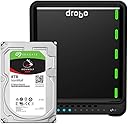
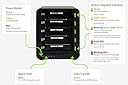
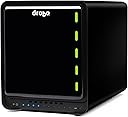
The Drobo 5D3 40TB is a highly scalable direct attached storage array designed for professionals who demand high performance and reliability. With dual Thunderbolt 3 and USB 3.0 Type-C connectivity, it supports up to 5 SATA HDDs and offers automated data protection through its award-winning Beyond RAID technology. Ideal for large media collections, it features hot-swappable drives and an internal battery backup for uninterrupted data access.


| ASIN | B07TL95S5G |
| Batteries | 1 Lithium Ion batteries required. (included) |
| Brand | Drobo |
| Customer Reviews | 3.7 3.7 out of 5 stars (142) |
| Date First Available | June 28, 2019 |
| Hard Drive | 4E+1 Raid |
| Hard Drive Interface | USB 1.1 |
| Hardware Platform | Mac, PC |
| Item Dimensions LxWxH | 10.3 x 5.9 x 7.3 inches |
| Item Weight | 8.5 pounds |
| Item model number | DRDR6A21-40TB |
| Manufacturer | Drobo |
| Product Dimensions | 10.3 x 5.9 x 7.3 inches |
| Series | DRDR6A21 |
D**E
Third time is a charm!
----- UPDATE ----- November 29, 2018 Drobo sent me a third replacement unit. This unit (along with the new firmware) is working flawlessly. I've only seen the dreaded "Disk not ejected properly" error once in the past six months. Drobo also realized that something was going on with my Blu-ray/DVD drive that was connected to the Drobo via USB-C, so I've connected that drive directly to my iMac instead. ----- UPDATE ----- Feb 5, 2018 Drobo determined that my first 5D3 was defective and sent me a replacement. The process was fairly painless, and for a week or so I was very happy. The consistent "Disk not ejected properly" errors had disappeared. After about a week, these errors started to re-occur. I was in fairly consistent communication with Drobo support, and they asked me to send them more diagnostic files. The state of my Drobo then quickly deteriorated. When the unit is shut down or restarted, it starts power cycling (turning on for about half a second, turning off, then repeating). I have to unplug the unit for at least an hour before I can try to power it on again. Drobo asked me to put the unit in read-only mode and send them more diagnostic reports. After going into read-only mode, the unit would turn itself off after an hour or two... not long enough to get my data off of it. The volumes on the drive then completely disappeared so I was no longer able to access my data at all. I've now done a complete factory reset on the unit, and it still power cycles and won't load the new volume. Drobo is definitely having some very serious issues at the moment with this model, and I have very little confidence that they will fix it anytime soon. My last meaningful contact with their support staff was over a week ago. ----- I've had a DroboPro FS for six years, and although it is slow and Drobo's customer service was never great, it has been rock solid in terms of keeping my data safe. So for my new 2017 iMac, I decided to rely on the Drobo 5D3 for my data storage. I have three main issues with this machine: 1) It is loud. Even when it's in standby mode, the fan runs at an unusually high speed. It's loud enough that you can hear it down the hallway from my home office. 2) It's slow. I have four WD Red Pro 2TB 7200 RPM drives, a Samsung 850 EVO 250GB mSATA drive in the HotCache, and have dual disk redundancy on. The BlackMagic speed test is consistently around 270 MB/s write and 350 MB/s read. I am using an active Thunderbolt 3 cable. For reference, competitors RAID 5 & 6 devices can average between 800 MB/s to 1000 MB/s read/write. 3) I am really anxious about the integrity of my data. I consistently get "Disk Not Ejected Properly" errors on both my TimeMachine backup volume and my Data volume (both are on this Drobo) when my computer wakes up. Drobo has a knowledge base article explaining that this is an issue they are working on and to disable Power Nap. I still get these errors when Power Nap is disabled. Drobo support has told me that they are working with Apple on fixing this issue, but will not give me a timeline for the fix. When I do get these errors, the TimeMachine volume disappears and my iMac won't go to sleep anymore until I reboot it and then reboot the Drobo (in that order). Furthermore, Drobo's support is not very helpful, and it's nearly impossible to see what's going on in your case through their support portal. I am not confident in the integrity of my data or that Drobo will fix these issues.
I**N
In spite of all the bad reviews, I am very pleased with this.
Just recently purchased this Drobo 5D3 for my new 2017 iMac i7. I have to say, I was quite skeptical from all the reviews, but my personal experience has been nothing but positive. The packaging was very quality and well thought out. The process for setting it up was quite nice. It basically went like this…Installed 256GB EVO SSD drive on bottom. Inserted three 7200 RPM 128MB cache disks that are 3TB each. I then plugged the Drobo into a spare Thunderbolt 3 port on my iMac, using the enclosed Thunderbolt cable from Drobo and turned it on. Once that was done, I installed the Drobo Dashboard that I downloaded from Drobo-ensuring I had the latest. When I launched it, it detected the Drobo and automatically updated the firmware (nice). I think there were some other things I did in the dashboard, like create the volume and setup email messaging. All worked fine. I've not had any disconnects from my iMac or slow speeds as others have indicated-especially when using the enclosed Thunderbolt cable. I even bought an active cable and there were no differences in speed (300MB/s+ write and close to 400MB+ read using 5GB stress file in Blackmagic). I may purchase newer disks at some point ad fill the array for more spindles, but honestly, for my real-world work, the speed is fine. I run several Parallels VMs off it, Lightroom library, movies for iTunes, Plex, etc. No issues. Now here is the cool part-I've been using some form of RAID for decades and this has to be the easiest and most flexible way to upgrade an enclosure. I decided to add a few 2TB disks that were old and slower. Expectedly the read/write performance went down. So…I removed one and the array was rebuilt on the fly. Then I removed the other one and again, the array was rebuilt back to the original 3 disks. NO LOSS of any data and was about a 7-10 minute operation. Honestly, this was so very cool and the flexibility is amazing. I then yanked one of the 3 remaining disks and no issues. Replaced it, no issues and the array was rebuilt to be fully redundant. I'm using single disk redundancy right now. As for the noise, I don't have dog ears so I'm not bothered by it in the least. I saw all the other issues people have posted about disconnects, speed, nice, data loss, service, etc. I honestly do not dispute the reports, as there are so many of those types of postings. All I can tell you that, as of having this Drobo in use for a few days, I've been nothing but super happy with it. YMMV, but my mileage so far is awesome!
M**W
Great DAS for my vast Video collection. Installation was so simple. Just slide in the drives and it does the rest.
M**O
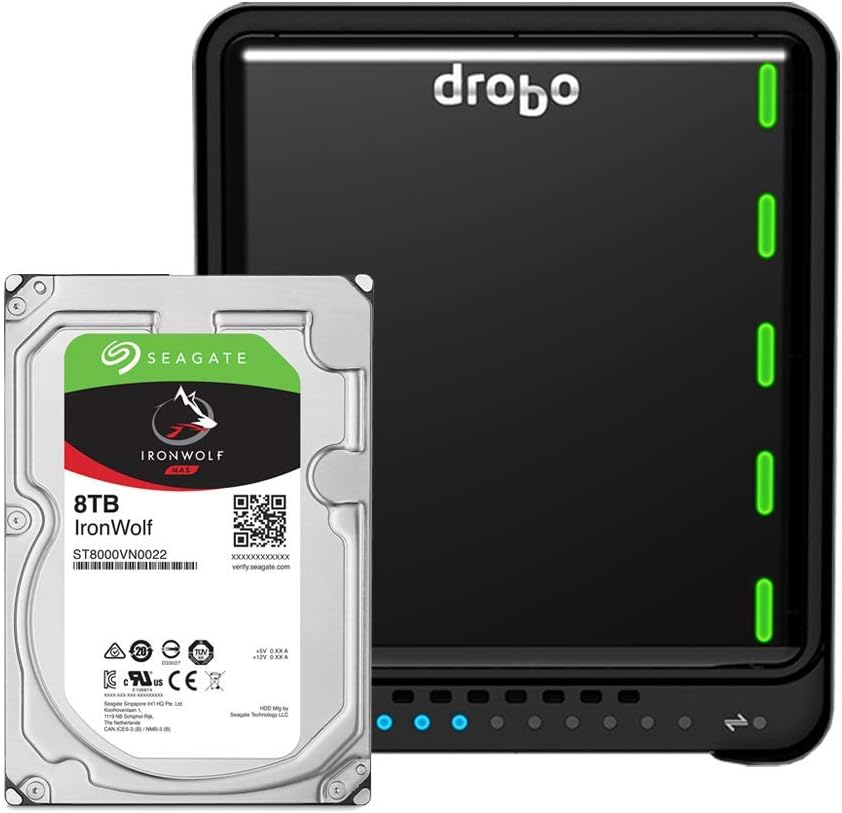
Made this purchase and also purchased six Seagate IronWolf 6TB NAS Internal Hard Drive HDD - 3.5 Inch SATA 6Gb/s 7200 RPM 256MB Cache for RAID. It was easy to setup and insert the drives and get the Drobo working. The App on the MacBook is basic and works well. Seems well made. Ading and removing drive is a breeze .
C**S
Works great! This is my third Drobo upgrade in over 10 years for my video production company. I was skeptical about the 5D3's ability to handle 4k video editing, but I have been so excited to be able to edit my large 4k projects directly from the Drobo. The speed performance on this model is excellent!
J**K
After spending 2 weeks goingback and forth with drobo support which is on the slow side.. it took them sometimes 3-4 days to respond... Their conclusion is that there’s a compatibility issue with the driver and the imac. Oddly enough the issue was known but not disclosed nowhere on their website... it actually says the opposite... i returned the product after a lot of wasted time troubleshooting.
D**T
Awesome product, so far so good, works with old hard drives and new ones of various sizes. I have it daisy chained through a Lacie thunderbolt 2 drive with the thunderbolt 3-2 adapter.
Trustpilot
1 month ago
2 days ago