Desertcart purchases this item on your behalf and handles shipping, customs, and support to New Zealand.
๐ฌ Elevate your smartphone storytelling with DJI Osmo Mobile 3 โ stabilize, create, and captivate like a pro!
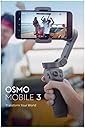
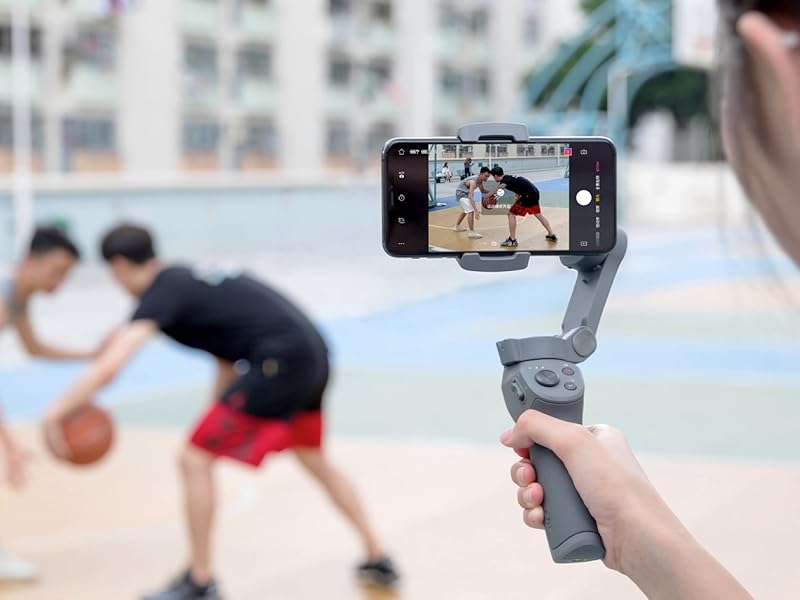
The DJI Osmo Mobile 3 is a foldable, lightweight 3-axis smartphone gimbal designed for iPhone and Android users seeking professional-grade video stabilization. Featuring advanced ActiveTrack 3.0 technology, gesture controls, and multiple creative shooting modes, it empowers content creators to capture smooth, cinematic footage effortlessly. Compatible with most smartphones (62-88mm wide, up to 9.5mm thick), itโs the ultimate tool for vloggers, YouTubers, and live streamers aiming to stand out.


| ASIN | B07RHJ7LWH |
| Aspect Ratio | Unknown |
| Best Sellers Rank | #90 in Professional Video Stabilizers #117 in Video Camera Supports & Stabilizers |
| Brand | DJI |
| Built-In Media | Camera Kit |
| Color | Grey |
| Compatible Camcorder Models | dJI OSMO |
| Compatible Devices | Camera, Smartphones |
| Customer Reviews | 4.5 out of 5 stars 11,584 Reviews |
| Global Trade Identification Number | 06958265192654 |
| Image stabilization | Yes |
| Item Dimensions D x W x H | 2.44"D x 6.38"W x 7.05"H |
| Item Weight | 405 g |
| Manufacturer | DJI |
| Manufacturer Part Number | CP.OS.00000022.01 |
| Maximum Weight Recommendation | 1 ounces |
| Media Type | Video |
| Model Name | Osmo Mobile 3 |
| Model Number | CP.OS.00000022.01 |
| Model Series | Osmo Mobile 3 |
| Number of Items | 1 |
| Product Dimensions | 2.44"D x 6.38"W x 7.05"H |
| Screen Size | 6.18 inches |
| Shooting Modes | Dolly Zoom, Panoramas, Slow Motion, Timelapse, Hyperlapse, Sport Mode, Handy Convenience, Story Mode, One-tap Templates |
| UPC | 190021338746 |
| Unit Count | 1 count |
| Warranty Description | 1 year manufacturer |
S**R
Amazing Stabilization. Unbelievable Price. Unbelievable Support. **UPDATES**
This device is absolutely amazing! The stabilization that it provides is stunning for a 3-axis gimbal. It has and continues to work flawlessly. The only word of caution is with their application. They provide a compatibility list on their website and THEY ARE SERIOUS ABOUT THAT LIST. If you're exact phone brand and model isn't on the list, it's highly likely their DJI Mimo app will NOT work on your phone. What this means is that you WON'T be able to use their cool app video features, like automatic subject tracking. It also means you won't be able to use some of the buttons on the gimbal that are designed to work specifically with their app only. What you CAN do is still use the gimbal with any other video recording and editing app you like. Other apps just won't have a Bluetooth connection to some of the gimbal buttons. You will still be able to use the power button (which is also used to switch horizontal and vertical orientation) as well as the "joystick" button to tilt the phone up, down, left, and right. UPDATE 5/8/2021 This device was working perfectly with my Google Pixel 3A XL, including the DJI MIMO app. Then I tried to do a firmware update that DJI pushed. The update failed and the device became completely useless. I was very angry. I contacted DJI support and much to my amazement, they pointed me to a place on their site to fill in a repair request. The rep was cautious about promising me anything about the cost. After I sent them the proof of purchase (it was WAY out of warranty) and explained in the online ticket what happened, I was amazed to find that DJI provided free shipping to their facility in California, free shipping back to my home, and they gave me a completely refurbished device COMPLETELY WITHOUT CHARGE even though I was WAY out of warranty. This is the type of company that I would always want to buy products from! Nice going DJI. UPDATE 1/1/2020 The DJI Mimo app is so frustrating and is definitely not up to par relative to the DJI OSMO Mobile 3 hardware. I just discovered that the app does NOT support external microphones on my Moto G6 phone. Maybe not on any phone. I'm not sure. I did a wind test with the built-in phone mic and then an external mic I have using a "dead cat" furry wind screen. When I did this test with Open Camera, an open source app, there was a dramatic difference in the wind noise with and without the external mic plugged in, indicating the mic jack works fine for Open Camera. When I performed the same test with the DJI Mimo app, there was no difference in the wind noise, clearly indicating that even though I had en external mic plugged in, the app still used the internal mic. Very disappointing. Furthermore, there are no mic audio settings in the app to even switch the type of mic being used for recording videos. UPDATE 12/14/2019 I was pleasantly surprised to discover recently that the DJI Mimo Android app now works with my Motorola Moto 6 phone. I presume they updated the app and/or the firmware for the device. So this is a nice step forward, however, I'm still leaving the 4-star rating because even though I can use the app, it has limited functionality on Android compared with IOS. For example, I can't shoot 1920 x 1080 video at 60 fps even though my phone hardware supports it and I can shoot video with this using other apps like the Open Source app Open Camera. Shooting at 60 fps is extremely important for shooting fast moving subjects or if you pan left and right a lot when shooting.
H**N
Nice Phone Stabilizer, High Quality
I'm very pleased with the quality and functionality of the Osmo 3, and its software. Expect a little learning curve of the stabilizer and the software, and get some hours of practice making stabilized videos. The best thing is, your pictures and videos are always LEVEL! No "rocking boat" effect like you get with those "Merlin"-style mechanical balance stabilizers. I built several of those, and active stabilization is just MUCH better, and worth the cost. The roll axis (horizon) just stays level. The tilt and pan axes smoothly follow your movements, with about a 15 degree "lag" behind your movement. This lag is how you guide it around without shaking it. Don't expect to make perfect "flying" videos while walking -- it stabilizes the angles, but not not the position of the camera (like any hand-held stabilizer); so as you walk along, objects in the near-field hop and wiggle a little bit, while the far-field stays still in the frame. I'm using it with a Galaxy S9+, a big phone with a great camera. You DO need to remove the phone case, even a thin one. Balancing is easy; just hold it by the upper arm and slide the phone in the clamp until it doesn't tilt (with the Osmo off). You DO need the app; the Osmo comes to life after turned on AND paired with the app. At first I used the QR code on the box to download the app from DJI. It didn't work! I uninstalled it and downloaded it from Play Store and it worked fine. The app easy to use; just poke around in the menus & settings, like any app, to see what all it does. The handle has 2 buttons, a 4-way slider, a zoom slider, and a trigger. I found it hard to remember what 1,2,3 presses does, so you do need to use it a good while to memorize the button/trigger functions. Don't expect all features to work with all phones. For example, on my S9+ it will not do slow-mo, but will do hyper-lapse. And the zoom is jerky, not smooth, with the zoom slide switch. Be sure to get a little 3-wing table-top tripod for it; you can't set it down without one. Battery life is fine; last a lot longer than you'll want to carry it around making videos. Overall, this picky techie is very pleased with it, and recommends it if you want a best-in-class phone gimbal, from a well-trusted brand. (I was NOT compensated in any for my review.) --KV5R
J**.
Excellent choice for less shaky video (wish i bought it earlier)
Product: I attached this to my pixel 3XL and set the balance w/o the case in about 3 minutes (less if you're not switching phones) and I needed to watch a couple of youtube videos to understand the product and see what it was capable of doing. The battery lasts forever and there is even a USB phone charger. It does an amazing job keeping the camera from shaking which is the main function. With a click of a button, you can switch your camera from landscape to portrait mode. You can also hold a button to keep the gimble locked in the same direction. Additionaly, there is good tracking ability. IE you can pick an object and it will try to move to keep the object in the center. My only ask here is that you could pick the placement in the frame that you wanted your tracking object, as directly in the center is not typically the most interesting shot. The controls take a little bit of practice. It has 5 buttons and some have second and third functions ie you need to double or triple-click them. For example, if you are resetting the gimble to shoot straight ahead and get it wrong it might accidentally switch to the front camera. After a bit of practice, anyone can get it down though. Since I only have a digital zoom on my camera I will never use the zooming rocker, so I wish I could reassign this button. DJI's software takes a bit of time to load but afterwards it was intuitive. It's is fine if you are a novice, but as you gain experience and want more control I recommend an app such as FiLMiC Pro. My phone takes good pictures, fair videos during the day and terrible videos with bad light. If you use this with your phone in good light you get shake reduction that is almost as good as a tripod and for action shots where the camera needs to move this opens up interesting and other creative options. Even if you are just chasing your toddler this will make the video more watchable w/o making your audience sick. After doing a bunch of research and testing it out, no regrets other than the fact I did not purchase it earlier.
C**S
Nice but quirky
Nice gimbal but there were some quirks and that is why we returned it. Went with the DJI Osmo Mobile 6 instead.
S**E
Works well with the S20 Ultra!
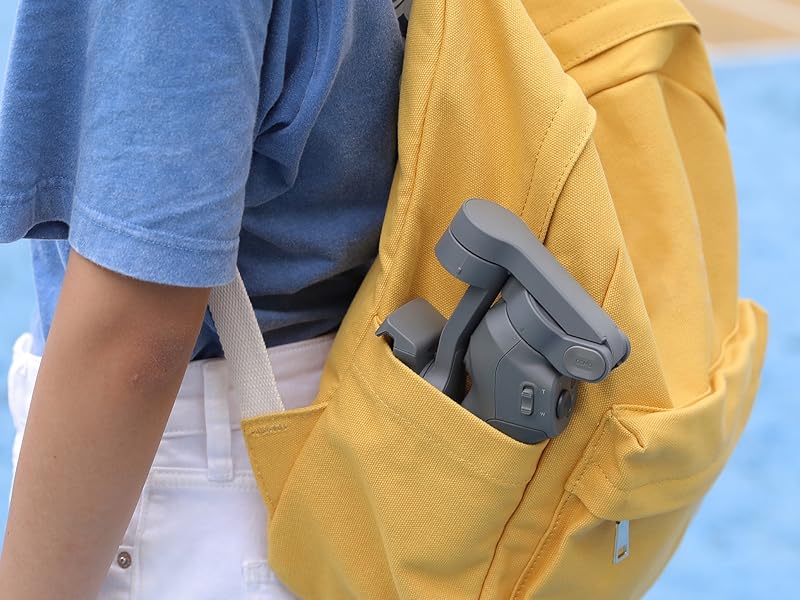
I have the Samsung Galaxy S20 Ultra and I was concerned this would not fit on the Osmo 3. Not only did it fit, but I didn't have to remove my Speck Phone Case in order to put my phone on this device. After learning how to balance the phone and using the Osmo, I was ready to shoot my first video! The stabilization in this is amazing. It was so user-friendly and it took no time to learn the basics. I posted my first video on social media and the comments I got were regarding how professional the video was. Charging takes about two hours and the Osmo last about 15 hours on one charge! The Osmo 3 is really compact and is easily stored in the cloth carrying bag that comes with it. I carry it in my bicycle messenger bag all the time without fear of getting it damaged. Bottom line is if you're looking for a high-quality video stabilizer the DJI Osmo 3 is where it's at.
C**K
A perfect iPhone 11 Pro companion - worth the price, but don't buy the combo pack.
The iPhone 11 Pro has amazing photo and video capabilities but holding an iPhone is not the most ergonomic way to get the best results. With this gimbal, you'll not only have a lot of very cool features such as motion time-lapses and automatic panoramas but a very ergonomic way to hold your iPhone with the photo and video shutter right at your thumb. And it is small and easily foldable. The DJI app is very capable, has interesting features as mentioned above, but it does not use the ultra-wide lens on the iPhone. But you still can use the native camera app or other apps with the gimbal, still having the remote shutter on your thumb. Things get a little tricky when you have to use the ultra-wide lens, as the gimbal insists on be included at the frame. I saw some youtube videos with workarounds for this but never tried. The battery lasts a long time and it is nice to have the 3/4 inch thread on the bottom for tripods. Tip: don't buy the combo - the case is very basic and only fits the gimbal, you'll still have to carry the small tripod/handle anywhere. And it comes with a nice pouch, much better to store the gimbal And the small tripod/handle is not good as a tripod nor as a handle. Save the extra 20 bucks to invest on a good tripod for the panoramic and slow shutter shots. All in all, one of the best gimbals ou there for cell phones!
B**E
Worthwhile upgrade from Osmo Mobile 2
I have an Osmo Mobile 2 which worked well for what I used it for, although the big issue with it was that you were unable to (easily) use an external microphone (in my case a Shure MV88). I had to fashion a solution with a lightning cable extension, cable ties and hockey tape. My main reason for purchasing the Mobile 3 was that it now looks possible to mount the microphone direct. I can confirm that this is the case and it works well. See photo. Amongst other improvements are the ability to switch from portrait to landscape mode with the touch of a button (good for the tik tok generation), better tracking of objects and foldable construction making it easier to pocket. From what Iโve seen so far there is much more movement available and Iโm not hitting the extremities of the gimbals movement range as soon as I was with the Mobile 2. For $119; itโs a no brainier upgrade from the Mobile 2
D**L
Used product , looks new though
Arrived on time and I was surprised at the condition for a used unit. Looks and functions like new. Used for a weekly YouTube broadcast for months now.
H**I
The best in this price
I hade the 2th generation, this one is the more lower weight and accessible.
S**S
Best Compact Gimbal on the Market
I just love this DJI Mobile 3 gimbal. Use it with an iPhone 7, and could not be happier. The folding design makes it great to travel with as carry on luggage and takes up zero space. Can almost put it in your pocket, if big enough. 5 Stars.
U**.
Best gimbal
Excellent product the only thing i miss is the magnetic mount as no need to balance the phone repeatedly
P**9
ใฐใคใใ
่ฃฝๅ่ชไฝใฏใจใฆใ่ฏใใงใ ๅฝ็ฃใกใผใซใผใงใฏไฝใใชใใใใใชใใใช ไฝใใใจใใฆใ10ไธ่ถ ใใ๏ผ ใใ ใใใพใซBTๆฅ็ถใใงใใชใใฃใใ ๅไฝใไธๅฎๅฎใซใชใไบใใใใพใใใ ใใใๅฝ็ฃใชใ้ ป็นใซ่ตทใใใใใงใใญ ไธญๅฝใฎๅใ่ ใงใฏใใใพใใใDJIใซ้ขใใฆใฏ็ด ๆดใใใใจ่จใใใใๅพใชใ ใใ ใใกใใฃใจ้ใใ ๆฌก่ฒทใๆใใใจใใฆใDJIใใช
P**N
Goed prijs en kwaliteit
Veey good, met de dji mimo app is heel functioneel . Maar het is een betje traag voor iPhone 11 pro max. iPhone 11 pro max is 230 gr, maar deze dji ondersteunt tot 225gr. Het werkt met pro max, maar het kan beter.
Trustpilot
1 month ago
1 month ago