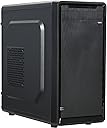
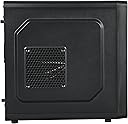
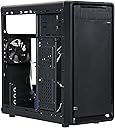
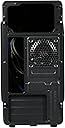
🖤 Elevate your desk game with sleek, cool, and connected confidence!
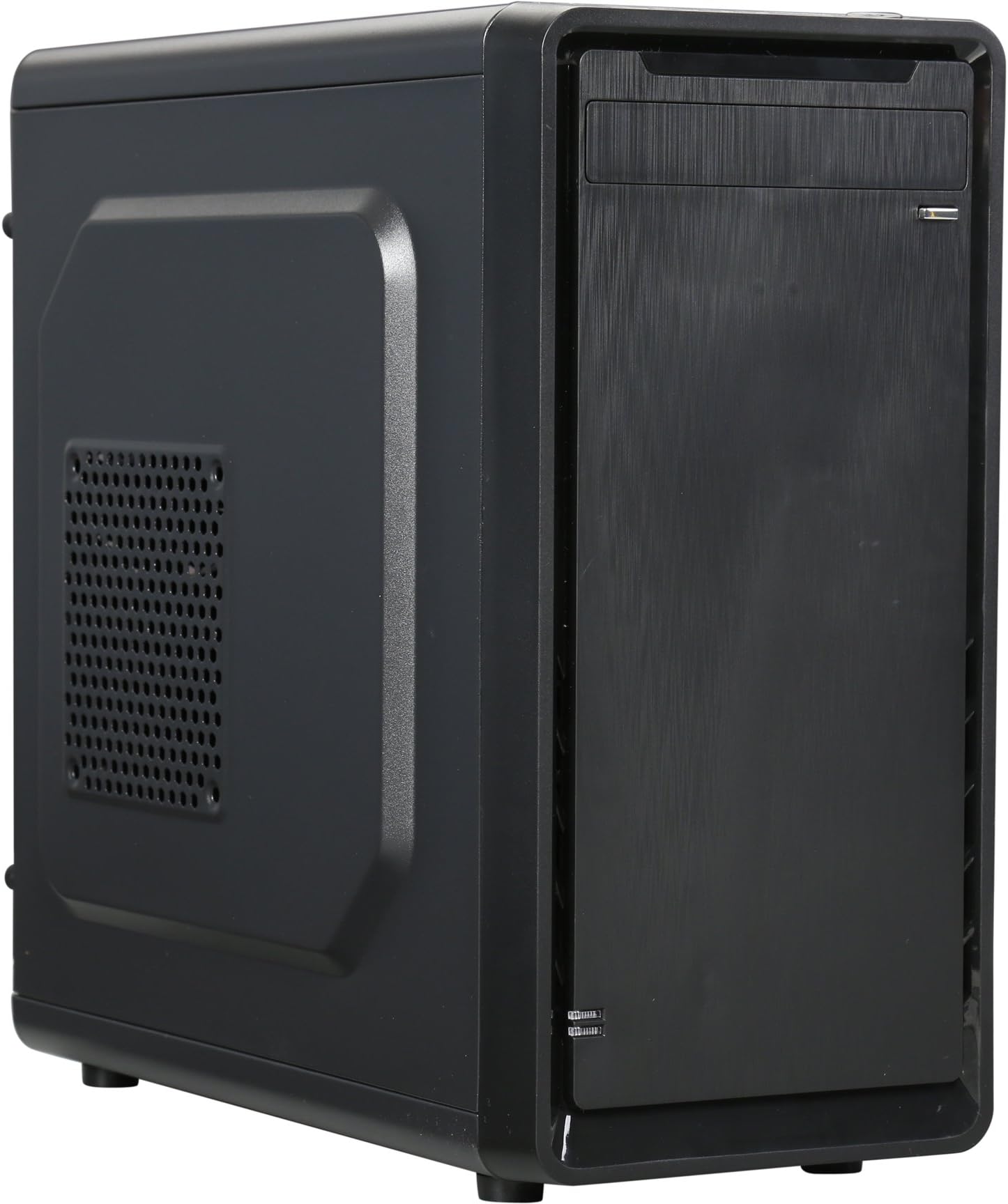
The ROSEWILL SRM-01 Micro ATX Mini Tower Case combines durable steel construction with a sleek design, featuring convenient top I/O ports including USB 3.0 and USB 2.0, plus an 80mm rear fan for optimized airflow. Ideal for professional office environments, it supports Micro ATX motherboards and offers reliable ventilation and connectivity to keep your system running smoothly and stylishly.


| ASIN | B00ZPWOA6I |
| Antenna Location | Business |
| Best Sellers Rank | #3,754 in Computer Cases |
| Brand | Rosewill |
| Case Type | Mini-Tower |
| Color | Black |
| Compatible Devices | ATX motherboards, ATX power supplies, 3.5-inch hard drives, standard air cooling systems, standard expansion cards |
| Cooling Method | Air |
| Customer Reviews | 4.2 out of 5 stars 3,926 Reviews |
| Enclosure Material | Alloy Steel |
| Fan Size | 80 Millimeters |
| Global Trade Identification Number | 00840951114919 |
| Hard Disk Form Factor | 3.5 Inches |
| Internal Bays Quantity | 1 |
| Item Weight | 7 Pounds |
| Manufacturer | Rosewill Direct |
| Material | Alloy Steel |
| Model Name | ROSEWILL SRM-01 |
| Motherboard Compatability | Micro ATX |
| Number of Fans | 2 |
| Power Supply Mounting Type | Bottom Mount |
| Recommended Uses For Product | Business |
| Supported Motherboard | Micro ATX |
| Total USB 2.0 Ports | 2 |
| Total USB 3.0 Ports | 1 |
| Total Usb Ports | 3 |
| UPC | 840951114919 780746533764 783627370885 |
| Unit Count | 1.0 Count |
| Warranty Description | 1 year |
J**P
I have to say I am impressed with this little case, especially for the price.
I have to say I am impressed with this little case, especially for the price. Was building up a new machine for a family member, just a simple system to do basic office work and internet browsing. Two key factors were cost and case size (wanted to be about same as existing older system). Size wise this fit the bill and the price was very good as well. Given the cost I was not expecting, nor does it have, all the crazy bells and whistles you may find on some modern cases, but everything fit in it well, it is sturdy and all the accessories with the case (USB ports in front) worked without issues. Have to say it looks pretty nice too. This is likely not the case for a high end gamer, or just a tech guy, but if you are doing a simple build looking for good functionality this certainly seems to fit the bill at a very reasonable price. Any buyer should be aware on this you will be needing to remove things like the back plate covers and plates inside of the drive bays. The metal is stamped out but (in what I assume was cost saving) the actual final process of removing these was not done. It is simple to do, just need to use a screwdriver in most cases, but it will be required. I would strongly recommend that you consider what you are putting in and the layout and remove the ones you need to before you start bolting in the motherboard etc.... You can do it after but it is easier to do when you are not worried about the electronics. Another note is that this does not include removable backplates, if you take out the factory ones you will have a hole unless you mount your PCI board or purchase a set of blank back plates and screw one in. This really is not uncommon, seen many cases like this over the years, including more expensive ones, but just a note.
R**M
Stylish and a great value, but cramped insides...
***This review is for the SRM-01 model*** I love the look of this case, very professional and minimalist. PROS: -Amazing Price -Sick look and feel to the outside of case (although the front panel is plastic that looks like a brushed metal) -Big power button, very small reset button (which prevents button mistakes) -3 USB ports on the front CONS: -VERY CRAMPED INSIDES. After installing my graphics card, I almost couldn't fit my SSD in the designated installation bay. I REALLY had to squeeze the crap out of my graphics card and the wires that were connected to it. It would have been IMPOSSIBLE to install an actual 3.5 inch hard drive in the same place. -Speaking of hard drives, it is also impossible to install a CD reader, as all the wires are stuffed into that bay. -Uneven power button (no big deal) -Feet at the bottom of the case are uneven, the case stands still but can teeter left/right I have only had the case for about 3 hours and will be updating as I see fit. Though there are some disadvantages, I am happy with my purchase and the price I paid. POSITIVE UPDATE AFTER 2 DAYS: I specifically wanted to update this review after paying special attention to the air flow in the case. Although all the components are stuffed into the case without much room between them, there is almost NO sound coming from any of the fans. After some decent amount of cable management through the cutouts in the case, there is PLENTY of air flow to keep my PC cool and quiet. This is a really good sign for the future of my gaming rig. Though putting the motherboard under the power supply is a crappy flaw, since the GPU is heated up at the bottom of the case. Still not much of a problem. UPDATE 1/20/2016 (I added an extra star for this): After removing the front panel, I found an empty spot for a 120mm FAN!!!! This case already had great air flow, keeping my 280x at/under 64 degrees with a single fan, I can't wait to buy another fan to see what this baby can really do! UPDATE 07/23/2016 I have turned this case on its side and placed a 120mm fan on the side vent as exhaust. All other holes are passive intake. This is the most efficient setup I've created with this case, really the best price to performance you can get.
D**H
Tough case to review!
Ok so this is honestly a really really tough review to write. I think the best way I can fully express my thoughts about this Rosewill SRM-01 case is in a list of things I personally think are pros and cons. You may agree or disagree these are my honest opinions. Pros: 1. Shockingly good build quality for such a cheap case. I paid only $20 and was amazed how sturdy the side panels were. 2. I actually really love the simplicity of this case. It comes with one 80mm fan in the rear of the case and you can add up to three more, one 120mm in the front of the case, one 80mm on the base of the case, and one 120mm on the side panel if your not installing a large CPU fan. I also like how the insides of the case are painted a semi matte black to match the rest of the case. 3. Looks very sleek. I love small cases and this has a very clean and simple look. This is definitely not going to win any awards but I personally like the look of it. 4. Did I mention I spent $20 bucks on a case? 5. I think for the $20 it’s a no brainer to break out the spray paint and make it your own. It’s not a huge investment if you mess it up and everything disables rather nicely. I honestly wish I had committed to that idea before doing my build. I would love to see this in white or a nice red/black. Really possibilities are endless it’s a $20 canvas. Cons: 1. Not the easiest case to build in. It’s small. It’s a mATX case. That’s to be expected but it is still annoying to deal with. 2. The way the hard drives are mounted. This is actually both something I like and something I hate. The hard drives are mounted on a “door” to the right of the case which swings open and gives you more room to work which I like. However mounting them was a major pain. Also if you have a larger GPU you may not be able to use the second mounting area as your GPU will collide with your hard drive. I guess you can use the fan option on the bottom of the case to mount a drive but you’d most likely only be able to get a screw or two at most in, or you can place the drive in the cage under the disc drive. Lastly this door makes it nearly impossible to have a clean cable management as you will need a long enough sata cable to connect to your motherboard and the drive when the door is completely open. 3. Cable management. I understand it’s a closed build but clean cable management is nice for rebuilds or swapping out parts, it just makes things easier for you in the future. Also I feel like if you were to sell your system, nice cable management would increase the price as you can tell the owner took its time and cared about the machine. Non the less it’s near impossible to properly cable manage this case. I’d highly recommend a modular PSU for this case. I’m not using my cd drive bay and that’s where most of my unused cables have gone to hide. The other side panel on this case does remove but the holes in which you are supposed to run cables through are way to tiny and the width between the wall and the side panel is way to tight for many thick cables. 4. It only has one usb 3.0 on the case and it’s placed in a very interesting place. Things I’d recommend if you buy this case: 1. Purchase a magnetic screwdriver if you don’t have one this one will come in handy more than you think. 2. I’d suggest a modular PSU 3. Make sure you install that PSU before your motherboard as once your motherboard is in with a third party CPU fan it’s a hasle to maneuver. 4. Buy atlest one 120mm fan and use it as an intake fan in front of the case. 5. Make sure your take off the expansion slot covers before you install your motherboard or you make risk damaging it. 6. Be creative with it. It’s only $20 bucks and if you’ve been in the mood for a case mod this is the one to do it on. Closing thoughts. If i were to buy this case again would I? Yes I would. I really do like it, minus all the issues I have with it. You really can’t beat a case like this for the price.
B**K
The case is strong and good quality has space for CD drive and internal hard ...
I thought of keeping a dedicated computer for streaming and watching movies and that should be near to my AV receiver and considered the below points a. The HTPC size should considerably the same size as my AV receiver. When I search on Internet I come to know that HTPC cases which accommodates miniATX, miniITX mother boards that is suitable for my space. b. Also I have 7.2 Ch home theater system and decided that the mother broad should have 7.1 Ch output with 4 K Video support over HDMI. c. I want to upgrade the RAM later and want 4 DIMM slots. d. If I want to upgrade the storage then I should have option to add internal hard drive inside the case. e. Don't want to over clock the CPU and decided to go with H170 intel chipset motherboard with 1151 socket. f. Front panel USB g. Economical but don't want sacrifice the features Considering all the above I compared Asus, Gigabyte, ASRock and cost and feature that I was expecting I end of choosing the below parts 1. Motherboard: http://www.amazon.com/dp/B012N6LM1Y?ref_=pe_584750_33951330 This above mother board is a MicroATX board has 4 DIMM slots. This H170 intel chipset with 1151 socket board has HDMI with 7.1 Ch Audio and 4K video support along with 2 more display ports for computer monitor. Totally 3 display support. Doesn't have WIFi and Bluetooth and will not support over clocking. 2. Case : http://www.amazon.com/dp/B004EMSH9Q?ref_=pe_584750_33951330 This case supports MicroATX mother board and comes with 300W FlexATX power supply and one case fan. The case is strong and good quality has space for CD drive and internal hard drives. The power supply cpu connector has only 4 pin, Still it is suitable for the mother board's CPU's 8 pin connector(just plugged in only 4 of 8 pin) 3. CPU: http://www.amazon.com/dp/B0136JON7M?ref_=pe_584750_33951330 The above CPU is Intel's 6th generation processor, Supports gaming and 4K video. This CPU comes with the Intel cooler. I think we no need any third party cooler for my purpose. 4. DDR4 RAM: http://www.amazon.com/dp/B00MMLUYQK?ref_=pe_584750_33951330 As per the above mentioned motherboard that supports only DDR4 on 4 slots, better to go with DDR4 which will give faster processing of the application tasks. I bought 8+8 2 DDR4 RAM as above and kept in 2 slots for now, later I can upgrade to another 8+8 DDR4 RAM later when price drops. Mother board manual says there 4 DIMM slots supports up to 64 GB, But the processor manual says it supports 32 GB max. So I decided to stick with 32 GB max. 5. SSD M.2:http://www.amazon.com/gp/product/B00NY4VIPA?psc=1&redirect=true&ref_=oh_aui_detailpage_o03_s04 The above SSD is very tiny and go with mother board itself with m.2 connector. For better booting and rebooting and faster application response M.2 SSDs are very good and this is latest compare with SATA/eSATA. 6. Operating System - Ubuntu 15 (Linux based) This OS is free and open source. It has nice look and navigation. No need to install any driver software for the above components or motherboard. The OS detects all of them fine. The media player comes with the OS doing great and able to install and play with Kodi and Plex.
H**B
by itself this case is too small for anything!!
Initially I hated this Rosewill RS-MI-01 BK case. It was too small to fit even a Celeron G4900 with the smallest CPU cooler available. Only 1 single slot graphics card would fit. The CPU 4 pin wasn't compatible with my 8pin motherboard design, and the USB front headers cable isn't compatible with the USB header pins on my mobo! Since it would have cost me more to return the item I thought of frankensteining it.! I bent one of the support beams, which allowed me to fit a blower type RTX 2070 from Zotac in it! Then, I had to use steel cutters to cut part of the rear, to allow my HDMI port to be accessible, and the DVI port to fit. After that I cut the mobo back plate, as the motherboard needed to be placed about 1/2 inch more to the left. I drilled a hole in the frame to mount the mobo. I had to use the aftermarket CPU cooler without a fan (no biggie, the G4900 doesn't really get hot, and gets cooled by the PSU fan, as well as I mounted 2 80mm case fans on one side, that force cool air in the case. One of them is connected to the CPU fan header, the other one to the case fan header; though both of them are actually case fans (the case fan closes to the CPU is connected to the CPU fan header). Under load my G4900 doesn't get hotter than 76C. My GPU has only little cooling, and as such I had to limit power to 135Watts; still enough to get 100+FPS in Heaven benchmark; or top 1M PPD in folding at home, at 82c 75%Fan usage, this case does get hot, but it runs well within safety limits. I also had to drill a hole in the top of the case, to fit the power cable on the card. But overall it's a very compact system that from the outside looks like very little has been modified. It's great for portable gaming with a full size GPU, and uses 200Watts at the wall with the card limited to 135W (82C) and 248Watts with GPU at full power, from the 250W the power supply can provide. PSU fan hasn't been making any noise whatsoever. GPU on the other hand, only when unlocked (GPU fan @100%). But at 135W it runs 75% which is barely any louder than a year 2000 pc's harddrive. People complain about the bad power supply, but the 175W GPU + ~80W Celeron and motherboard combo, seem to be a perfect match for the PSU. So far it hasn't shut down on me yet, and works great with games. The breadbox design is rather difficult to carry around. The only 'bag' that kind of fits it, are either paperbags, or beach bags; or backpacks. It doesn't fit in a notebook. It's slightly larger than a dual slot EGPU box, but this one comes with motherboard mounting included; and overall is cheaper and more portable than the Fractal node 202 (which I sent back, because it looked more in size, like a Dell business desktop PC). My recommendation to Rosewill is, to reduce the space on the left side of the case, so the motherboard will be closer to the edge, and there will be space for a 2 slot graphics card. This current design is ok for small desktop pcs, but equipped with an RTX 2070 (running at full 2060 speeds), it offers great performance per sq inch, for portable 1080p and occasional 1440p gaming (like lan parties or whatever). EDIT: 9 months later, and I just run the case without the cover. The DVD bay fits a zotac RTX 2060, or EVGA single fan RTX 2060, with a 2070 blower in the slot. I run both at about 130W, with an upgraded PSU (450W SFX), and hardly hit over 400Watts (unless if I want to). I recently found an additional m.2 e slot on my Mobo, and was thinking of adding a third GPU in the case, but need a bit more clearance. So I'll be installing all this in another build.
A**E
The Rosewill FBM-01 is one of the best cases in it's price point
Pros: PRICE. Sleek looking and nice room for most of your components. Fans are silent and move a lot of air. Plenty of screws included, as well as a couple ties. Cons: 1 Tight fit between some tall heat sink RAM, HDD, and DVD. I'd advise to install HDD and DVD drives first 2 PCI slots are sharp and they can't be replaced after removing them so be careful 3 No intake holes for the front fan to get good air flow Other Thoughts: This is a great case for the PRICE. When building your PC make sure you purchase the right size case ( look at your motherboard form factor). Don't leave negative feedback on a Mini Tower case, when you should have purchased a full tower in the first place. Those that are complaining about the case being flimsy; Sure, it isn't rock solid, but go look at a Nzxt h440, Fractal Design Define R5 etc PRICES, and come back and tell me this is not a good deal I mean, what are you doing with your PC case? if you're not propping your feet up on it, it should last a long time. Take care of your parts, and you don't have to whine about little things like a flimsy side panel on a case that is 20 to 50 dollers. I just needed an up to date PC with the ability to upgrade soon if needed. This case allows me to have my basic build for a price that doesn't hurt my wallet should I need to purchase a larger case in the future. Please stop writing negative reviews on items on Amazon/Newegg. It makes it harder for people to purchase a 5 stars/egg item when people are giving it 1 stars/eggs because it didn't come with LED's or seven case fans PS. Sorry for my poor picture quality and a dirty PC. I have been using the case for 2 to 3 months
T**M
Cheap, but cheap FBM-06
I was doing a mini ITX build and wanted something small and preferably cheap in $, but didn’t care for any of the cubes or HTPC cases. I didn’t want anything fancy, so no blingy lights or glass sides. It would need to accommodate a blu-ray drive, 120mm single fan radiator, and a two slot graphics card. This is what I ended up with, and I’m pretty happy. The construction is pretty good, though on the cheap side. The four expansion slot covers are knock-out types, and the screw holding the expansion card locking bracket can strip its case threads if you over tighten it, which isn’t difficult to do due to the thin metal. Also the included hex/Philips screws are a little rounded, and my nut-driver kept slipping off (hate it when that happens...) Still, at this price-point, it’s more just something to be aware of rather than deduct any stars for quality. The sides of the case are held on by a pretty standard slide-lock design, and secured by two hand-tightened screws for each side. Only one side panel is vented for cooling, but the sides are interchangeable. Under the right side cover there’s room enough to run your power supply cables through the passthroughs to help with cable management, which helps with air flow and clutter in the main compartment. There’s also an access hole to the underside of your motherboard, which may give you access to a bottom-mounted M.2 SSD, depending on the design of your board. Measuring inside my build, the case looks like it could accommodate a 280mm video card with my installed radiator and fan, and probably up to a 325mm card without. The case comes with a piezo speaker, six pre-mounted motherboard standoffs plus two extras, six 6-32 x 6mm hex/Philips screws, eight 6-32 x 5mm Philips screws, and twelve M3 x 5mm Philips screws. So I’m very happy with my purchase. Well worth the $30-ish I paid for it.
D**Y
WOW!! Literally the WORST case to build a PC with...no exaggeration.
First off let me just say that this is my second time buying this case, but my first time actually reviewing it. I normally buy the Rosewill RANGER-M case (which I highly recommend if you're looking for a GOOD case on a budget), BUT it's currently out of stock until next month. The only reason that I bought this case again, is because I was on a time crunch and I forgot how TERRIBLE this case was when I bought it the first time a few years ago, but WOW was I reminded fast...like immediately after I removed the side panel. I honestly don't know where to start. 1. Instead of having a normal, multiple hard drive/SSD bay for more than one drive like a normal computer case, there's a small swinging door panel with hinges that allow you attach a SINGLE hard drive/SSD drive...just one. There's NO more room on that panel for any other drive, at all. (UPDATE: There is an extra 5.25" drive slot right below where the DVD drive is supposed to go, but this isn't a simple thing to spot out. You can only lock it down with 2 screws on one side, as the other side is non-accessible.) 2. The usual connector wires (HDD LED wire, Power SW wire, Reset, etc etc) lead DIRECTLY ABOVE where the DVD drive goes...WHOSE IDEA WAS THIS!! There's no front fans in the bottom region next to where the motherboard goes, so why not place them there instead??? I can easily snap or pull one of these wires down (or all of them) by simply trying to install a DVD drive. Even after you install the DVD drive, you then have to then nudge the wires to the side of that drive to prevent them from getting pulled down, as there's little to no room inside of that area. 3. When screwing in the required brass motherboard standoffs to mount the motherboard (which are included with the case), MAJORITY OF THEM WOULDN'T EVEN FIT PROPERLY!! I had to find a pair of pliers and literally FORCE them into the case holes one-by-one. This was not an easy job, and I highly doubt that they'll ever be able to come back out in the future. Granted, I also have this issue from time to time with the Ranger-M case as well, but only with 1-2 standoffs max. With this case, almost ALL of them refused to screw in correctly. Literally only 2 of the standoffs went in correctly by hand. 4. When I went to install my video card, NONE of the included screws fit to tighten the video card into place. It's like ALL of the included screws and standoffs weren't made for this case at all. I had to reach in my bag of spare screws to find a small enough one to keep my card in place, and even THAT didn't fully do the job. It nudged the video card out of place the more that I screwed the screw in. Overall, the design of this case is absolutely horrible, the metal is cheap and easily bendable, and to be honest this case is not worth more than $10 max. Unless you're looking for excess work and a headache, I DO NOT recommend buying this case AT-ALL! YOU'VE BEEN WARNED! This is the SINGLE worst case that I have ever purchased, and if I didn't already invest time and effort into forcing the screws and experimenting with certain parts/wires to make everything fit inside of the tiny interior, I would send it right back to Amazon for a refund.
Trustpilot
3 days ago
1 month ago