

☀️ Power your productivity with light—keyboard that never quits!
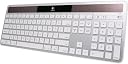
The Logitech Wireless Solar Keyboard K750 for Mac is a full-size, ultra-thin keyboard designed for Mac users who demand convenience and style. Powered by any light source, it eliminates battery replacements by storing enough charge to last at least three months in darkness. Featuring a familiar Mac layout with a dedicated Launchpad key and Logitech’s unique concave keycaps, it ensures comfortable, precise typing. Connectivity is handled via a compact Logitech Unifying receiver, freeing up Bluetooth and USB ports. Ideal for professionals seeking a sleek, eco-friendly, and reliable wireless keyboard that blends effortlessly into a modern workspace.


| ASIN | B005L38VPC |
| Additional Features | Wireless |
| Best Sellers Rank | #9,996 in Computer Keyboards |
| Brand | Logitech |
| Built-In Media | Computer Keyboards |
| Button Quantity | 78 |
| Color | Black |
| Compatible Devices | Laptop |
| Compatible Operating System Family | MacOS |
| Connectivity Technology | Wireless |
| Customer Reviews | 4.0 out of 5 stars 586 Reviews |
| Hand Orientation | Ambidextrous |
| Item Weight | 1.6 Pounds |
| Keyboard Description | Wireless |
| Keyboard Layout | QWERTY |
| Manufacturer | Logitech |
| Mfr Part Number | 920-003471 |
| Model Number | 920-003471 |
| Number of Keys | 78 |
| Power Source | Solar Powered |
| Special Feature | Wireless |
| Style Name | Keyboard Only |
| Switch Type | Scissor-Switch |
| UPC | 031111882094 097855080233 012301979909 887605859192 031112502076 151903003398 631058213670 163120266159 778889494417 |
| Warranty Description | 3 year limited |
D**8
Excellent keyboard
I bought the Logitech wireless solar keyboard K750 for Mac and received it yesterday. At first my typing on it was sluggish and had more typos than normal, but now, after using it for a day, I am back to my usual speed and accuracy (neither of which is remarkable). I find the keyboard very comfortable. It claims to have the identical layout as the Apple keyboard, and this is not quite true, compared to the keyboard that came with my six-year-old iMac, but this is not a problem. The function keys are different, and the dedicated volume keys above the number pad on my Apple keyboard have been assigned instead to the F10 through F12 keys on the K750, and I have not yet found a way to reassign those, but I don't really need to. I wanted a wireless keyboard that included the DEL key and the number pad, which the Apple Bluetooth keyboard does not have. So I am happy with this one, and the feel of the keys is nicer than the feel on my wired Apple keyboard. (As other reviewers have noted, the K750 does NOT have Bluetooth. It uses a wireless dongle that plugs into a USB slot.) Edit: I bought this keyboard at the end of September, 2013. Now, early July, 2015, 1 3/4 years later, it quit working. I placed it in very strong sunlight for several hours, in case the battery had run down due to having the blinds closed for several days of a heat wave. It worked for a few minutes, and then quit again. In this age of disposable everything, maybe $2.86 per month is an acceptable price for the convenience. I did find it easier to type on than the OEM keyboard. But things really should last longer. Another edit: I pulled the dongle out and put it back into another slot, and now the keyboard is working again. Was that the whole problem??? I'll see if it keeps working now... Yet another edit. Since removing and reinserting the dongle, it seems to be working fine again. I agree with other reviewers that the dongle is a bad idea. It ought to just work through bluetooth. Then it wouldn't take up a USB slot and there would be one less thing to go wrong. Still, much easier for me to type on than the keyboard that came with my iMac. One thing that Logitech got VERY VERY WRONG, however, is the "Solar app," available on the Mac Store. (Their web site is confusing because if you click on "download the Solar app" you get nothing. You have to go to the Mac Store, and their web site does not tell you this.) BUT DON'T DO IT!!! There are numerous reviews of the app on the Mac Store, and user after user has reported that the app is a resource hog, running even when you quit the app, using from single- to double-digit percentages of your computer resources, and writing to the system.log ten to fifteen times per second. LOGITECH: PLEASE FIX THE APP! A well-behaved app should use zero system resources when not running, and the user should be able to turn it off. Ideally, a user should be able to launch the app, see the state of charge and the illumination level, and then quit the app, and it should quit and do nothing until launched again, and if it must write to the system.log at all, it should do so ONCE when invoked, and not more than a few times a day. NOT ten times every second! Fortunately, the app is not needed to use the keyboard, and a little button on the keyboard lights a green or red light, to tell you whether or not it's getting sufficient light. The CFL in my office room does not provide enough light, but the window does in the daytime, and the keyboard stores enough charge to keep working at night. Set-up was easy: I plugged in the dongle to a USB slot and turned the power switch on. The computer then asked me to hit the unidentified key immediately to the right of the left shift button (z on the keyboard) and then asked me to hit the unidentified key immediately to the left of the right shift key (forward slash on the keyboard) and then it was set up and just worked. No other set-up was needed. Five stars for the keyboard and a FAIL to the Solar app.
M**Y
Good mac keyboard without USB 3.0 interference
I chose this keyboard because I didn't like the mac wireless bluetooth keyboard. Black is better than silver for my taste. Plus this one has the numeric keypad. The solar charging is nice. I have this paired with the comfortable M705 Logitech mouse. http://www.amazon.com/Logitech-Wireless-Marathon-3-Year-Battery/dp/B0034XRDUA Very nice combination on my 2012 Mac Mini. The only glitch I've had, is that the Logitech Unifying receiver seems to need to be very close to work flawlessly. I moved the receiver from the Mac Mini USB 3.0 to my monitor 2.0 USB out. Only about 16 inches closer to keyboard and mouse but, no more response issues. A couple of negatives about the keyboard is no illuminated keys and, not a deal breaker, but there should be a caps lock light. No problems with this combo other than short wireless range (for me). Very nice overall. ****UPDATE Edit 1-24-13 My wireless response issues returned today. Neither mouse or keyboard would work at all and I had The Logitech Unifying Software window open on my screen. It said I had plugged in another Unifying Receiver into my computer and to remove one or use both. I did not plug in another receiver. Since I couldn't respond, I shut down the Mac Mini. That didn't reset it either. I tried everything and nothing worked. So, I got the iPad out for help. Logitech says the receiver needs to be plugged into the computer (which I had tried), not a hub. I moved the receiver back to the computer USB from the monitor USB. Back to my initial issues, lack of response, but at least the mouse and keyboard were actually working now. But, I needed to have the mouse and keyboard about 6 inches away from the receiver to work! Back to the iPad and Google. Apparently, USB 3.0 DEVICES and 2.4GHz wireless don't play nice together. Known Intel issue. The only USB 3.0 device I was using on the Mac Mini was my backup WD Passport HD, I unplugged it. Worked like a charm! I can now use my mouse and keyboard from across the room. Maybe I'll have to get a FireWire HD for backup to fill that unused port until this issue is resolved. I still like both of these Logitech products, but there are limitations. ****Update 6-8-2013 I bought this cable in February http://www.amazon.com/gp/product/B0041UJVMS/ref=cm_cr_mts_prod_img Swapped the old cable for this one and moved the USB 3.0 HD into a drawer away from the Mac Mini. No problems now.
J**E
Fantastic Mac keyboard
I love this keyboard. At work I only have a laptop, but typing on a MacBook keyboard all day would get tiring to say the least. Wireless is a must for me because my desk is already cluttered with wires for everything else, and the fact that the receiver can be used for my mouse (Logitech Performance MX) is great so both devices only use one USB port. I have multiple coworkers nearby who also use the Logitech unified receiver thingy, and have never had a problem with interference or devices pairing up wrongly, so it looks like Logitech really has this wireless thing figured out too. It's great not having to think about batteries or charging; the office's fluorescent lighting has proven more than sufficient to keep my keyboard charged. I only wish my mouse had solar cells too so I wouldn't have to remember to plug it in every now and then for a charge! Of course an important aspect of any keyboard is the key "feel". The K750's keys feel very similar to a MacBook Pro keyboard in terms of travel and "click", but the key surface itself is a bit "warmer-feeling"... perhaps they have more texture due to the printed-on lettering. Speaking of lettering, in the few months I've had this keyboard in daily use, I haven't seen any wear or fading in the lettering. The keys also feel a little more indented/curved towards the middle than MBP keys, which is fine by me; if anything it feels better than the MBP keyboard. My only complaint was the spacebar, which had this "clacky" sound and feel to it. I tried taking out the spacebar and found a long metal "guide hinge" (basically a long wire with hooks on the end) under it. Removing this hinge addressed the issue quite well, and hasn't seemed to impact the performance of the keyboard in any way. I keep the hinge taped to the top edge of my keyboard just in case I find a need to reinstall it, but it seems to have been working fine for months without! UPDATE 4/24/2015: With over a year of use, the keyboard itself and the lettering are holding up strong. The spacebar still works just fine without the hinge, and the only signs of wear at all is in the center of the spacebar where the "satin" texture of the keys has been worn smooth... and a spot where I accidentally dropped my (hot) soldering iron on it. Definitely worth the investment! UPDATE 11/26/2018: This keyboard finally bit the dust after someone spilled something on it while I was out, and left it to dry over the weekend without bothering to tell me. I have two other K750 keyboards though, and still swear by them. One is almost as old as this one was, and I had to replace the battery (uses the much rarer, but rechargeable ML2032, instead of a CR2032) but it's still kicking!
S**E
Amazing. Exactly what I was hoping for!
I went on a search for the best mac keyboard and found it. I started my search because I wanted a full wireless keyboard that had separate number pad. I bought the wireless number pad addition from the apple store and it was cheap and plasticy and not made by apple so I was bummed. Im writting the review as random as this is for a keyboard because it fits every need perfectly! Here's what I was searching for.... -a very thin keyboard like the stock apple wireless thats not bulky like pc keyboards -Keys that were also thin in height like apples as i find it speeds my typing -keys that are not jam packed right next to each other. I love the apple layout with a bit of space between the keys as i have big hands. -a soft cushiony feel while typing. I found the apple keyboard to be to tense...no shock absorption. - Black as its the same color as my mixing desk and does not stand out. -Beautiful aesthetics like only apple can do...until now???? -Quite when typing...apples is too load for my taste. -No pain in the a.. batteries...This runs off the light in your room amazing! And no more AA's or recharges! Thank you love you guys for that. This product fits every mark and I can almost guarantee you will love this keyboard! Buy it! Well done logitech!!! I had almost given up on you with your massive clunky pc keyboards which I have been buying since you were born. This is your best product yet! I might add this is only possible now that I have ditched my PC and fallen in love with my new mac. After two weeks all I could say was why did I wait so long! ....The only down side is that it does not have backlit keys
C**E
the keyboard and mouse are useless; also
I'm using the K750 w Logitech's M705 mouse and a Mac Pro (2013 "cylinder"), and it causes start up problems. I'm using dual monitors, and when booting, most of the time one "scrambles" and I get the spinning cursor. Disconnect the necessary unifying receiver, and you get control back. I've been going back and forth w their tech support for two weeks, and it's clear the techs aren't reading my problems (even gave them a screen shot). The last one told me to remove the receiver, uninstall the software, and then reboot. Uh, w/o the receiver, the keyboard and mouse are useless; also, there is no Uninstall option in the most current Logitech software. I've asked their tech support about this, but will probably have to wait another week for any answer. The keyboard also periodically stops working... letters skip or key presses are not recognized. I can reboot--and then run into the scrambled startup screen! FYI, I have unplugged all other peripherals--it is indeed the Logitech receiver/software causing the problem. FYI, it isn't just me--my business partner has similar hardware and the same keyboard, mouse, Mac Pro and latest version of Mavericks, and it happens to him, too! Clearly there's a problem w the Logitech drivers, but that point seems beyond Logitech's support staff. One other thing on Logitech "support"--they provide vague and inaccurate responses days after I contact them, but their response says "we'll assume your issue has been resolved if we don't hear from you in 48 hours!" So they get a week or more provide an unhelpful response, but if I don't respond in 48 hours, they close the ticket and force me to start over! While I've liked past Logitech products, I'll likely steer clear of them in the future if this is representative of their current support. Probably time to go back to wired keyboard and mice, or perhaps Apple brands.
L**E
Love it
I'm starting to use my macbook pro with a monitor in the office now, and so have been using a wired Apple keyboard and a MS Arc mouse, but have been tired of the USB ports being taken up by both devices. I started doing some digging here on Amazon, and found the Logitech items with the unifying receivers, and thought I'd try them out. Once I got the software installed, the single receiver works great for my new keyboard and mouse. Keyboard itself works very well, looks nice, and has a good feel to it. There was no problem at all with it being recognized, and it works flawlessly for me. I don't use the function keys for things, so the issue that another reviewer had covered about the Function keys not having the option to be used as normal function keys without pressing the FN key doesn't matter to me, but if you use them a lot, you can either wait to see if Logitech addresses the issue (their support forums say they're looking at the issue, but not that they're fixing it) or you can search for an app called keyremap4macbook that gives you the ability to remap and change key assignments and see if that solves your issue. There is no software for this, none of the normal logitech control center options. Only software is the light software, which lets you know if you're getting enough light to maintain a charge, and the state of the batteries. Kind of neat seeing the lumen counter change as you angle the top of the keyboard at various light sources, but only for a bit. Then it's something that just comes up when you hit the button on the keyboard to check the light status of the room. Small feet on the back pivot down to tilt it towards you, but one single piece on each side, so no adjustability like some, where there's a couple pieces to let you adjust the angle slightly. It's very thin, another bonus, since that was why I got the apple keyboard in the first place. Keys are slightly concave to give a small depression for each finger to hit. Also, it's very quiet. Doesn't need a lot of light either, if the light sensor software is accurate. Which is good since I keep my blinds closed in my office to reduce glare. All in all, a winner for me, since I don't need the function keys for things. But beware if you ARE in need of a lot of FN key usage. Edit on 11/16/11 - Logitech updated their software to allow the function key settings to be reversed. [...] click the download link on the right and can get the software, in the "what's new" on the bottom it specifically states this keyboard will now work with the software to allow flipping function key operation. Someone in another forum verified it worked in snow leopard as well.
J**E
Worked great for one day, then off/on
I trashed my EXTREMELY reliable Apple keyboard (beverage malfunction) and ran out and bought the smaller wireless Logitech K760, which was all Office Depot had for the Mac. Escape key didn't work at all, and I had a lot of trouble feeling where the keys were. So I bought the K750 from Amazon. It one started out with great promise: slim, nice to type on, great feel, worked great. THEN the next day, the escape key died. No amount of pressing or hitting it did anything. I searched the web: apparently this issue comes up a lot. One or more keys (or the keyboard as a whole) just stop working, and Logitech has never fixed the problem for those posts I read. I sent them a web request for support and have never heard back. I've had many Logitech keyboards over the years and loved them all. This one started out badly, and Logitech hung me out to dry. UPDATE 2/14/13: Just as mysteriously as it quit working, two days later the escape key resumed normal function, and everything has been fine ever since. Great touch, fast, a pleasure to use. Go figure--I have no idea what happened. I NEVER heard from Logitech, and the word on the web is their tech support is nonexistent. So if you buy one of these and it works, good for you (and hopefully for me). If it doesn't work, YOYO. I bought the Macally BTKey Wireless Bluetooth Keyboard for Mac as a backup, but I haven't opened the package yet.
D**N
Excellent keyboard for the price, with one slight disappointment.
I like this keyboard very much, particularly because it is not white and won't show patina from use much like the standard Apple keyboard will. It's also nice that it pairs well aesthetically with all my other black accessories. The unifying receiver also helps in cutting down the use of ports that are becoming fewer in number on newer computers. The solar-powered bit was also a nice touch, and seems to totally eliminate the charging issue from what I can tell with my use (4-5 hours a day, 7 days a week). It is full-size with all the useful keys, very lightweight, well put together, and quite comfortable to type on. The only negative points I can caution you on are that it is not backlit (probably in the name of conserving power) and, though this sounds minor, there is also no indication (either on screen or on the keyboard) that the caps lock is on. That can sometimes lead you TO INADVERTENTLY TYPE LIKE THIS and then have to go back and change it accordingly. It may sound like a minor qualm, but depending on what and how much you type, it could be a bigger deal to some users than others. That said, for $45 dollars it is a great alternative to the standard Apple keyboard, particularly if you don't like white. As for any alternatives, as of now there really only are two worth noting, but they come with concessions as well. Logitech seems to have giveth and taketh away with the newer K760 for Mac keyboard, in that it is slightly more money, not full size, but does have the caps lock indicator on the keyboard. Also, the K811 has the caps indicator and is also backlit, but comes at double the price of the K750. Alternatively, both of these other keyboards use bluetooth connectivity instead of the unifying receiver to link to the computer. Though your mileage may vary, after taking everything into account I chose to remain with the K750 because (for me) the functionality of a full size keyboard and use of all the shortcut keys outweighs the lack of backlighting and caps indication. Whichever one you choose, I am sure you will find it a pleasing alternative to the standard Apple keyboard.
A**R
great keyboard!
fantastic keyboard, using on my hackintosh. Exactly as advertised.
J**N
Muy buen teclado
Después de probar el teclado por una semana esto es lo que puedo decir: El teclado es muy solido y las celdas solares trabajan muy rápido. Si tu oficina o cuarto tiene buena iluminación natural, no será necesario prender ningún luz artificial. Las teclas son solidas y el teclado numérico es muy útil. Yo lo uso para edición de video, pero si estas pensando usarlo para escribir y redactar, ten en cuenta que es un teclado americano, es decir faltan la Ñ y varias teclas tienen otro acomodo, aun puedes usar estas teclas y la Ñ, solo que no coinciden con las teclas impresas. He leído que se pueden mapear las teclas, pero aun no he llegado a eso. En conclusión, me gustó mucho el teclado, yo quería la versión en blanco pero por alguna razón extraña esa costaba 1,700 y esta solo 400 aunque son exactamente iguales, solo el color cambia. En fin. Lo recomiendo para edición de video.
C**N
Excelente producto
Desde que lo recibí no he tenido problemas de falta de energía. 100% recomendable Tiene un diseño excelente y la calidad de los materiales son muy buenas Al presionar las teclas de verdad es cómodo.
J**Z
Muy buena calidad.
El teclado demuestra la calidad de Logitech, su único punto débil es la carga, ya que realmente requiere una muy buena fuente de luz para permanecer cargado. El tacto no le pide nada a un teclado de Apple, me agrada mas este, al ser en color negro se ensucia menos. Un punto importante a considerar es que se trata de una distribución en inglés, y desafortunadamente es una especificación que pocas veces se observa en los teclados vendidos por Amazon. Este debería ser un dato obligatorio en este tipo de producto.
G**A
Excelente Producto
La verdad no me esperaba un producto que se vea tan bien como este, porque es muy solido el teclado y parecido al de una Mac. Lo recomiendo ampliamente, además eso de que sea solar es buenisimo.
Trustpilot
1 week ago
2 weeks ago