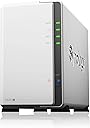
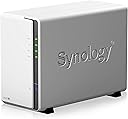
🚀 Elevate your data game with Synology DS220j — your secure, smart, and sleek private cloud hub!
The Synology DS220j is a compact, budget-friendly NAS featuring a 1.4 GHz quad-core processor and 2GB RAM, designed for home and small office users. It offers robust built-in security, supports large HDDs with RAID mirroring, and provides seamless private cloud access through an intuitive interface and mobile apps. Ideal for professionals seeking reliable, centralized data storage with remote accessibility and strong data protection.


| ASIN | B0855LMP81 |
| Best Sellers Rank | #184 in Network Attached Storage (NAS) Enclosures |
| Brand | Synology |
| Cache Memory Installed Size | 512 |
| Color | Enclosure |
| Compatible Devices | Server |
| Connectivity Technology | Ethernet |
| Customer Reviews | 4.5 out of 5 stars 3,338 Reviews |
| Enclosure Material | Metal |
| Global Trade Identification Number | 00846504003440, 04711174723447 |
| Hard Disk Description | Mechanical Hard Disk |
| Hard Disk Interface | Serial ATA-600 |
| Hard Disk Rotational Speed | 0.01 RPM |
| Item Weight | 1.94 Pounds |
| Manufacturer | Synology |
| Mfr Part Number | DS220j |
| Model Name | DS220j |
| Model Number | DS220j |
| Number of Items | 1 |
| UPC | 846504003440 |
| Unit Count | 1.0 Count |
M**N
Sort of on the fence about this one...it's a NAS
I wanted to utilize a couple of my large HDD as a NAS (again). The older model that I was using wouldn't accept the size drives I wanted to upgrade to and did not want to continue with drives located inside PC, dealing with the various backups, mirroring, and so forth. Nothing in particular critical or sensitive being stored, just wanted easy access from any device in the house. This unit was highly suggested by various sources and reviewed high so figured it would be a shoe in. I am FAR from some super IT pro, but certainly know enough to be dangerous (to myself) and have dealt with various NAS/FreeNAS/sharing units and setups over the years. This unit didn't seem super intuitive to me insofar as setup. First off, make sure your drives are empty or that there is nothing on them you want to keep. The moment you put them inside the unit it is going to format them. It claims some hot swap ability and that it will auto rebuild the RAID/mirror that it boots to on default. It hasn't been my experience but to be fair I basically had to get on and search every single area of settings to see what I was and was not doing (and am getting ahead of myself) The unit goes through a setup wizard, makes you choose a strong password, asks a couple of questions and you are off. Access to it requires that you map a network drive. Clicking on the icon that shows in "network" just takes you to setup page. On default the unit will make you pick a "strong" password and will refuse anything it deems to weak. I utilize an easy password within my LAN (not the log in) that all the shared media folders utilize. I went through the settings and changed what needed to be done in order for it to allow me to set the password I wanted. Setting no password will not work with Windows (as it wants the password). After I got that set and what I thought was fixed...I kept having issues with the NAS logging me out. Right in the middle of access it would be asking me to re-enter credentials that were already saved within Windows. I had to do delete that profile entirely, set it back up again, and finally got that issue resolved. After that I had an issue where once one user was connected others could not connect, would show a "forbidden" message. Finally after several days of asking around, reading each individual setting, changing power settings and Wake On LAN settings I got everything working the way I intended in the first place. As I mention earlier in the review once you put a drive in, even if it's already formatted to the type this unit wants, it formats it. It's default setup is a mirror so one of the drives is being actively written to and then copied to the other. This sounds all fine and secure....well... When I put my first two 4TB drives in the unit erased them, bye bye movie collection. Fine, had it backed up properly. I let the unit do it's format and seemingly am ready to go. The unit is making hella noise and come to find that one of the drives is on it's way out, must have bumped it too hard. The information was already written back to the drives. I take out the bad drive, install a backup and exactly same model drive I had on hand expecting it to mirror, like it said. Nope. Had to rebuild the data a THIRD time. So here, to me, is the catch. Supposedly it's "mirroring" your data. Supposedly it will auto rebuild a swapped disk. It does so in it's little proprietary Linux style format. Nothing other than devices like this can read it. It's worthless to a Windows computer outside this housing....and it DIDN'T auto rebuild. You get this warm and fuzzy thinking you are buying a unit that is backing up and mirroring your data and in reality you are trapping information in a format that won't mean squat to anything else. IF a disk fails it is IMPERATIVE that you back that data up as a precaution before inserting the new disk it's (supposed to) rebuild for you. Well, what if you don't HAVE space anywhere else, because this was supposed to BE your "safe backup"? IMO it's a cool little unit. I would suggest setting it up as one "striped" drive, because the mirror is a lie like the pie. It works well for simple sharing after you bust your rump to get that functionality as a true LAN and not tied up in all the cloud BS it will try to get you to use. For the price it's ok. There aren't a whole lot of compelling items that compete for what this is. It's workable. Most folks are just "going cloud" and letting it do what it wants. Edit - 2025 Just wanted to say that after many years with the above setup just being static, I upgraded it again with larger HDD and also did a firmware update. It was a game changer. All of the settings that seemed to make no sense were made far easier in the UI and it works as I always hoped it was supposed to.
J**R
Overall a great product to backup your personal data
I have the Synology NAS now for about 3 months. It works well for me. Below I listed some pros and cons for Synology from my personal experience. Pros: - Hard drive installation was easy and straight forward. - Initial software setup was easy. - The Synology website has a lot of information on how to setup your synology. So if you do not know to exactly set things up, just google it and you will find the Synology website with information on it. - Helped me a lot and great work to set this information up and to keep it up to date!! - Great mobile phone app support. You can find a lot of mobile phone apps from Synology which work well together with your device. I for example use DS File to upload the pictures on my phone to the Synology NAS. - You have software apps for Synology for a lot of things (more than I need), which is great! - Great support for Timemachine (MacOS) to backup on the Synology hard drive. Works really well despite a hiccup. One time I needed to kill the time machine user on the Synology device since it had 2 sessions at the same time and couldn't do a backup. Worked fine after killing those sessions from my Synology. - Great build in functionality to make your Synology secure (2 factor authentication, encryption, etc.). - You can access your files from the outside world if you want to. Cons: - The indexing of video and photo files is starting right away when you copy it on the NAS. When you copy large amount of photos/videos on it, it will take most of the CPU time. It takes than minutes to log into you Synology drive, but you can pause the indexing for some time. I really hoped that was a support for scheduled indexing (index between like midnight to 6am), but couldn't find it so far. That is probably my biggest complaint. - Antivirus: Not a bit deal in my mind since the info that gets in the NAS was already virus checked in my computer, but you should know that it's not working very well for the following reasons. The antivirus program from Synology does not always work well. I had to install the first virus definition by hand the first time since the antivirus software never finished updating (found that solution on the website and piecing things from other users together). Now its updating just fine most of the time. The scan (according to the antivirus logs) takes from like 2-16 hours for me with my data just being like 400GB (no idea what the virus scanner is actually doing), but it doesn't matter to me when it is done. General caution: - If you never worked with a NAS before I strongly recommend you read up on good practices how to make it as secure as possible. I believe Synology provides that information as well. - Installing this device and setting it up the way I wanted to took me some time. So expect to spend some hours to set it up before considering making it accessible from outside your home network. All in all a great product. The few things I do not like are small compared to the functionality provided by Synology. I think they did a great job with this device!
R**Y
My first NAS. Good for a home of 2 or 3 light users. Uses Linux so be prepared for that.
UPDATE 08 January 2023 Synology DS220j The DS220j is a 2 bay NAS. I use RAID-1 so basically it reads and writes to two drives simultaneously so each one is a copy of the other. I've discovered the drives can not be read in a Linux or Windows computer if you remove them from the unit. The data partition is not a mountable ext4 partition as it should be. It's not visible in linux nor in Windows with extensions for reading linux in Windows. There's a posted tech bulletin at Synology on how to recover RAID drives but I don't see how that will be of any use if computers can't even detect the partition. Once I clone a copy of both drives I can experiment with them. Maybe there's some magic in the knowledge base bulletin. Just google this exact phrase and you should be led to the algorithm for recovery: "How can I use a PC to recover data when my Synology NAS malfunctions?" Maybe installing mdadm and lvm2 as described in the bulletin will make the data partition visible. I hope so because I'd like to upgrade to a 4 bay unit but I don't feel comfortable about that until I can read the drives in a computer so I can recover from a NAS failure. UPDATE 04 January 2023 Not really an update but something I think will be helpful to many NAS owners...and I love to help. I'm slow in catching up with technology but I discovered a fun thing that can let us experiment in a very safe way to practice using a Windows computer to read the Linux file system files on the internal drives of the Synology DS220j NAS (it writes in Linux file systems to the internal drives...not in Windows file systems to the internal drives). But this practice technique requires one of those standalone drive cloning devices and it requires another hard drive that is the same size or larger than the Synology drive you copy. (You can get used...very used but usable...4TB retired server drives for about $35 on the auction site and those are good enough to play around with...just don't depend on them for precious data.) You just shut down the Synology, remove one of the drives, then clone it using a standalone cloning device while the cloning device is not connected to a computer. My little cloner can duplicate a 4TB 7200 rpm drive to a 4TB 7200 rpm drive in about 6 1/2 hours. So, you can shut down the Synology while you are gone for about 8 hours or while you sleep and then the cloner will make a copy and you just insert the original drive back into the Synology and fire up the Synology again. The original drive you temporarily removed from the Synology is not altered by the cloner in any way so it's a safe way to make a copy and the Synology won't know it was ever tampered with. With the copy you made, you can then experiment getting files off of the Linux drive using Linux, Windows, or Mac and be prepared for some day in the future in case your Synology fails catastrophically forcing you to connect your Synology (Linux) drive to a computer to get files off of it. If you develop a plan and practice it beforehand...there won't be a need to panic...you'll be ready to do the deed and get on with life. There's a whole bunch of those cloners even on Amazon for as little as $30 up to maybe $110. As best I can tell...they all pretty much use the same JMicron JMS551 chip if they are the USB 3.0 gen 1 (5Gb/sec) cloners but most of the USB 3.1 gen 2 (10Gb/sec) cloners use the ASMedia ASM1352 chip . Those chip differences only affect the cloner dock if you use the cloner dock as simply a dock to connect to a computer. The cloning function is done with the little cloner device totally disconnected from a computer. So, as far as I know...and I could be wrong...check me on this...the speed at which those cloners can duplicate a drive are all pretty much the same. The duplication speed limit is based on how fast the drives can read and write data. Like a 5400 rpm drive might max out at 180 Mb/sec data transfer speed where a 7200 rpm drive might max out at 250 Mb/sec or so. (So...to calculate the time required for duplication...let's say we have a 4TB drive (same as 4,000,000 MB) ... 4,000,000 (MB) ÷ 180 (mb/sec) ÷ 60 seconds in a minute ÷ 60 minutes in an hour is 4,000,000÷180÷60÷60= 6.17 hours estimated time to clone a 4TB drive to a 4TB (or larger) drive. (The drive to which you copy has to have at least as much space as the one you copy from.) I have been afraid to pluck a drive from the NAS to practice reading it in Windows because every time I connect something to a Windows computer, it gets the mysterious $Recycle bin directory and the mysterious System Volume Information directory. I'm assuming Mac's might spew files onto a drive as well...I don't know...Mac is Linux...in a way...but not exactly from what I hear. Well, it worries me that if I then put that drive back into the Synology after it was connected to my Windows computer where I have the Synology set up with two drives in RAID-1 configuration, there's going to be only one of the drives that has those Windows System Information and $Recycle.bin files. Would this not lead the Synology to recognize something is different? Wouldn't that lead to corruption some day? After all, Linux in the Synology doesn't put those directories there...only Windows does that...so one of the drives in the Synology will now have those mysterious Windows files but the drive that has never seen a Windows computer will not have those mysterious files.....but...Linux can still see them and detect them...can't it? I dunno. I've just been afraid to do it. So, I cloned it and practice on the clone. That's safe. So...once we have a safe copy of our Linux based files as they are written in Linux also on our copy...we can practice connecting that copy to a Windows computer. You'll have to google for your favorite method of reading Linux file systems using Windows or using Mac--but there are tons of tutorials in video and text all over the web. Good luck. I gotta tell ya I'm liking this Synology box more and more as I learn to command it to work for me. In the beginning...it had me jumping through flaming hoops for no reason. Now, instead of jumping through hoops, I'm sitting at my desk getting work done and the Synology is working for me...not me working for it. And...if some catastrophe occurs...I'm ready with some practiced methods to recover from my Linux drives from the Synology as best can be done. UPDATE 22 September 2022 My Synology DS220j has been up and running about 2 years. It seems okay for the price. The two 5400rpm drives are adequate to saturate the full capacity of my gigabit network for one user at a time. I could be wrong but I calculate my network maximum transfer speed as 1,000,000 bits (gigabit) per second ÷ 8 bits per byte = 125,000 bytes = 125 megabytes (MB) per second and that' pretty much what I get when transferring to or from my Synology DS220j using computers in the house using copper wiring. I get a little less when using my 802.11ac WiFi. The Synology operating system is named Disk Management System...DSM for short. It's a nuisance in many ways. It forces upon the user a whole bunch of snooping, indexing, and reporting packages that do nothing for me but wear out my Synology NAS. Underlying that problem is the fact that I don't like the idea of people snooping even if they try and convince me they are honorable and do it only anonymously. I am skeptical of those claims because, after all, there are tons and tons of updates constantly to fix unforeseen thousands of problems and if there are that many errors, it means that any so-called seurity in the sytem that keeps things anonymous is likely to be flawed also. Synology is not entirely forthcoming with solutions to shut down this stuff. So, I found a 3rd party site to which I subscribe that is tailored to people like me who want to regain control of their data security in this Linux box called a Synology Network Attached Storage (NAS). That site breaks the solutions down into algorithms even I can follow. It is interesting to note that the Linux coders of the site can also describe how people hack your NAS from outside your network to pretend they are Synology. That means your anonymous data isn't always anonymous and your data isn't always deciphered by honorable people in the forefront. A "package" is what Linux calls its application installers. The fixes revolve around root access to the Linux operating system of the Synology using console commands to uninstall offending "packages" and then going a little further you can shut down particular access portals of internet access breach. It works and it's pretty easy. I use Linux Ubuntu on a couple of home computers so the Linux OS is not totally foreign to me. Probelm is, when you work to get everything removed that you want removed and batten down all breeched portals, you have to do it all over again if you allow another DSM update to occur. Every DSM update brings back the same stuff you worked to get rid of and there's even more new snoopers to discover and disable. It's a hassle. So, I looked at my situation from a practical standpoint and realized there's no valid reason for me to give internet access to my NAS because I only use it at home. If I pulled data from home to use elsewhere, I'd have to manage a good VPN with some very good end-to-end encryption on every device involved so my needs here in my little home cannot justify all those additional layers of complexity in my little life. So, I now use my router to totally exclude my NAS from internet access and I have never missed out on a thing while my life is much simpler and easier to control. I removed all of the bloat snoop packages and my DS220j works faster and smoother than ever before. Before removing the bloated snoopers, I had troubles accessing encypted archives on the NAS. Once the snoopers were gone, I have no more problems with encrypted archive containers that I access across the network when they are remotely stored on the NAS. It's a wonderful thing to no longer have to suffer the anxiety while I cringe thinking that access errors reported by the operating system might mean an entire "container" of encrypted data might be corrupt and unusable. I don't know what the snoopers were doing but it certainly jumbled some critical data streams in some way. That doesn't happen any more now that the bloated snoopers are gone and internet access is thwarted. I made sure I had all of the "packages" needed before I exiled my NAS to a secured utopia of peace and protection. The built-in package manager of the NAS won't work without internet access but there are other ways of using Linux commands to manage packages and examine that which is there. But, actually, I don't need to manage packages. All I need is there and it works. No need to fix what isn't broken--as they say. So, now my little NAS is secure and sheltered and happy. It serves me well. I don't seem to need any updates to improve functionality beause speed-wise it already saturates my little network so it's not as if I need for it to go any faster. I haven't discovered any data losses or data corruption so I don't seem to need DSM updates to improve data integrity. I keep my NAS backed up to another hard drive in a very high end USB enclosure so that gives me a back up for my backup. So, my NAS seems to work without problems and I have a backup for the backup if the NAS totally fails...and...like all things human made...it will fail...someday. It's basic but it works. The drives in the Synology NAS are using Linux ext4 file systems. If you need to use a Windows computer, Microsoft Windows can read and write those est4 sile system drives (btfs file system reportedly has Windows drivers but I have not tried them) if you install some freeware drivers so...theoretically....if the Synology NAS makes magic smoke, I might be able to read and access and copy data from the enclosed drives if they weren't totaly corrupted by the offending smoke generating failed hardware. And, if all of that fails, then the attached USB hard drive has one mirror that is made daily so all is not lost. And, then, about once a month, I copy the entire NAS data to an encrypted drive while that drive is attached to one of my computers. (I only have about 1.5TB of data on my 4TB NAS.) Somewhere in that mess I should be covered against total loss. (You make an encrypted copy so you can store that encrypted drive away from your house in case of fire, theft, act of God, etc.} Whew! What a job, huh? ORIGINAL REVIEW If you need speed, be sure to spend the extra to get 7500rpm drives (like Red Pro). I got the 5400rpm models (Red plain) and that leaves me lacking some transfer speed when I have the Synology mirror itself to an attached USB SATA. 5400rpm internal drives in a dual drive RAID is fine for my reading/writing to the NAS but when trying to copy from the NAS to an attached USB, it is sluggish. I wanted to make full backups of my NAS daily. I can't. It would take 12 hours or more to copy 3 TB to an attached USB and there is no 12 hour contigous period in a day when I can let the NAS lay dormant to do a full copy to an attached USB. So, I have to mirror to an attached USB instead. The USB copy utility is not entirely reliable in mirror functions. It will fail to backup some files. I have also learned not to set the NAS to hibernate the drives because it failed to write a whole lot of document scans. I mean gigabytes worth I had to redo over many hours because the writes to the internal NAS drives for some reason unknown to me totally failed for a large part of data and lots of files just were not there the next day when I resumed a scan and archive task. So, I turned off drive hibernation for the NAS drives and have not encountered that particular data loss since. You would think that the Realtek chip would hold data in the RAM until the drives spun up but I guess if there's not enough RAM, it just drops the data unless the hard drives are ready to suck it in. I don't know. All I know to say is think twice before using the hibernate function for the internal drives. Hard drives made for NAS are supposed to be built to run 24/7/366 so that's what I do now. Tech Support was disappointing. I had two issues. They just gave me links to Wikipedia pages and told me that Synology just doesn't give them access to the kinds of information they need to answer my questions. I told them thanks but no thanks because I can probably google better than they can. I needed Synology technical help. I did not need an auxiliary google search. The Synology (like lots of these NAS things) don't have licenses for Windows so they use Linux. That's fine. But, if your NAS fails, you will probably need to pull a drive from the NAS and hook it to a Windows computer to get some stuff off of it. Don't wait until you are in a panic state to do that. Learn to do it before you need to do it. You can read Linux drives with a Windows computer. Windows 10 has a virtual Linux machine you can activate but it's not needed. I stuck to the standard EXT4 file system in the Synology so I can use some freeware add-ons in Windows to read from the Linux file system of the drive I pluck from the Synology. I'm not sure I would write to one of the plucked drives though. It may cause more problems than I would want to deal with.
R**Z
220J and 420J Very Fast, Easy Setup, Reliable and Quiet
Since Amazon groups the 220J and the 420J together I cannot review the 420j separately so I am revising my 220J review to include the 420J. I got the 420j 15 months after the 220j and as expected the 420j is also excellent. I actually got a great bargain on the 420j from the Amazon Warehouse for a returned items whose package indistinguishable from new. I use the Synology 220J and 420j in a very simple way, to set it as the destination for the download of torrent files, backups, and for storing other large files I don't want to use up space on my solid-state drive. The PC is a Windows 10 and wired to a 1G LAN. Both NAS's are cabled directly to the 1G port of a Netgear r6700V3 router. AS long as I used wired (not wireless) the connection to both NAS is very fast even approaching the data limit of the 1G Ethernet interface. See the attached graph showing a speed test to both NASs from my laptop to each of the Synology units. Very fast indeed at the max capability of the 1Gb network. THE GOOD: -- EASY TO INSTALL: Doing very little more than installing the hard drives, letting the units run their initial installation, and then setting up a shared folder, and was quickly able to see the NAS's from both of my Windows 10 laptops. Very little to do to start using the NAS. -- FAST TORRENT SAVES: Saving torrent files over an ethernet cabled connection the speed was as fast as the torrent downloads themselves. Very pleased. -- GOOD STREAMING: I was able to play a 4K video from the 220J over the 1G LAN to an NVIDIA Shield with excellent results. No pausing or jerkiness. The 220j and the 1G LAN were not at all stressed by this. -- GOOD SUPPORT: I was impressed with the tech support. They were always available and reasonably knowledgeable but were unable to offer a reason for the slow torrents. -- QUIET: The fan in both units is surprisingly quiet and with adjustable speed. -- FAST FILE TRANSFER: When I copy a file from the PC (where Ive saved a torrented file) to the file it's very fast. I see speeds of 115 MBps on a 1G LAN. See the attached speed test for both units. -- VERY RELIABLE: Over 15 months of use the 220j NAS has been available 100% of the time, connecting to the network and operating over its web-based interface. I've had the 420j for only a week but I expect the same remarkable reliability from it. -- CAREFUL WITH DRIVE SELECTION: I only say this because I initially installed some good value Hitachi 4TB drives that turned out to be noisy as heck. They made a loud thumping sound as the heads moved, so much so I had to change the location of the 220j to another room where I would not hear it. -- QUIET HARD DRIVES: For the 420J I used 4ea Seagate Barracuda 4TB drives and I don't hear them at all. In fact, the fan is louder than any noise the drives make. The Bad: Not a thing. CONCLUSION: Both the 420j and the 220j do a lot of things and is probably much more sophisticated than I need and for the simple task of saving files from my PC over a LAN, but it's a great easy to setup and a supremely reliable solution.
M**N
Reliable
I bought this synology NAS drive to replace a synology drive I had installed fifteen years ago. I use the drive as a central data repository for my home network, storing photos, music and laptop backups. My old one proved very reliable but I figured the disc drive, running 24/7 were getting to the end of their life. In fact, about five years ago I bought another manufacturers NAS drive to use. But I found it unreliable, repeatedly going off line and not being accessible when I needed it. This would be corrected by powering down the NAS and restarting it, which typically took ten minutes. Meanwhile my synology NAS just kept going alongside it. This new NAS seemed so unreliable in comparison I never took the original synology NAS out of service and they ran side by side for five years while I recovered from the financial outlay. I bought this new synology NAS six months ago and set it up. I took down my interim and unreliable NAS but kept my old synology NAS running alongside this one. I was impressed that the synology shell on my laptop found both NAS. I found the graphic interface to be familiar and as intuitive as ever. I was able to do a NAS to NAS transfer of all my photos fast. I had a cleaned up music collection on a USB drive and was able to plug that into the rear of the new NAS for a fast transfer. And it was easy to setup automatic backups for my laptop. And most important, the NAS appears as reliably available as my original one. After about two months I finally retired the 15 year old NAS and just have this one on my network. The interim third party one I had tried would have hung at least three times in that two month period. This new synology NAS, not once, showing equal accessibility as it’s one and a half decades old brother. I’m six months in now and have no issues with this product, my experience with this has been excellent. Occasionally Windows explorer will show a mapped folder on the drive as inaccessible, but as soon as I click on the folder it becomes accessible and opens. I think this might be a quirk of Windows. I will update my review in 2038, when this one turns 15.
Z**.
This is a great little NAS!
This is a great little NAS! I went looking for a 2 bay NAS unit after my most recent update on Unraid for my main Tower server Time Machine stopped working. Whatever I did, I could never get it to work. After asking on the forums, they said it's a common issue. I took out 2 5TB empty drives (bought in 2014!) that weren't being used for anything and planned to use them here. I eventually settled on the DS220j unit over the DS220+. I couldn't justify spending the extra money for features I didn't need since I still had my server for everything else. The one feature I liked on the + was USB flash drive button copy and front input, but couldn't justify spending the money just for that. When I got it, assembly was super easy. The case didn't have any screws in it yet, so you just pulled it apart and the drives to the bays went right in. Used the supplied screws to secure them in their bays, close it up and you're off and running. Setup was super easy. The installation automatically sets you up for their SHR Raid. You do have the option to change that if you want later if you want but I left in that cause I figured why not. It set you up with default share folders, which I didn't like the names of. I wanted to delete/rename some of them and had to disable some of the default apps to do so. Wished they'd give you the option if you rename it it'd update in those apps also. I just left them disabled since I don't need em anyway. First thing to do was setup Time Machine. Digging around found instructions and that was fairly easy to setup. Created 2 users, was able to set size limits in their profiles. Backed up both Macs to the one folder and has been working great since. Next I setup a Plex server to test out. Direct Play worked fine streaming the movie from my server, but Transcoding forget about it. If all your clients in your home can Direct Play and that's all you care about, you can prob get away with it. But if you want Transcoding and more features, get the + or one of the other '20 models with more drive bays. You'll thank me later. The next thing I did was buy a USB extension cable and got USB Copy going. I needed to buy the exFAT Access app to unlock that but once I did it worked great. Set it up so if I plug it in, it'll automatically copy the drive when I do and eject when it's done. The cable works great to give me front port access too. Haven't done much else besides those 3 things, but there's a lot more you can. So if you're looking for a simple file sharing 2 bay NAS this is it! If you want to do more things like install Docker suppoort, Transcoding Plex (please get more then 2 bays!) and other things look at the other '20 Synology models. But if what I described here is all you need, go for it!
D**D
Pleasantly surprised by the features and capabilities are.
- Noise: The device itself is fairly quiet even with noisy drives. It has rubber mounts for the drive mounting screws to sit in. I would still recommend a rubber pad to sit it on so drive noise doesn't echo through the legs. - RAID/SHR: I tested out the swap in feature with a second drive and it worked as advertised. Being able to pivot to a larger drive as needed sold this for me over going with a device with more drive bays. - Filesystem sharing: NFS/SMB/APFS/rsync/iSCSI/etc.. They work well, and make it possible to share with a varied environment like my household is. - Encryption: encryption is slow, but is a nice option to have for critical document folders in case someone steals your NAS. You do have to type in the encryption key if your device ever loses power, but that seems a small price to pay. - CloudSync: Their beta app for synching to cloud makes it possible to treat a dropbox account almost as another peered NAS device. e.g. you can synch back and forth bidirectionally - Versioning: Having versioning setup is great for folders where you are worried things could get wiped accidentally especially when multiple people are making changes to it. The Not So Great: - If you are expecting something that you can flip a power switch and get everything you want, then look elsewhere. You will likely spend a bit of time on google and synology's website to get all of the features going you want or need. This is more for mid to power users. - Don't expect speed with this device. If you want speed you probably want the DS218+ or other line of devices that are a step up (but more expensive). As it is, it works just fine for my purposes. - Moments is a neat tool for backing up photos from your phones, but the album setup doesn't carry over from the phone correctly/consistently and it doesn't play nicely with DS Photo. The photo station tool works well, but really to get the full power of sharing you will likely want to copy your photos out of Moments and onto a team share and organize it there instead.
B**.
A Competent Self-Hosted Storage Solution
I would HIGHLY recommend this device to anyone looking for a simple, competent, and stable means for personally securing their data. I've dabbled fairly extensively with self-hosted storage for awhile. I came fairly close to being content using a Raspberry Pi running the Snap version of Nextcloud. I got burned, though, when the Nextcloud unencryption process failed and corrupted my data. That, paired with less than stellar Photos performance, pushed me away from Nextcloud. As a technical user, I didn't have much trouble setting up the Synology NAS. I threw in a couple 1TB hard drives I had sitting around, and within 30 minutes, the NAS started beeping to communicate one of them was faulty. Swapped it out with a different hard drive and the system automatically integrated it into the array. Super impressed with the monitoring. With just myself using the 512MB model, I don't give it many demanding tasks. I run Moments, a great photo gallery application - Audio station, Media Server, Contacts, and Calendar. I don't notice any performance hiccups whatsoever unless I am copying an enormous amount of files. I also use the NAS as a UPNP server with Kodi. Kodi detected it right away and had zero issues streaming content from the NAS to my media center. For those looking to get themselves off a particular ecosystem further, Contacts and Calendar both act as CalDav and CardDav servers, so you use something like DavX on Android to sync both of those up with your phone. Overall, very pleased and happy with the Synology NAS!
J**O
Muy bien producto
Después de probar varios NAS, tengo que decir que este me da muy buenas impresiones, y con un servicio de lujo
A**R
Works well
Bought this to replace 216play. Build quality wise 216 play was better, housing feels like metal although is plastic, made in Taiwan. This 220J is normal plastic, so feels less premium. No country of origin. But important is working well. Hope it last. My experience HDD fails in 3year or so. The synology fails every 4-5 years. This is my 3rd…
H**X
Nube personal
La instalacion y configuracion es sencilla para personas que ya tienen experiencia, pero para una persona normal si se complicaria, afortunadamente hay mucha documentacion y videos. Lo bueno es tiene todo lo que puedes ocupar, si tienes camaras de seguridad ahi se graba el video y lo puedes ver desde cualquier celular en cualquier lugar, si tienes peliculas en bluray/dvd las puedes convertir a mp4 y mirarlas desde tu choromecast, si tienes musica en cd la conviertes a mp3 y tienes tu estacion, si tienes muchas fotos y videos, puedes hacer backups automaticos y subirlos automaticamente a tu NAS. Esta muy completo el sistema operativo que trae y basicamente cubre todas tus necesidades de almacenamiento y seguridad, una compra que lo vale. Yo recomiendo este dispositivo si tienes mucha informacion y ya quieres poco a poco desligarte de estar pagando mensualidades de espacio en la nube y servicios de streaming.
G**M
Very slow software interface
The software to access the NAS is extremely slow and irritating to use. Not the most user friendly product to use. Needs a lot of patience to setup.
M**N
3rd NAS
Lost a star because of none upgradable RAM and need a screw driver. Bar that, nice bit of kit. Fastest of my 2 other NAS's. Interface is nice.
Trustpilot
5 days ago
2 months ago