⚡ Elevate your Surface game—dock, connect, and conquer your workday!
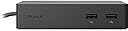
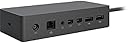
The Microsoft Surface Dock PD9-00003 is a sleek, portable docking station designed to convert your Surface device into a powerful desktop setup. Featuring 5 USB 3.0 ports, dual Mini DisplayPorts, and a Gigabit Ethernet port, it delivers high-speed data transfer, multi-monitor support, and reliable wired networking. Its magnetic Surface Connect cable and rubberized base offer secure, flexible connectivity and stability, making it ideal for professionals seeking a versatile, clutter-free workspace on the move.


| ASIN | B0163HP38W |
| Batteries | 1 A batteries required. |
| Battery Type | Rechargeable lithium-ion battery included. |
| Best Sellers Rank | #1,069 in Computers & Accessories ( See Top 100 in Computers & Accessories ) #120 in Laptop Docking Stations |
| Brand | Microsoft |
| Color | Black |
| Customer Reviews | 4.5 4.5 out of 5 stars (4,462) |
| Date First Available | October 2, 2015 |
| Department | unisex |
| Is Discontinued By Manufacturer | No |
| Item Dimensions LxWxH | 5.12 x 1.18 x 2.36 inches |
| Item Weight | 2.64 pounds |
| Item model number | PD9-00003 |
| Manufacturer | Microsoft |
| Number of Processors | 1 |
| Operating System | None |
| Product Dimensions | 5.12 x 1.18 x 2.36 inches |
| Series | PD9-00003 |
| Standing screen display size | 0.01 Inches |
T**L
Works and is a great value.
This product worked right out of the box. Great value!
A**.
Love it and I own the original Surface Pro 3 dock as well. Here's a brief comparison.
I will not repeat too much of what was already said but want to get my POV across. Full disclosure, I have a Surface Pro 3 and also have the original Surface Pro 3 dock, you know the one people are trying to sell at nearly double the price, so I feel like I can shed a tiny bit of light on the pros and cons of the two units. I really like both this and the original dock. The original dock or Surface Pro 3 dock has the advantage of stability that this dock does not offer. This dock also has 5 USB 3.0 versus 3 on the original dock. I personally will never us that many at once, or even 3, and find that USB dongles such as Logitech unifying receivers and Xbox 360 controllers do not need USB 3.0 so I don't see this as a plus so I'll just call it a perk. This dock can replace your original charger in a practical way meaning you could, in theory, take this to the library or coffee shop if you wanted and it would not be overly cumbersome. The original Surface Pro 3 dock is not portable which isn't me complaining because it was never meant to be. It was meant to pull the Surface into the realm of desktop replacement and it does that as nicely as it can. This dock has a couple of advantages that I love. First, the magnetic connector that plugs into the Surface Pro is WAY beefier and a good answer to the many reports of the original charger easily coming apart. Next, it has a nice rubbery coating on the bottom to keep it from slipping around and it does so very well. Also, I like that you can plug headphones into it instead of the Surface which keeps clutter away from it. Lastly, the biggest advantage, in my opinion, is that you aren't restricted to a single viewing angle like you were with the original dock. I use my Surface Pro 3 mostly for Microsoft Word and web browsing so I really like the stability of the original dock better for long typing sessions. However, I also use it for Adobe Sketchbook Pro and this is where this dock really shines for me allowing me to adjust my angle however I want. My summary is basically that I love this thing even though I already have the original dock. It is portable, although I won't lie it isn't light, which allows you to take your full Surface Pro experience with you and, as I said, shines when using the pen for drawing applications in my opinion. The hefty connector is awesome and, honestly, this thing has heft in general. Well made. If it was me, I would buy this for half of what people are charging now for the original dock. The original dock is an awesome piece of hardware but it also handcuffs the Surface Pro and sort of takes something away from the whole point of it. I'd like to mention that I have not hooked up external monitors to this so I can't speak to that because I see that is a big negative point in many reviews. I have a great desktop and my goals in purchasing a Surface Pro 3 was not to hook it up to a monitor at all. I'd simply use my desktop that already has two monitors. Basically, I find the original dock great for work since I'm typing a lot and enjoy the stability it adds. This dock, however, is slightly more versatile with the freedom of viewing angle and portability that allows you to have the most complete Surface Pro experience overall. Add that to what I feel is the spirit of the invention of the Surface Pro and I personally find the need to hook up a monitor at all, or several, completely moot and more of a perk.
M**I
Highly Recommend . Works fine with Surfacebook 2
Works just perfectly fine. Seems small in size, but sturdy and heavy which imply it’s durable. With the money and good for those who are looking for economy option rather than buying it directly from the manufacturer or stores.
C**.
Perfect Solution
I absolutely struggled with this purchase-I hate wasting money on items that promise to work well but don't. In addition to the unit I had to buy a cable for "unit to monitor" and a new monitor to make this work well. However, I would buy this again because it works well and makes my life easy. I found that I needed a Mini Display port to Display Port cable to get the resolution and screen to match my Surface Pro. The Surface Pro uses 2736 X 1824 resolution witch is higher than HD 1920 X 1080. Will it work? yes, but the screens will not match and items can be distorted. After doing extensive research I decided on the Benq 28 inch 4K monitor with Display Port access and I am extremely happy with the results. It is plug and play for using the Surface Dock now. One plug to the Surface and every thing fires up and is ready to go as fast as using the Surface without the dock. The Monitor and cable added $450 to the over all cost but for me it was well worth the investment to make my work life easy. As a side note I bought and tried a Mini Display to HMDI but it did not produce the desired result. I would definitely buy this product again!
M**.
Nice Addition to the Surface Package
If you are doing more with the Surface than using it as your portable, the dock is a great compliment. While it is not perfect, it does almost everything right. My dock gets coupled with a Microsoft Surface Pro 4 (256GB HD 8GB RAM Intel i7) with pen and type cover. PROS Expansion - 4 USB ports, 2 Display ports, 3.5mm audio, & LAN. You can easily take this highly portable tablo-puter (a name I am hoping catches on) and make it the brain for a full desktop workstation. Design - The dock is small enough it can sit at the back of your desk and leave plenty of work space while not computing or even pack it up and take it with you if and when necessary. Mine sits under the two monitors on my desk at work. Probably the best design aspect of the dock is the Magnetic Surface Connect Cable. Whatever info is transferred to and from the dock is done through a single quick connect/disconnect cable. Leaving work at the end of the day for me is as simple as shutting the type cover, pulling the Magnetic Surface Connect Cable off the side of the Surface, and tossing the Surface into my briefcase. It is just so convenient. I don't have to align any ports, snap into a dock, worry about bending pins, etc. CONS Consistency - There is a rare occasion where I will connect to the dock and not everything will function as expected when connected through the dock. E.g. The wireless mouse wont work or the Surface will try to connect to wireless web instead of using the LAN through the dock. I have connected to the dock about 100 times and maybe 3 times something hasn't worked. 1 of those times I had to restart the Surface to get everything to work, otherwise I just had to disconnect and reconnect the cable and all was well. Anyone familiar with working with computers understands sometimes things just happen and a restart is necessary. Although it happens rarely, it happens. Cost - This bad boy is pricey. At almost $150 it doubles the cost of your average laptop docking station. It is 50% more expensive than most Surface docks. This dock does not offer more than most Surface docks in terms of expansion so the increased cost for consumers is down to design preferences and matching products with accessories purpose built. SUMMARY I had to take a star off for the cost and rare performance failure. I am still very happy with my purchase and would go the same route if I had to buy it again. The dock is a great addition for any consumer not wanting a separate PC to work from when at home but not always wanting to work off a 12" screen. If you only use the Surface as a mobile platform then this is a $150 accessory you can live without for sure. At the time of this review, the Microsoft Surface Dock can be purchased for $148 and PRIME eligible.
K**D
Works perfectly! no need for a bulky computer taking up desk space, nice weight to it so in the event of an office riot would make an excellent defensive weapon
D**S
The Surface Dock is awesome. I use a desktop with 4 monitors as my main computer so when I travel with my Microsoft Surface on a project that requires me to run multiple applications I ask the production company for extra monitors. In the past I would use different cables and adapters to drive them but end up with a mess of cables and adapters. The Surface Dock eliminates the adapters and makes it so easy to reconnect every day when returning to the venue. The dock has it’s own power supply so that allows you to keep your Surface power supply packed up in your bag in case you need it back at your hotel. I would prefer if it was lighter as it is quite heavy to make it not slide around on your desk. While the price is high it will work with the newest Surface computers so hopefully will continue to be useful for many years.
A**H
Llego en tiempo y forma
I**U
いろいろな物がドッキング出来重宝する。
J**O
Es complemento perfecto para surface, ya que contiene todos los puertos necesarios para utilizarla al 100%, esta pensada a futuro ya que no cuenta con puertos hdmi, y se tiene que utilizar otro adaptador (si otro adaptador mas y un gasto mas) pero su funcionamiento es perfecto.
Trustpilot
3 weeks ago
1 month ago