Buy anything from 5,000+ international stores. One checkout price. No surprise fees. Join 2M+ shoppers on Desertcart.
Desertcart purchases this item on your behalf and handles shipping, customs, and support to New Zealand.
🔌 Connect Like a Pro, Present Like a Boss
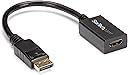
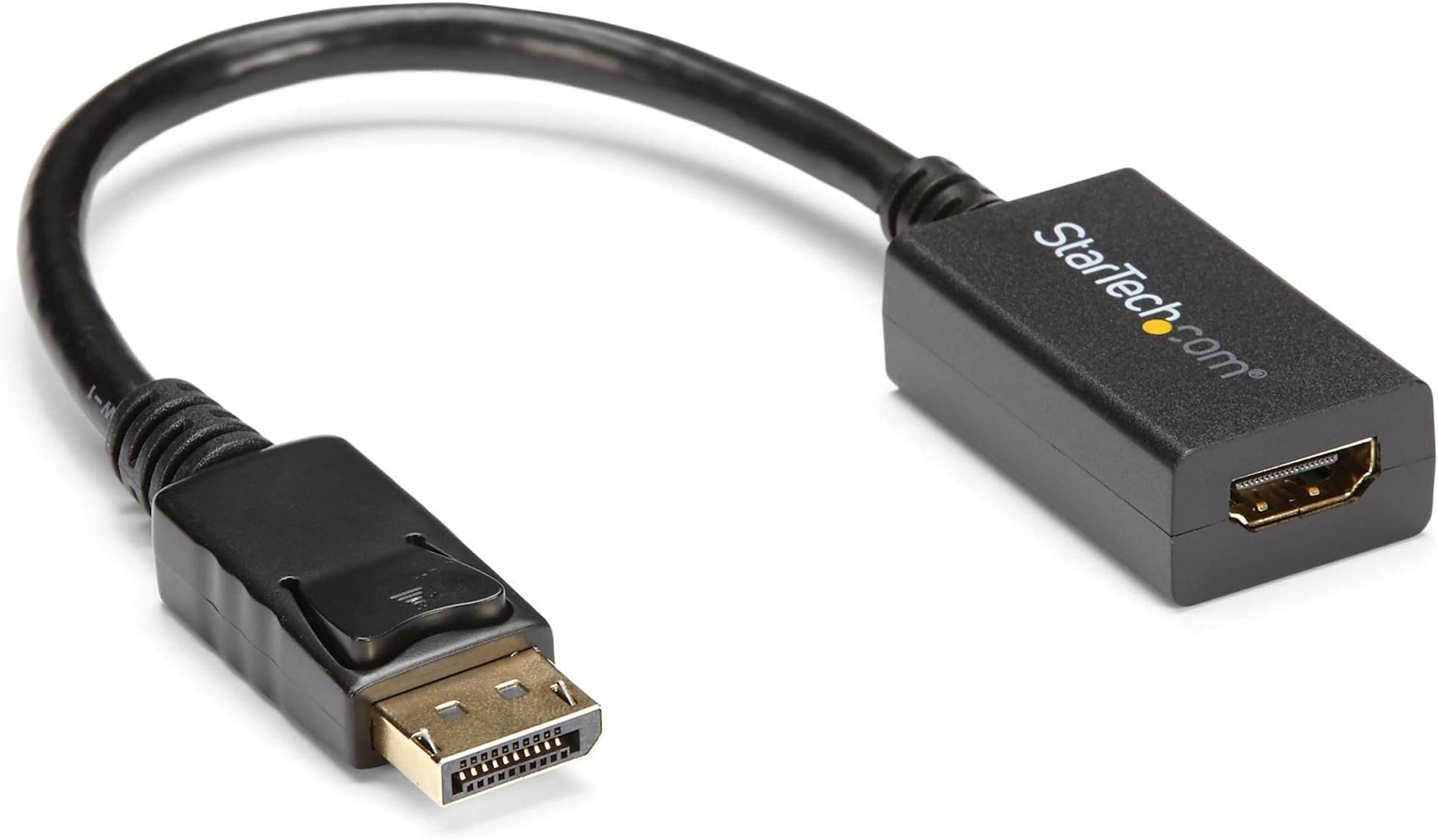
The StarTech.com DP2HDMI2 adapter converts DisplayPort 1.2 signals to HDMI, supporting HD video up to 1920x1200 and 7.1 channel audio. Featuring a secure latching connector and an 8-inch cable, it ensures reliable, driver-free connectivity for desktops, laptops, and docking stations with DP++ ports—perfect for professionals needing seamless multi-display setups.


| ASIN | B0035PS57M |
| Brand Name | StarTech.com |
| Cable Type | Audio Cable |
| Color | Black |
| Compatible Devices | DP 1.2 computers or laptops, HDMI display, monitor, projector or TV |
| Compatible Phone Models | standard |
| Connector Gender | Male |
| Connector Type | DisplayPort, HDMI |
| Customer Package Type | Standard Packaging |
| Customer Reviews | 4.6 4.6 out of 5 stars (1,818) |
| Data Transfer Rate | 1000 Megabits Per Second |
| External Testing Certification | CE, FCC, REACH |
| Frequency | 60 GHz |
| Global Trade Identification Number | 00065030836876 |
| Included Components | 1x DisplayPort to HDMI Converter |
| Indoor Outdoor Usage | Indoor |
| Item Length | 21 Centimeters |
| Item Shape | Round |
| Item Type Name | A/V Cable |
| Item Weight | 0.03 Kilograms |
| Manufacturer | StarTech.com |
| Model | DP2HDMI2 |
| Model Name | DisplayPort to HDMI Video Adapter Converter |
| Number of Items | 1 |
| Number of Pins | 20 |
| Other Special Features of the Product | Not_Performance_Used |
| Part Number | DP2HDMI2 |
| Recommended Uses For Product | Indoor/Outdoor |
| UPC | 065030836876 |
| Unit Count | 1.0 Count |
| Warranty Description | 3 Year |
| Wattage | 50 watts |
R**Y
Good product
It works fine. The reason for getting one with a wire a few inches long is because of crowding at the port in the computer.
B**T
Yep, it just works
EDIT, 3/22/14: I just noticed that the instructions say the signal is only passed through passively, and only on DP++ ports. Well, my Dell Optiplex is only DP, and passes the video just fine. I frequently watch videos in Prime online here at Amazon, and have no problems, using the same Optiplex 780, as in the original review, following below. ======================= I am the happy owner of a Toshiba 19L4200U LCD TV which I got here at Amazon a few months back (see my review). I wanted to use it as a second monitor for my new Win7 Pro (well, used, from dellauction) Optiplex 780. Mistakenly, I thought the latter had an HDMI port, but it's a Display Port, and it won't transmit sound. Not to worry: I bought this here, plugged it in last Sunday, and bang! Works just fine. That matters, for the max resolution advertised, is as far as the Toshiba can go. But here's the important trick: you won't GET that resolution unless you configure your dual monitors to spec the TV, first. Always pick the monitor/TV with the HIGHER resolution as the first in the pair. The second, being lower, will default to the lower resolution. IF you don't do this, you 'cage' your higher-resolution monitor/TV to the lower resolution of the other one. Extended Monitor versus Dual: the latter duplicates what you see on screen. The former, effectively INCREASES the screen width. So you could make a really big window on the 'primary' screen, with its overflow on the other screen. The only time to do that, is when you have to view two things side by side in a size too large to fit on one screen: or, if your application lets you specify one monitor, versus another. There are other instances also, where dual screens are of value, but I can't think of them right now. PS: if you have problems with installation, it means your monitor settings or the Display Port settings need to be changed. For example, my TV requires me to set its 'input' mode to 'HDMI2', as that's the port into which the HDMI cable goes. So if I'm using the wrong 'input' mode for my TV, I can't see anything on screen. That's not the fault of the adaptor. That's a setting problem on the machine.
B**T
Straightforward and simple solution
I had an older HDMI only monitor but my new laptop only has DisplayPort outputs and this StarTech adapter solved that problem completely. Plug it into the DisplayPort on your PC, run your regular HDMI cable from it to your monitor and you're done, there's no software or drivers needed and it recognized immediately. It's been rock solid with zero flickering or random disconnects which is a far cry from the cheap no-name ones. Image quality looks exactly the same as if I was running HDMI natively, I've used it for years and haven't had an issue. Build quality is solid and the connector seats firmly in the port without any wobble.
A**R
Great!!
Ease your use. Works well.
M**E
Not an active adapter.
I purchased this product to add a 37" LG HDTV to my computer setup as a media display screen. The whole purpose of using this adapter in lieu of the fact my video card has a HDMI output is the fact that my video card uses a new technology called Eyefinity. You can run three displays as long as one is a DisplayPort monitor. After doing some thorough searching on AMD's website, I found an article showing adapters one could use to use said third display. Alas, the article was incorrect. While this adapter works flawlessly to use my LG HDTV, it will not activate as a third display. I could only ever run two at any given time. Further (many hours of scouring the web) research showed that Eyefinity can only work with an active adapter. This device is a passive adapter. The difference is power. An active adapter receives power from another source (USB, AC adapter, etc.). This converts the data mid-stream and is powered by the DP bus. To anyone looking at buying this to convert a monitor to use DisplayPort with Eyefinity, stay away. That being said, it is still a flawless device. I have been using it for a month now with no issues. The real nice thing is allows HD output with 1080i/30Hz interlaced. For some reason, it would not work that way under HDMI alone. I would recommend it for anyone who has an older HDTV who wants to use it as a computer monitor. Just do not expect it to work with Eyefinity. Not a fault of the manufacturer of this device, but of AMD. BTW, I was able to get three displays working. I had to dust off a slightly older video card with a similar chipset as the card I have. My computer is now running two overclocked video cards powering three large displays. I still use this adapter even though it is not required.
J**N
What I needed and just works
It has worked great with no issues. I buy a lot of StarTech products for both personal and work-related setups, and they consistently deliver great quality.
L**S
Necessario per collegare un portatile fornito stranamente di un poco comune ingresso DisplayPort verso un monitor con HDMI o verso un televisore esterno. Impossibile da trovare nei negozi. Funziona molto bene sia per il video che per l'audio indipendentemente dal sistema operativo usato nel portatile (linux o windows). All'inizio ne avevo ordinato da Amazon una marca meno costosa (Rankie, rivenditore esterno) ma l'oggetto non è mai arrivato (rimborso ottenuto velocemente). Il convertitore della StarTech è invece arrivato in pochi giorni ed e' risultato di ottima fattura.
S**N
Perfect!!
M**E
Ce petit adaptateur micro USB, je l’emploie pour mon PC, le transfert des data se font rapidement avec ce genre d’adaptateur
E**R
Cable de muy buena calidad. Los materiales son rígidos y se ve que son duraderos. La imagen y el sonido se transmiten bastante bien.
A**M
Works great on my Dell Latitude E6510. The screen resolution is a bit off, and I get the picture exceeding the screen, but that's probably because I'm connecting my high resolution Dell to a 42" 1080p screen, and the resolutions don't match. Has nothing to do with the cable. It's well built, arrived in time and works just as expected. I saw some 1-star reviews complaining about being mislead to think this is a USB adapter. The item's title clearly reads "DisplayPort to HDMI", not USB! It's also very visible that the slanty Shape of the DisplayPort connector is NOT an USB one (also it doesn't say USB anywhere in the product's description).
Trustpilot
2 months ago
2 months ago