Buy anything from 5,000+ international stores. One checkout price. No surprise fees. Join 2M+ shoppers on Desertcart.
Desertcart purchases this item on your behalf and handles shipping, customs, and support to New Zealand.
⚡ Power up your home network—wired speed meets wireless freedom!
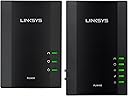
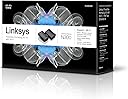
The Linksys Powerline AV Wireless Network Extender (PLWK400) transforms your home’s electrical wiring into a high-speed 200 Mbps network backbone, delivering seamless wired connections alongside a strong Wi-Fi signal. Designed for easy plug-and-play setup, it supports multiple devices via four Ethernet ports and eliminates frustrating wireless dead zones, making it ideal for gamers, streamers, and professionals craving reliable connectivity throughout their home.


| ASIN | B0087O6AQE |
| Best Sellers Rank | #439 in Powerline Network Adapters |
| Brand | Linksys |
| Compatible Devices | Desktop, Laptop |
| Customer Reviews | 3.8 out of 5 stars 472 Reviews |
| Data Link Protocol | Ethernet |
| Data Transfer Rate | 200 Megabits Per Second |
| External Testing Certification | FCC, IC, CE, HomePlug AV |
| Global Trade Identification Number | 00163120603053 |
| Hardware Interface | Ethernet |
| Item Weight | 0.25 Kilograms |
| Manufacturer | Linksys |
| Mfr Part Number | PLWK400-NP |
| Model Number | PLWK400-NP |
| UPC | 172304353608 808112745853 012304117841 809185825633 807030506553 809385677124 809186282268 168141652677 745883594313 100177341743 745883597048 163120603053 631058270451 804066786874 115970742154 |
| Unit Count | 1.0 Count |
J**N
Excellent 200Mbps adapters--don't waste your money on most 500Mbps on the market
UPDATED ON MARCH 3, 2014: I recently bumped up my internet speed and began running some speed tests to verify this. I was surprised to find out that the throughput over these powerline adapters had dropped by over 50% since I originally reviewed them. I've tried resetting them and reinstalling the firmware, but the problem remains. The only thing that may have changed was the fact that I accidentally pressed the "encryption" button on one of the adapters a few days ago (around the time I increased my internet speed with Comcast), but resetting the adapter should have cleared that. The adapters still push around 90Mbps in the same room, but this number drops significantly as I move the adapters away from each other. Where I was originally getting over 90Mbps with the adapters on different floors, now I'm getting around 40Mbps with the adapters in the same position. Since I now have a 50Mbps internet connection, I'm a bit disappointed in that these adapters are now the bottleneck. I'll look into the issue some more and may contact support, but I won't knock off any stars off my original review until I find a cause. ORIGINAL REVIEW FROM NOVEMBER 19, 2013: This review is for the 4-port Linksys Adapters, and not the wireless extender. Not sure why my review is tagged that way. Just some quick background info that may help some users: There are basically two ratings for powerline adapters: 200Mbps and 500Mbps (a few other speed ratings may be found, but 200 and 500 are the standards). I've used a few different powerline adapters over the years, and believe that currently, the 200Mbps-rated adapters are simply a better purchase than most the 500Mbps-rated adapters. Most of the higher rated adapters are pretty much a gimmick, in that while they are designed to meet the specifications for 500Mbps over the powerline, the adapters are often equipped with 10/100 ethernet ports. This basically means that while they could potentially push data at 500Mbps over the powerline, the bottleneck is the actual ethernet port on the adapter, which is limited to a measly 100 Mbps. I don't know if this is a cost-saving measure or a technical issue, but it looks like most manufacturers design, and market, their powerline adapters this way. I've also found that the 500Mbps adapters are more sensitive to more power-hungry devices on the same circuit. For example, if you have a power hog like a home elevator or a gym-quality treadmill, the 500Mbps may be more sensitive to that when in use. If speed over the powerline is truly what you're after, by all means spend the money and get a 500Mbps+ adapter, but make sure it has gigabit ports (and definitely use Cat 5e or 6 ethernet cables), or else you're just wasting your money. Along with the Linksys, I also considered the TP-LINK TL-PA4010KIT AV500 Nano Powerline Adapter Starter Kit, up to 500Mbps . It has great reviews, an attractive price, and can be purchased with a gigabit port. Unfortunately, TP-Link doesn't sell this model with a 4-port switch as Linksys does, which is why I went with the Linksys. If I only needed a single port, I would have gone with the TP-Link. Now onto the Linksys: I ended up purchasing the 4-port adapter kit. As is usually the case with powerline adapters from most of the big manufacturers, the setup was quick and simple--literally plug and play. As for real-world speed, I ran some iperf tests on my network (two Macs and an Asus RT-N16 router running Tomato firmware)... here are the results: - Both clients wired into the same 4-port powerline adapter (other adapter not used): 93.3 Mbps (my theoretical max) - Both clients wired into different adapters in same room, different outlets: 90.6 Mbps And with the adapters on different floors - Both clients wired, no router: 90.2 Mbps - Both clients wired, with router: 90.0 Mbps The speeds were very consistent in my tests--far more consistent than pushing data over wireless. After reading reviews of some 500Mbps adapters on the market, my test results showed that my speeds usually exceeded the ones reported by reviewers of many 500Mbps adapters. And a side note: don't pay attention to reviews using results from SpeedTest.net or other internet-based speed test service as a good measure of network adapters. Internet speeds have nothing to do with your home network speeds. Overall I'm very happy with the speeds, setup and consistency of these adapters. It's too early to tell if the adapters will keep up this performance over time, but so far it's very promising.
T**A
Works fine but such a hassle to install... tech supports is good
I was excited to get this - we get a lot of rebuffering while streaming Netflix through one of our WiFi BluRay players due to poor signal strength, so, after reading the great reviews, I thought this would be the perfect solution. It solved the problem, but not without frustration. The device itself works fine and I have a great WiFi signal strength (5 out of 5 bars) on the Blu Ray player, where before I only had 1 or 2 bars. Same with my phone and tablet - 4 out of 4 bars, where before I only had one. The connection will work either wired or wireless (the unit that plugs into the remote location can be wired to the WiFi device with the included ethernet cable). I had trouble getting Netflix up at first, but after unplugging everything, including the modem and BluRay player, and reconnecting, everything works perfectly. This device actually sets up its own wireless network, my advice is to give it a different name than your home network, so you can identify which one you're connected to on your devices. I didn't understand this, I thought it was going to splice into the existing network, so at first I named it the same as my home network, which really confused things. My router is Linksys, so I specifically bought a Linksys brand powerline adapter thinking it would interface smoothly with the router. In retrospect, I don't think it matters BUT the reason it did not get 5 stars and I had considered giving only 3 stars, was for the difficulty installing and setting up the units. I'm not a computer geek, nor am I a computer dummie, I'm somewhere in the middle. I followed the incredibly sparse instructions in the box, inserted the installation CD into my computer and got some useless screens that did nothing. I tried to figure it out myself, tried going to the Linksys web site to download the user manual, and found a manual that was about 140 pages, starting in Dutch, moving on to German, then Russian... Rather than scroll through 20 languages to find one I could read well enough to install my product, I called tech support. I was on the phone with the tech for nearly an hour and a half getting the devices installed! That is JUST insane! I told the tech that I couldn't believe what a pain this was to install and I have never had a hardware installation that required this much time and effort. She said it's because I must have strong security and firewall on my computer. Whatever... it's installed and the tech was very nice. She had offered, initially, to remotely access my computer and take over the install from her end, for a ten dollar charge, but that didn't sound secure to me, so I declined. Bottom line, I'm glad I bought this device, it definitely gives me WiFi in a corner of the house that was previously almost nonexistent but the installation process took way too long for me.
J**B
Works flawlessly in a 24-unit building
I got this based on a review of using Plex media server with a Roku media streamer which stated that the combination of those provided the best HD quality when a strong WiFi access point was close by. Not only does the streaming work without a hitch over the WiFi with Netflix, Hulu or Plex (to be honest there were a couple, but those issues were with poorly-encoded video files, and worked perfectly after re-encoding), but the corded port provides network to my Xbox 360 (even though the WiFi seems faster on the network tests, but for games I still try to stay wired when possible... old fashioned?) and I can have 5 devices running a mix of the streaming services previously mentioned all at the same time and the network doesn't seem to budge... as well with phones, tablets and online games running. I thought for sure any combination of those would have me sending this unit back, but man does this thing surprise you - and it only took 5 minutes to set up. I tried to prove this thing wrong but couldn't - I put my SSIDs on the busiest network channels, ran speedtest.net on every device in most locations that I could, and the only thing that can get in the way is my Central Air unit, which gets in the way of all my WiFi APs. Not to mention that it gives you ethernet over your building's wiring - and I thought an apartment building would have bad/over-used/somehow separated on breakers/etc. wiring, but this thing is fast. The one downside to this is not it's fault - Android devices, iPads, etc. don't seem as intelligent as they should when choosing a better access point to connect to - so if I wander into the other room, or if the device just gets an IP from the main router's SSID faster, it might sustain a connection from that, and then Central Air will get in the way. I just put an EX on the end of the SSID for this extender and I manually choose it, but that's not a big deal - I just wanted to put that down in case someone else had an issue but didn't figure it out. Now I don't have to have a 50' cord running down the hallway to the Xbox!
C**C
Prone to Surge-related Damages? -UPDATE: It is working again !
3/20/2015 Another update. They are gone bad again. In fact, since the last review, they often lose connection and have been unreliable. Linksys cares asked me to upgrade firmwares and hard reset, and I did for both units. No improvement. I feel I spent enough time to try to make this work. By the way, the utility and instructions made me feel like 80's. Back then, it was fun to try to make something work somehow. Now, I expect things to work out of the box. This one doesn't. I bought TP Link range extender and it is cheap and works well. --------------------------------------------- This is an update. Somehow, they are working again. I unplugged them and left for 2 days. Before trashing them, I figured I give them one more try. They connected ! At any rate, I am revising my rating to reflect this. A bit strange and worried but it is what it is. Thanks CISCO, by the way for the offer to exchange. If they fail again, I will contact you. -------------------------------- I purchased PLWK400 on 12/18/2014. On 2/28/2015, there was a power outage in my neighborhood. They stopped working. I did everything, unplug, wait, reset, etc. They simply would not establish connection. I notice the new PLEK500 has ground prong on its plug. This one does not. I wonder if CISCO made the change because these are prone to surge-related damages. At any rate, my $89 only lasted for 2 months. I liked it when it worked.
P**T
Big Failure
I thought that this would be a great solution, but I have been completely unable to get it to work. I have OSX10.8.2 and a retina MacBookPro and can not get the ethernet cable to connect to the PLW400. First, the install disk gets spit out of my DVD drive, so I had to download the utility from link sys along with the instructions. OK. Then I installed the PLE and PLW on the same circuit and went to set up following the instructions. No connection via the ethernet so I could try and set it up. Went online at linksys/support and got unhelpful suggestions. Maybe some day I will get back to this, but for now I rate this as not ready for prime time. Ok I got back to it, and found the manuals online, and got it installed on the one circuit in my house that accepts it. It worked great for an hour. Now I get "no internet connection". What a load of crap! Can I remove even the one star I gave?
A**R
Skeptic Proved Wrong...I Can Admit It
I am an engineer, eternally skeptical, show me the data kind of person. I read all the reviews on this item and quite frankly I was VERY skeptical it would work for my application...I was preparing myself for a direct bury CAT6. I have a large detached garage about 350 ft from where my DSL router is located in my house. I really wanted WiFi there, I had tried a couple of Wifi Extenders at the closest location possible within the house and well...zero bars of coverage in my new garage/workshop. I got this device last night, followed the simple instructions, changed the security from disable to WAP2 with the little utility they give you from my laptop connected to the Wifi portion of the device, hooked up the inside unit with a Cat5 cable, plugged it in the wall. Walked outside and up to my garage plugged it in the wall and, WOW!!!, it synced in like 10 seconds. I am not very often amazed, not very often at all, I was even preparing in my mind on how I was going to return the device. This device is going thru the wiring in my house, to the breaker panel, thru the main power out to the electric meter, back to the main power at that point back out to my new garage thru another breaker panel and to the wall outlet just below that panel. I now have 5 full bars of Wifi in my garage. Great device!, all I can say. I want to caveat what I'm saying here though. My house is relatively new, all the wiring is up to code, grounds done properly, etc, etc. I really just can't believe this works, but, it does and works well. I live in the boonies, and the best internet I can get is a download speed of about 1.5-2 Mbs, I get the same speed at the router as I do on Wifi at the remote point in the garage...I watched a whole streaming movie just to see if it would loose sync, I logged into my Slingbox and streamed a movie from my Dishnetwork dish. Last thing, I don't work for Linksys, I know it sounds like I'm trying to sell something here, I guess I'm just a bit overwhelmed that something actually does what it says it will.
S**R
One works great, but not two.
I installed one of PLWK400s in a very large home for one of my clients. It worked extremely well and I was so impressed that I planned to install 8 more in the same home. However that is where the problems started. I installed a second unit and it caused problems with the connection dropping and made the first one stop working! My setup is simple, security is not needed (since the house is in the country). Also the electrical panels and wiring are only a couple years old. There is almost no documentation on multiple units. I did find a tidbit that said multiple devices need to be on the same circuit. On a large home that would be impossible. How many homes have different floors on the same circuit? I also tried to install the transmitter and receiver on one circuit and a separate transmitter and receiver on another circuit. With this configuration it knocks out both PLWK400s. There is not much documentation and I played around with this for over 12 hours with no success. Again - If you just need one, it works great.
C**A
This is a very nice product, but the "Start Here" guide and the ...
This is a very nice product, but the "Start Here" guide and the "User Guide" describe unnecessarily complicated installation procedures. Here is a simple no-bells-and-whistles procedure that works very well. If your wireless router has good security, the following undocumented procedure will preserve it. 1. Plug in the PLE400 unit into a wall outlet near your router and connect one of the blue Ethernet cables between the PLE400 and an Ethernet port on your router. 2. Write down the PIN number at the back of the PLW400. It is an 8-digit number, the bottom number of three on the label. 3. Plug in the PLW400 into a wall outlet near one of your computers (I use Windows 7) and connect the other blue cable between the PLW400 and the Ethernet port of the PC. 4. After a few seconds, a new wireless connection (Ciscoxxxxx) will show up among the wireless connections in the tray at the bottom of the desktop. Select it and click on "Connect". 5. You will be asked for the PIN number and then you will be prompted either to keep the suggested name of the new wireless connection or to choose a different name. 6. The next screen will give you a security key. Write it down, you will need it for connecting other computers to the new wireless network. 7. The way my Windows 7 version is configured, I am then asked by Windows to make the new connection part of a home network, a work network, or public network. I use work networks. 8. You are done, connected wirelessly. If you want to be connected via the Ethernet cable, reboot and you will have that option plus the new wireless option. Either way, everything works, including printers connected by Ethernet cable or wirelessly to the router itself. Some wirelessly connected printers may need to be shut down and restarted for them to work. Finally, one reviewer wrote "Does N O T work across circuit breakers, therefore it is useless!!!! I live in a three a story house with about 20 circuit breakers, does not work." I also live in a house with about 20 circuit breakers, on a 200-amp panel. I have the PLE400 and PLW400 in different, distant, parts of the house (that is the whole point of powerline range extenders), on different circuit breakers, no problem. Liksys (Cisco) does say that the two units must be on circuits of the same main panel box. So if you live in a large palace with more than one panel box, take that into account.
A**N
Just a great product, wifi hotspot without passing cable
on the same electric panel. Just a great product , wifi hotspot without passing cable.
C**N
El mejor paquete para ampliar tu internet
Pensaba solo comprar un extensor de rango simple pero esos solo funcionan si está cerca del módem o router inalámbrico. A parte la mayoría son de distintas marcas y la verdad linksys en este tipo de aparatos es la mejor (aunque cuesta un poco más cara pero lo vale). En fin, recomiendo tanto el producto como la marca para ampliar el rango del internet. Lo único malo es que no tiene un manual de instalación sencillo y en español y no hay videos en línea pero siguiendo las instrucciones en inglés, se vuelve sencillo instalarlo una vez que conoces cómo funciona.
N**L
I dont have words to describe this product. I ...
I dont have words to describe this product. I wonder why is it not popular in India already. Those who are looking to extend the range of their wifi, Those who have big houses (lucky you) will find this supercool. The only drawback was its size. Could have been smaller.
S**N
Five Stars
Awesome. Could install it in no time. Working Excellently!
J**N
Falta soporte a windows 10
El producto sirve. Lo uso von mi co sola ps4 y todo bien.Lo unico malo es que no sirve con windows 10
Trustpilot
2 months ago
1 month ago