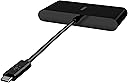
🔗 Power, speed & versatility — all in one sleek USB-C hub!
The Belkin USB-C Multimedia Adapter is a premium, multiport hub designed for professionals who demand seamless connectivity. Featuring VGA, 4K HDMI, USB-A 3.0, and Gigabit Ethernet ports, it supports high-speed data transfer and ultra-clear video output. With 100W pass-through charging and plug-and-play ease, it’s compatible with MacBook Pro, iPad Pro, Surface Pro, Chromebook, and more—perfect for mobile workstations and 4K streaming setups.


| ASIN | B086SD7G5Q |
| Are Batteries Included | No |
| Batteries | 1 Lithium Ion batteries required. |
| Best Sellers Rank | 22,716 in Computers & Accessories ( See Top 100 in Computers & Accessories ) 614 in USB Hubs |
| Brand | Belkin |
| Colour | Schwarz |
| Customer Reviews | 4.4 4.4 out of 5 stars (5,168) |
| Date First Available | 8 April 2020 |
| Guaranteed software updates until | unknown |
| Item Weight | 75 g |
| Item model number | AVC005btBK |
| Lithium Battery Energy Content | 2 Kilowatt Hours |
| Lithium Battery Packaging | Batteries packed with equipment |
| Lithium Battery Weight | 2 Grams |
| Manufacturer | Belkin |
| Number Of Lithium Ion Cells | 5 |
| Number of Lithium Metal Cells | 5 |
| Operating System | macOS, Windows, iOS, Chrome OS |
| Product Dimensions | 2.49 x 12.7 x 15.37 cm; 75 g |
| Series | Belkin |
| Voltage | 28 Volts |
| Wattage | 50 watts |
| Wireless Type | 802.11n |
D**E
Perfect setup for a complete Mobile SIM home wifi setup streaming 4K
This worked perfectly as intended and could not be happier, saving me a fortune. I have created a complete mobile 5G home WIFI setup, which is replacing our home internet and also can be taken anywhere. My setup: 1 x Samsung A22 5G 1 x Belkin USB-C to Ethernet 1 x 30W USB C Plug Original Guttlu Fast Charger USB Plug (powers my phone whilst supplying a solid ethernet connection to my router 1 x SOOPII 100W USB C to USB C with display. I like to see the power wattage going into the phone 1 x HUAWEI AX3 | Wi-Fi 6 Router 1 x Smarty no contract unlimited 5G data (£16) My Samsung A22 is not updated, so can use band selection (a feature Samsung removed in later updates) so I can have it focus on the least congested 5G bands only to maximise a consistent 5G speed and connection. I use this Belkin USB ethernet adaptor to connect my phone and tether to my router via a high speed Cat6 ethernet cable, and the 30W USB-C Power adaptor to supply a decent charge with a 100w USB C cable. It works perfectly, I read you need a decent Watt USB-C power adaptor for it to charge without draining. I can leave this 24/7 now without fear of the phone battering failing, works perfect. The phone connects to the router via ethernet, and the router shares out a WIFI 6 and 5 dual 2.4 and 5GHZ. Signal is strong and all devices connect with no issues. I also have my phone act as a hotspot, just in case for whatever reason the router reboots, or fails or is a power outage, the phones hotspot will kick in and all devices will revert to that as a backup. This is the complete solution I wanted, and this USB-C Ethernet adaptor was key, it works perfectly, I could not be happier. No contracts and saves me a fortune, can also take this setup anywhere :) Stream 4K no issues! Thanks! Hope this helps someone trying to achieve something similar. I can get a decent 600mbps download speeds on speed tests as a result (will depend how strong your mobile coverage is)
C**B
Great USBC hub with 100w pass through
Fantastic product. Worked exactly as advertised. Clear details on the website. Passes through 100w power. Data and 1gb Ethernet just by plugging it in. Truly plug and play. The device does take 8w of power as mentioned on the website so for example a 97w power supply would take 8 for the hub and pass 89w onto the laptop. Bare that in mind if your laptop needs an exact amount of power. The 87w charger for my MacBook Pro passes through 79w (confirmed in system pretences) and seems to work fine. No issues after running it for a few weeks. Great product. Have attached pics so you can see how I have to set up. The lead built into the device is pretty short so used a USBC extender cable that supports 100w and data. Everything works great and my desktop is very neat. Buying USBC products is like the Wild West. Some pass through power. Some don’t. Some only have certain amounts of power. Some don’t carry data fast enough. Some need weird third party drivers you have to track down. It’s a nightmare. Belkin is a reputable brand I trust. Their products are often a little more than the average price but you get what you pay for. This is no exception.
E**K
Does the job - bit cheaply made
Bought this to connect my MacBook Air to the TV. It does the job, but had to change the picture mode to auto on the TV to get it to not clip the corners of the Mac screen output. It is rather cheaply made for something that cost just under £30 and combined with the packaging gives the impression it is a knockoff. However after looking into it, it seems like this Belkin range just has box art that looks like it was done as a school project. Plastic housing feels flimsy and the edges of it that the leads go into is a bit rough given this isn't a budget item. I wouldn't be surprise if some significantly cheaper variants are better quality. I only bought this because it was listed on the Apple website and some 3rd party equipment can be unreliable with Apple devices.
F**A
Connect iPhone 17 to TV and watch Neflix etc
This is the first cable I have purchased whereby TV/Netflix etc can output from iPhone (usbc ) to HDMI . Excellent product. Tried many other whom claim that capability , but this actually works Worth the money
D**2
Simple Solution that Saved £££££’s
Having been giving a new Lenovo laptop for work with only 1 HDMI port and 1 USB-C port (used for power) I couldn’t connect two monitors when using it in the office as initially I didn’t realised that the USB-C power port could also be used as a video out port. After some research it seemed the only solution was an expensive ‘docking station’ for between £60 and £120 which I though was excessive. I then stumbled across this Belkin device which was exactly what I was after as it allows me to add an additional HDMI monitor whilst still keeping my laptop on charge for a fraction of the price of the docking station. Thought there might be some software updates to allow me to use it but I was pleasantly surprised that it worked straight out of the box and actually allows both monitors and the laptop screen to work simultaneously. Minor gripe is that it only supports up to 60W of charging where as laptop charger is 75W so charging through it is slower but when it’s plugged in all day in the office it’s not a issue to even consider.
P**N
Good find
The best of all the ones I’ve tried. I use it to extend my MacBook into an extended screen. It works well.
A**R
Plug and play
Plug and play out the box. I can now use both monitors with my Dell laptop.
A**R
Doesn't work!
As per other reviews, this product does not work. I had iPhone 14 which I connected to the TV by using Apple Original HDMI adapter, worked perfectly. Having upgraded to iPhone 16, I needed a new adapter with USB-C hdmi connector but didn't want to spend another £60 for Apple one, so opted for this one. What a mistake!!! Picture and sound keep cutting out every few seconds. The product is completely unusable and is being returned. Very disappointed with the Belkin brand, how can they sell a product so utterly and completely unfit for purpose? Do not recommend. Do not buy.
A**J
My laptop only comes with a USB-C port connected to a 65W charger. The single HDMI port is already connected to the first monitor. This C-HDMI adaptor allows me to connect to a 2nd monitor while charging my laptop at the same time.
T**A
Funkar perfekt till Google TV 4K
T**A
✓ Display with iPad 10.9 (2022) ✓ Audio (Tested with Disney+) ✓ Charging while plugged in with HDMI cable into Outlet (Original Charger) ✗ Charging while plugged in with HDMI into PC (Desktop) Belkin is also a certified third party retailers for Apple Accessories so it'll work unless its faulty... If you want HDR* (High Dynamic Range), I recommend you invest in a 4k60fps HDMI cable. A standard one will be sufficient though. If something doesn't work, I recommend troubleshooting with your cable first and that it can support the iPad's resolution. If not, make sure you iPad registered it. There should be a blue oval at the top with the adapter's icon in the middle. If not, make sure your iPad supports it. I'm using it to hook up to my monitor so I can stop looking down when doing my readings for school. Also, pretty cool feature where you full screen videos on apps like Disney+, it'll change the resolution to the Monitor (mine is 1920x1080@60fps). *You can see these settings on your iPad: Settings > Display and Brightness > Secondary Display (usually Monitor or TV Model Name) > You will see options.
M**I
Recommended for others
O**O
Works just as advertised
Trustpilot
1 month ago
1 month ago