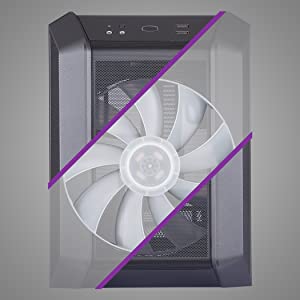
🕹️ Compact. Cool. Carry-ready. Elevate your build game anywhere.
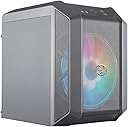
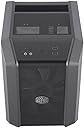
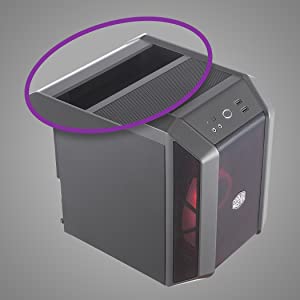
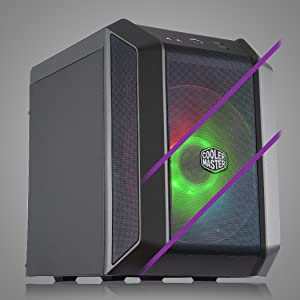
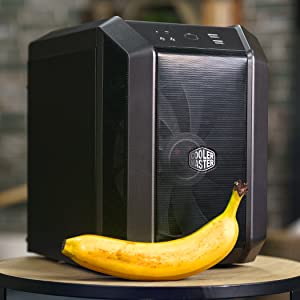
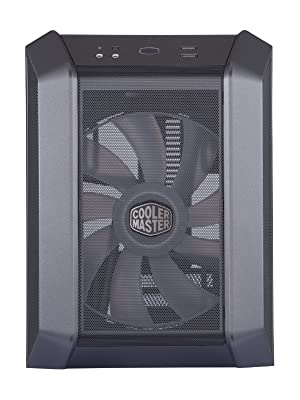
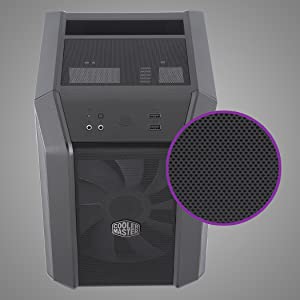
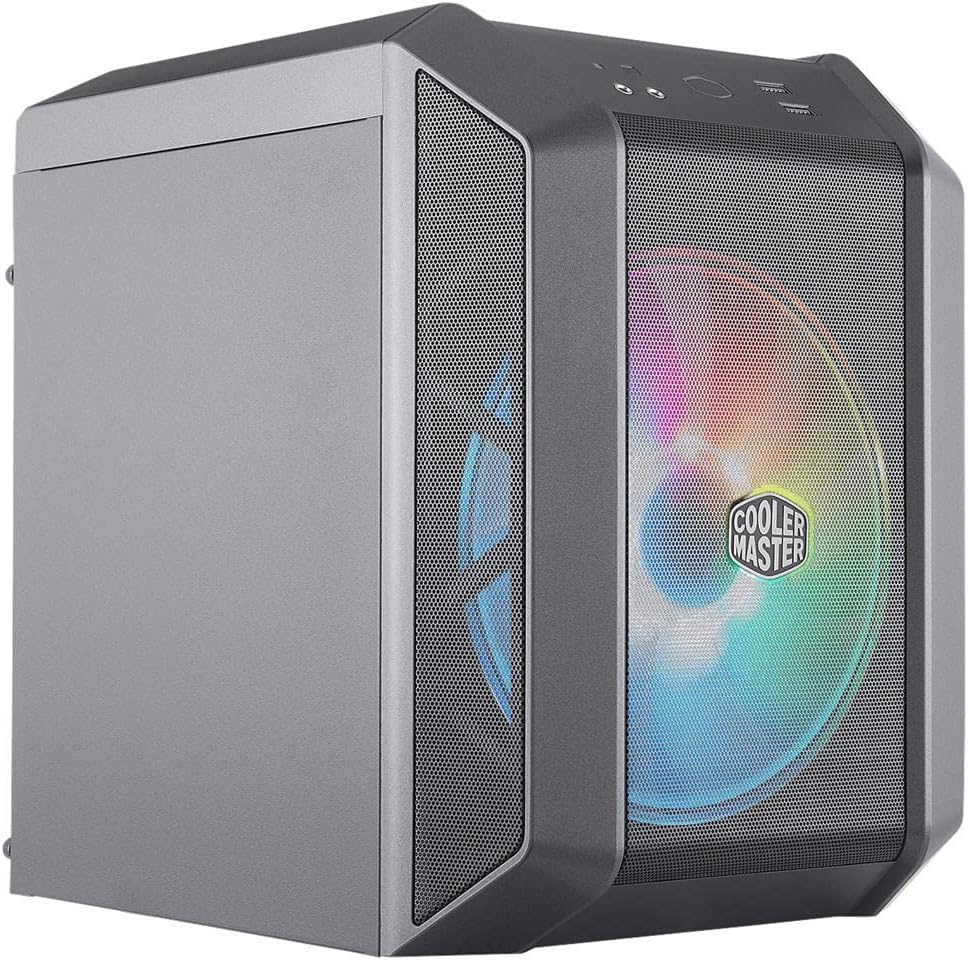
The Cooler Master MasterCase H100 Mini-ITX PC Case combines a space-saving design with high-performance cooling, featuring a large 200mm RGB fan and fine mesh ventilation to keep your components cool and dust-free. Its built-in handle enhances portability, while support for full-sized ATX power supplies ensures broad hardware compatibility. Perfect for professionals and gamers who demand style, efficiency, and mobility in one sleek package.


| ASIN | B07TMRGV6D |
| Best Sellers Rank | #47,730 in Computers ( See Top 100 in Computers ) #308 in Computer Cases |
| Brand | Cooler Master |
| Case Type | Mini-Tower |
| Case type | Mini-Tower |
| Color | black |
| Colour | black |
| Compatible Devices | ATX motherboards, ATX power supply, 3.5" and 2.5" hard drives, expansion cards |
| Cooling Method | Air |
| Customer Reviews | 4.4 out of 5 stars 145 Reviews |
| Enclosure Material | Alloy Steel Plastic |
| Fan Size | 200 Millimeters |
| Global Trade Identification Number | 00884102061400 |
| Hard Disk Form Factor | 3.5 Inches |
| Internal Bays Quantity | 1 |
| Item Weight | 3.3 Pounds |
| Light Color | RGB |
| Manufacturer | Cooler Master |
| Material | Alloy Steel Plastic |
| Mfr Part Number | MCM-H100-KANN-S00 |
| Model Name | MasterCase H100 |
| Model Number | MCM-H100-KANN-S00 |
| Motherboard compatability | Mini ATX |
| Other Special Features of the Product | RGB Lighting |
| Power Supply Mounting Type | Bottom Mount |
| Power supply mounting type | Bottom Mount |
| Supported Motherboard | Mini ATX |
| Total Expansion Slots Quantity | 2 |
| Total USB 3.0 Ports | 2 |
| Total Usb Ports | 2 |
| UPC | 884102061400 |
R**X
Cooler Master H100 Case Review - A Real World User
This case was released this year and I pre-ordered the case here on Amazon due to wanting a small portable mini-ITX machine. Yes this is a limited field and a lot of the cases have been out for awhile and have had no major updating. While I was looking at this case there were many things that I liked about it and some that I was unsure about. After watching several YouTube reviews I really started doubting my choice in purchasing this case, I even tried to cancel at the last minute but it was too late. So it was delivered today (08/21/2019) and I decided to give it a shot and see how it does. So first impressions is that it is smaller then I thought it would be since many reviewers considered this case big and bulky. They also stated that it felt cheap and not well built. However in my experience this case felt very solid and well built and was smaller then I imagined (it really is hard to tell on videos). So I started my build and here are the specs: Case: Cooler Master H100 CPU: Ryzen 5 2600X CPU Cooler: Noctua NH-L9a AM4 Low Profile Cooler MOBO: ASUS ROG STRIX B450-I Gaming Motherboard GPU: PNY GeForce GTX 1660 XLR8 OC Single Fan RAM: Corsair Vengeance LPX 16GB DDR4 DRAM 3200 Kit - Black SDD: (1) Intel SSD 660p Series 1TB M.2 Drive and (1) WD Black 500 GB M.2 Drive as boot drive I assembled the MOBO outside of the case to include the CPU, CPU Cooler, both M.2 Drive and RAM. This was extremely easy and didn't take much time to do, I have built multiple gaming PCs in the past. If this is your first time it will take a little longer but isn't difficult at all. Next I secured the assembled MOBO in the case and connected the from connectors and the fan and RGB cable to the MOBO, I did not have to use the included RGB control since my MOBO supported the RGB fan. I did you the included cable from ASUS for the front connectors and it made it very easy and fast! At this point I started my cable management, this case requires you to take time and find good locations to secure the cable to so that they are not blocking the main fan and are out of the way of your other cables. The case comes with several cable ties but I found those a little thinner then I licked so I used my own cable ties. Now came the part to start installing and routing the power cables. I highly recommend that you do not use any HDDs or non-M.2 SSDs since this would make cable management much more difficult. I did use a regular PSU and I would highly suggest at least a semi-modular PSU but it was do able and not that difficult, just took some more patience and time. Once you connected the power cables (24 pin connector and the CPU connector) I slide in the PSU and started to route and secure those cables. It came apparently quickly that using a regular CPU cooler and not a low profile one would not be a good idea as there would not be a lot of room for the fan to pull air from. Once this was done I secured the PSU into the case. Then installed my GPU and routed the power cable and secured it. My thoughts on this case are my own thoughts and are based on building in the case. This case is underrated and provides a great case to build in but requires patience and time in building which all mini-ITX builds take. I have used a ThermalTake Core V1 in the past and I feel like this case is built much better and will stand to be moved around and used. The side panels are less flimsy and are secured better. The looks on this case are great and the handle could use some redesigning such as removing the ridges and perhaps use a honeycomb pattern for grip. The RGB fan is very quite and the colors are very even and bright. When testing the system temperatures were good and did not overheat however time will tell if the thermals are good on this case. This is an initial review and I will update it if needed in the future. I would recommend this case if you are looking for a portable mini-ITX case, there are ones out there that look better but they are not designed to be transported around. If they have acrylic or tempered glass sides then they should not be used as a portable machine since they will get scratched and or broken. But if it sits at home all the time and you are looking for a beauty queen then consider another case. This is a functioning workhorse / gaming PC case that I expect will hold up very well to daily use and frequent travel. If you have read this review then you are seriously considering purchasing this case, then go ahead and purchase it and give it a fair try!
J**R
Para quieres quieran uns pex con un tamaño similar a una consola y poder transportarla
El diseño resulta más bonito de lo pensado así como ser resistente, es también muy compacto, casi como una consola y cargarlo con su manija es posible, no me gustó la tornillería y el cerrado de la caja no se sienten tan durable los tornillos de mano ya que entran un poco forzados, fuera de eso es muy bueno (está opinión la hice sin haber realizado ningún ensamble en la caja)
J**.
Great Case, easy to build, temps will be fine.
I found it to be an awesome case. I have the great performing H500M, my wife has the H500, and thought it would be cool for the kids to have a little mini H100. USING AN ATX PSU: Initially built it with an EVGA G3 SuperNova 650 and cable management was easy and could still fit a Noctua NH-L9x65. SWITCHING TO SFX PSU IS THE BONUS: The ticket to this case is using a SFX PSU. Doing so increases your max CPU height from 83mm to 103mm. The smaller length also makes it so the PSU only hovers over about 10% of the cooler this way instead of all of it. I used a Corsair SF750 with a Silverstone PP08B-USA SFX to ATX adapter that provides additional ventilation. The PSU sits back and high enough that you can fit taller coolers and get better air flow. I installed the Noctua NH-L12s with the fan mounted on top (85mm total height) and blowing air down onto the heatsink and MB/RAM, and had plenty of room to spare. The smaller cables on the SFX PSU saved even more space. I mounted the PSU with fan facing up - this is how Cooler Master has it recommended, plus it doesn't compete with the CPU fan since it's blowing down, the PSU and CPU would be competing for air and causing turbulence. Plus, the PSU fan is usually off most of the time. SIZING: This is a 17.6L case (Compare to the SG13 at 11.5L, and the NR200 at 18L). BUILDING: From some of the reviews I was worried. After getting it, this is a large 17.6L case. It was extremely easy to work in and build. It is an ITX case. SPECS: -GIGABYTE B550I AORUS PRO AX -AMD Ryzen 5 3600 -G.SKILL Flare X 16GB (2x8) DDR4 3200 -ASUS Dual GeForce RTX 2070 MINI OC Edition Graphics Card -Sabrent Rocket 1TB PCIE4.0 -Corsair SF750 w/ SilverStone PP08B plate -Noctua NH-L12S & Thermal Grizzle Kryonaut paste TEMPS: Temperatures were all perfect and without issue. I think this case is for these types of builds, and maybe you'll have some issues if you're trying to stuff a 3950x and 2080 in there. There are 2070 Supers and 2070's that fit without issue currently. GPU stress test never went past 76C. CPU idles mid 30s, and when gaming see low 70's. Prime95 extended torture peaked at 85C in 78F room (CoreTemp). So never any thermal throttling under even the most intense circumstances. I'm sure I could get it a lot cooler without the high voltage set from auto. EASY MODS COOLER MASTER COULD MAKE: -Include a SFX bracket that allows the SFX PSU to be flush (instead of protruding out the back). -Simply add a perforated area on the side panel (even though some testing showed better temps with side panel on then open due to wind tunnel effect). -Provide a clear side panel add-on. -Add perforated bottom section for GPU (it does have a bit of holes already - just could be more). -Add some more areas for mounting fans (1 exhaust fan would be nice). OVERALL THOUGHTS: This is a fun case, small form factor with handle, and can mid-high setup with perfectly fine temps and cable management without difficulty. Just thought I'd share my experience from building one and not just reading the specs of the case. Would recommend. You'll have full performance on air and easy to work on and looks great.
T**7
Racoon hands needed
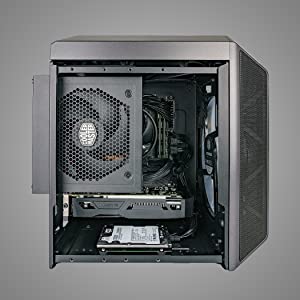
This is a cool little case, but don't come at it with big paws or you'll have problems. I've purchased two of these so far for both of my boys to build up portable gaming rigs. While the build quality of the case is good, and things are cool (enough) inside, you need to make sure that you do your homework on ensuring all of your parts fit before you buy them. GPUs will be the most difficult as you're pretty limited on space. CPU coolers are another catch point as many end up being too tall and will bump into the power supply which is mounted above the motherboard. The main reason you're going to want to have everything on hand is because once you manage to cram everything in there, you realize pretty quick that the only way to fix problems, or add new hardware is to rip everything - almost all of it - right back out again. Like most ITX builds, this is much more fiddly than just throwing parts in a mid-tower. Space is tight, corners are sharp, and I had to have my wife hook up some of fans and motherboard jumpers as my hands just couldn't fit into some of the corners. That said, the case works great. It's easily portable, my dudes love them, and I love the fact that these things will accept a standard ATX power supply. The only catch is that if you go with a non-modular (which we did - since we were re-using spares from old builds) you're going to need to spend a fair bit of time cable managing in a really tight space. You can get it done, but it's not going to be pretty. In the end we built 2: i5 9400, 16g Corsair RGB RAM, PNY Geforce 1660 (shorty) AMD 2600, 16g Corsair RGB RAM, EVGA 1060 Both are using stock coolers and while they run warm - we haven't experienced any throttling. I'll probably end up ripping these apart at some point and adding in stronger coolers (Noctuas or possible a simple AIO) to improve temps.
T**M
Handle on the top panel
The handle on the top of the case is unnecessary. I wanted it to be in a shape where other parts could be attached.
Trustpilot
2 weeks ago
4 days ago