Desertcart purchases this item on your behalf and handles shipping, customs, and support to New Zealand.
⚡ Elevate your desk game with the Sonnet Echo 11 — power, speed, and style in one sleek dock!
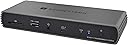
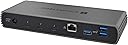
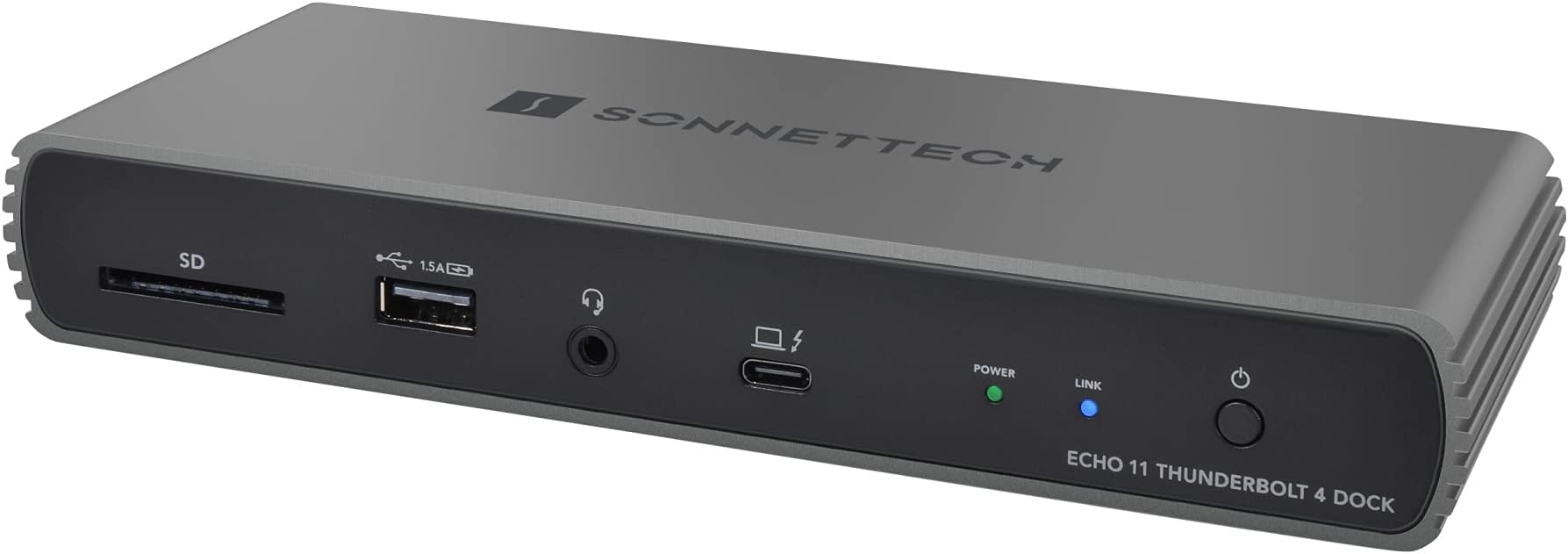
The Sonnet Echo 11 Thunderbolt 4 Dock is a premium, fanless docking station featuring 11 ports including four Thunderbolt 4, multiple USB 3.2 Gen 2 ports, Gigabit Ethernet, and an SD 4.0 card slot. It supports ultra-high-resolution displays up to 8K at 60Hz and delivers up to 90W power to charge laptops via a single Thunderbolt 4 cable. Compatible with Apple M1 Macs, Intel Macs, and Thunderbolt 4 Windows PCs, it offers a versatile, silent, and efficient solution for professional multitasking and connectivity.


| ASIN | B08WYCY2FS |
| Best Sellers Rank | #7,365 in Computers & Accessories ( See Top 100 in Computers & Accessories ) #504 in Laptop Docking Stations |
| Brand | Sonnet |
| Built-In Media | 0.7-Meter Thunderbolt 4 Cable, Documentation, Echo 11 Thunderbolt 4 Dock, Power Adaper, Power Cord |
| Color | Black, Grey |
| Compatible Devices | Desktop PC/Tablet/Notebook/Monitor |
| Customer Reviews | 4.3 out of 5 stars 117 Reviews |
| Hardware Interface | Thunderbolt |
| Item Dimensions L x W x H | 11.75"L x 6"W x 3.75"H |
| Item Type Name | Docking Station |
| Item Weight | 1 kg |
| Manufacturer | Sonnet Technologies |
| Mfr Part Number | ECHO-DK11-T4 |
| Model Number | ECHO-DK11-T4 |
| Number of Items | 1 |
| Number of Ports | 4 |
| Product Dimensions | 11.75"L x 6"W x 3.75"H |
| Total USB Ports | 4 |
| Total Usb Ports | 4 |
| UPC | 732311013157 |
| Unit Count | 24 g |
| Warranty Description | 2 year Manufacturer |
| Wattage | 90 watts |
T**T
Great product, works beautifully with 2019 iMac
I bought this because I have a 2019 i9 iMac, and purchased two external USB-C SSDs (Kingston XS2000) to serve as backups (a 2 TB for Carbon Copy Cloner, and a 4 TB for Time Machine). Unfortunately, my iMac has only two TB ports, and I was using both of those to drive external monitors. Thus I instead had to plug these into its USB-A ports, resulting in poorer performance and frequent disconnection. Thus I realized I would instead need to plug these into TB ports, which this dock provides (it has three of them). It's a great product, and has worked without issue: With my Kingston XS2000's plugged into it, there are no more disconnections, and they appear to work just as well as they do when I tested them by connecting them directly to my iMac's TB ports. All the other ports also work without issue. In addition, since all the ports on my iMac are on the back, and thus inconvenient to access, it's a great convenience to have an SD card reader, USB port, and headphone jack all easily accessible on the front face. It's also nice that it's fanless, and thus silent. In spite of being fanless, it does not get hot. I only have two small criticisms: 1) It's unfortunate that the fast USB ports (USB 3.2 Gen 2) are all on the back, and the one on the front is slower (USB 2.0), since I use the front USB port when I need to transfer files to or from a USB key, and thus have to wait longer for those operations to complete. If you needed to have one slow port, it would make more sense to me to put it on the back, where you could attach, say, a mouse or some other device that doesn't benefit from a faster interface. 2) This is minor, but: The cable to the computer comes out of the front of the device. Since you're going to leave that attached permanently*, there's no need for it to come out of the front, and it would be cleaner to have it exit from the back. [*Even if you have a laptop that you need to unplug, you're probably going to unplug the cable from the laptop instead of from the device.] Also, a big-picture comment: In retrospect, if I knew now what I knew then, I would have instead purchased a fanless Thunderbolt dock that could accommodate two SSDs internally (instead of having a TB dock plus the two Kingston XS2000's plugged into it), since the former would be cleaner, and give better SSD performance. This is not in any way a criticism of this dock; instead, it's just that I now realize a different configuration would be more suitable for my needs. Sonnet does have such a device, but unfortunately it has a fan. SIIG has a fanless device, but I can't personally speak to its robustness.
J**B
Sonnet Products are HIGH QuALITY.
I've been a long time user of Sonnet products. I never have to question the quality, durability or functionality of their products. They just work as described. If it costs a little more than a generic brand, it is worth it for knowing it will work and will last. Oh and this is my second one. I have another I use with my MacBook Pro when working on site.
J**Y
Desktop gaming experience with a laptop.
I bought this because I was tired of being frame capped on a cheaper dock I had. With the 4080 in my laptop I was playing cyberpunk at 70+ fps. On less demanding games I was well into the 100’s. I have a 3440 x 1440p monitor and this dock never limited me. I’m sure tjere is a max, but I don’t remember what it is. It is TB4 ports only though so you’ll need specific cables but it’s worth it if you’re on a laptop using an external monitor.
K**S
Runs HOT
I like the concept of this dock, especially at the price point. Generally I have found that most every Mac dock is absolutely awful so finding the not so awful of the bunch is the name of the game. This one could be a winner, given it's choice of ports and size. Except for it has 0 active or passive cooling, and it BOILS. I didn't take a temp but it was almost too hot to touch during normal work loads. That's when the problems kick in: drop in connection, peripherals going out, etc. This is definitely why this thing has some of the negative reviews it has, it is so hot it is going to fry things out after prolonged use. I didn't want to spend $300 on the next dock up in price but probably the same quality so I did the next best thing. You can buy aftermarket GPU coolers for $30 that come with thermal pads. Slap that thing on the side, get a 4 pin fan to USB and your in business to have it now have self powered active cooling. Seems to keep the temps down by at least 25 degrees. This is somewhat a silly solution but given the lack of competition for any sort of "good" dock at any price point I'm willing to go with silly.
D**S
Get Yourself Connected!!
Three Thunderbolt ports: 1. Dual monitors (SABRENT Thunderbolt 3 to Dual HDMI 2.0) 2. Thunderbolt Audio interface (MOTU 828es) 3. Storage drives( SABRENT Thunderbolt 3 to Dual NVMe M.2 SSD Tool Free Enclosure) Ethernet USB to a big ol’ USB hub. I connect my MacBook Pro to one USBC Thunderbolt cable in my studio. It charges ‘from’ the cable and communicates to all of the devices (including about 7 USB peripherals) ‘through’ the same cable. It works splendidly.
S**R
Solid & Simple, but one minor flaw
This dock is nuts, it does everything it says with a simple port layout that makes it incredible user friendly (and aesthetic). I had two of these (I have a 4 monitor set up using a Mac M1 Pro Max) I was planning on using 2 of them to power all 4 monitors (which worked!) but this device gives off a loud whirring noise (power coil whine) when there is another dock supplying power to my Mac. I made the noise when my ThinkPad dock is connected or when 2 of these are connected. Small issue, I know, but people looking to get multiple of these for their unnecessary home set ups should be warned that it gets loud the second there are two plugged into your machine. This is dock specific, I now have two think pad docks and they work great with no noise!
J**O
MacBook Pro
The Sonnet Echo 11 Thunderbolt 4 Dock has been a fantastic addition to my MacBook Pro setup. Initially, I was a bit skeptical, but it has exceeded my expectations. It works great, allowing me to connect two monitors seamlessly, and it also charges my MacBook Pro. This dock is reliable and versatile, making it an excellent investment for enhancing productivity.
A**L
Stopped working after a single night
The dock initially worked great with my Macbook Pro. It supports two external 4K displays via the thunderbolt port. The downlink thuderbolt 3 port also delivers the transfer speed as expected. However, all of the USB-A ports stopped working after just one night. There is not even any power output from them, so they cannot even be used to charge a cellphone. Very disappointed.
E**L
Ürün kaliteli
Ürün geldi yorumlardakinin aksine henüz ses veya vızıltı çıkarmıyor ayrıca 4 k brio ve razer kiyo pro cam denedim hepsini kaldırıyor. Ethernet girişi de oldukça iyi tüm fonksiyonları çalışır vaziyette umarım uzun kullanımda bir sıkıntı çıkarmaz . Bir aksaklık olursada yorumumu güncellerim Güncelleme : Sonnet ile irtibata geçmek zorunda kaldım ürün tam olarak 1 ay sonra güç kesmeye bağlantı kopmalarına sebeb oldu kesinlikle almanızı tavsiye etmiyorum başta stabil çalışıyordu uzun süre kullanımdan sonra cihaz kendini resetliyor. Güç kesiyor bilginize
T**L
Works as expected.
Does the job. One cable connection to a 2025 macbook air. I have a 4K moniter, an optical drive, an old USB hub connecte to it. All works. Get a display port cable, not an HDMI cable If you want 4k on your second monitor.
P**C
Best way to expand TB
If you have an iMac and you want more Thunderbolt expansion then this is the best way to do it. I paired it with an iMac 2020 and also with a Mbp 16” i9 and an M1X Pro 16”. No issue at all, no weird sounds like others say and the speed is what is supposed to be. I daisy chained an OWC M2 NvMe device, a BMD Ultra Mini Monitor and Ultra Mini Recorder, but also another Netstore NVME device and a Thunderbolt 3 monitor. All speeds are great, the only issue was that it forced me to upgrade to Big Sur as it requires 11.2 minimum OS. But apart from this, nothing to complain. Compared to other devices like CalDigit TS3 Plus or any other dock, it’s better, thought it might miss a pure USB-C port. But you can connect usb-c to the 3 TB4 ports it has and also connect a TS3+ to Sonnet Echo 11, so it’s better. I left it on the iMac 2020 for now, as it’s better used there since iMac has only 2 TB3 ports. But it’s future-proof, being TB4 (and backwards compatible to TB3).
C**N
ottimo
robusto e stabile
C**N
Bra Thunderbolt 4 dock
Fungerar bra på intel dator med Linux. Bra docka,ljudet är bra,alla portar som den har uppfyller mitt behov.
Trustpilot
1 month ago
3 weeks ago