



AirBar by Neonode - Add Touchscreen to 15.6" Windows 10 Notebooks
Product ID: 37014716
📏15.6" Compatibility
🖌️Any Object Touch
🖱️Plug & Play
✨ Touch the Future of Computing!
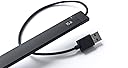
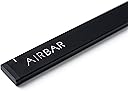
The AirBar by Neonode is a revolutionary device that adds touchscreen capabilities to your 15.6" Windows 10 notebook. With a simple plug-and-play setup, it allows you to interact with your laptop using any object, making it versatile and user-friendly. Weighing only 1.94 ounces, it's the perfect accessory for professionals on the go.


| ASIN | B01N3MHMSF |
| Best Sellers Rank | #161,114 in Computers & Accessories ( See Top 100 in Computers & Accessories ) #10,636 in Laptop Replacement Screens |
| Brand | AirBar by Neonode |
| Color | Matt Black |
| Customer Reviews | 3.8 3.8 out of 5 stars (675) |
| Date First Available | August 24, 2016 |
| Hardware Platform | Windows 10 |
| Item Dimensions LxWxH | 373 x 5 x 17 inches |
| Item Weight | 1.94 ounces |
| Item model number | NNABC3460XU01 |
| Manufacturer | Neonode |
| Operating System | MS Windows 10 |
| Product Dimensions | 373 x 5 x 17 inches |
| Series | AirBar for 15.6" Windows 10 Notebooks |
M**.
Brings new life to an old computer!
AMAZING!! Turns an old Toshiba laptop into a touch screen computer. So far I have tried the product on a laptop with Win-7 and Win-10 OS. The Win-10 version loaded appropriate drivers instantly and I was up and running. Win-10 is designed for devices such as this, Win-7 is not and may not work (did not work for me). The sensor bar sticks to the bottom of your display screen via a magnet (on the sensor bar) and a metal plate (affixed with double sided tape). You might have to replace the tape so the sensor stays in place. PRO - Works great, I love it! You can use your finger or fingers to draw or use as a mouse. You can even use a feather, if you had one. Accuracy depends on your screen size in reference to the size bar sensor your have. Win-10 has a calibration option to try to fine toon the accuracy. If you reach outside the screen area but within the sensor, you will hear a loud beep alert. CON - The USB cable is on the right side only, and it is short. If you do NOT have a USB port on the right side of your monitor and that port is close to the monitor, you may have difficulty plugging in the device. The manufacturer recommends you get a USB extension cable; these are sold by the foot from most suppliers. I have found shorter USB extension cables, but they are too short. You CANNOT just flip the device around in order to use the USB ports on the other side of your computer. The max screen size is 15.6", no currently known plans to manufacture larger screen versions; though may I suggest 20.1" and 17".
Z**T
Be Careful With The Magnets
I've had my AIRBAR a few days now and I appreciate the quality of life features it affords me. It is proving to be an effective touch screen device, and it's so neat. I really love the design! However you should note a few things: 1. While removing the bar from my screen a few times, it accidentally slipped out of my fingers and landed on the keyboard face of my laptop. The magnets at the rear of the bar, being in such close proximity to the electronics within the body of my laptop, resulted in the screen turning off and Windows Explorer crashing. Windows Explorer restarted normally once the AIRBAR was lifted from my laptop's keyboard, and I haven't experienced any lasting effects due to the occurrence. It happened a few times, and I won't be experimenting any further to analyze the effect. The fact that the magnets are stuck to the face of my laptop screen is therefore concerning. My solution is to use butterfly clips, and some sponge padding, to secure the bar onto the screen, instead of the magnets. It doesn't look pretty, but I don't mind it. 2. The instructions related to the positioning of the bar should be used as a guide. The user should really adjust it's position accordingly to achieve the required accuracy of touch, especially at the upper extremities of the screen. The vertical markings on my AIRBAR are not the best positions for lining up my screen.
J**A
Pardon me. It's very rare to see...real magic.
This review is for the Neonode Airbar for 15.6" Display . TL;DR │ What kind of sorcery is this?! It just works. It's also TRUE plug-and-play. - - - - - I do not understand why this is not yet popular. It's not every day that I am left speechless, but there is nothing more to say. WHAT I LIKE │ + │ + Adds touch. It amazed me, trully. + True plug-and-play and idiot-friendly. + Detachable with magnets. + Well designed. WHAT I DON'T LIKE │ × │ × A little expensive. × Non-removable/replaceable cable. PACKAGE │ ✓ │ ✓ Simple box packaging. ✓ Magic bar. ✓ Printed materials. ✓ Air. It kind of works similar to a Kinect. It's an innovative application of motion sensor technology. - - - - - HOW TO INSTALL - Just make sure to align the top of the airbar to the bottom of the screen (not more than 3mm from the bottom), and also align the left and right screen to the left and right white marker line on the airbar. - - - - - VERDICT: I highly recommend this product. It's a must. ★★★★★ | 5 stars out of 5. Very well designed product. Questions? Hit the comments! This review is for the Neonode Airbar for 15.6" Display .
M**O
The product boasts that it is easy to use
This product was advertised as working with "most" laptops, with no mention of the criteria what would be excluded. I had difficulty mounting the Airbar to my laptop. The product includes no instructions, other than a simple 3 step guide, with step 1 being "Attach- You can't go wrong". It was very condescending as it wasn't clear on how to attach the included magnets. When I did place the magnets correct, I was still unable to securely attach the Airbar since my laptop had rubber bumpers when it needed to go. Once in place (though with questionable stability) the Airbar would constantly make a loud beeping sound or would make the screen immediately go to sleep. As mentioned, no instructions are included, so I went to Google searching for solutions, and was unable to find any. The product boasts that it is easy to use, and in theory it is. They didn't seem to take into account when it might not be simple.
L**S
ALMOST IMPRESSED!!!
I know it says windows 10 compatibility it did work with my Chrome OS. The adhesion is a little shaky, and sometimes the first touch doesn't work so if you press a little harder or more than once it shifts. With kids, it is a constant adjustment. A little pricey and since I'm running chrome os I cannot get the updates (bummer) I checked serval sight and even the air bar sight and said it will run chrome and they were right but failed to mention no updates. I wanted to give it more stars but the lack of accurate info I don't know if I would have still purchased.
E**Y
truly plug-n-play, more accurate than expected, works on windows and linux mint
i love this. i knew that i shouldn't expect the accuracy of a real touch screen, but it's far more accurate than i expected, and it truly is plug-and-play. it worked for me on windows 7 enterprise, linux mint 17 and 18, and linux peppermint. highly recommend. added 2/13/17: i don't like touching my screen, so i've been experimenting with different styli and paintbrushes. i've found something like this kids' stylus works best (https://smile.amazon.com/ELEGANI-Digital-Android-writing-drawing/dp/B00P4DV9HQ/ref=sr_1_15?ie=UTF8&qid=1487030758&sr=8-15&keywords=kids+crayon+stylus), i think because it's wider than a normal stylus, but it's still a little tougher than i want to be poking my screen with. paintbrushes do work, but wider is better. also reflective things don't seem to work well at all. i'm going to try a screen protector, does anyone recommend anything for a 15.6" screen? also, i found my airbar very slightly bent in my backpack :-0 i bent it back, and it seems no harm done. i recommend putting it in some bend-proof container. i still haven't figured out what to use that's not super clunky in my bag. *still loving the airbar*
S**H
i would buy
at first, I thought that this was a bit buggy because it was clicking when I wasn't, but then I realized that I was hovering my finger just a bit over the screen and it was reading it. I have to remember that this isn't reading the force of my finger on the screen, but what is coming inside the range of the device. it is spot on though and has clicked when I wanted to, I got this to play among us on my computer and it is like playing it on my phone again. overall it is a great product. however. the bar is very easy to come off, it came off when I was plugging it in, I would have everything set up before you this. the bar coming off can make you miscllick on something that you don't want to
M**L
AirBar products are discontinued
It is a nice concept in that it is nice to be able to add touch screen functionality to a PC where it is not native. Unfortunately, I would not recommend purchasing this product now as Neonode has stopped producing and selling AirBar products. From the Neonode website: "Neonode has stopped producing and selling AirBar products." The paperwork mentions the ability to obtain extra magnets from Neonode. That is no longer applicable. They no longer send extra magnets. After initial installation, I was able to get it work the few times I tried using it. It seemed to work OK. Updating the firmware is difficult. Many of the links no longer work.
Á**Z
Excelente accesorio
Sencillo de instalar, ligero y funcional, convirtió mi pantalla en touch en segundos y se encuadró perfectamente al tamaño de la pantalla.
P**.
Airbar écran 15,6"
Très bon matériel et fonctionne super bien sur mon "Gamer Erazer ", l'effet est immédiat et ce sur n'importe quelle prise Usb 2 ou 3 de votre ordi et avec absolument Windows 10 (cindition requise). La sensibilité de l'écran est énorme au touché, vraiment magique et chouette comme matériel. Seul petit bémol, le aimants fournis avec sont trop léger pour le poids de l'airbar, donc pour ma part j'ai mis un ptit morceau de papier collant 3M par dessus et tout est ok depuis. à chacun sa méthode lol... A conseiller... De plus le fournisseur est super sympa, et vous offre son aide en cas de problème avec la commande. Encore un grand merci pour tout. ;-)
A**T
the Air Bar is truly amazing. It is so simple to use
This product, the Air Bar is truly amazing. It is so simple to use , just plug in and it works immediately turning my Acer laptop into a touch screen. For a customer that is not a technically fluent ,it has transformed my laptop into a much more useful computer. As a photographer images are extremely important, and with this Air Bar am able to move, expand with ease. Additionally it really is light as air, and so easy to transport. Excellent piece of kit. I am using Windows 10 and it seems to be completely compatible. I was met with lot of negative views prior to buying,when i enquired in well known retail shops ,who either said it didn't exist and even if it did, could not possibly work. I cannot rate this product highly enough from design, ease of use, quality, converting my current laptop into a much immediate touchscreen.
D**R
...nun günstig ein Laptop mit Touchfunktion...
..ruck zuck hatte ich die schmale Verpackung mit der Airbar bekommen. Angeschlossen an mein 15,6" FullHD Display meines Win10 Laptops und nach 5Sek. hatte ich ein Laptop mit Touchfunktion !!!!! hier könnte ich ja schon aufhören ,weil hiermit eigentlich schon alles gesagt ist ,aber ich will das System kurz beschreibe... ...in der schmalen Packung ist wirklich nicht mehr drin als die schmale Airbar mit dem festverbunden kurzen USB Kabel. Das Kabel ist bei mir perfekt lang. Es reicht exakt bis zur ersten USB Buche auf der rechten Seite des Laptos. Das ist auch wichtig, weil der Anschluss hinten oder Rechts am Gerät sein muss, damit die Kabellänge ohne Verlängerung reicht. Bei mir passt es perfekt ! Ein ASUS n552VX Laptop. Um die Airbar zu befestigen sind 2 Magnete verbaut ,die selbstklebenden und sehr flachen Gegenstücke können am unteren Rand des Displays befestigt werden. Somit ist die Airbar nun sehr leicht zu befestigen und sofort Einsatzbereit. Die bar hält gut, könnte aber etwas stärke Magneten haben. Schön wäre auch ein 2. Satz der Selbstklebenden Eisenplättchen. Nun zur Funktion... Plug und play wie man es sich wünscht. Es sind keine Treiber zur installation nötig (Win10). Ich habe die Airbar angeschlossen und hatte umgehend die Touchfunktion. Wer angst um sein Display hat, kann ich insoweit beruhigen, dass man kein Druck auf das Display ausüben muss, da das System optisch abgetastet wird. Die Touchfunktion klappt ohne Verzögerung .Mit der linken oberen Ecke des Displays habe ich ein Problem ,ein Streifen von ca.4mm höhe und 2cm länge wird bei mir nicht erfasst. Damit kann ich aber gut leben, da es eh schon schwirig wird, bei einer FullHD Auflösung ohne Vergrößerung der Textur, die obere linke Ecke zu erwischen. Das Surfen im Internet macht nun auch mit dem Laptop Spass, das Scrollen und wischen klappt super. Wenn ich Paint zum testen nutze stelle ich fest, dass ich mit 2 Fingern gleichzeitig malen kann. Also multitouch fähig ist das ganze auch noch. Die Bar fällt kaum auf und man muß schon aufpassen, dass man nicht ruckartig das Display runterdrück. Die Bar trägt ungefähr 5mm auf. Kommt man mit seinen Fingern außerhalb der Erfassungsgrenze, z.b beim streicheln seines Laptops oberhalb des Displays, so piept es kurz. wofür das allerdings gut sein soll weiß ich noch nicht, die dann blickende mini LED würde mir reichen. Jeden dem ich das nun zeige, ist schwer beeindruck von den nun bekommenden Möglichkeiten. Besonders wenn ich die BAR mal eben kurz an dessen Laptop anschließe und Derjenige sich wundert nun ein Touchdisplay zu haben. Aber die Bar Funktioniert wirklich nur für die vorgesehende Bildschirmgröße. Bei mir 15,6" was einer Breite des Displays von 346mm entspricht. Fazit: für mich nicht nur ein nice to have sondern ein richtige Aufwertung ! Kaufempfehlung : 100%
P**A
Awesome in every way!
... complete thumbs for the team who have made this awesome product. I just riddled worth my laptop and ... My complete thumbs for the team who have made this awesome product. I just riddled worth my laptop and all those complaining about accuracy, just caliberate from the window s control panel section. Thats it! It didn't even miss one touch. The other key factor is you have align properly with the screen with it just 3mm below the laptop screen(take the usb wire as reference.). Installation video is on youtube. Enjoy the awesome feature of touch to your non touch laptop
Trustpilot
2 weeks ago
2 days ago