Buy anything from 5,000+ international stores. One checkout price. No surprise fees. Join 2M+ shoppers on Desertcart.
Desertcart purchases this item on your behalf and handles shipping, customs, and support to New Zealand.
๐ Your homeโs voice, amplified with style and smarts!
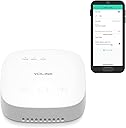
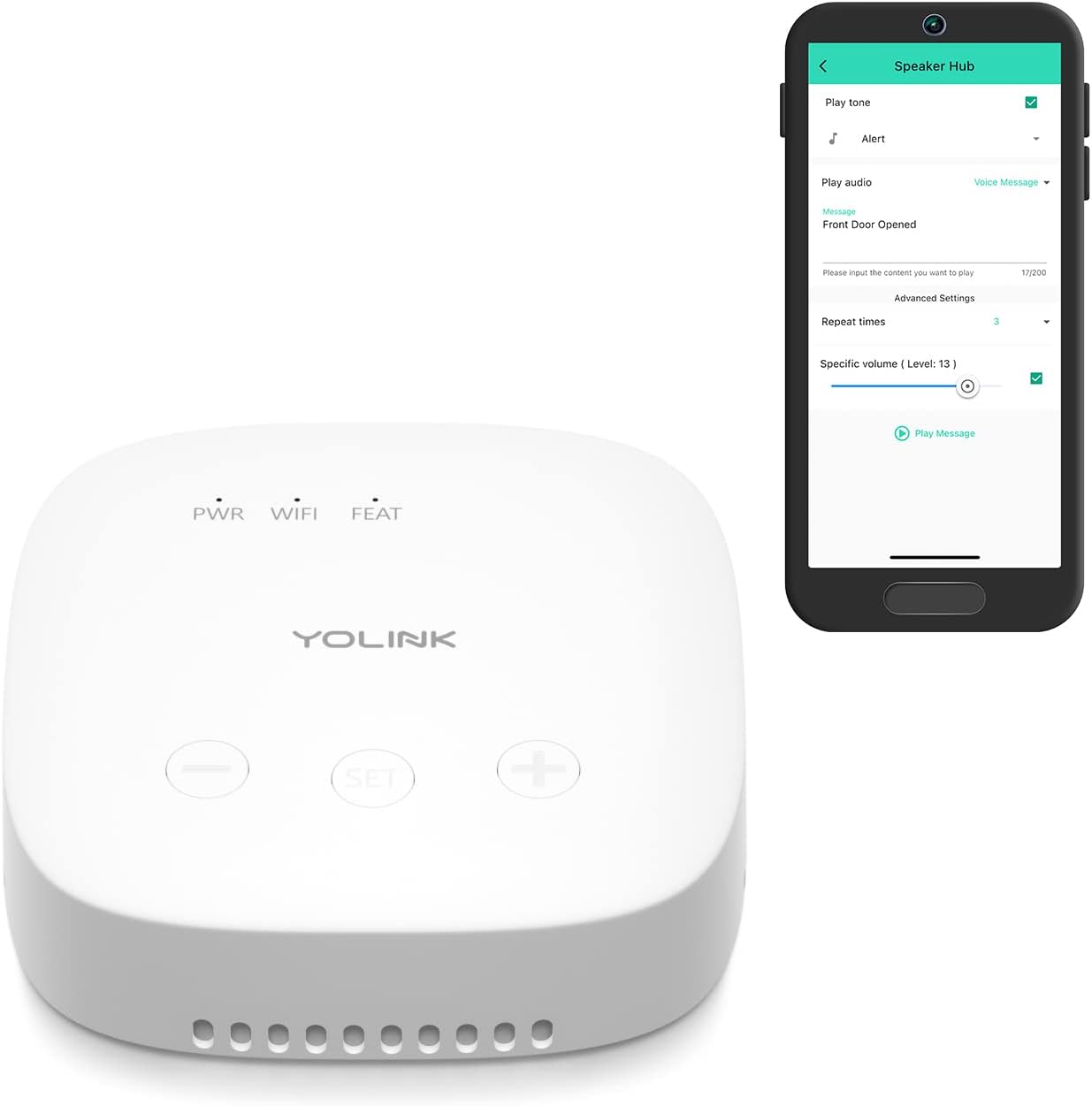
The YoLink SpeakerHub is a compact, WiFi-powered smart speaker hub featuring a robust ยผ mile LoRa wireless range. It delivers customizable audible alerts and text-to-speech notifications for home automation, security, and convenience. Designed with privacy in mind, it contains no microphone and offers easy app control for seamless integration into any smart home setup.


| ASIN | B09FSS95G9 |
| Additional Features | Portable |
| Age Range Description | Adult |
| Antenna Location | door |
| Audio Driver Type | Dynamic Driver |
| Audio Output Mode | Built-in sounds/tones, MP3 files, Text-to-speech |
| Best Sellers Rank | #19,969 in Tools & Home Improvement ( See Top 100 in Tools & Home Improvement ) #32 in Home Automation Hubs & Controllers |
| Brand | YoLink |
| Built-In Media | Free U.S. Shipping, Orders $50 & Up, Hassle-Free 60 Day Returns, 2-Year Warranty, Do-It-Yourself Installation, 100% Satisfaction Goal |
| Color | White |
| Compatible Devices | Smartphone, Laptop |
| Connectivity Protocol | LoRa |
| Connectivity Technology | LoRa |
| Control Method | App, Remote |
| Controller Type | YoLink SpeakerHub |
| Customer Package Type | Flat Free Package |
| Customer Reviews | 4.5 out of 5 stars 1,869 Reviews |
| Enclosure Material | Plastic |
| Frequency Response | 915 MHz |
| Is Waterproof | FALSE |
| Item Dimensions D x W x H | 2.95"D x 3"W x 0.91"H |
| Item Type Name | YoLink SpeakerHub |
| Item Weight | 0.13 Kilograms |
| MP3 player | No |
| Manufacturer | YoSmart |
| Maximum Range | 0.25 Miles |
| Model Name | SpeakerHub |
| Model Number | YS1604 |
| Mounting Type | Door Mount,Freestanding,Plug Mount |
| Number of Audio Channels | 1.0 |
| Number of Items | 1 |
| Number of Power Levels | 1 |
| Power Source | AC |
| Processor Count | 1 |
| Speaker Maximum Output Power | 25 Watts |
| Speaker Size | 3 Inches |
| Speaker Type | Multimedia or Multi Room |
| Subwoofer Diameter | 3 Inches |
| Tweeter Diameter | 1 Inches |
| UPC | 850024791398 |
| Unit Count | 1 Count |
| Warranty Description | 1 Year Warranty |
| Warranty Type | 2-Year Warranty |
| Wireless Technology | Wi-Fi |
N**R
Excellent device
Having used a lot of home automation devices over the years (including X-10 and Z-Wave), this one is superior. Their installation process is quick and simple. They supply QR codes to get you started. The smart phone app is easy to use and intuitive. Another good thing is there are no fees to operate it unless you have a lot of sensor activity (high SMS traffic), but the fees are modest. I have heard that integrating to Alexa might be a problem but since I don't use that, I don't care. Having just installed it, only time will tell if it is truly a winner. However, since the hubs are inexpensive, I plan on getting a spare. I believe that installing a new or multiple hubs is pretty easy also. After using this for 6 weeks, I still find it to work very well. The only issue I have encountered is the area I am in has sporadic but brief power outages which can disrupt the operation of the dimmers and switches but they have a retry function available. Update: This product is a winner. Been using this for over a year. Again, their app works well and is easy to use and as far as I have been able to determine, they have all imaginable functions and features covered. All of their devices work well and are reasonably priced, especially compared to Z-Wave. The variety of devices available is outstanding and their solution for operating garage door openers is remarkable. YoLink's customer service is responsive and helpful. Found one small issue with pairing a device: one of the fobs is black with white printing used for the QR code pairing. Their app only recognizes black printing with a white background. The workaround was to scan the QR code, reverse the image and have the app scan the reversed image.
E**E
Water leak peace of mind
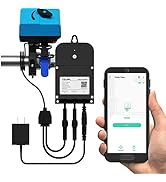
YoLink has many home monitoring systems including water links, video and thermostats. I use only the water leak detection system. The system uses an app to program and control leak detectors that automatically detect and send notifications to email and mobile phone. I also installed an online inline automated water valve to turn off the water if a leak is detected. I have placed a detector near the washing machine, the refrigerator and dishwasher, and the water heater. Basically, anywhere there could be water leaks, there is a small detector. The detectors also have great range. I even put one near the intake from the well to monitor for frozen pipes. The system works extremely well. It will also connect to the internet to allow for online control anywhere there is internet. However, internet is NOT needed for the system to detect and turn off the water. But is needed for online control and notification. Not sure if you can set up for a phone call notification. The valve cutoffs are very good quality and work flawlessly. I have the model that allows you to simply fit it to the existing cutoff valve. This setup allows for a simple install usually without a plumber. There is also an improved inline cutoff valve that sadly was not available when I installed my system. This newer improved model completely replaced the existing cutoff valve. Or you could install the new inline valve in addition to the existing valve. Mine is in the pump house but it can easily be installed in the water cutoff box coming from the street. The system worked well for multiple years until I began having โdetector offlineโ notifications. YoLink support worked immediately with me to diagnose and solve the issue. They even added an additional hub at their expense. All in, a very well designed and constructed system with excellent customer support. The app is also top quality. I would definitely recommend YoLink for instant peace of mind that your home will not be flooded while at work or traveling.
B**R
Happy with YoLink
I bought the valve, controller and several sensors for a water link detection system from YoLink. I had an issue with the controller, and YoLink quickly sent me another which solved the problem and now the system works very well. Contact with their tech support was quick and easy both online and by phone, which earns huge points in my book. No long wait times, they were very quick to answer my call and very quick to respond to emails, and they solved my problems and answered my questions very well. Good customer service - 5 stars. I wish all companies had this kind of service. I later bought the hub and another sensor and added them to the system. The installation was a breeze. Couldn't have been easier. The products were well made and well packaged and easily connected to the hub and the app. A hint that I would pass on if you are pairing sensors to the controller without the hub and app: Close the valve first, then pair the sensor to the controller, then open the valve and then test with water on the sensor contacts. Repeat for other sensors to install. Don't try to pair with the valve open is the key - be sure it's closed. Thanks YoLink for a good product that does exactly what it's supposed to do and at what I believe is a very fair price.
D**E
Great little box for voice messages about YoLink events customized the way you want.
I'm totally blind. The first thing I noticed about this is the box is square in shape and about 1 inch tall when sitting on a table. The power cord is a micro USB cord and plugs into the box with the points down. The box is meant to be set on a shelf or table. There are 3 buttons on the front of it near the front edge. The QR code is on the underside of it. There are little wholes all around the lower edge of the unit when sitting on a table. After plugging in the box and then trying to determine what the 3 buttons did! I found the left most is Volume down, the middle one I'm guessing is for configuring it being it didn't seem to do anything when pressed a few times. The right most if volume up. When into the App and scanned the QR code and then pressed the center button to get the hub online. The hub on its own doesn't give any voice messages or nothing like that. Tried that to see what it would do on its own out of the box. But again that could have been the way I have the sensors configured as far as alerts. Next went and played with the Automation smart stuff in the App to see what I could do. Yes you can create automation for the hub and have it play a sound along with speaking a written message that you type into the App on your phone. You can have the tone and message also repeat a few times if you like. You can also set the volume in the App, but that doesn't work for a totally blind person Being the controls doesn't work for a person using a screen reader. The nice thing is there is a test button that you can tap when setting up the sound/voice stuff so you can hear how it sounds. Default volume is whatever you currently have the hub set at if you have the volume box unchecked in the automation. So using the buttons on the hub itself and the test button in the App, set the volume to your liking and leave it. I found the speaker when doing this is on the underside of the unit and is facing down. The sound will hit whatever the hub is sitting on and then the little wholes around the lower edge causes the sound to come out all around the unit. So this unit should be set on a hard place like a table top or wooden shelf. Do not set it on something soft! If you do that, the sound will be soft and muffled. At highest volume, this may be OK for a single room. For me, this will not wake me up from sleeping being it takes something with more room filling sound to do that. If you want or need something with more room filling sound, you cannot connect an external speaker to this to help out with sound or volume.
L**N
Great product
Great price, easy to install and it connected without any issues.only complaint is the you need to disconnect the whole thing in order to turn your valve manually
A**T
Works exactly the way I wanted
This hub works exactly the way I wanted I recommend it this hub. Buy this in a bundle with other yolink sensors and save. ----------------------------------- Oh... here are a few details about Yolink sensors and hub you really do need to know. All yolink sensors of any type communicate with the hub and the hub communicates with the yolink server and the server communicates with your cell phone and the yolink app. You might think this is bad but I actually love it. Here is why. You link can send you a text or an email if a sensor is tripped. But if that text or email winds up on your phone how do you know it got there? Does your phone make some special beep when a yolink email comes in or a special sound when a yolink text comes in? As for the text I do know how to customize my text to make a special noise but I don't bother. Why don't I bother? Because I set the yolink app to "app only notification". Well ladies and gentlemen.... I found a notification reader app for my phone. It reads yolink notification out loud. Not text, not email but app notifications from the yolink app. It can be set to only read notification from any certain app you want and not from apps you don't want. Get this... it has a time delineation setting.... LOL your thinking WHAT? No it does not delineate time... It delineates THE time the app reads notifications out loud. Here is how I set it, I have it set so the app reader only reads yolink notifications at night. Not during the day time. My wife hates hearing it during the day and evening. During these times the notification make a small sound. I know to check the notification. My wife can't hear it. So get all that? Yolink could have an "in app reader" or "announcement" that could simply say out loud what sensor just got tripped. But yolink wants you to pay them for a text service that can send a lot of text to you. NO... you don't need that. Install the notification reader, it is called "voice notify" version 1.3.1, it is awesome. It truly completes the Yolink system and makes it what it truly should be. A way for your phone to tell you what door or window or yolink sensor just got tripped and it can happen while you are in your easy chair at home, or, in an airport on another continent on the other side of the planet.
A**R
Great system
Best system we have used! Very little false notifications. Very easy to set up and install.
R**T
Failed after a year? No longer connects to network
8/27/2024 Update: I had (2) of these speaker hubs. Seemed to work fine, even the odd programing style once you get used to it is okay if not clunky. But, I had both units fail via falling off network. First they fell off the wifi a few times a day. then they ramped up this failure and then just wouldn't connect. Note- I never changed my home network or WiFi setup or frequencies in use. It's a UniFi system and cost a couple thousand so it's not just cheesy WiFi issues. I'm not sure on this brand any longer. I will use my remaining gear until failure then trash it as it seems like another case of planned obsolesce and I have no need for that in my life- it's possible the wireless systems have a finite life but I need to know that prior to any purchase. My families security is one thing I demand 100% reliability with and YoLink has failed here. Old review: There is a lot of potential with Yolink as an ecosystem. My issue is the absolute randomness of programming and setting names that mean nothing outside of this system. Scenes? Automation? Alarms? Buried settings?? None of this has much common sense to it. I've been trying to assign a simple motion sensor as an alarm that I can enable and disable via a Yolink fob. Nearly impossible for me via the app. The feature set is cool in theory. But man o man. Maybe make some guides for people and skip all the lingo? Just simple examples?? Or is the system so esoteric that it's not possible? If you need a 10 page .pdf for a simple motion alarm strategy then you failed as a systems designer/programmer imo. I make really good money as a tech (industrial controls engineering), years of PLC and DCS/HMI programming and can figure most things out- these are intuitive things, Yolink is not. I've read numerous guides and watched videos etc... It doesn't help. I feel there is a translation error and if I could read Chinese perhaps the native Chinese instructions actually make sense?? This entire system is a jack of all trades wannabe and it fails at being a really good "out of the box" solution unless you forget all things you know about alarm systems (like the ELK M1 which is a gold standard) in order and learn this specific nomenclature. "Scenes"? I don't need a scene or an "automation". That's for the home automation people obsessed with flipping on a stupid light bulb like the X-10 nerds from the 80s. No. I need an alarm tab that just alarms- (If motion then alarm if alarm is active). A simple enable and disable. But I seem to have to configure 4-5 things to accomplish 1 task? Perhaps this is a feature? But I see it as a design/programming flaw. You can't really mash all these features together and expect it to make any sense. Likely all my Yolink devices sans a camera will end up in the trash soon and I'll just pick up a purpose built alarm system. I just have no interest in learning yet another propriety way to program. Standardize this stuff people. It's not that tough!
Trustpilot
2 weeks ago
1 month ago