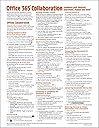
Office 365 Collaboration - Teamwork with OneDrive, SharePoint, Planner and Delve Quick Reference Guide (Cheat Sheet of Instructions, Tips & Shortcuts - Laminated Card)
Product ID: 40152233
Desertcart purchases this item on your behalf and handles shipping, customs, and support to New Zealand.
This guide was updated in January 2020. Laminated 4-page guide to Collaboration in Microsoft Office 365 shows step-by-step instructions and shortcuts for how to use teamwork features in Word, Excel & PowerPoint using OneDrive, SharePoint, Planner & Delve. Written with Beezix's trademark focus on clarity, accuracy, and the user's perspective, this guide will be a valuable resource to improve your proficiency in using Collaboration in Microsoft Office 365. This guide is suitable as a training handout, or simply an easy to use reference guide, for any type of user. Topics include: Offline Collaboration: Tracking Changes in Word: Turning Track Changes On/Off; Show/Hide the Reviewing Pane; Accepting/Rejecting Changes; Changing What is Shown. Tracking Changes in Excel: Show/Hide Change History; Accepting/Rejecting Changes. Inserting & Deleting Comments; Comparing Two Documents in Word; Combining Word Documents; Comparing Two Documents in PowerPoint; Comparing Documents Side by Side; Removing Personal or Hidden Information from a Document. Protecting Documents: Restricting Editing In Word; Selective Protection in Word; Selective Protection in Excel. Online Collaboration: Basic Coediting Steps; Sharing Documents from Desktop Office (Email Link or Embed); Sharing Documents from OneDrive for Business (Email Link or Embed); Sharing Documents from SharePoint (Email Link, Embed, Checking Out/In); Stop or Change Sharing from Desktop Office, OneDrive or SharePoint. Organizing Collaboration Settings: Managing an Online Collaboration Session; Resolving Collaboration Conflicts; Collaboration with Office 365 Groups: Adding a Group; Deleting a Group; Sharing a Group File; Scheduling a Group Meeting; Checking for Group Meetings. Collaborating with SharePoint Teams: Adding a Team Site; Deleting a Team Site. Communicating with Collaborators: Starting a Skype for Business Chat; Starting a Microsoft Teams Chat; Sharing Information with a SharePoint Team; Starting a Yammer Broadcast; Starting a Group Email Conversation. Tracking Office 365 Collaboration: Using Office 365 Planner (Adding and Managing Tasks and Plans). Using OneDrive for Business Discover; Using Office 365 Delve: Searching for People, Documents, Boards; Using Delve Profiles to Explore Team Activity; Managing Content Cards and Boards; Adding to Delve Favorites; Creating a Board and Adding Content to It; Sharing a Delve Board; Deleting Content from a Board; Sharing Delve Content. Recommended companion title covering Office basics: Office 2016 Essentials (ISBN 9781939791900). Great companion product to: Word 2016 (ISBN 9781939791917); Excel 2016 (ISBN 9781939791924); PowerPoint 2016 (ISBN 9781939791931) Windows Introduction Guides. Review: Office 365 Collaboration - It was very informative. It made learning office 365 collaboration very easy. Review: Great Tool, Easy to Read Easy to Keep at Hand - These are a very handy and quick way to look up references for my new Microsoft Office 365. It fits easily in my desk drawer or I can post up on my cubicle for quick access. The information it provides is excellent.
| Best Sellers Rank | #1,328,668 in Books ( See Top 100 in Books ) #112,751 in Reference (Books) |
| Customer Reviews | 4.5 out of 5 stars 189 Reviews |
P**L
Office 365 Collaboration
It was very informative. It made learning office 365 collaboration very easy.
M**A
Great Tool, Easy to Read Easy to Keep at Hand
These are a very handy and quick way to look up references for my new Microsoft Office 365. It fits easily in my desk drawer or I can post up on my cubicle for quick access. The information it provides is excellent.
M**R
Product as described by seller.
Good information to use.
N**T
Too small a print.
Info good need a magnifying glass to read it.
R**N
Exactly As Ordered
Arrived on time in new condition. Only comaint is they could make the typeface larger for easier viewing.
Trustpilot
1 week ago
2 weeks ago