Some deliveries may take a little longer than usual due to regional shipping conditions.

DOWNLOAD THE APP


Customer Services
Copyright © 2025 Desertcart Holdings Limited
DOWNLOAD THE APP
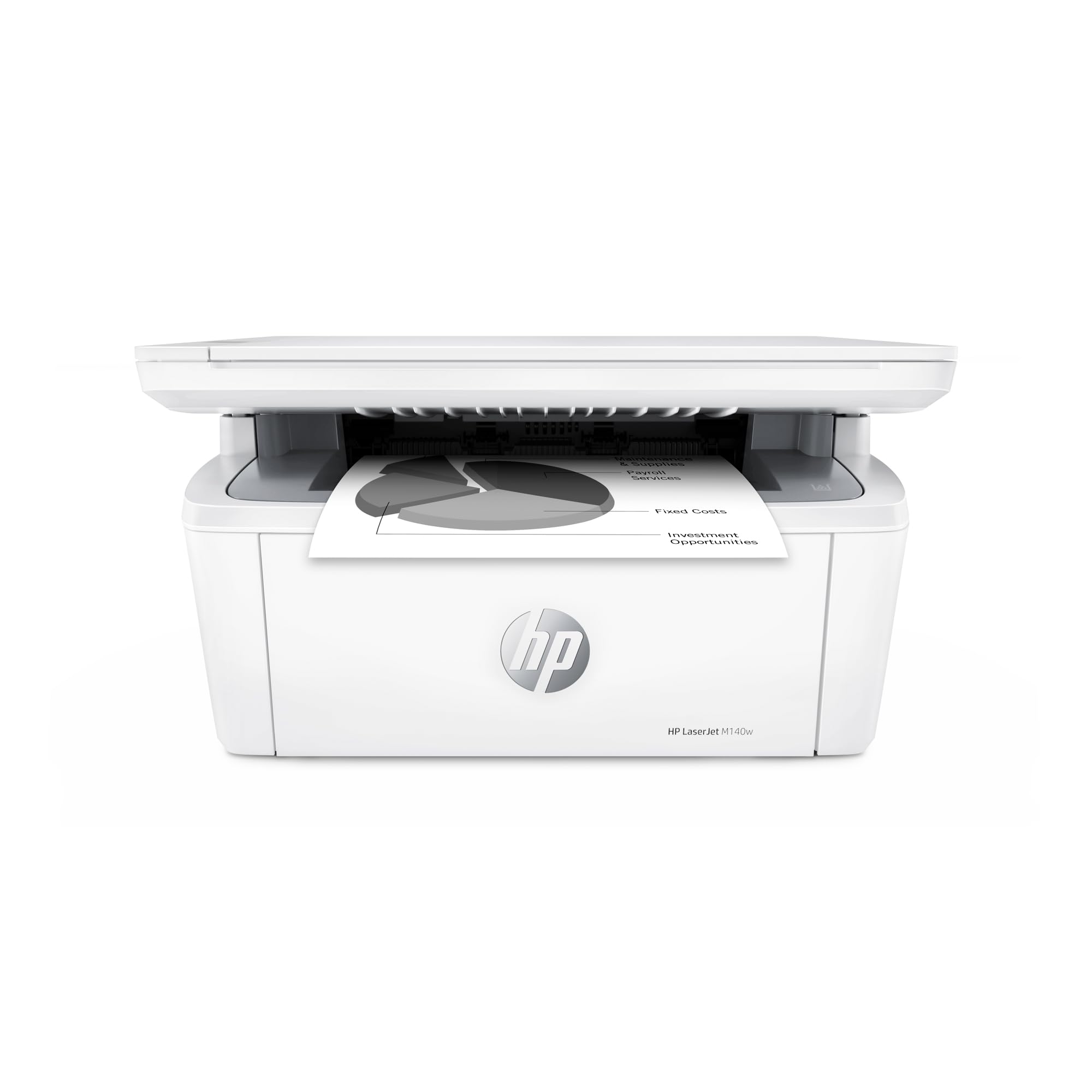
🖤 Small footprint, big impact—print smarter, not harder!
The HP LaserJet MFP M140w is a compact, wireless monochrome laser printer designed for small teams and home offices. Delivering fast print speeds of up to 21 pages per minute with 600 dpi resolution, it combines printing, scanning, and copying in one sleek device. Its wireless connectivity and HP Smart app integration enable effortless mobile printing from any device, while its space-saving design fits seamlessly into any workspace.


| ASIN | B09MSPNYQ2 |
| Additional Printer Functions | All In One |
| B&W Pages per Minute | 21 ppm |
| Best Sellers Rank | #3,090 in Office Products ( See Top 100 in Office Products ) #6 in Laser Computer Printers |
| Brand | HP |
| Built-In Media | HP LaserJet MFP M140w Printer; Preinstalled HP Original Introductory Black LaserJet Toner Cartridge; Getting Started Guide; Setup Poster; Support flyer; Warranty guide; Power cord |
| Color | White |
| Color Depth | 24 bpp |
| Compatible Devices | Laptops, PC, Smartphones, Tablets |
| Connectivity Technology | USB, wireless |
| Control Method | App |
| Controller Type | Apple Airprint, Mopria-certified |
| Customer Reviews | 4.0 out of 5 stars 1,477 Reviews |
| Display Type | LCD |
| Dual-sided printing | No |
| Duplex | No |
| Global Trade Identification Number | 00194850677281 |
| Hardware Interface | USB 2.0 |
| Initial Page Print Time | 8.3 Seconds |
| Ink Color | Black |
| Is Electric | Yes |
| Item Dimensions D x W x H | 10.4"D x 14.2"W x 7.8"H |
| Item Type Name | Multifunction Printer |
| Item Weight | 11.9 Pounds |
| Manufacturer | HP Inc. |
| Maximum Copies Per Run | 99 |
| Maximum Copy Resolution Black and White | 600 dpi |
| Maximum Media Size | 8.5 x 14 |
| Maximum Print Resolution Black and White | 600 x 600 dpi Dots Per Inch |
| Maximum Sheet Capacity | 99 |
| Model Name | New Version: M140w |
| Model Number | New Version: M140w |
| Model Series | 140 |
| Number of Licenses | 1 |
| Number of Trays | 1 |
| Other Special Features of the Product | Auto Document Feeder, Energy Star |
| Output sheet capacity | 99 |
| Paper Size | 4.13 x 5.83 to 8.5 x 14 Inches |
| Power Consumption | 115 Watts |
| Print media | Card stock, Envelopes, Labels, Paper (plain) |
| Printer Connectivity Type | USB, wireless |
| Printer Output Type | Monochrome |
| Printer Type | Laser |
| Printing Technology | Laser |
| Processor Count | 1 |
| Resolution | 600 x 600 |
| Scanner Type | Flatbed |
| Series Number | 140 |
| Special Feature | Auto Document Feeder , Energy Star |
| Specific Uses For Product | Office use, small teams, document and form printing, scanning, and copying |
| Total USB 2.0 Ports | 1 |
| Total Usb Ports | 1 |
| UPC | 194850677281 |
| Unit Count | 1.00 Count |
| Warranty Description | One-year limited hardware warranty |
| Warranty Type | limited warranty |
| Wattage | 140 watts |
J**H
Good printer at a good price
This printer was very easy to set up and it is Wi-Fi enabled and works well. I am very happy with it.
T**.
Good little company laser jet printer/copier/scanner
Great laser jet printer and copier/scanner, and compact. The screen is very small and the setup was just a little difficult trying to hook it up to WiFi network. If you don’t hook it up to the WiFi network, you wont be able to use the HP app (plus make an account) You have to make sure you are on the right WiFi setup or you wont be able to hook it up to your WiFi network. But once i figured it out, it worked great.
M**E
DO NOT BUY HP PRINTERS
I have owned mulitple HP Printers. The previously owned ones were inkjets, but because I used it infrequently, I was constantly buying ink because it would dry out between uses. So I was told to buy a laserjet because the toner does not dry out. They were correct, but the problem with the printer is the software. Because it is a wifi printer it requires to be connected to your wifi network in order to print. Well this printer randomly loses connection to the wifi, which wouldn't be a problem, but it requires a factory reset in order to reconnect. I have had to factory reset the printer three times now. And at the same time delete it from HP Smart. And the support from the HP website is garbage, it jumps you from product to product and site to site instead of showing how to factory reset this printer. Because it was some time in between factory resets I wasn't able to remember how to do it. When the toner ran out for this printer I was like ok I'll just replace it with the extra toner that came with the printer. But the extra toner (141/142) that came with the printer is not compatible with this model. Why would they give you a extra toner that doesn't work with the printer????? The software "HP Smart" that is used to manage the printer, is very poorly written. It crashes all the time. The scanner functionality is dated, cumbersome, and takes forever to scan documents. When I needed the new toner I thought this should be easy theres an obvious "Get Supplies" tile on the HP Smart homepage. However when you click it, it takes you to the HP store but does not take you to the specific toner that I needed just a search bar. You have to dig into the advanced settings menu to find the actual tonar model number. Mark my words I will never.....never....never buy another HP product as long as I'm alive, I'm 45 now, so at least for another 40 years!!
I**Q
Very capable printer
Overall really nice printer. Doesn’t take any space. Great for personal and small office. Real quick setup. Up and running in less than five minutes. Highly recommended.
L**Y
Impressive tiny printer but mighty!
I have 5.0 wifi connection and was able to bypass that by selecting something like a "device already connected or installed in my network". Otherwise, it would not connect when I select the "add new device/printer" since it can only connect to 2.4. Anyway, I got it to connect to my mobile phone, personal laptop as well as work laptop. Once I got it to work, this printer is amazing and I'm in love with it. It is better than my $300 old laser Brother printer that I purchased 8 years ago.
D**S
Great little printer--easy set-up
I'm using this with an iPad. Wireless set up took 1 minute using WPS. You do not have to use the HP Smart app to set-up, print or make copies. You do have to use it to scan. And you do have to give it access to your wireless network to scan. However you do not need it for anything but scanning and you can turn off its' permission to the network under settings, Privacy, on the iPad. You can tell HP not to annoy you with anything when you set up the account. It cost $99.99 when I bought it in August, so a pretty good deal as my Canon copier (I bought the HP primarily to make copies) has an issue with the laser unit right now. From my quick look at the HP Smart app I judge it, the app, to be somewhat difficult to use but very full featured if that is what you are looking for. This printer/copier/scanner is small, lightweight and fast and very easy to use. For those who say that the app doesn't work on a desktop, there is a separate piece of software for the desktop machines. And for those who found no directions, you must download the user manual from HP. Just Google "HP LaserJet MFP M140w Wireless Printer user manual" and get it. The quick start guide is in the box as is the power cord. You can attach this printer to a desktop/laptop via USB with the proper cord which is not included. Additional info--The HP toner-cartridge-protection supply settings can be turned on or off before you put in the first cartridge. It is on page 42 of the user manual. It is off by default. If turned on then you will be using HP toner with the chip forever. At least that is how I read the manual. Other than that it's a great little copier/scanner which is what I bought it for. Occasional wireless scanning. Occasional copying.
J**A
Seems fine.
Works perfectly. I bought the used one (I assume it’s a return). Arrived in original packaging. Safety tape had already been removed and toner installed. Hopefully it’s at least half full. :-) I bought this because I seldom print and got tired of dried up inkjet print heads. Will update if any probs.
D**L
Usable printer
The printer scanning resolution is 300 dpi, which is at the low end — I didn’t know until I used it. Reliability is unknown. (Not happy with HP inkjet poor reliability, so, I give it a shot with a laser printer.)
Trustpilot
3 weeks ago
2 weeks ago